Samsung My Files: File Management Tool
Samsung My Files is a free file manager by Samsung Electronics Co., Ltd. that lets you manage files across device, SD card, USB drive, and cloud storage.
Samsung My Files comes in at 56 MB, requires minimum OS version 16, and contains no ads or in-app purchases. The file manager supports internal storage, SD cards, USB drives, Google Drive, and OneDrive in one interface. It suits Android users who want to organize, compress, and free up storage space.
Download AppScreenshots
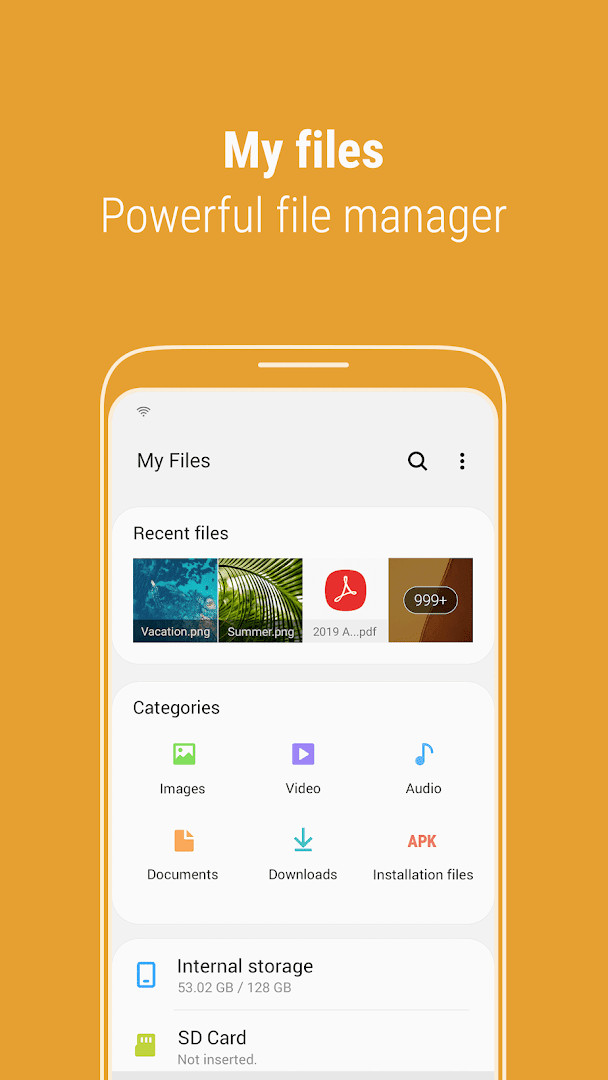
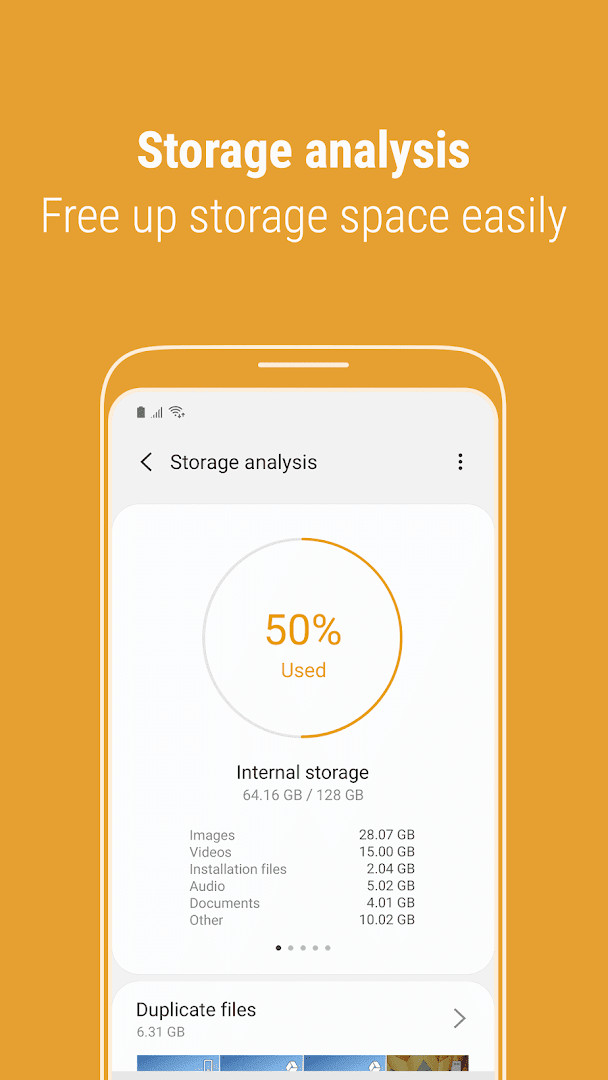
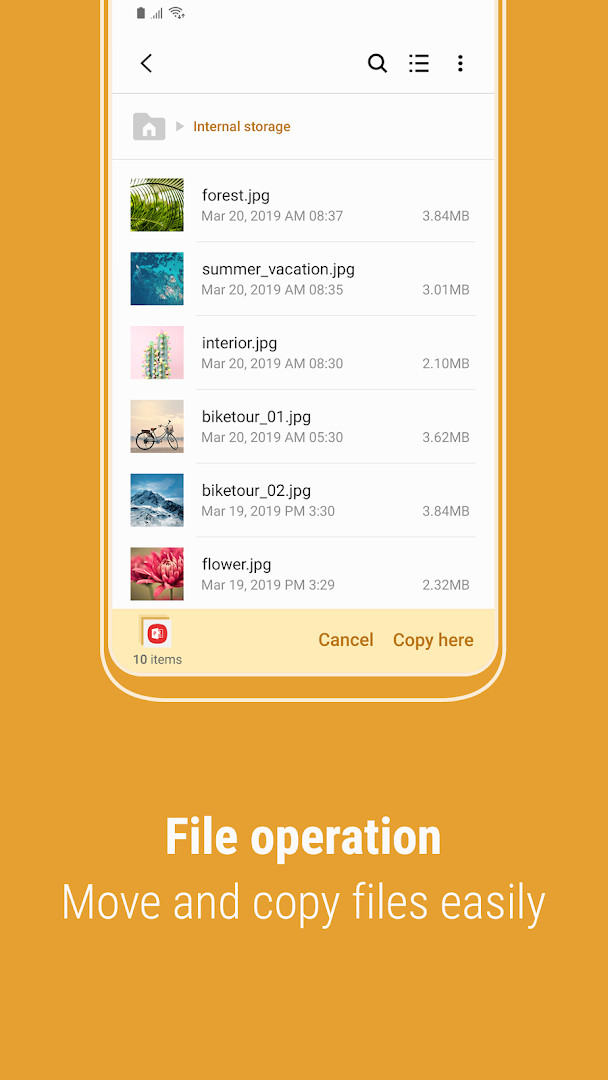
Samsung My Files is a file management utility by Samsung Electronics Co., Ltd. that lets you browse, organize, and transfer files on your phone, SD card, or USB drive. It works like a desktop file explorer, with folder creation, move, copy, share, compression, decompression, and file details. Connected cloud accounts, including Google Drive and OneDrive, appear in the same interface, so local and remote content stay in one place. Practical conveniences are built in: a Recent Files list tracks content you have downloaded, opened, or run, while a Categories view groups downloads, documents, images, audio, video, and APK installation files. You can also create shortcuts to folders or files on the device home screen and the app main screen. The latest updates refine these workflows further. Search results now let you add or delete Favorites directly while viewing the folder path, and compression supports password protection that also works when unzipping. Storage Analysis has been expanded to show how much space file types occupy on Google Drive and OneDrive, giving a fuller picture of usage across local and cloud storage.
Key features
- Browse and manage files on internal storage, SD cards, and USB drives
- Create folders; move, copy, share, compress, and decompress files; view file details
- Recent Files list for downloaded, opened, or run content
- Categories for downloads, documents, images, audio, video, and APK files
- Shortcuts for folders and files on the device home screen and app main screen
- Storage Analysis to review usage and free up space
- Google Drive and OneDrive access in the same interface
- Password-protected compression and decompression
- Add or delete Favorites while searching internal storage
How to install
- Tap the download button on this page to get the APK file (about 56 MB; requires Android 16 or newer).
- If Android asks, allow your browser or file manager to install apps by enabling the "Install unknown apps" setting.
- Open the downloaded APK file from your notification shade or file manager.
- Tap Install on the confirmation screen.
- Open Samsung My Files from your app list or home screen.
Pros
- Free with no ads and no in-app purchases
- Unified access to device, SD card, USB, and cloud files
- Built-in storage analysis with cloud usage breakdown
- Password-protected archives for better security
- Useful Recent Files and Categories views
Cons
- Requires Android 16, so older devices are not supported
- Some features may vary depending on device model
- Permission set includes contacts and device and app history, which some users may find broad
Latest changes
This update adds a few useful refinements. While searching internal storage, you can now add or remove Favorites right from the folder view. Compressing files now supports password protection, and password-protected archives can also be decompressed. The "Analyze storage" feature has also been expanded to show storage usage by file type for OneDrive and Google Drive.
Previous versions
| Version | Size | Requires Android | Updated |
|---|---|---|---|
| 15.6.03.3 | 56 MB | 16 | Oct 10, 2026 |
| 15.6.01.22 | 56 MB | 16 | Aug 10, 2026 |
| 15.6.00.74 | 56 MB | 16 | Jul 29, 2026 |
| 15.4.09.5 | 56 MB | 16 | Jun 28, 2026 |
| 15.2.04.2 | 19 MB | 14 | Jun 11, 2026 |
| 13.1.03.501 | 22 MB | 12 | Jun 15, 2025 |
| 15.0.04.5 | 18 MB | 13 | Apr 11, 2024 |
| 12.2.09.531 | 13 MB | 11 | Feb 21, 2023 |
| 11.5.08.531 | 12 MB | 10 | Jan 31, 2023 |
| 5.0.11.2 | 8.8 MB | 8.0 | Jun 26, 2022 |
Ideal for Samsung phone owners who want a straightforward way to keep files organized, users juggling content on SD cards, USB drives, and cloud accounts, and anyone looking to reclaim storage space without a third-party tool.
Use the "Edit My Files home" option to hide storage locations you rarely access, keeping the main screen focused on the folders you actually use.
Permissions
Frequently asked questions
How do I install the Samsung My Files APK on my Android device?
To install the APK, download the file and open it from your device. You may need to allow installation from unknown sources in your settings if the app is not from a preinstalled source. Follow the on-screen prompts to complete the setup.
What is the current version of Samsung My Files?
The latest version is 15.6.03.3, released on October 10, 2026. Earlier versions include 15.6.01.22 and 15.6.00.74 from August and July 2026.
Does Samsung My Files contain ads or in-app purchases?
No, the app is completely free with no ads and no in-app purchases. You can use all its file management features without any additional costs.
Can I use Samsung My Files offline?
Yes, the app works offline for managing files stored on your device, SD card, or USB drive. Cloud features like Google Drive and OneDrive require an internet connection, but local file operations do not.
Are there alternative file manager apps in the same category?
Yes, there are other file manager apps available that offer similar features like browsing, copying, and organizing files. However, Samsung My Files is designed specifically for Samsung devices and integrates well with their storage and cloud services.
Does Samsung My Files support cloud storage services?
Yes, it supports Google Drive and OneDrive, allowing you to manage cloud files alongside local ones. The storage analysis feature can also show usage by file type on these cloud services.
Samsung My Files covers the essentials of file management well and now adds password-protected archives and cloud-aware storage analysis, making it a practical free utility. The Android 16 requirement and model-dependent behavior are the main caveats, but on supported devices it is a solid everyday tool.
Similar apps
 SmartThingsSmartThings is for Android users who want to control smart TVs, appliances, speakers, and gadgets from brands like Ring, Nest, and Philip…Samsung Electronics Co., Ltd. · ★ 4.6 · Lifestyle · 227 MB
 Google Play servicesGoogle Play services is for Android users who rely on Google apps and other apps that depend on Google's core features. It handles authen…Google LLC · ★ 4.3 · Tools · 266 MB
 Digital WellbeingDigital Wellbeing requires Android 9 or higher and has no ads and no in-app purchases. The app was released on 2018-08-08 and updated on …Google LLC · ★ 3.6 · Tools
 Speech Recognition & SynthesisSpeech Recognition & Synthesis is 15 MB in size, requires Android 8.0 or higher, and has no ads or in-app purchases. It has been updated …Google LLC · ★ 4.0 · Tools · 15 MB
 Android Accessibility SuiteAndroid Accessibility Suite is a free collection of tools from Google LLC that includes TalkBack, Accessibility Menu, and Select to Speak…Google LLC · ★ 4.1 · Tools · 45 MB
 Gboard - the Google KeyboardGboard - the Google Keyboard is designed for Android users who want to type faster through Glide Typing, voice typing, handwriting, and e…Google LLC · ★ 4.5 · Tools · 9.4 MB
 GoogleGoogle is a free app with ads and no in-app purchases, sized at 156 MB and requiring Android 6.0 or higher. It offers AI-powered search f…Google LLC · ★ 4.0 · Tools · 156 MB
 Device CareDevice Care is a free system utility from Samsung Electronics Co., Ltd. that reports a 100-point health score and optimizes the device in…Samsung Electronics Co., Ltd. · ★ 3.9 · Tools · 27 MB
More from this developer
Device CareDevice Care is a free system utility from Samsung Electronics Co., Ltd. that reports a 100-point health score and optimizes the device in…Samsung Electronics Co., Ltd. · ★ 3.9 · Tools · 27 MB
 Samsung Push ServiceSamsung Push Service is a free 3.9 MB app that requires Android 9 or higher and contains no ads or in-app purchases. It delivers pop-up m…Samsung Electronics Co., Ltd. · ★ 3.8 · Communication · 3.9 MB
 Samsung GallerySamsung Gallery has a size of 51 MB and requires Android 11 or higher. The app does not charge for its core features, and it does not inc…Samsung Electronics Co., Ltd. · ★ 3.8 · Photography · 58 MB
SmartThingsSmartThings is for Android users who want to control smart TVs, appliances, speakers, and gadgets from brands like Ring, Nest, and Philip…Samsung Electronics Co., Ltd. · ★ 4.6 · Lifestyle · 227 MB
 Samsung Global GoalsSamsung Global Goals is a 103 MB education app from Samsung Electronics Co., Ltd. that requires Android 12 or later, shows ads, and has n…Samsung Electronics Co., Ltd. · ★ 3.7 · Education · 103 MB
 PENUP – Drawing-sharing SNSPENUP – Drawing-sharing SNS is a free social network focused on drawing, where users share their creations and interact with a global com…Samsung Electronics Co., Ltd. · ★ 4.5 · Art & Design · 97 MB
Updated: Nov 27, 2026
- Size
- 56 MB
- Requires Android
- 16
- Updated
- Jun 29, 2026
- Installs
- 5B+
- Rating
- ★ 4.08 (557,821)
- Category
- Tools
- Developer
- Samsung Electronics Co., Ltd.
- Content rating
- Everyone
- Package
- com.sec.android.app.myfiles
- Free
- ✓