Samsung Gallery: image & video viewer
Samsung Gallery is a free photography app by Samsung Electronics Co., Ltd. that lets you view, edit, and organize your pictures and videos.

Samsung Gallery has a size of 51 MB and requires Android 11 or higher. The app does not charge for its core features, and it does not include in-app purchases or ads as stated in the data. It is built for Galaxy smartphone users who want quick access to their media library.
Get Samsung Gallery · v15.7.02.0Screenshots
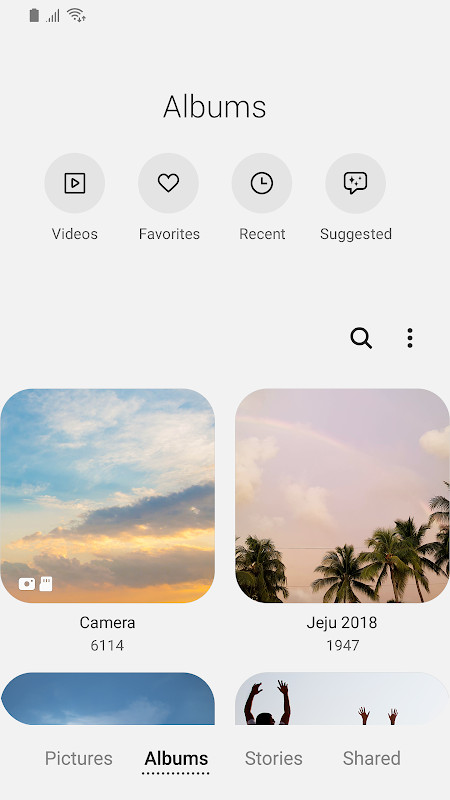
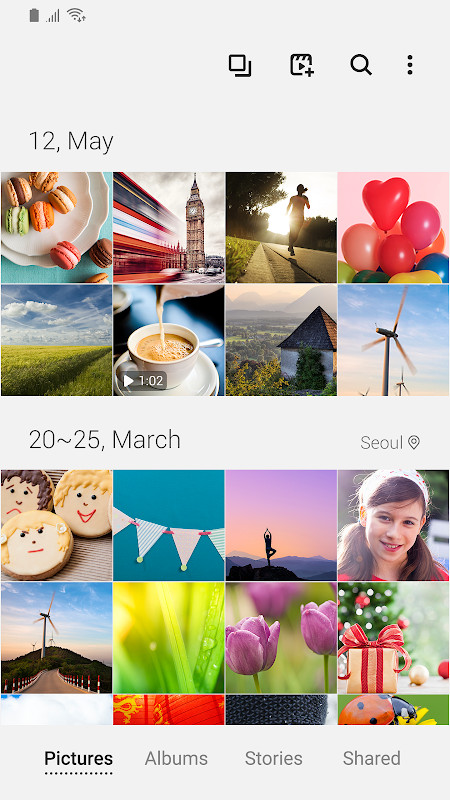
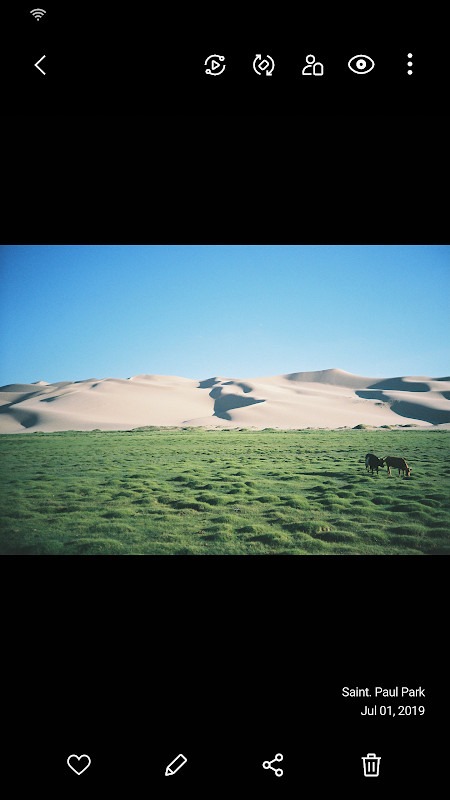
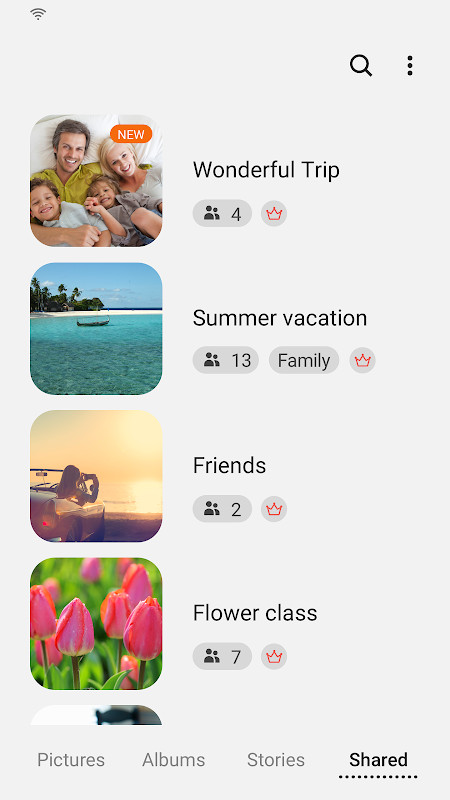
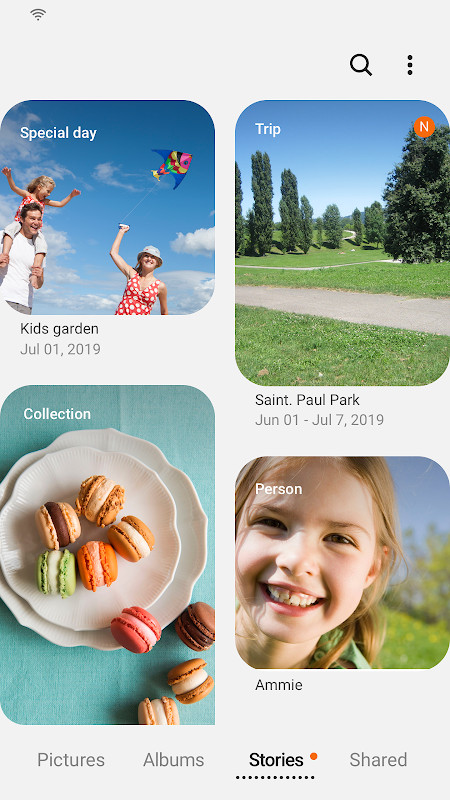
Samsung Gallery is a media management application by Samsung Electronics Co., Ltd. that serves as the default gallery for Galaxy devices, enabling users to view, organize, edit, and sync images and videos. The app is designed to provide a fast and intuitive experience for browsing media collections, with features that extend beyond simple viewing to include cloud synchronization and enhanced security. It is pre-installed on many Galaxy smartphones but can also be updated independently to gain access to the latest capabilities and improvements.
The app functions as a central hub for all visual content on a device, pulling together photos and videos from local storage, cloud backups, and even social media if configured. Users can sort and filter their media, create albums, and use built-in editing tools to adjust, crop, or enhance their images. A notable aspect is the integration with Samsung Cloud, which allows media to be accessed across multiple devices when signed into the same account, ensuring that cherished memories are available wherever the user goes.
The release of version 15.7.02.0 brings several refinements. The Story sharing service has been terminated, meaning any previously shared stories will be removed, though unshared stories remain unaffected. This version also introduces the ability to edit story cover images, a new swipe-up gesture on the detail view to reveal more information, and a shortcut to open the Search menu by long-pressing the Gallery app icon. These changes aim to streamline navigation and give users more control over their media organization, reflecting a continued focus on usability and performance.
Key features
- Fast and smooth viewing of images and videos with optimized performance.
- Cloud sync via Samsung Cloud, allowing access to media across devices with the same account.
- Story creation and management, including the ability to edit cover images (in version 15.7.02.0).
- Enhanced security features to protect private photos and videos.
- Search functionality that can be opened by long-pressing the app icon.
- Detailed view accessible by swiping up on the detail screen.
- Storage permission for saving, loading, editing, and deleting media.
- Optional permissions for telephone (Samsung Cloud identification), contacts (People name tags), and location (editing location info).
How to install
- Tap the download button on this page to start fetching the APK file, which is approximately 51 MB in size.
- When prompted, allow your browser or file manager to install apps by enabling the 'Install unknown apps' setting for that app.
- Once the download completes, open the downloaded APK file from your notifications or file manager.
- Read the permissions and tap 'Install' to proceed with the installation.
- Wait for the installation to finish, then tap 'Open' to launch Samsung Gallery. The app requires Android 11 or higher.
Pros
- Optimized for Galaxy devices, ensuring smooth performance.
- Cloud sync capability for cross-device access.
- Regular updates with new features and improvements.
- Enhanced security options for private media.
- Multiple viewing and editing options.
Cons
- Some features may not be available depending on country or device.
- Termination of Story sharing service in the latest version.
- Requires Android 11 or newer, which may exclude older devices.
- Permissions may be considered invasive by some users.
Latest changes · 15.7.02.0
Version 15.7.02.0 of Samsung Gallery brings several changes to how you browse and manage your media. The Story sharing service has been discontinued, and any stories you had shared will be deleted, while stories you never shared are kept. You can now edit a cover image for your stories. In the detail view, swiping up reveals more information, and pressing and holding the Gallery icon on your home screen opens the Search menu. The app supports Android 11 and above.
Previous versions
| Version | Size | Requires Android | Updated |
|---|---|---|---|
| 15.1.00.900 | 35 MB | 9 | May 1, 2026 |
| 15.7.02.0 | 51 MB | 11 | Apr 15, 2026 |
| 15.7.01.0 | 51 MB | 11 | Mar 27, 2026 |
| 15.6.04.2 | 49 MB | 11 | Jun 21, 2025 |
| 10.0.00.16 | 11 MB | 7.0 | Nov 3, 2018 |
Samsung Gallery is ideal for Galaxy smartphone owners who want a reliable and feature-rich media viewer. It suits everyday users who take photos and videos and need an organized gallery, as well as those who rely on cloud sync to access their media across multiple devices. Additionally, users who value security features to protect private content will find this app useful.
To quickly locate a specific photo, long-press the Gallery app icon on your home screen to open the Search menu and type keywords like location, date, or album name.
Permissions
Frequently asked questions
How do I install the Samsung Gallery APK on my Android device?
Download the APK file using the button on this page, then open it on your device. Because it comes from outside a store, you will need to allow installation from unknown sources in your Android settings before the installer can run. Your device must be running Android 11 or later.
What is the current version of Samsung Gallery?
The latest version listed here is 15.7.02.0, updated on 2026-04-15. The app requires Android 11 or higher and the download is about 51 MB.
Does Samsung Gallery contain ads or in-app purchases?
There is no indication of ads or paid purchases in the information available. The app is listed as free, and the permissions it requests relate to handling your photos, videos and related device functions rather than advertising.
Can I use Samsung Gallery without an internet connection?
Yes. Viewing, editing and managing pictures and videos stored on your device works offline. An internet connection is only needed for features such as cloud sync, which requires signing in to the same account on your device.
What permissions does Samsung Gallery need?
Storage access is required so the app can save, load, edit and delete pictures and videos. Optional permissions cover things like phone identification for cloud services, contacts for adding name tags to People, and location for editing location details.
What is new in the latest Samsung Gallery update?
The Story sharing service has been discontinued, so any shared stories are removed while unshared ones remain. The update also adds cover image editing for stories, lets you swipe up in the detail view to see more information, and allows opening the search menu by touching and holding the Gallery app icon.
Are there other photo and video gallery apps I could use instead?
Yes, there are many gallery and media viewer apps in the Photography category. Alternatives typically differ in cloud backup options, editing tools, interface design and how they organize albums, so it is worth comparing features and device compatibility before switching.
Samsung Gallery stands out as a robust media management tool for Galaxy users, offering fast performance, cloud integration, and a recent update that enhances navigation and story customization. While the removal of Story sharing might disappoint some, the app remains a solid choice for those seeking a secure and efficient way to handle their photo and video collections.
Similar apps
 GalleryGallery is a free photography app from Google LLC that groups pictures by categories such as People, Selfies, Nature, Animals, Documents,…Google LLC · ★ 4.2 · Photography
 Picsart AI Photo Editor, VideoPicsart AI Photo Editor, Video is free to download and also offers optional in-app purchases, and it carries ads. The app requires Androi…PicsArt, Inc. · ★ 4.0 · Photography · v30.9.5
 Video Editor & Maker - InShotVideo Editor & Maker - InShot combines video editing, a photo editor and a collage maker in one app, with AI captions, speech, background…InShot Video Editor · ★ 4.8 · Photography · v2.231.1551
More from this developer
 SmartThingsSmartThings is for Android users who want to control smart TVs, appliances, speakers, and gadgets from brands like Ring, Nest, and Philip…Samsung Electronics Co., Ltd. · ★ 4.6 · Lifestyle · 227 MB
 Samsung Global GoalsSamsung Global Goals is a 103 MB education app from Samsung Electronics Co., Ltd. that requires Android 12 or later, shows ads, and has n…Samsung Electronics Co., Ltd. · ★ 3.7 · Education · 103 MB
Updated: Oct 24, 2026
- Version
- 15.7.02.0
- Size
- 51 MB
- Requires Android
- 11
- Updated
- Apr 15, 2026
- Installs
- 1B+
- Rating
- ★ 3.81 (384)
- Category
- Photography
- Developer
- Samsung Electronics Co., Ltd.
- Content rating
- Everyone
- Package
- com.sec.android.gallery3d
- Free
- ✓