Google Play services for Android
Google Play services is a tools app from Google LLC that provides core Google services for Android apps.
Google Play services is for Android users who rely on Google apps and other apps that depend on Google's core features. It handles authentication to Google services, synchronized contacts, privacy settings, and location services, and it speeds up offline searches and improves maps and gaming.
Download Google Play servicesScreenshots
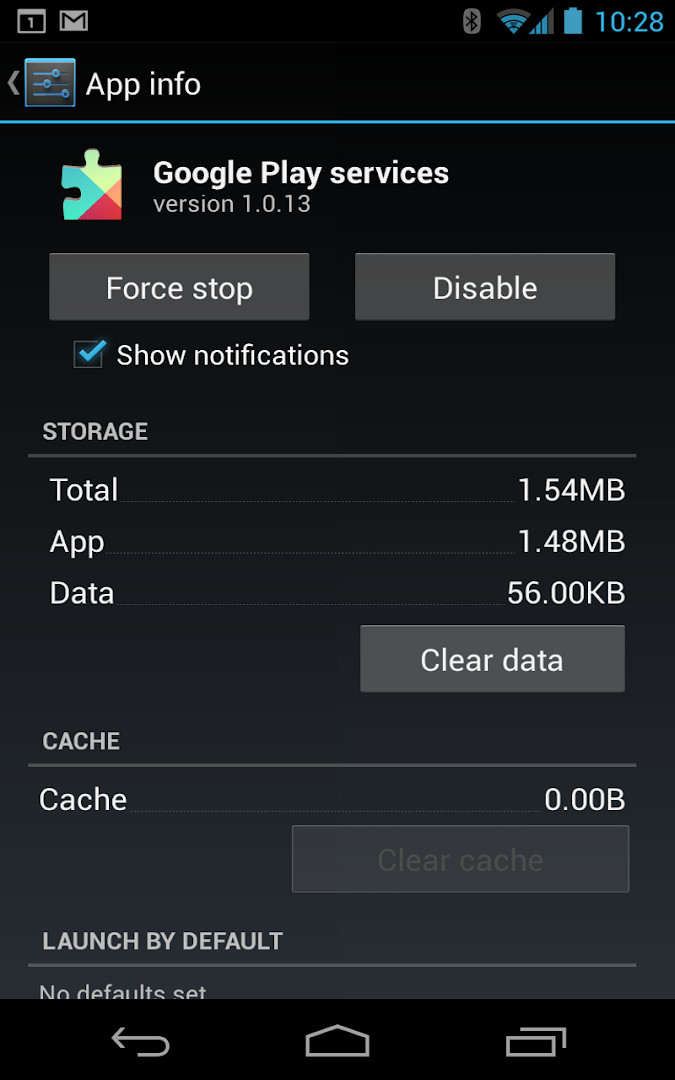


Google Play services is a tools app by Google LLC that provides the core background functionality that Google apps and many other Android apps depend on. Rather than a front-facing utility, it works quietly in the background, handling authentication to Google accounts, contact synchronization, and access to current privacy settings. It also supplies location services designed to be higher quality while consuming less power, along with support for faster offline searches, richer maps, and improved gaming performance. Because so many applications rely on this component, removing it can cause widespread problems, and apps may stop working entirely without it. This tool effectively acts as a shared layer that keeps installed software in sync with Google's infrastructure, which is why it updates on its own schedule. The latest listed version, 26.43.30 (100400-1006944126), emerged in November 2026, and the app remains free, with no ads and no in-app purchases. From a privacy and permissions standpoint, this is one of the most permission-heavy packages available. Its declared permissions span device and app history, identity, calendar, contacts, location, SMS, phone, photos and media, storage, camera, microphone, Wi-Fi connection information, device ID and call information, and wearable sensor or activity data. That broad footprint exists because the service powers unified Google features across many apps, but it also means you should consider how those permissions are used and manage them through the system settings.
Key features
- Handles authentication to Google services for installed apps
- Keeps contacts synchronized between your device and Google accounts
- Provides access to up-to-date user privacy settings
- Delivers higher-quality, lower-powered location-based services
- Speeds up offline searches for faster results
- Enables more immersive map rendering
- Improves gaming experiences through better background integration
- Supplies periodic updates to Google apps and companion software
How to install
- Tap the download button on this page to obtain the APK; the file is about 266 MB and requires Android 9 or newer.
- When Android asks, allow your browser or file manager to install apps by enabling the "Install unknown apps" setting for that app.
- Open the downloaded APK file from your notifications or file manager.
- Tap Install and review the listed permissions before confirming.
- Open the installed app once the process finishes and it will begin working in the background.
Pros
- Free to use with no ads and no in-app purchases
- Keeps a wide range of Google-backed apps functional and up to date
- Improves location accuracy while aiming to reduce power consumption
- Enhances offline search, maps, and gaming performance
- Centralized permission controls are accessible through system settings
Cons
- Large install size of 266 MB
- Requests a very broad set of permissions covering camera, microphone, SMS, and more
- Other apps may fail if the service is disabled or removed
Previous versions
| Version | Size | Requires Android | Updated |
|---|---|---|---|
| 26.43.30 (100400-1006944126) | 266 MB | 9 | Nov 5, 2026 |
| 25.18.33 (040300-756823100) | 124 MB | 6.0 | May 17, 2025 |
| 25.18.33 (080306-756823100) | 46 MB | 6.0 | May 17, 2025 |
| 25.17.31 (080306-753339714) | 46 MB | 6.0 | May 10, 2025 |
| 24.28.35 (080306-657754416) | 44 MB | 5.0 | Jan 31, 2025 |
| 24.28.35 (080406-657754416) | 47 MB | 5.0 | Sep 3, 2024 |
| 23.07.14 (110304-512733570) | 46 MB | 8.1 | Mar 11, 2023 |
| 22.39.15 (000300-480654083) | 49 MB | 4.4 | Oct 20, 2022 |
| 21.42.59 (120408-410919843) | 126 MB | 10 | Nov 20, 2021 |
This is aimed at people who regularly use Google apps, gamers and travelers who depend on maps and location services, and anyone who wants a single background service handling authentication, updates, and synchronization across their device.
After installation, open Android's system settings, find the entry for Google Play services, and review its permission list; you can revoke anything that feels unnecessary for how you use your device.
Permissions
Frequently asked questions
How do I install the Google Play services APK on Android?
Download the APK from this page and open it on a device running Android 9 or higher. Allow installation from unknown sources if prompted, then follow the on-screen steps to complete the setup.
What is the current version of Google Play services?
The most recent version listed is 26.43.30, dated November 5, 2026. The app was last updated on November 12, 2026.
Does Google Play services contain ads or in-app purchases?
No. The app is free to use, has no ads, and does not offer in-app purchases.
Can I use Google Play services offline?
Yes, it supports offline searches and can speed them up, though some features like authentication and syncing require an internet connection.
Are there alternatives to Google Play services in the Tools category?
Yes, other tools provide similar background services, but they may lack the deep integration with Google apps and the wide range of permissions this component uses.
What happens if I uninstall Google Play services?
Apps may not work correctly if you remove it, since it provides core functions like authentication, contact syncing, and location services.
As a behind-the-scenes component, this service is essentially required for normal Android functionality tied to Google, and its privacy trade-offs are substantial but manageable. Install it if you need Google-backed apps to run reliably, but audit its permissions before letting it settle into your system.
Similar apps
 YouTubeYouTube is a free video app with a size of 199 MB, requires Android 10 or higher, and includes ads and in-app purchases. It offers a vast…Google LLC · ★ 3.8 · Entertainment · 156 MB
 Google GeminiGoogle Gemini is for Android users who want an AI assistant for writing, planning, studying, and creative projects. The app is free to us…Google LLC · ★ 4.5 · Productivity
 Google WalletGoogle Wallet is for Android users who want to pay in stores, online, or in apps and keep passes, tickets, and digital IDs in one place. …Google LLC · ★ 4.3 · Finance · 16 MB
 Digital WellbeingDigital Wellbeing requires Android 9 or higher and has no ads and no in-app purchases. The app was released on 2018-08-08 and updated on …Google LLC · ★ 3.6 · Tools
 Speech Recognition & SynthesisSpeech Recognition & Synthesis is 15 MB in size, requires Android 8.0 or higher, and has no ads or in-app purchases. It has been updated …Google LLC · ★ 4.0 · Tools · 15 MB
 Android Accessibility SuiteAndroid Accessibility Suite is a free collection of tools from Google LLC that includes TalkBack, Accessibility Menu, and Select to Speak…Google LLC · ★ 4.1 · Tools · 45 MB
 Gboard - the Google KeyboardGboard - the Google Keyboard is designed for Android users who want to type faster through Glide Typing, voice typing, handwriting, and e…Google LLC · ★ 4.5 · Tools · 9.4 MB
 GoogleGoogle is a free app with ads and no in-app purchases, sized at 156 MB and requiring Android 6.0 or higher. It offers AI-powered search f…Google LLC · ★ 4.0 · Tools · 156 MB
More from this developer
Digital WellbeingDigital Wellbeing requires Android 9 or higher and has no ads and no in-app purchases. The app was released on 2018-08-08 and updated on …Google LLC · ★ 3.6 · Tools
 Google MeetGoogle Meet is 118 MB in size and requires Android 8.1 or higher, with no ads and no in-app purchases. It has been installed over 10 bill…Google LLC · ★ 4.4 · Communication · 118 MB
 GmailGmail is for individuals and teams who need secure email, chat, and collaboration in one place. It is free to download, requires Android …Google LLC · ★ 4.1 · Communication · 26 MB
Speech Recognition & SynthesisSpeech Recognition & Synthesis is 15 MB in size, requires Android 8.0 or higher, and has no ads or in-app purchases. It has been updated …Google LLC · ★ 4.0 · Tools · 15 MB
 Google ChromeGoogle Chrome is a free browser that syncs bookmarks, tabs, and passwords across devices and includes tools like Google Lens and Translat…Google LLC · ★ 4.1 · Communication · 218 MB
Android Accessibility SuiteAndroid Accessibility Suite is a free collection of tools from Google LLC that includes TalkBack, Accessibility Menu, and Select to Speak…Google LLC · ★ 4.1 · Tools · 45 MB
Updated: Nov 23, 2026
- Size
- 266 MB
- Requires Android
- 9
- Updated
- Nov 12, 2026
- Installs
- 10B+
- Rating
- ★ 4.32 (44,504,730)
- Category
- Tools
- Developer
- Google LLC
- Content rating
- Everyone
- Package
- com.google.android.gms
- Free
- ✓