Device Care: smartphone optimization app
Device Care is a device optimization tool by Samsung Electronics Co., Ltd. that checks and improves the condition of your smartphone.
Device Care is a free system utility from Samsung Electronics Co., Ltd. that reports a 100-point health score and optimizes the device in one click. Device Care suits Galaxy smartphone owners who want to monitor battery, memory, and malware threats without expert knowledge.
Download Device CareScreenshots
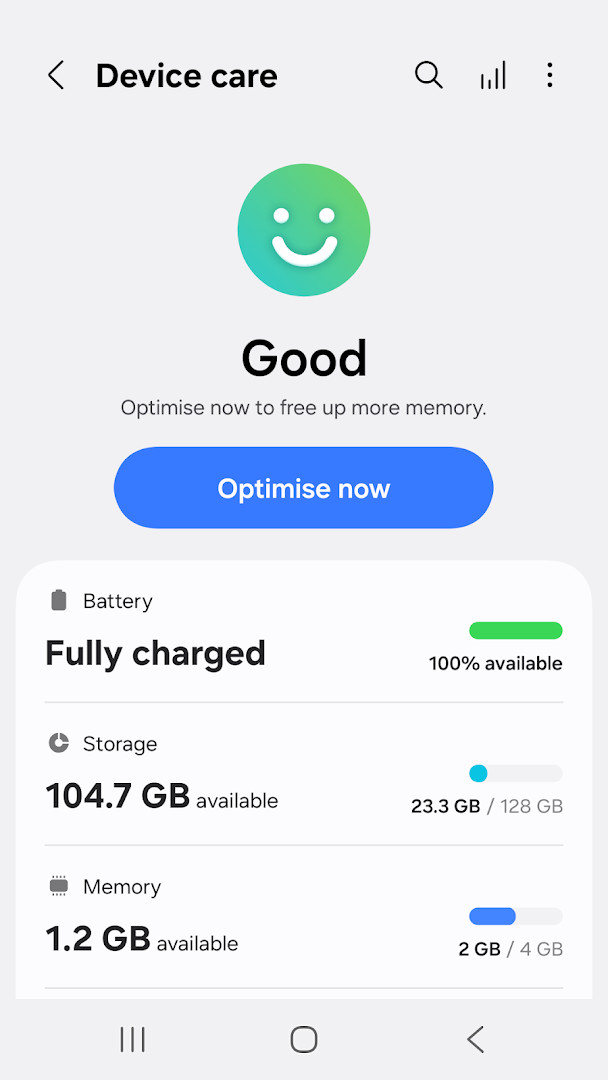
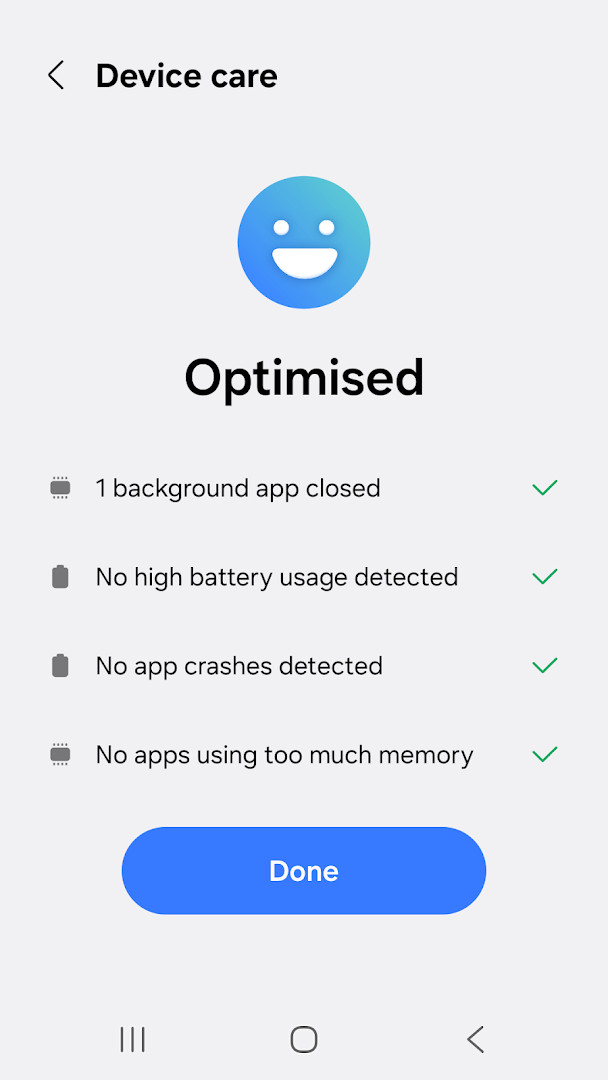
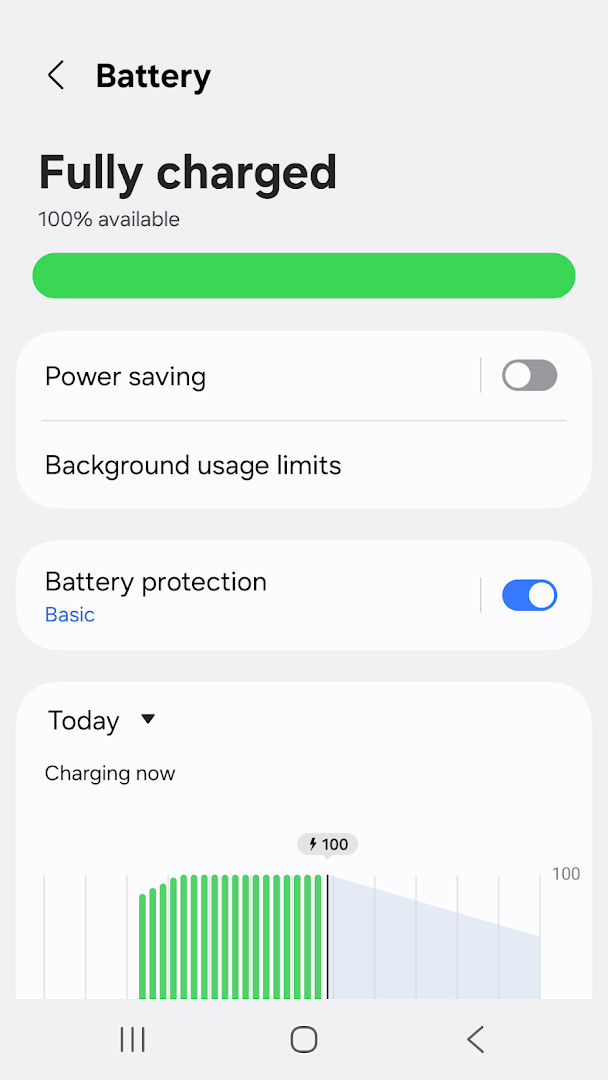
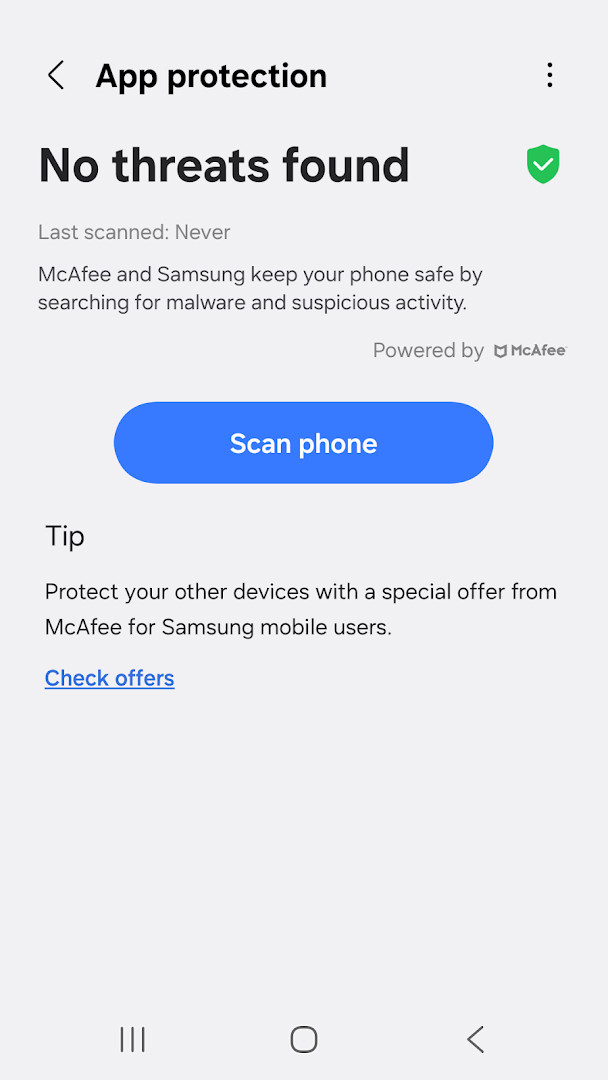
Device Care is a system optimization tool by Samsung Electronics Co., Ltd. that helps Galaxy smartphone owners monitor and maintain overall device health. It is built for people who want to keep their phone running well without learning technical details, presenting the device's status through an intuitive screen and straightforward interactions. The app reports a current condition score, detects potential problems such as malware, and offers one-tap actions to address them, which makes routine maintenance something almost anyone can handle. What makes the tool practical is its breadth: it covers battery, storage, memory, and security in a single place. The condition report uses a 100-point scale, so users get an immediate sense of how the phone is doing, and the optimization step resolves common issues in one click. Battery analysis is particularly detailed, with per-app usage breakdowns and a power monitor that flags unused applications, alongside dedicated power saving modes for longer runtimes. Memory can be managed and freed as needed, while the built-in scanner checks for viruses and spyware and provides real-time protection. The app has been updated recently, with the current listed release being version 13.8.82.1 and a latest update date in early November 2026, which suggests active maintenance by the developer. It is free, contains no ads, and has no in-app purchases, though some features may not be available on every Galaxy device and certain functions rely on optional permissions. Notifications are requested so the app can inform users about updates and events.
Key features
- Presents device condition as a score on a 100-point scale
- Optimizes the smartphone with a single one-tap action
- Breaks down battery usage per app to help identify drain
- Flags unused or battery-draining apps through the App power monitor
- Offers both standard Power saving mode and Maximum power saving mode
- Manages and frees up memory efficiently
- Detects malware such as viruses and spyware with real-time protection
- Provides two widget types for quick access from the home screen
How to install
- Confirm that your device runs Android 11 or later, then tap the download button on this page to save the Device Care APK file, which is 27 MB.
- If Android asks, allow your browser or file manager to install apps by enabling the Install unknown apps setting.
- Open the downloaded APK file from your notifications or file manager.
- Tap Install and wait for the installation to complete.
- Tap Done, then open Device Care from your app drawer or home screen.
Pros
- Free with no ads and no in-app purchases
- Real-time malware detection covering viruses and spyware
- Comprehensive battery tools with two power saving modes
- One-tap optimization that suits non-experts
- Condition scoring makes overall status easy to grasp at a glance
Cons
- Some features may not be supported on all Galaxy devices
- Requires access to device and app history plus Wi-Fi connection information
- Requests the notifications permission for updates and events
Previous versions
| Version | Size | Requires Android | Updated |
|---|---|---|---|
| 13.8.82.1 | 27 MB | 11 | May 29, 2026 |
| 13.8.81.1 | 27 MB | 11 | May 29, 2026 |
| 13.8.80.7 | 27 MB | 11 | May 14, 2026 |
| 13.8.71.1 | 24 MB | 11 | Jan 16, 2026 |
| 11.0.11.0 | 11 MB | 10 | Apr 24, 2022 |
| 2.1.00.3 | 7.8 MB | 7.0 | Feb 5, 2020 |
| 11.0.01.18 | 17 MB | 9 | Oct 24, 2019 |
Galaxy smartphone owners who want low-effort maintenance, people concerned about malware protection, and anyone hoping to stretch battery life through the day will find this tool useful.
After installing a batch of new apps or noticing abnormal battery drain, run the one-tap optimization and then check the App power monitor to see if a recently added app is responsible.
Permissions
Frequently asked questions
How does Device Care show the overall state of my Galaxy smartphone?
The app reports your device's current condition as a score on a 100-point scale, so you can see at a glance whether anything needs attention.
What security features does Device Care include for malware?
Device Care detects malware such as viruses and spyware and provides real-time protection, helping you take prompt action if a problem is found.
How can Device Care help extend battery life on my phone?
It analyzes battery usage per app, pinpoints apps that drain power, and uses the App power monitor to check for unused apps that can be saved. It also includes Power saving mode and Maximum power saving mode to help you use the phone for a longer time.
What can the Memory management function in Device Care do?
The app manages memory efficiently and helps free up memory, which can keep the device running more smoothly.
Which permission does Device Care require, and what is it used for?
The required permission is Notifications, which is used to inform you about updates and events. You can still use the app's basic functions without granting optional permissions.
Device Care is a practical companion for Galaxy owners, bundling battery, memory, security, and cleanup into one free tool. It is not a deep system-tuning suite, but as an easy, always-available maintenance app it delivers solid, reassuring value.
Similar apps
 SmartThingsSmartThings is for Android users who want to control smart TVs, appliances, speakers, and gadgets from brands like Ring, Nest, and Philip…Samsung Electronics Co., Ltd. · ★ 4.6 · Lifestyle · 227 MB
 Google Play servicesGoogle Play services is for Android users who rely on Google apps and other apps that depend on Google's core features. It handles authen…Google LLC · ★ 4.3 · Tools · 266 MB
 Digital WellbeingDigital Wellbeing requires Android 9 or higher and has no ads and no in-app purchases. The app was released on 2018-08-08 and updated on …Google LLC · ★ 3.6 · Tools
 Speech Recognition & SynthesisSpeech Recognition & Synthesis is 15 MB in size, requires Android 8.0 or higher, and has no ads or in-app purchases. It has been updated …Google LLC · ★ 4.0 · Tools · 15 MB
 Android Accessibility SuiteAndroid Accessibility Suite is a free collection of tools from Google LLC that includes TalkBack, Accessibility Menu, and Select to Speak…Google LLC · ★ 4.1 · Tools · 45 MB
 Gboard - the Google KeyboardGboard - the Google Keyboard is designed for Android users who want to type faster through Glide Typing, voice typing, handwriting, and e…Google LLC · ★ 4.5 · Tools · 9.4 MB
 GoogleGoogle is a free app with ads and no in-app purchases, sized at 156 MB and requiring Android 6.0 or higher. It offers AI-powered search f…Google LLC · ★ 4.0 · Tools · 156 MB
 Files by GoogleFiles by Google occupies less than 20 MB of storage on a device and runs on Android 8.0 or newer. The app contains no ads and no in-app p…Google LLC · ★ 4.5 · Tools
More from this developer
 Samsung Push ServiceSamsung Push Service is a free 3.9 MB app that requires Android 9 or higher and contains no ads or in-app purchases. It delivers pop-up m…Samsung Electronics Co., Ltd. · ★ 3.8 · Communication · 3.9 MB
 Samsung GallerySamsung Gallery has a size of 51 MB and requires Android 11 or higher. The app does not charge for its core features, and it does not inc…Samsung Electronics Co., Ltd. · ★ 3.8 · Photography · 58 MB
SmartThingsSmartThings is for Android users who want to control smart TVs, appliances, speakers, and gadgets from brands like Ring, Nest, and Philip…Samsung Electronics Co., Ltd. · ★ 4.6 · Lifestyle · 227 MB
 Samsung Global GoalsSamsung Global Goals is a 103 MB education app from Samsung Electronics Co., Ltd. that requires Android 12 or later, shows ads, and has n…Samsung Electronics Co., Ltd. · ★ 3.7 · Education · 103 MB
 PENUP – Drawing-sharing SNSPENUP – Drawing-sharing SNS is a free social network focused on drawing, where users share their creations and interact with a global com…Samsung Electronics Co., Ltd. · ★ 4.5 · Art & Design · 97 MB
Updated: Nov 26, 2026
- Size
- 27 MB
- Requires Android
- 11
- Updated
- Nov 3, 2026
- Installs
- 5B+
- Rating
- ★ 3.93 (704,085)
- Category
- Tools
- Developer
- Samsung Electronics Co., Ltd.
- Content rating
- Everyone
- Package
- com.samsung.android.lool
- Free
- ✓