Gboard - the Google Keyboard for Android
Gboard - the Google Keyboard is a free typing tool from Google LLC for fast and smart typing with emojis, GIFs, and more.
Gboard - the Google Keyboard is designed for Android users who want to type faster through Glide Typing, voice typing, handwriting, and emoji and GIF search. The app is free, contains no ads and no in-app purchases, requires Android 4.4 or newer, and has a download size of 9.4 MB.
Download GboardScreenshots
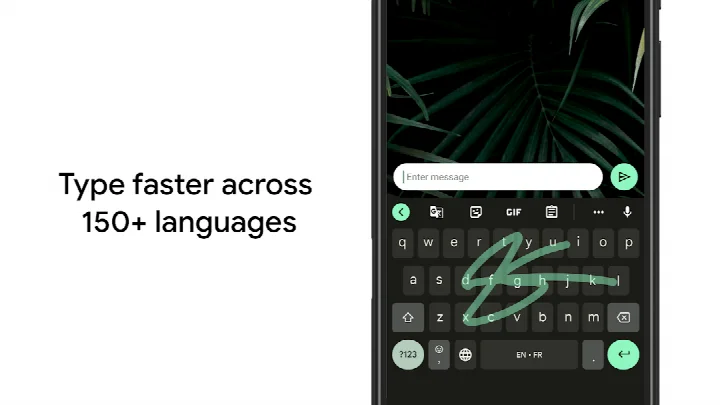
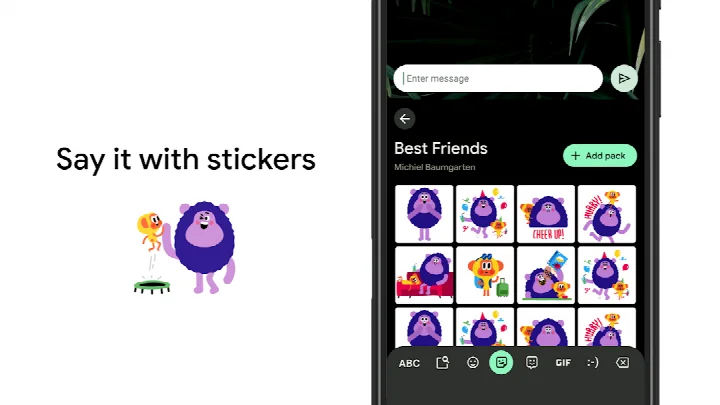
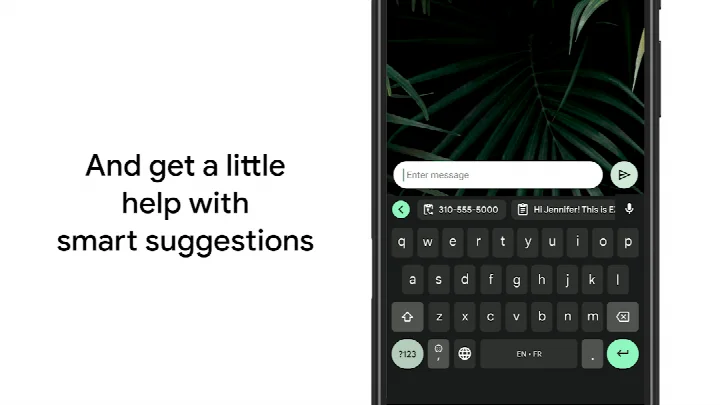
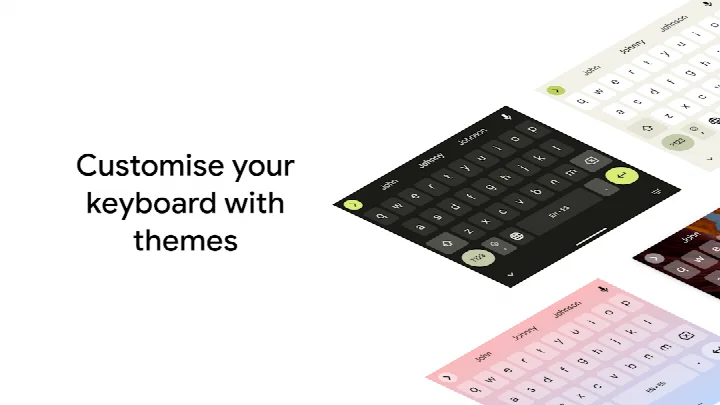
Gboard - the Google Keyboard is a Tools app by Google LLC that provides a fast and smart typing experience on Android devices. It replaces the default keyboard with a feature-rich input method designed to speed up everyday communication, offering multiple ways to enter text, from gliding your finger across letters to speaking your messages aloud.
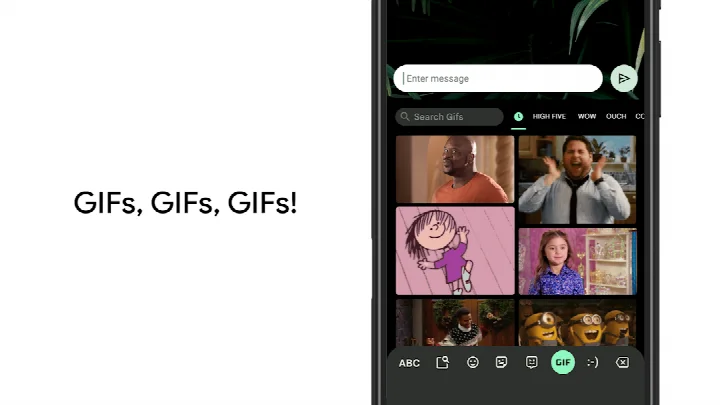
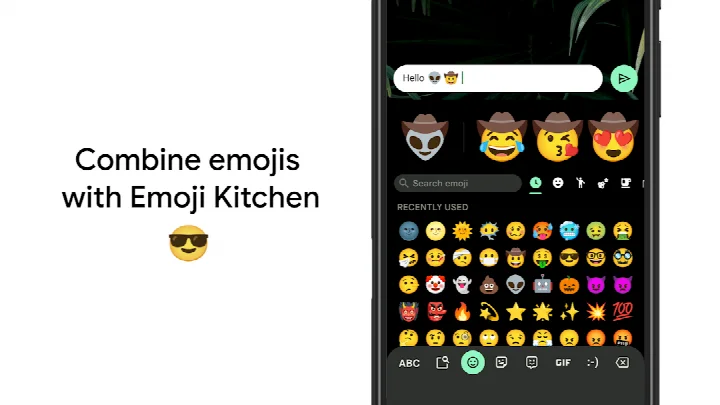
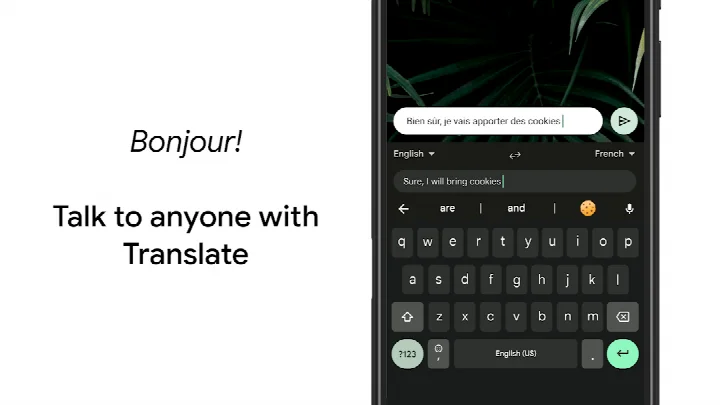
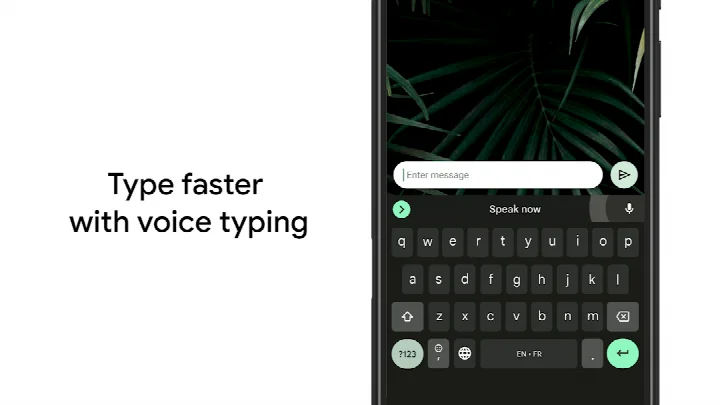
At its core, Gboard combines the reliability of a classic keyboard with modern conveniences. The Glide Typing feature lets you type without lifting your finger, while Voice Typing allows you to dictate text hands-free. For those who prefer writing, Handwriting mode supports both cursive and printed input. The keyboard also includes Emoji Search, so you can quickly find the right emoji, and GIF search to share reactions. Multilingual typing means you can switch between languages seamlessly, and Google Translate is integrated directly into the keyboard for on-the-fly translations.
This app is for anyone who spends time typing on their Android phone or tablet and wants to improve speed and accuracy. Whether you are a casual texter, a professional writing emails, or someone who communicates in multiple languages, Gboard's features are designed to make typing more efficient. It also extends to Wear OS devices, so you can use the same features on your smartwatch. The app supports hundreds of language varieties, making it a versatile choice for a global audience. It is free to use, with no ads or in-app purchases, and is suitable for all ages.
Key features
- Glide Typing: slide your finger from letter to letter to type faster
- Voice typing: dictate text hands-free
- Handwriting: write in cursive or printed letters
- Emoji Search: find the right emoji more quickly
- GIFs: search and share GIFs for reactions
- Multilingual typing: autocorrect and suggestions across enabled languages without manual switching
- Google Translate: translate text directly from the keyboard
- Wear OS support: use Glide Typing, Voice Typing, and emoji on your watch
How to install
- Tap the download button on this page to get the APK file (9.4 MB).
- If your browser or file manager asks for permission, allow it to install apps by enabling the 'Install unknown apps' setting.
- Open the downloaded APK file from your notification bar or file manager.
- Tap 'Install' when prompted.
- Open Gboard from your app drawer.
- Follow the on-screen prompts to enable Gboard as your keyboard and set it as the default input method.
Pros
- Free with no ads or in-app purchases
- Supports hundreds of language varieties
- Multiple input methods: glide, voice, handwriting, and standard typing
- Integrated Google Translate for quick translations
- Works on Wear OS devices
- Customizable themes and one-handed mode
Cons
- Handwriting, Emoji Search, and GIFs are not supported on Android Go devices
- Requires Android 4.4 or higher, which may exclude very old devices
- Permissions include access to contacts, camera, and microphone, which some users may find invasive
- Some features, like custom stickers, are limited to specific Pixel devices and regions
What's New
The latest update lets you create and share custom stickers right from within Gboard, a feature powered by Pixel Studio. This is available on Pixel 9 and newer devices, supporting English, Japanese, and German in selected regions. The developer also encourages users to try the beta version to provide feedback on upcoming changes.
Other Versions
| Version | Size | Requires Android | Updated |
|---|---|---|---|
| 899.9999.999 | 9.4 MB | 4.4 | 19.12.2023 |
Gboard is ideal for Android users who want a more efficient and versatile typing experience, including those who type in multiple languages, use voice input, or frequently share emojis and GIFs. It also suits people with Wear OS smartwatches who want a consistent keyboard on their wrist.
Try the gesture controls: slide your finger across the space bar to move the cursor, and slide left from the delete key to delete multiple words at once. You can also enable a number row in Settings, use long-press symbols, or switch to one-handed mode on large screens. Customize your keyboard with themes to match your style.
Permissions
Frequently Asked Questions
Does Gboard work on Android Go devices?
Some features are not available on Android Go devices. Handwriting, Emoji Search and GIFs are the ones listed as unsupported there, while the core typing features remain part of the app.
How many languages can Gboard handle at the same time?
You do not have to switch languages manually. Gboard autocorrects and suggests words from every language you have enabled, and it covers hundreds of language varieties, from Afrikaans and Arabic to Zulu and many more.
Can I use Gboard on a smartwatch?
Yes. Wear OS is supported, bringing Glide Typing, Voice Typing and Emoji Typing to your watch. All Wear OS languages are covered, including Chinese, Czech, Danish, Dutch, English, Finnish, French, German, Hindi, Indonesian, Italian, Korean, Norwegian, Polish, Portuguese, Russian, Spanish, Swedish, Thai, Turkish and Vietnamese.
What gestures does the keyboard support?
You can slide your finger across the space bar to move the cursor, and slide left from the delete key to remove several words at once. Glide Typing itself works by sliding from letter to letter instead of tapping each one.
Is there a way to keep the number row visible or get symbols without switching keyboards?
Yes. In Settings, under Preferences, you can turn on the Number Row so it is always available, and enable Long press for symbols to show quick hints on the keys for symbols.
Does Gboard offer a one-handed layout and themes?
On large-screen phones you can pin the keyboard to the left or the right side. Themes are also available, and you can choose one with or without key borders.
Gboard is a practical and feature-packed keyboard that enhances everyday typing on Android. Its combination of glide typing, voice input, multilingual support, and built-in translation makes it a reliable choice for most users. Despite minor limitations on Android Go and some permissions, it remains a top free keyboard app for Android.
Similar Apps
 YouTubeYouTube is a free video app with a size of 199 MB, requires Android 10 or higher, and includes ads and in-app purchases. It offers a vast…Google LLC · ★ 3.8 · Entertainment · 199 MB
 Google WalletGoogle Wallet is for Android users who want to pay in stores, online, or in apps and keep passes, tickets, and digital IDs in one place. …Google LLC · ★ 4.3 · Finance · 16 MB
 GoogleGoogle is a free app with ads and no in-app purchases, sized at 156 MB and requiring Android 6.0 or higher. It offers AI-powered search f…Google LLC · ★ 4.0 · Tools · 156 MB
More From This Developer
 Google CalendarGoogle Calendar is a 33 MB app that requires Android 8.0 or higher, contains no ads or in-app purchases, and has received 4.86 million ra…Google LLC · ★ 4.6 · Productivity · 33 MB
 Google TVGoogle TV occupies about 40 MB and requires Android 6.0 or newer to run. The app is free to download and contains no ads, though in-app p…Google LLC · ★ 3.9 · Entertainment · 40 MB
GoogleGoogle is a free app with ads and no in-app purchases, sized at 156 MB and requiring Android 6.0 or higher. It offers AI-powered search f…Google LLC · ★ 4.0 · Tools · 156 MB
Google TVGoogle TV occupies about 40 MB and requires Android 6.0 or newer to run. The app is free to download and contains no ads, though in-app p…Google LLC · ★ 3.9 · Entertainment · 40 MB
GoogleGoogle is a free app with ads and no in-app purchases, sized at 156 MB and requiring Android 6.0 or higher. It offers AI-powered search f…Google LLC · ★ 4.0 · Tools · 156 MB
 Google DriveGoogle Drive is a 124 MB app that requires Android 8.0 or higher. It includes in-app purchases for additional storage via Google One, sta…Google LLC · ★ 4.3 · Productivity · 124 MB
YouTubeYouTube is a free video app with a size of 199 MB, requires Android 10 or higher, and includes ads and in-app purchases. It offers a vast…Google LLC · ★ 3.8 · Entertainment · 199 MB
Google DriveGoogle Drive is a 124 MB app that requires Android 8.0 or higher. It includes in-app purchases for additional storage via Google One, sta…Google LLC · ★ 4.3 · Productivity · 124 MB
YouTubeYouTube is a free video app with a size of 199 MB, requires Android 10 or higher, and includes ads and in-app purchases. It offers a vast…Google LLC · ★ 3.8 · Entertainment · 199 MB
 Android AutoAndroid Auto requires Android 9 or higher and occupies 35 MB of storage. It has no ads and no in-app purchases, and it is rated for every…Google LLC · ★ 4.1 · Auto & Vehicles · 35 MB
Updated: 24.10.2026
- Size
- 9.4 MB
- Requires Android
- 4.4
- Updated
- 30.09.2026
- Installs
- 10B+
- Rating
- ★ 4.49 (18 884 966)
- Category
- Tools
- Developer
- Google LLC
- Content rating
- Everyone
- Package
- com.google.android.inputmethod.latin
- Free
- ✓