Digital Wellbeing: track phone habits
Digital Wellbeing is a free Tools app by Google LLC that lets you monitor app usage, set timers, and use Focus and Bedtime modes.
Digital Wellbeing requires Android 9 or higher and has no ads and no in-app purchases. The app was released on 2018-08-08 and updated on 2026-10-20, with the latest version being 1.49.996288414 (886717). It is designed for anyone who wants to understand their digital habits and reduce distractions.
Get Digital Wellbeing · v1.49.996288414 (886717)Screenshots
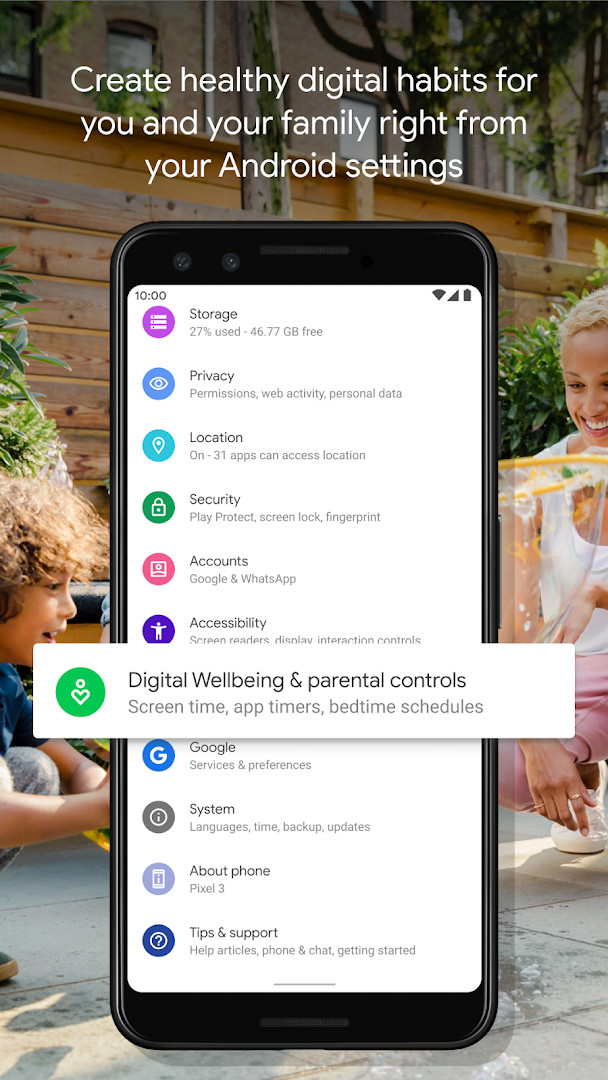
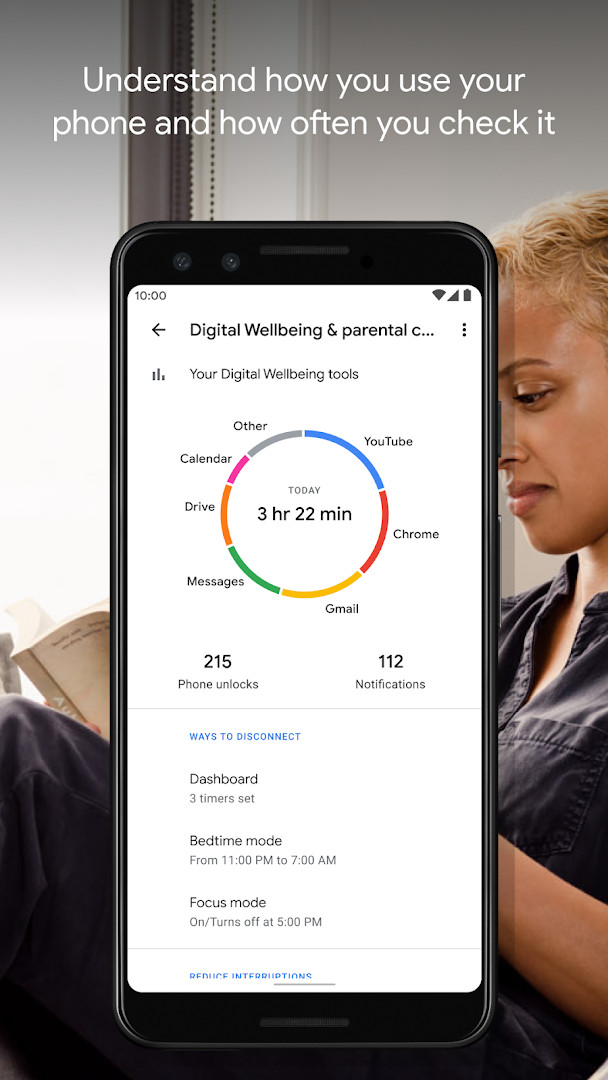
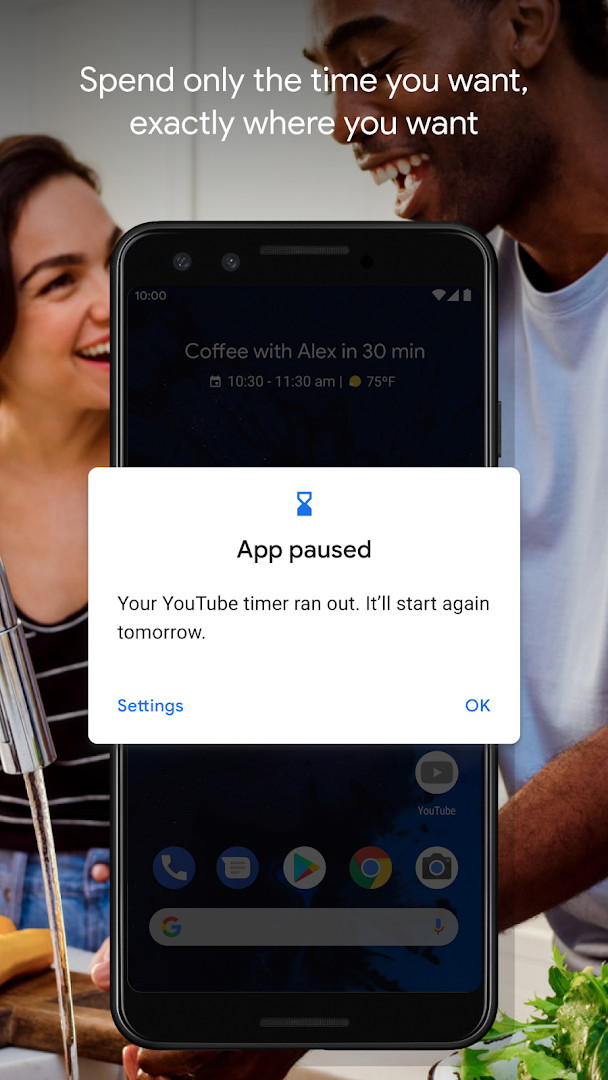
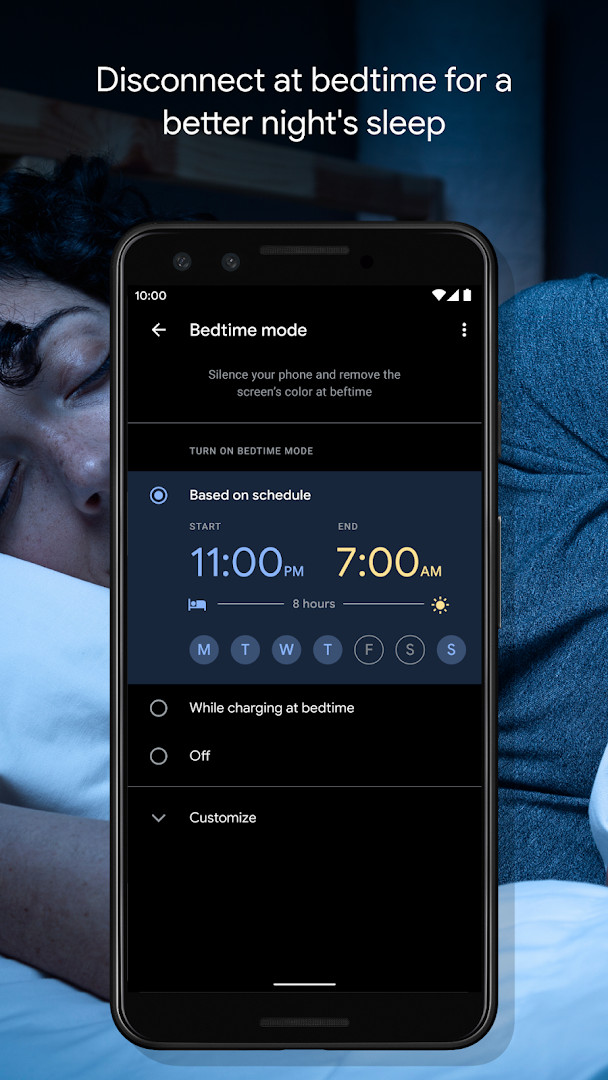
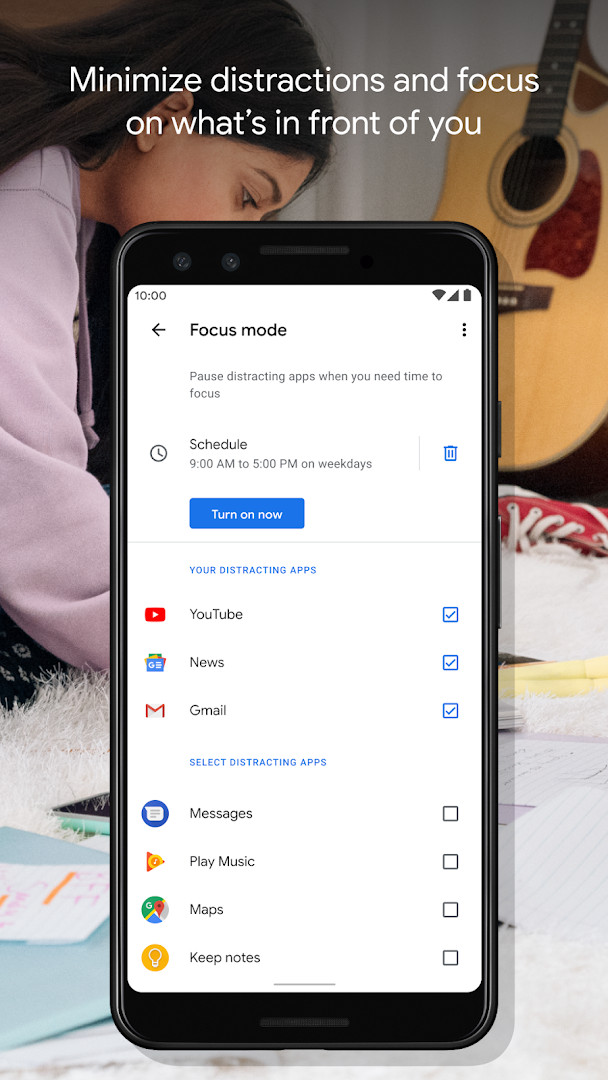
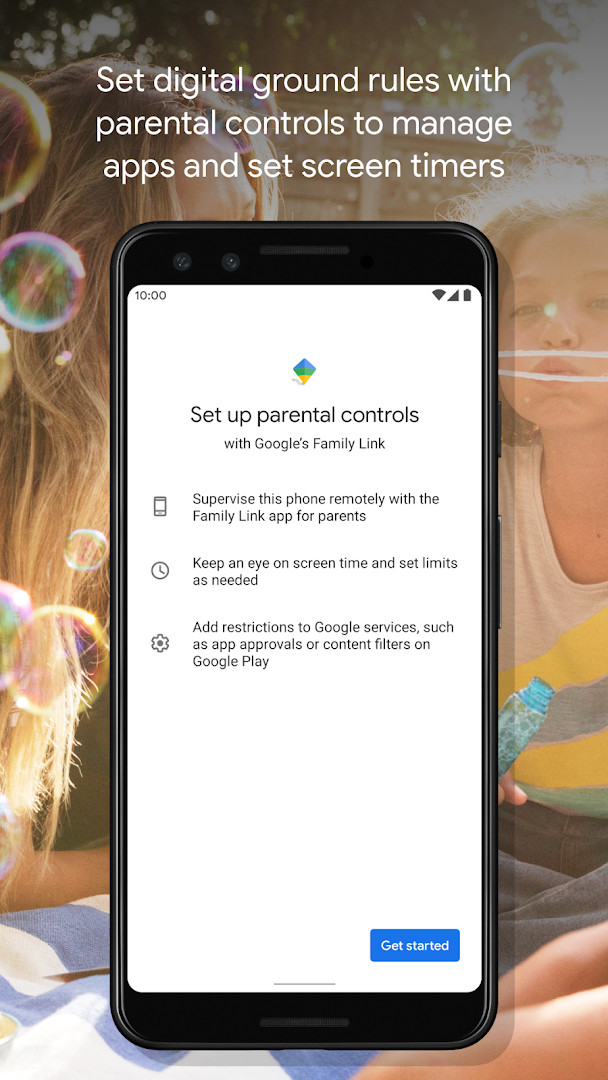
Digital Wellbeing is a tools app by Google LLC that helps you understand and manage your digital habits. It addresses the problem of excessive phone use by providing detailed insights into how you interact with your device, such as how often you use specific apps, how many notifications you receive, and how frequently you unlock your phone. The app then offers practical controls like daily app timers, bedtime mode, and focus mode to help you set limits and disconnect when desired. By combining awareness with actionable tools, it aims to reduce distractions and promote healthier phone usage patterns. The app is free, contains no ads, and offers no in-app purchases, making it a straightforward utility for anyone looking to improve their digital wellbeing. It requires Android 9 or higher and was released in 2018, with the latest version updated in October 2026. The app has received a rating of 3.62 from over 1.5 million users, reflecting its widespread adoption and utility.
Key features
- Provides a daily view of your digital habits, including app usage frequency, notification counts, and device unlock frequency.
- Allows you to set daily app timers to limit how much time you spend in specific applications.
- Includes a bedtime mode that schedules your screen to fade to grayscale and activates Do Not Disturb to silence notifications for better sleep.
- Offers a focus mode that lets you pause distracting apps with a single tap, with the option to schedule automatic activation during work, school, or home time.
- Displays a complete picture of your digital habits to help you understand your usage patterns.
- Includes several bug fixes and stability improvements in the latest version.
- Integrates with your phone's Settings menu for easy access and setup.
- Supports content rated for Everyone, making it suitable for all age groups.
How to install
- Tap the download button on this page to obtain the APK file for Digital Wellbeing.
- When Android prompts you, allow your browser or file manager to install apps by enabling the 'Install unknown apps' setting.
- Open the downloaded APK file from your notifications or file manager.
- Tap Install and wait for the installation to complete.
- Open the app from your app drawer or home screen. Note that the file size is not specified in the available data, and the minimum Android version required is 9.
Pros
- Free to use with no ads or in-app purchases.
- Provides comprehensive insights into app usage and notification patterns.
- Offers multiple tools for limiting phone use, including timers, bedtime mode, and focus mode.
- Scheduled features allow automatic management of distractions.
- Lightweight and integrates directly into the system settings.
- Regular updates with bug fixes and stability improvements.
Cons
- Requires access to sensitive permissions including Location, Phone, Photos/Media/Files, and Storage, which may raise privacy concerns.
- The app's effectiveness depends on user discipline to follow through on the limits it sets.
- May not be necessary for users who already have strong self-control over their phone usage.
- The rating of 3.62 suggests some users have encountered issues, possibly related to permission requirements or usability.
Latest changes · 1.49.996288414 (886717)
This update introduces several bug fixes and stability improvements for Digital Wellbeing. It aims to deliver a smoother and more dependable experience when you track your digital habits or use tools like app timers, bedtime mode, and focus mode.
Previous versions
| Version | Size | Requires Android | Updated |
|---|---|---|---|
| 1.49.996288414 (886717) | — | 9 | Nov 9, 2026 |
| 1.48.975819457 (880517) | — | 9 | Oct 20, 2026 |
| 1.0.427802149.beta (349228) | 15 MB | 9 | Jun 18, 2026 |
| 1.0.427802149 (349227) | 15 MB | 9 | Mar 17, 2023 |
Digital Wellbeing is intended for anyone who wants to gain better control over their smartphone usage, particularly those who feel their time is being consumed by apps, notifications, or frequent device checks. It is suitable for students, professionals, and parents who need to minimize distractions during work, study, or family time. The app is also valuable for individuals concerned about their sleep quality, as its bedtime mode helps create a calming pre-sleep environment by graying the screen and silencing notifications. Given its free nature and lack of in-app purchases, it appeals to a broad audience, from casual users seeking simple awareness to those who want structured limits on their digital activities. However, users who are privacy-sensitive may need to weigh the app's permission requirements against its benefits, as it accesses location, phone, and storage data.
To get the most out of Digital Wellbeing, start by reviewing your daily usage report for a few days to identify your most frequent apps and notification sources. Then, set realistic daily timers for those apps, gradually reducing them as you adapt. Use bedtime mode consistently by scheduling it an hour before your intended sleep time, and enable focus mode during your most productive hours to automatically block distracting apps. Regularly check the app's settings to adjust schedules based on your changing routines, and consider enabling grayscale in bedtime mode to reduce screen attractiveness.
Permissions
Frequently asked questions
What does the daily view in Digital Wellbeing show about my habits?
The daily view provides a breakdown of how often you use different apps, how many notifications you receive, and how frequently you check or unlock your phone.
How do daily app timers work in Digital Wellbeing?
Daily app timers let you set limits for how much time you spend in specific apps, helping you cap your usage on a per-app basis.
What does Bedtime mode do besides reminding me to switch off at night?
Bedtime mode sets a schedule that fades your screen to Grayscale and activates Do Not Disturb to silence notifications, supporting a good night’s sleep.
Can Focus mode be activated automatically?
Yes, you can set a schedule to turn on Focus mode automatically, and you can also pause distracting apps with a single tap when you need to concentrate.
Where do I find Digital Wellbeing on my device?
You can find Digital Wellbeing in your phone’s Settings menu to begin using its features.
Digital Wellbeing offers a practical, free solution for monitoring and managing your phone usage, with features that directly address common distractions and sleep issues. It is a valuable tool for those seeking to build healthier digital habits, despite its permission requirements and mixed user feedback.
Similar apps
 Google WalletGoogle Wallet is for Android users who want to pay in stores, online, or in apps and keep passes, tickets, and digital IDs in one place. …Google LLC · ★ 4.3 · Finance · 16 MB
 Speech Recognition & SynthesisSpeech Recognition & Synthesis is 15 MB in size, requires Android 8.0 or higher, and has no ads or in-app purchases. It has been updated …Google LLC · ★ 4.0 · Tools · 15 MB
 Android Accessibility SuiteAndroid Accessibility Suite is a free collection of tools from Google LLC that includes TalkBack, Accessibility Menu, and Select to Speak…Google LLC · ★ 4.1 · Tools · 45 MB
 Gboard - the Google KeyboardGboard - the Google Keyboard is designed for Android users who want to type faster through Glide Typing, voice typing, handwriting, and e…Google LLC · ★ 4.5 · Tools · 9.4 MB
 GoogleGoogle is a free app with ads and no in-app purchases, sized at 156 MB and requiring Android 6.0 or higher. It offers AI-powered search f…Google LLC · ★ 4.0 · Tools · 156 MB
 ADB CaptainADB Captain combines a terminal for pm, am, dumpsys, settings and input commands with a debugging workspace, an installed app list, a pro…eatenlamp · Tools · 28 MB
More from this developer
 Google MeetGoogle Meet is 118 MB in size and requires Android 8.1 or higher, with no ads and no in-app purchases. It has been installed over 10 bill…Google LLC · ★ 4.4 · Communication · 118 MB
 GmailGmail is for individuals and teams who need secure email, chat, and collaboration in one place. It is free to download, requires Android …Google LLC · ★ 4.1 · Communication · 26 MB
Speech Recognition & SynthesisSpeech Recognition & Synthesis is 15 MB in size, requires Android 8.0 or higher, and has no ads or in-app purchases. It has been updated …Google LLC · ★ 4.0 · Tools · 15 MB
 Google ChromeGoogle Chrome is a free browser that syncs bookmarks, tabs, and passwords across devices and includes tools like Google Lens and Translat…Google LLC · ★ 4.1 · Communication · 215 MB
Android Accessibility SuiteAndroid Accessibility Suite is a free collection of tools from Google LLC that includes TalkBack, Accessibility Menu, and Select to Speak…Google LLC · ★ 4.1 · Tools · 45 MB
 Google MessagesGoogle Messages is a free Communication app from Google LLC, with no ads and no in-app purchases. It runs on Android 6.0 and up and the d…Google LLC · ★ 4.6 · Communication · 9 MB
Updated: Nov 9, 2026
- Version
- 1.49.996288414 (886717)
- Requires Android
- 9
- Updated
- Nov 9, 2026
- Installs
- 10B+
- Rating
- ★ 3.62 (1,502,172)
- Category
- Tools
- Developer
- Google LLC
- Content rating
- Everyone
- Package
- com.google.android.apps.wellbeing
- Free
- ✓