Android Accessibility Suite: collection of accessibility tools
Android Accessibility Suite is a collection of accessibility apps by Google LLC that help you use your Android device eyes-free or with a switch device.

Android Accessibility Suite is a free collection of tools from Google LLC that includes TalkBack, Accessibility Menu, and Select to Speak. It is designed for people who need spoken feedback, gesture control, or an on-screen menu to manage their device. The app requires Android 9 or later, has a download size of 45 MB, and was last updated on 23 October 2026.
Download nowScreenshots
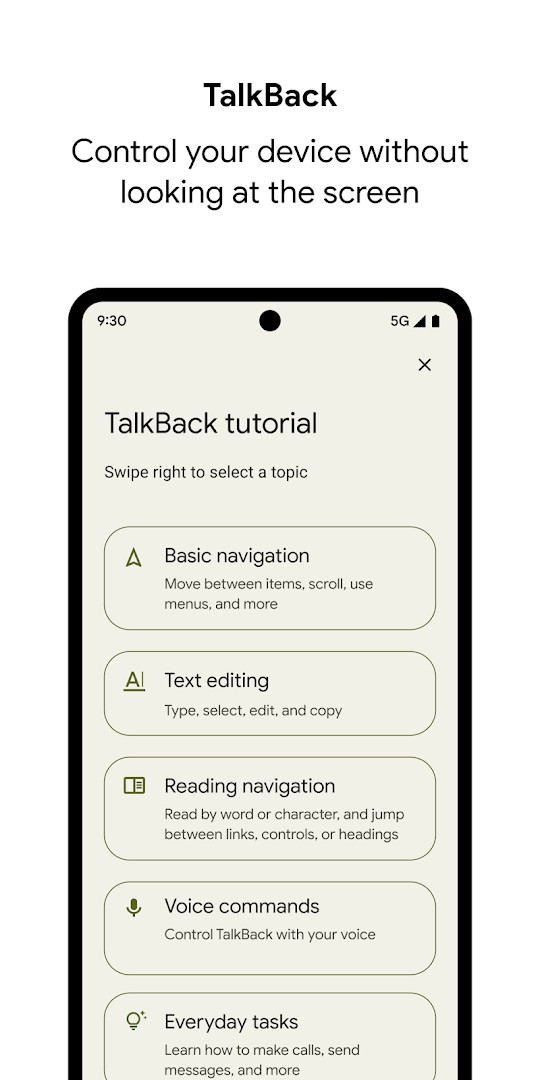
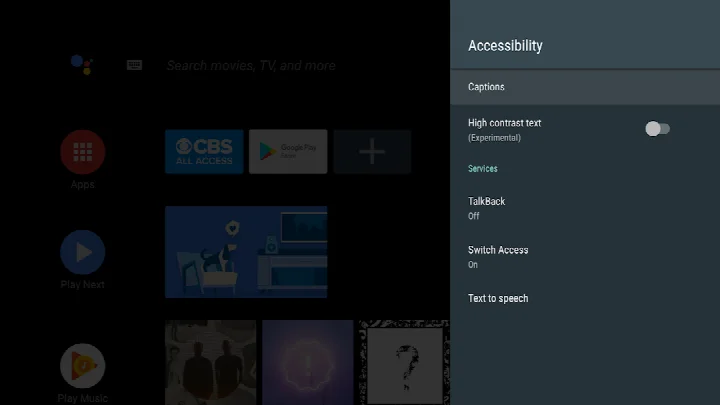
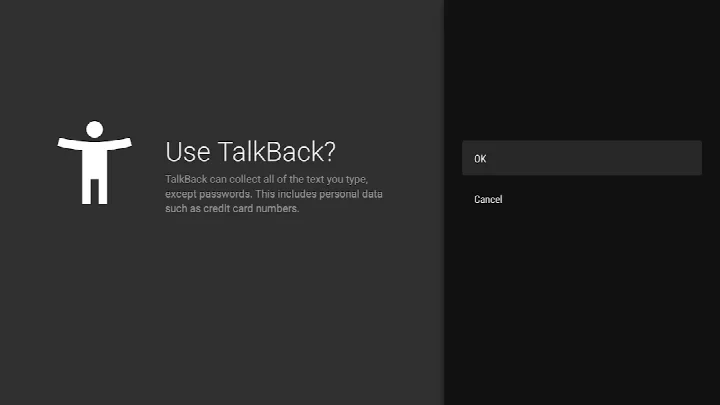
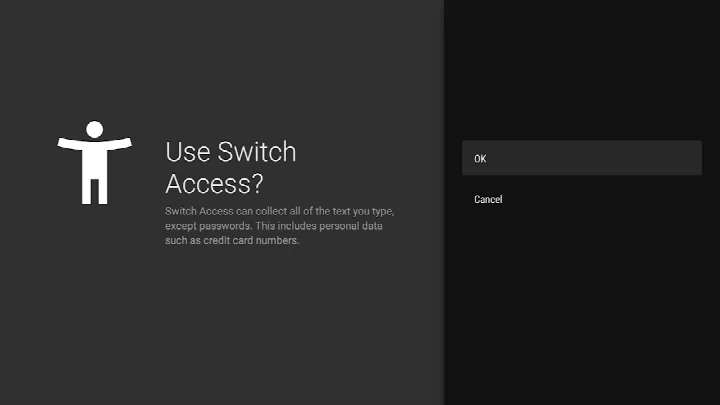
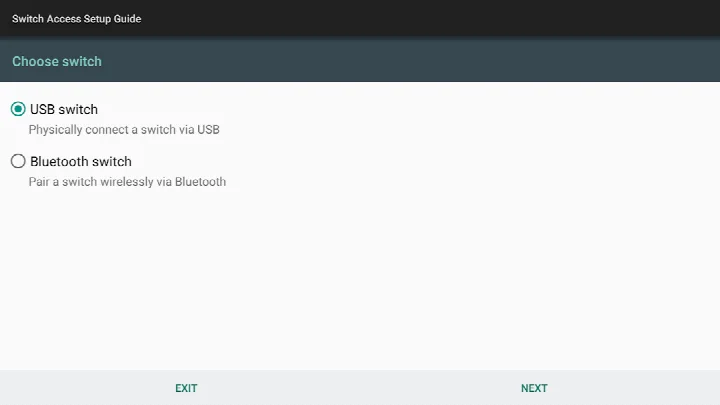
Android Accessibility Suite is a collection of accessibility tools by Google LLC that helps you use your Android device eyes-free or with a switch device. It solves the problem of navigating a touchscreen when you have limited vision or motor control by bundling several complementary services into one package. The suite includes the TalkBack screen reader, which provides spoken feedback and gesture control; Select to Speak, which reads aloud any on-screen text you choose; and the Accessibility Menu, a large on-screen control panel for quick actions like locking the phone, adjusting volume and brightness, and taking screenshots. By combining these tools, the app aims to make everyday phone tasks more manageable for people who rely on audio cues, braille output, or simplified controls. It requires Android 9 or later, and the package size is 45 MB. The app is free, contains no ads, and offers no in-app purchases, so the full feature set is available without any additional cost.
Key features
- TalkBack screen reader with spoken feedback, gesture control, and an on-screen braille keyboard
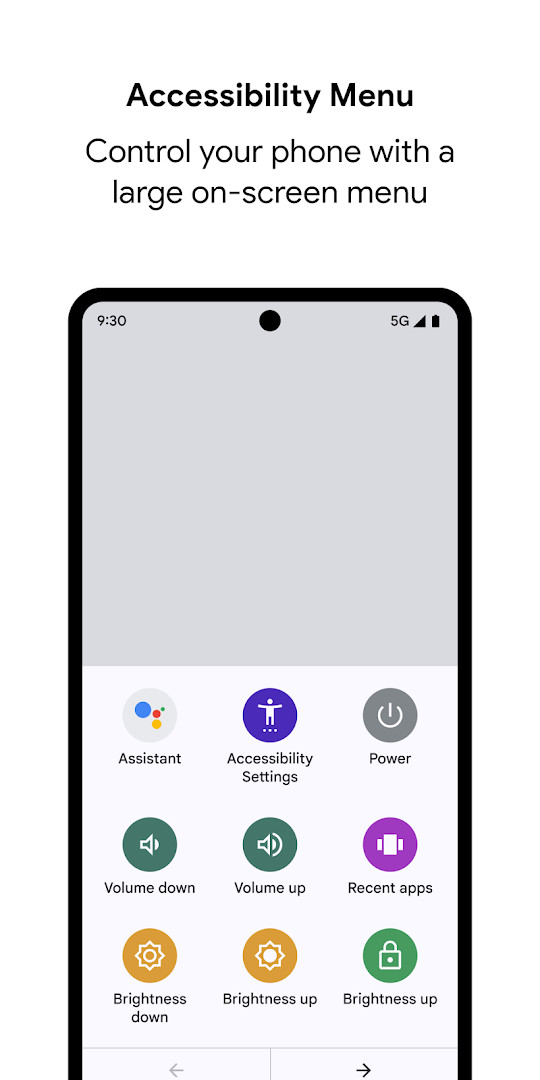
- Accessibility Menu providing a large on-screen panel for locking the phone, adjusting volume and brightness, and taking screenshots
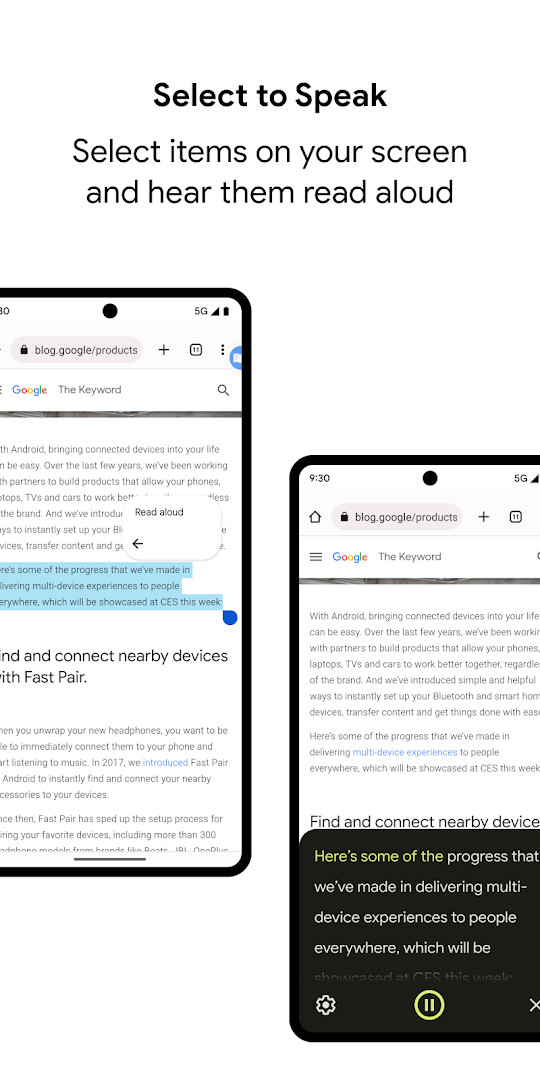
- Select to Speak lets you choose items on the screen and hear them read aloud
- Improved text selection and voice selection within TalkBack settings in the latest version
- Enhanced braille display customization and improved typing with a physical keyboard in Chinese, Japanese, Korean, and Vietnamese
- Improved keyboard interactions when using smart browse mode, plus overall performance improvements
- TalkBack on Wear OS 17.1 with a more seamless Continue on Phone experience and enhanced speech output display
- Observes phone state to adapt announcements to your call status, and can notify you about updates via notifications
How to install
- Tap the download button on this page to get the APK file (45 MB).
- When Android asks, allow your browser or file manager to install apps by enabling the Install unknown apps setting.
- Open the downloaded APK file from your notifications or file manager.
- Tap Install and wait for the installation to finish.
- Open the app from your app drawer.
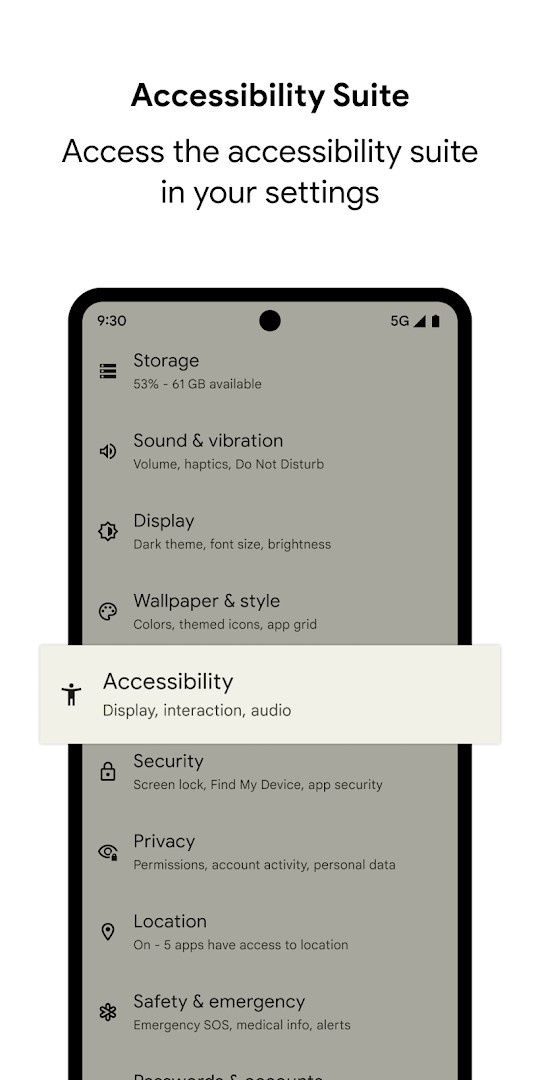
- Go to your device's Settings, then Accessibility, and select Accessibility Menu, Select to Speak, or TalkBack to start using the suite.
Pros
- Free with no ads and no in-app purchases
- Combines multiple accessibility tools in one package
- Includes braille keyboard and switch device support
- Regular updates with performance and feature improvements
- Works on Android 9 and later, including Wear OS 3.0 for TalkBack
Cons
- Requires broad permissions, including accessibility service access that can observe your actions and retrieve window content
- Permissions for location, camera, microphone, and storage may be requested, which some users may find excessive
- Setup requires navigating multiple settings menus, which could be challenging for new users
Latest changes
This update introduces TalkBack 17.1, which brings better text selection, a voice selection option within TalkBack settings, and more flexible braille display customization. Typing with a physical keyboard is improved for Chinese, Japanese, Korean, and Vietnamese, and keyboard interactions in smart browse mode feel smoother. Overall performance has also been enhanced. On Wear OS, TalkBack 17.1 provides a more seamless “Continue on Phone” experience and clearer display of speech output.
Previous versions
| Version | Size | Requires Android | Updated |
|---|---|---|---|
| 3.1.1 | 1.2 MB | 4.1 | Oct 1, 2026 |
| 17.1.0.983118198 | 45 MB | 9 | Sep 29, 2026 |
| 17.0.1.926549743 | 43 MB | 9 | Sep 24, 2026 |
| 12.2.0.461147544 leanback | 28 MB | 6.0 | Jun 26, 2026 |
| 17.0.1.911806202 | 43 MB | 9 | Jun 10, 2026 |
| 9.0.0.332399336 | 15 MB | 11 | Nov 22, 2025 |
| 3.2.0 | 1.3 MB | 4.2 | Nov 10, 2025 |
| 7.3.0.238058557 leanback | 11 MB | 5.0 | Mar 14, 2019 |
| 5.0.7 | 7.2 MB | 4.1 | Nov 13, 2016 |
This app is designed for people who have difficulty seeing the screen or interacting with a standard touch interface. It is especially useful for individuals with low vision or blindness who need spoken feedback or braille output, as well as for those with limited motor control who benefit from a simplified on-screen menu or switch device support. It also suits users who prefer to have text read aloud rather than reading it themselves, such as when multitasking or reading long articles. Because it includes multiple tools, it can serve as a single solution for various accessibility needs, though the setup process requires some familiarity with Android settings. Caregivers, family members, or support staff who help others use their devices may also find it valuable for configuring and managing these features.
After installation, open your device Settings, then Accessibility, and enable the specific tool you need—Accessibility Menu, Select to Speak, or TalkBack. For TalkBack, try the on-screen braille keyboard if you prefer tactile input, and explore the improved text selection and voice selection features in the latest version. If you use a physical keyboard, the updated typing experience for Chinese, Japanese, Korean, and Vietnamese may be helpful. On Wear OS, the Continue on Phone feature can streamline switching between your watch and phone.
Permissions
Frequently asked questions
Is Android Accessibility Suite free to download?
Yes, it is free. The price is $0.00, and it includes no ads and no in-app purchases.
Which Android version do I need to install it?
The app requires Android 9 or later. To use TalkBack for Wear, you will need Wear OS 3.0 or later.
How large is the APK file?
The file size is 45 MB. Make sure your device has enough free storage before installing.
Do I need an account to use Android Accessibility Suite?
No account is required. The app is a collection of accessibility tools that you can enable directly from your device's Settings.
What permissions does the app request?
It requests permissions such as Location, Phone, Photos/Media/Files, Storage, Camera, Microphone, and Device ID & call information. As an accessibility service, it can also observe your actions, retrieve window content, and read text you type.
How do I update the app?
To update, download the newest version available on this page and install it over your current version. The latest listed versions include 17.1.0.983118198 and 3.1.1.
Android Accessibility Suite is a comprehensive and practical set of tools that addresses core accessibility needs without any cost or advertising. Its combination of a screen reader, selection-based reading, and a customizable menu makes it a reliable choice for everyday use on supported devices.
Similar apps
 Google WalletGoogle Wallet is for Android users who want to pay in stores, online, or in apps and keep passes, tickets, and digital IDs in one place. …Google LLC · ★ 4.3 · Finance · 16 MB
 Gboard - the Google KeyboardGboard - the Google Keyboard is designed for Android users who want to type faster through Glide Typing, voice typing, handwriting, and e…Google LLC · ★ 4.5 · Tools · 9.4 MB
 GoogleGoogle is a free app with ads and no in-app purchases, sized at 156 MB and requiring Android 6.0 or higher. It offers AI-powered search f…Google LLC · ★ 4.0 · Tools · 156 MB
 ADB CaptainADB Captain combines a terminal for pm, am, dumpsys, settings and input commands with a debugging workspace, an installed app list, a pro…eatenlamp · Tools · 28 MB
More from this developer
 Google MessagesGoogle Messages is a free Communication app from Google LLC, with no ads and no in-app purchases. It runs on Android 6.0 and up and the d…Google LLC · ★ 4.6 · Communication · 9 MB
Gboard - the Google KeyboardGboard - the Google Keyboard is designed for Android users who want to type faster through Glide Typing, voice typing, handwriting, and e…Google LLC · ★ 4.5 · Tools · 9.4 MB
 Google CalendarGoogle Calendar is a 33 MB app that requires Android 8.0 or higher, contains no ads or in-app purchases, and has received 4.86 million ra…Google LLC · ★ 4.6 · Productivity · 33 MB
 Google TVGoogle TV occupies about 40 MB and requires Android 6.0 or newer to run. The app is free to download and contains no ads, though in-app p…Google LLC · ★ 3.9 · Entertainment · 40 MB
GoogleGoogle is a free app with ads and no in-app purchases, sized at 156 MB and requiring Android 6.0 or higher. It offers AI-powered search f…Google LLC · ★ 4.0 · Tools · 156 MB
 Google DriveGoogle Drive is a 124 MB app that requires Android 8.0 or higher. It includes in-app purchases for additional storage via Google One, sta…Google LLC · ★ 4.3 · Productivity · 124 MB
Updated: Nov 3, 2026
- Size
- 45 MB
- Requires Android
- 9
- Updated
- Oct 23, 2026
- Installs
- 10B+
- Rating
- ★ 4.07 (4,453,622)
- Category
- Tools
- Developer
- Google LLC
- Content rating
- Everyone
- Package
- com.google.android.marvin.talkback
- Free
- ✓