AI Gallery: Photo Organizer and Editor
AI Gallery is a free photography app by Transsion Holdings that lets you organize, edit, and compress photos.
AI Gallery has a 166 MB download size and requires Android version 12 or higher. It includes no ads, and the data indicates no in-app purchases. The app suits users who want fast photo management, album sorting, editing tools, and storage-saving compression.
Get App · v15.0.3.054Screenshots
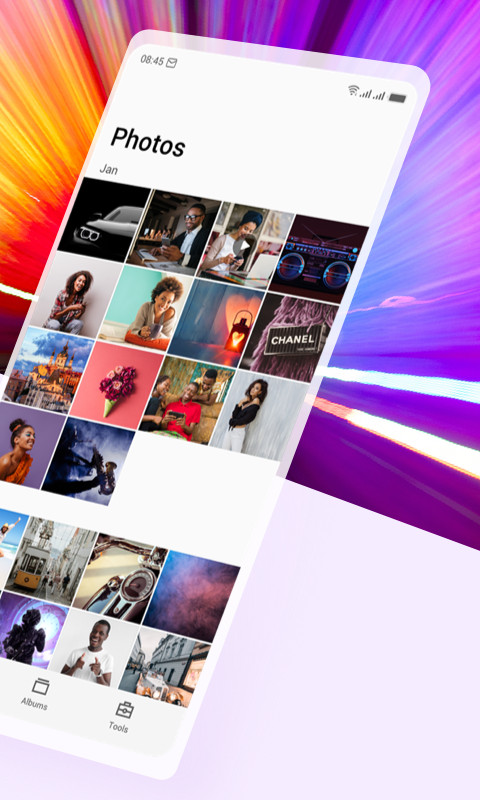
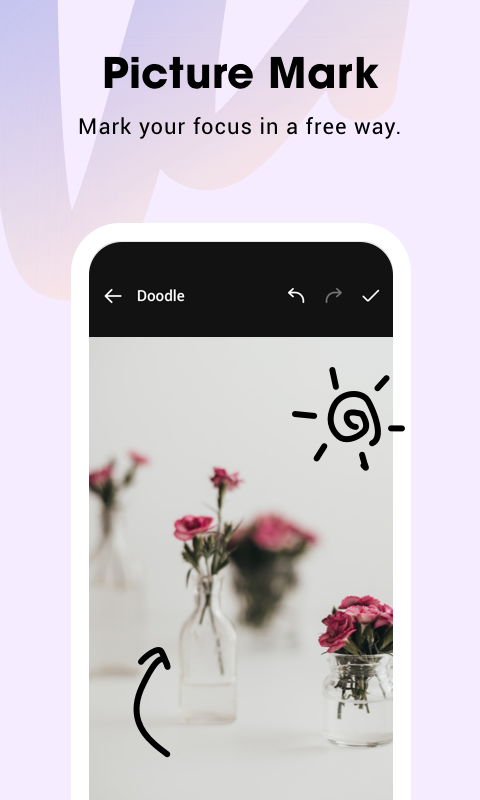
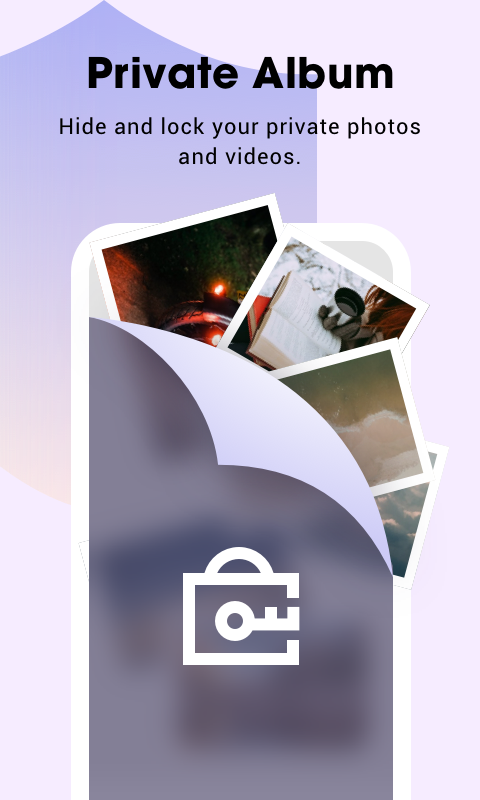
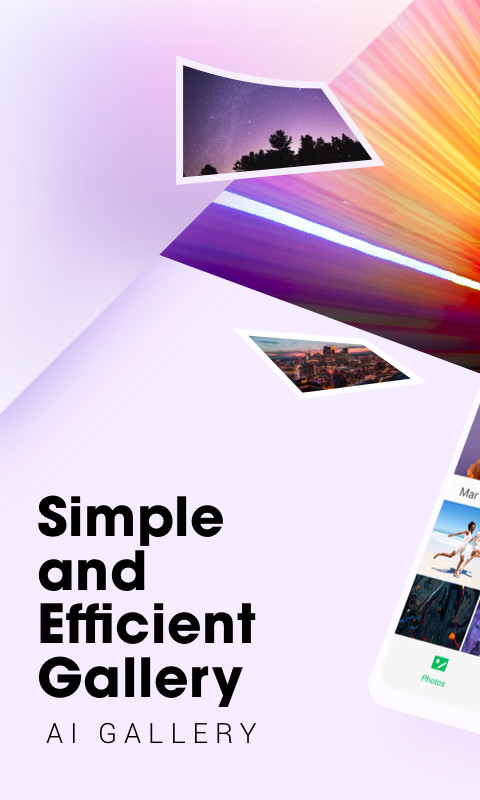
AI Gallery is a photography and gallery management app by Transsion Holdings that helps users organize, edit, and maintain their photo collections on Android devices. The app addresses the common problem of cluttered camera rolls and disorganized albums by offering a reorganized homepage that makes selecting photos straightforward, along with efficient album classification to keep everything neatly sorted. It also tackles storage bloat through photo cleanup and HD lossless compression, freeing up memory without visibly sacrificing image quality. Beyond organization, the app bundles a complete picture editing suite, multi-template puzzle creation, dark mode, slideshows, and easy sharing, making it a versatile daily companion for managing personal media. With version 15.0.3.054, the app introduces a refreshed UI and adds features like picture compression, private albums (available only on Tecno and Infinix phones), and picture marking with mosaics and cropping. It is free to use with no ads, and while it requests broad storage and system permissions, it positions itself as a fast and lightweight solution for everyday photo tasks.
Key features
- Reorganized homepage for quick photo selection and access
- Efficient album classification with orderly grouping
- Multi-template puzzle creation to customize photo collages
- Complete picture editing capabilities including marking, mosaics, and cropping
- Photo cleanup to remove dark, blurry, and duplicate images
- HD lossless photo compression to save storage space
- Dark mode and picture slideshow for comfortable viewing
- Easy sharing to social media and setting images as wallpaper
How to install
- Tap the download button on this page to get the APK file (166 MB).
- When Android prompts, allow your browser or file manager to install apps by enabling the 'Install unknown apps' setting.
- Open the downloaded APK file from your notifications or file manager.
- Tap Install and wait for the installation to complete (requires Android 12 or higher).
- Open the app from your home screen or app drawer and grant the requested permissions to begin.
Pros
- No ads, providing an uninterrupted experience
- Fast and lightweight design for everyday use
- Comprehensive photo cleanup and compression tools
- Rich editing and puzzle features for creative tasks
- Dark mode and slideshow for flexible viewing
Cons
- Requests broad permissions including external storage and query all packages
- Private album feature is limited to Tecno and Infinix devices only
- No in-app purchase information available, so premium features are unclear
Latest changes · 15.0.3.054
Version 15.0.3.054 brings a refreshed user interface along with two new capabilities. A new compression feature reduces the storage space photos take up without sacrificing quality. Private albums let you protect selected pictures with a password, though this option is available only on Tecno and Infinix devices. The update also adds picture marking tools, including mosaic effects and free cropping, plus a new About page.
Previous versions
| Version | Size | Requires Android | Updated |
|---|---|---|---|
| 15.0.3.054 | 166 MB | 12 | Jun 4, 2025 |
| 5.6.1.045 | 77 MB | 12 | Jul 28, 2024 |
| 5.5.0.022 | 74 MB | 8.0 | Jan 24, 2024 |
AI Gallery is suited for Android users who want a straightforward, ad-free gallery app that does more than just display photos. It appeals to people who frequently take pictures and need efficient tools to sort, clean, and compress their library without diving into complex software. Casual photographers will appreciate the editing suite and puzzle templates, while those with limited phone storage benefit from the cleanup and lossless compression features. It is also a good fit for Tecno or Infinix owners who can use the private album function, though other users can still enjoy the core organization and editing capabilities.
After installing, use the photo cleanup feature periodically to remove blurry or duplicate shots and free up space, and enable dark mode in settings to reduce eye strain during nighttime browsing.
Permissions
Frequently asked questions
Is AI Gallery free to download and use?
Yes, AI Gallery is a free app. It is available at no cost, and the listing is marked as free with no purchase required.
What Android version do I need to install AI Gallery?
AI Gallery requires Android 12 (OS version 12) or higher. If your device runs Android 12 or a newer release, the app should be compatible.
How large is the AI Gallery APK file?
The AI Gallery APK file is about 166 MB in size. Make sure your device has enough free storage before downloading.
Does AI Gallery require an account to use?
No, AI Gallery does not require you to create or log in with an account. You can install and use the app without signing in.
What permissions does AI Gallery ask for?
AI Gallery requests permissions related to network access, storage (reading and writing media files), Bluetooth, foreground service, and vibration, among others. These are used for features like photo editing, compression, and album management.
How do I update AI Gallery to the latest version?
To update AI Gallery, download the newest version available on this page. The current version is 15.0.3.054, and installing it over your existing version will apply the update.
AI Gallery delivers a solid mix of organization, editing, and storage management in a free, ad-free package that feels fast and light. For most Android users, it is a practical replacement for a basic gallery app, especially if you value a clutter-free experience.
Similar apps
 Samsung GallerySamsung Gallery has a size of 51 MB and requires Android 11 or higher. The app does not charge for its core features, and it does not inc…Samsung Electronics Co., Ltd. · ★ 3.8 · Photography · 51 MB
 GalleryGallery is a free photography app from Google LLC that groups pictures by categories such as People, Selfies, Nature, Animals, Documents,…Google LLC · ★ 4.2 · Photography
 Picsart AI Photo Editor, VideoPicsart AI Photo Editor, Video is free to download and also offers optional in-app purchases, and it carries ads. The app requires Androi…PicsArt, Inc. · ★ 3.9 · Photography · v31.1.6
 BeautyPlus-Selfie Photo EditorBeautyPlus-Selfie Photo Editor serves people who want to retouch selfies, edit photos, and enhance videos with AI tools. The app is free …PIXOCIAL TECHNOLOGY (SINGAPORE) PTE. LTD. · ★ 4.5 · Photography · v7.49.2
 FaceApp: Perfect Face EditorFaceApp: Perfect Face Editor has 36 MB size and requires Android 5.0 or higher. It offers over 60 photorealistic filters, includes in-app…FaceApp Technology Ltd · ★ 4.3 · Photography · 36 MB
 Video Editor & Maker - InShotVideo Editor & Maker - InShot combines video editing, a photo editor and a collage maker in one app, with AI captions, speech, background…InShot Video Editor · ★ 4.8 · Photography · v2.250.1556
More from this developer
 HiOS Launcher - FastHiOS Launcher - Fast is 66 MB in size and requires Android 9 or higher. The launcher includes ads but does not offer in-app purchases. It…Transsion Holdings · ★ 4.0 · Personalization · 70 MB
 Magazine Lockscreen XOSMagazine Lockscreen XOS serves Infinix phone owners who want fresh HD pictures and related articles each time they lock their screen. The…Transsion Holdings · ★ 3.8 · News & Magazines · v15.1.2.26115
Updated: Nov 12, 2026
- Version
- 15.0.3.054
- Size
- 166 MB
- Requires Android
- 12
- Updated
- Jun 4, 2025
- Installs
- 500M+
- Rating
- ★ 3.47 (34)
- Category
- Photography
- Developer
- Transsion Holdings
- Content rating
- Everyone
- Package
- com.gallery20
- Free
- ✓