YouTube Video Streaming & Sharing
YouTube is a free video app by Google LLC that lets you watch, discover, and share videos from creators worldwide.
YouTube is a free video app with a size of 199 MB, requires Android 10 or higher, and includes ads and in-app purchases. It offers a vast library of videos, channels, and live streams, appealing to viewers and content creators alike.
Get YouTubeScreenshots
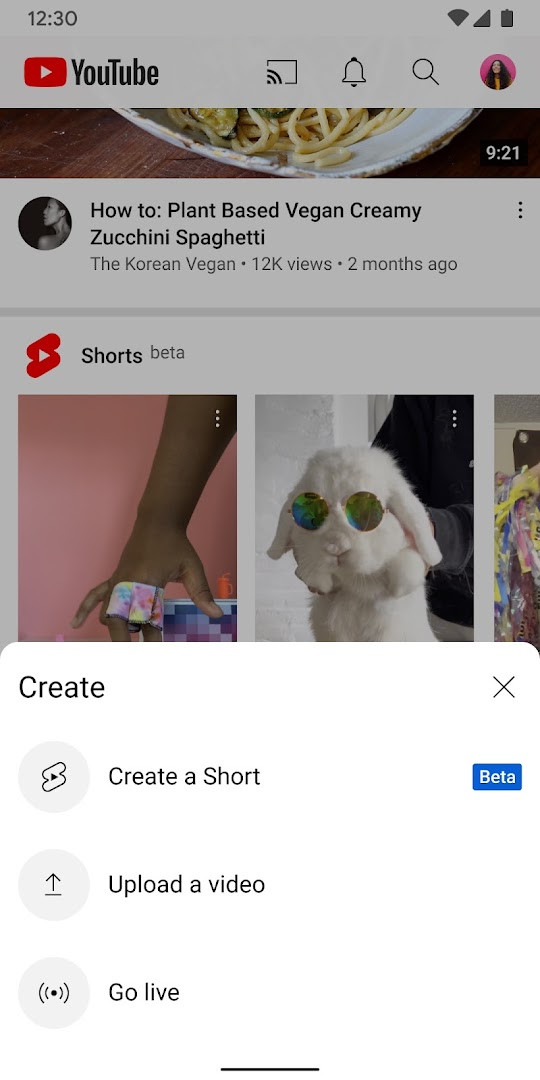
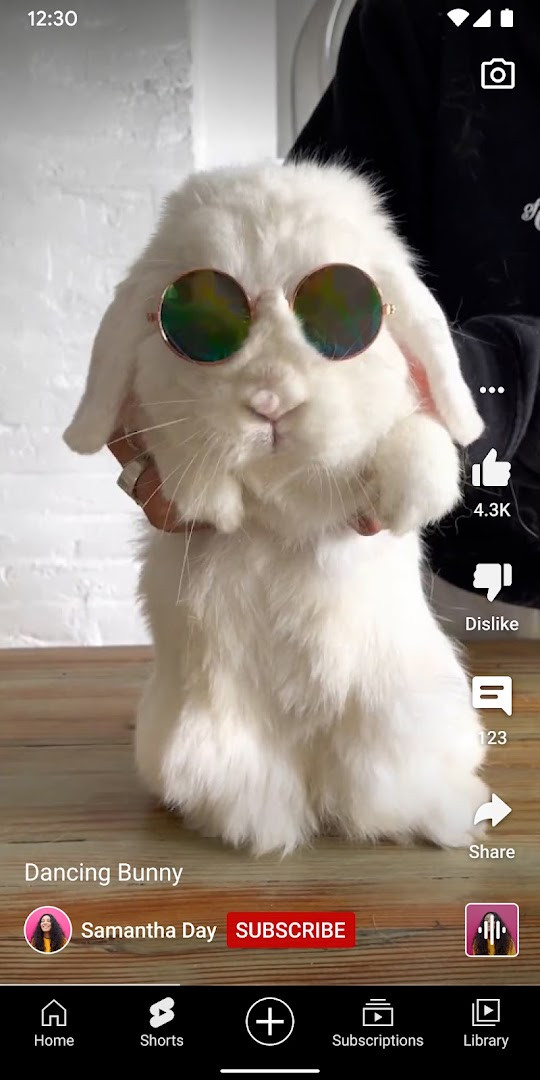
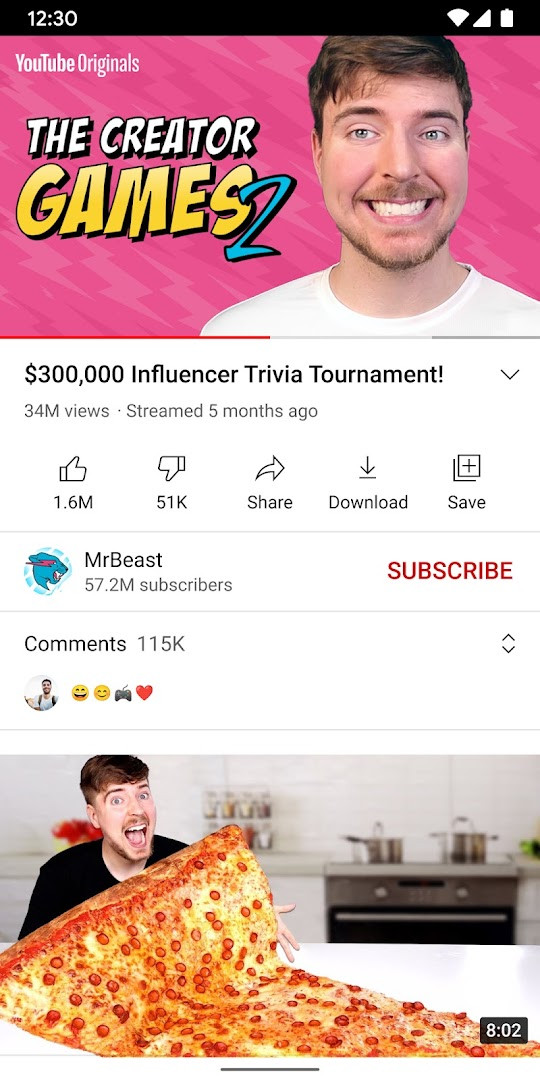
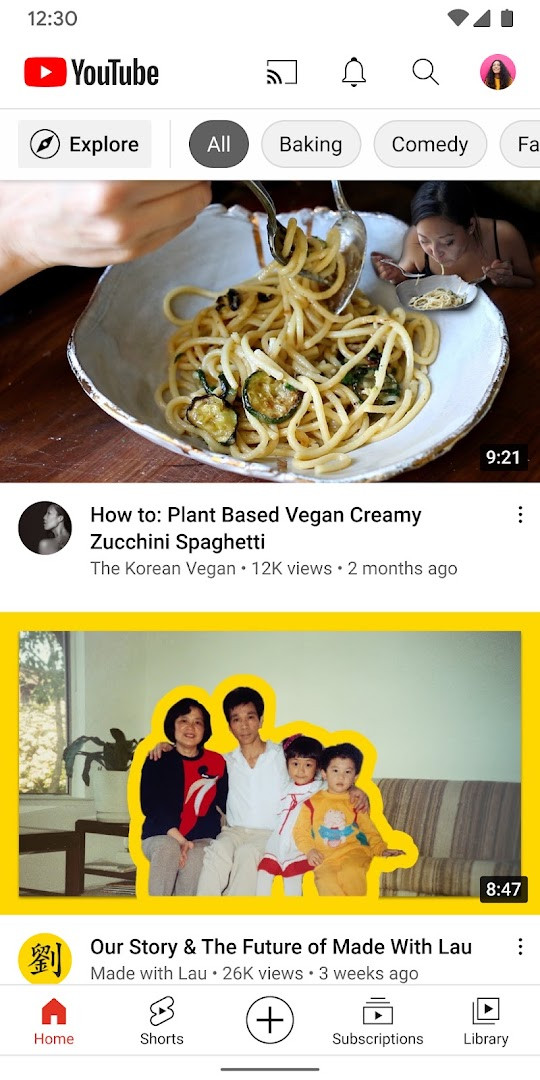
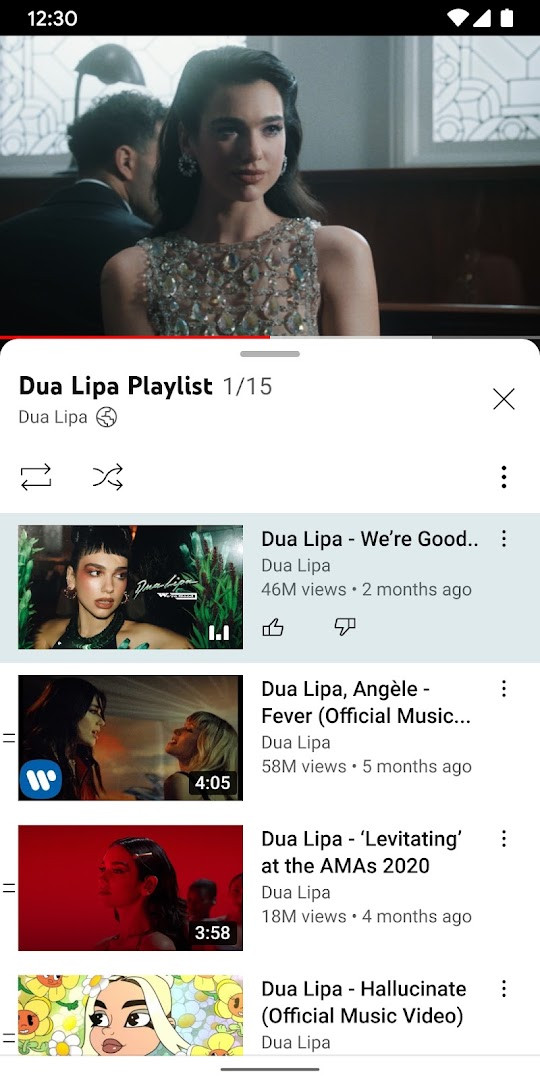
YouTube is a video streaming and sharing application by Google LLC that allows users to watch, upload, and interact with video content across a wide range of genres. The app serves as the official mobile client for the YouTube platform, offering access to personalized feeds, subscriptions, live streams, and community features. With over 10 billion installs and a rating of 3.83 from more than 172 million ratings, it is one of the most widely used entertainment apps on Android. The latest version, 21.41.525, was updated on October 10, 2026, and the app has been available since October 20, 2010. The current version does not introduce a specific list of new features in the update notes; instead, users are directed to in-product notifications for learning about new capabilities. The app requires Android 10 or higher and has a file size of 199 MB. It includes advertisements and offers in-app purchases, such as channel memberships and YouTube Premium subscriptions. The app's permissions include access to identity, contacts, location, phone, media, camera, microphone, and Wi-Fi information, which are used for features like video uploads, live streaming, and personalized recommendations. Content is rated for teens, indicating that some material may not be suitable for younger viewers. Overall, the app provides a comprehensive mobile experience for consuming and creating video content, with robust tools for discovery, social interaction, and content management.
Key features
- Personalized recommendations on the Home tab based on viewing history and preferences.
- Subscription feed to stay updated with the latest uploads from followed channels.
- Library section to access watched, liked, and saved-for-later videos.
- Explore tab to discover trending content and popular topics in music, gaming, beauty, news, and learning.
- Support for community engagement through posts, stories, premieres, and live streams.
- Commenting system to interact with creators and other viewers.
- Direct video upload and live streaming from the mobile device.
- Channel memberships with exclusive perks and loyalty badges for supporting creators.
- Optional YouTube Premium upgrade for ad-free viewing, background play, and offline downloads.
How to install
- Tap the download button on this page to get the APK file (199 MB).
- When prompted, allow your browser or file manager to install apps by enabling the 'Install unknown apps' setting.
- Open the downloaded APK file from your notification bar or file manager.
- Tap 'Install' and wait for the installation to complete.
- Open the app and sign in with your Google account to start using YouTube.
Pros
- Comprehensive video library with content across virtually every genre.
- Strong personalization and recommendation algorithms.
- Integrated content creation tools, including live streaming.
- Regular updates with new features and improvements.
- Supports community interaction through comments and memberships.
Cons
- Contains ads, which can interrupt viewing unless a premium subscription is purchased.
- Requires several permissions that may raise privacy concerns.
- Large file size of 199 MB may be a consideration for devices with limited storage.
- Content rating is Teen, so parental controls are needed for younger users.
- Some features like Explore and channel memberships are not available in all countries.
What's New
The latest update focuses on helping you discover new features right inside the app through in-product education and notifications that guide you on how to use them. This way, you can quickly get acquainted with any additions or changes without having to search for information externally. Keep an eye out for these helpful prompts as you browse your favorite content.
Other Versions
| Version | Size | Requires Android | Updated |
|---|---|---|---|
| 21.41.525 | 199 MB | 10 | 11.10.2026 |
| 21.39.522-SECONDARY | 195 MB | 10 | 28.09.2026 |
| 20.26.46 | 156 MB | 8.0 | 31.12.2025 |
| 17.34.35 | 134 MB | 6.0 | 29.05.2025 |
YouTube is ideal for casual viewers who want to watch trending videos, content creators who need a mobile platform to upload and live stream, and users who follow specific channels and want to stay updated with subscriptions and community interactions.
To reduce data usage, adjust the video quality in settings or use the 'Save for later' feature to download videos when connected to Wi-Fi for offline viewing.
Permissions
Frequently Asked Questions
What Android version do I need to run the YouTube app?
The app requires Android 10 or later, so devices running an older version of the operating system will not be able to install it.
How much space does the YouTube app take up?
The download comes in at roughly 199 MB, so it is worth checking that you have enough free storage before installing.
Is the YouTube app free, and does it contain advertising?
The app itself costs nothing to download and use. It does display ads, and optional in-app purchases are also available.
What can I do with the app besides watching videos?
You can record and upload your own clips straight from your phone, go live to interact with viewers in real time, comment on videos, and follow creators through posts, stories, premieres and live streams.
How long has the YouTube app been available, and how widely is it used?
It first appeared in October 2010 and has since accumulated more than 10 billion installs. The current build is version 21.41.525, dated October 11, 2026, and the most recent update was published on October 10, 2026.
What does YouTube Premium add, and is it offered everywhere?
Premium removes ad interruptions, allows playback while you use other apps or the screen is locked, and lets you save videos for offline situations such as flights or commutes. It also includes YouTube Music Premium as part of the benefits. Availability depends on your country, as does the option to join paid channel memberships.
YouTube remains a leading entertainment app with a vast content ecosystem and robust features for both consumption and creation. While ads and permission requirements are drawbacks, the app's functionality and personalization make it a strong choice for most Android users. A premium option exists for those seeking an ad-free experience, but the free version is serviceable for general use.
Similar Apps
 Google WalletGoogle Wallet is for Android users who want to pay in stores, online, or in apps and keep passes, tickets, and digital IDs in one place. …Google LLC · ★ 4.3 · Finance · 16 MB
 Google TVGoogle TV occupies about 40 MB and requires Android 6.0 or newer to run. The app is free to download and contains no ads, though in-app p…Google LLC · ★ 3.9 · Entertainment · 40 MB
More From This Developer
Google TVGoogle TV occupies about 40 MB and requires Android 6.0 or newer to run. The app is free to download and contains no ads, though in-app p…Google LLC · ★ 3.9 · Entertainment · 40 MB
 Android AutoAndroid Auto requires Android 9 or higher and occupies 35 MB of storage. It has no ads and no in-app purchases, and it is rated for every…Google LLC · ★ 4.1 · Auto & Vehicles · 35 MB
Google WalletGoogle Wallet is for Android users who want to pay in stores, online, or in apps and keep passes, tickets, and digital IDs in one place. …Google LLC · ★ 4.3 · Finance · 16 MB
Android AutoAndroid Auto requires Android 9 or higher and occupies 35 MB of storage. It has no ads and no in-app purchases, and it is rated for every…Google LLC · ★ 4.1 · Auto & Vehicles · 35 MB
Google WalletGoogle Wallet is for Android users who want to pay in stores, online, or in apps and keep passes, tickets, and digital IDs in one place. …Google LLC · ★ 4.3 · Finance · 16 MB
 Google Play Books & AudiobooksGoogle Play Books & Audiobooks carries ebooks, audiobooks, comics and manga, and it works without a subscription so readers pay only for …Google LLC · ★ 4.7 · Education · 22 MB
Updated: 24.10.2026
- Size
- 199 MB
- Requires Android
- 10
- Updated
- 10.10.2026
- Installs
- 10B+
- Rating
- ★ 3.83 (172 213 513)
- Category
- Entertainment
- Developer
- Google LLC
- Content rating
- Teen
- Package
- com.google.android.youtube
- Free
- ✓ · Contains ads · In-app purchases