MX Player for Android
MX Player is a video player from Amazon Mobile LLC for watching videos with hardware acceleration and subtitle support.

MX Player is for Android users who want a dependable video player that handles a wide range of files and subtitle formats. The app supports multi-core decoding, which can improve playback performance on devices with multiple cores. MX Player is free to download, requires Android 7.0 or newer, and offers offline playback of locally stored videos without an account.
Download MX Player · v3.4.3Screenshots
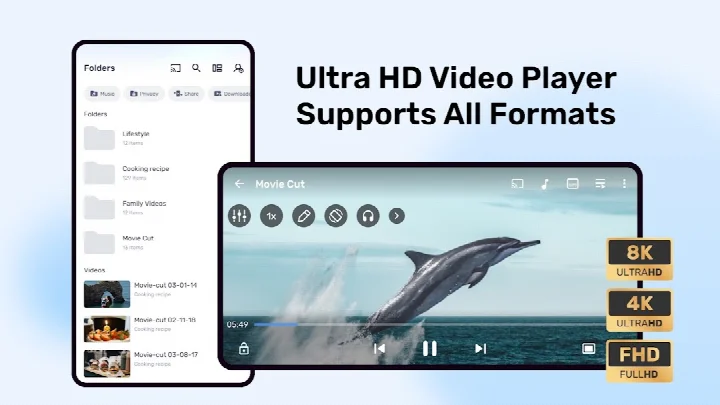
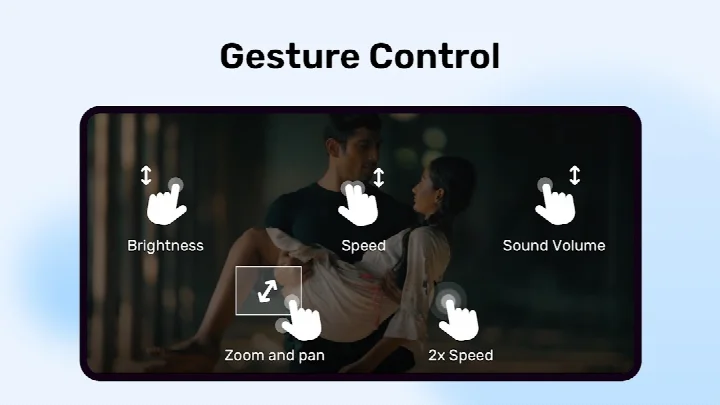
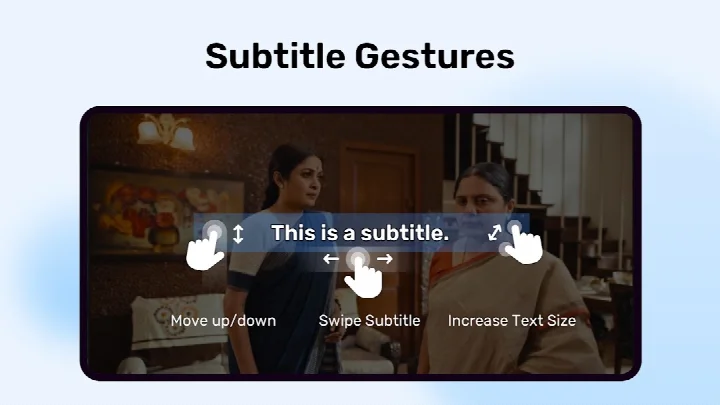
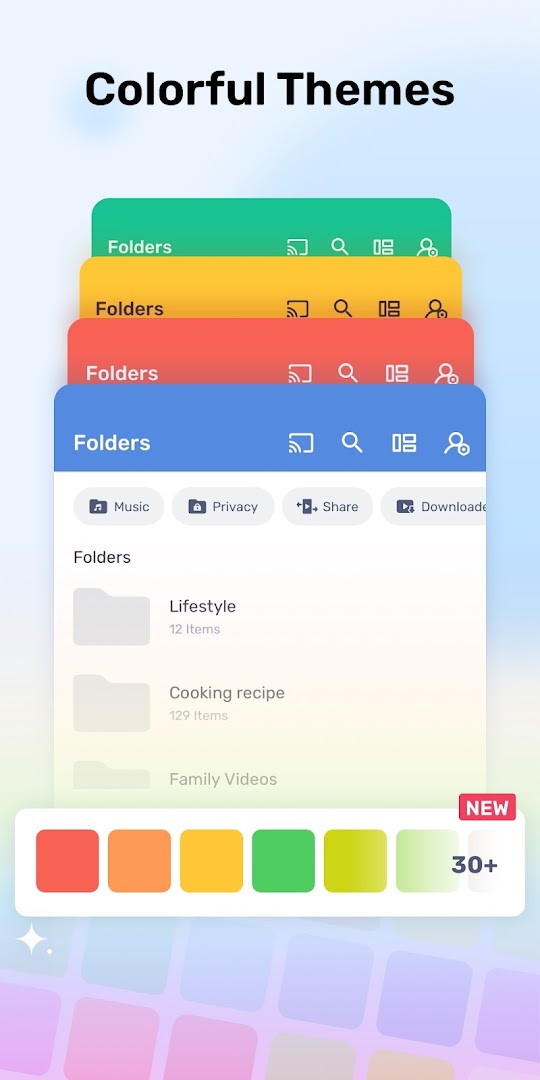
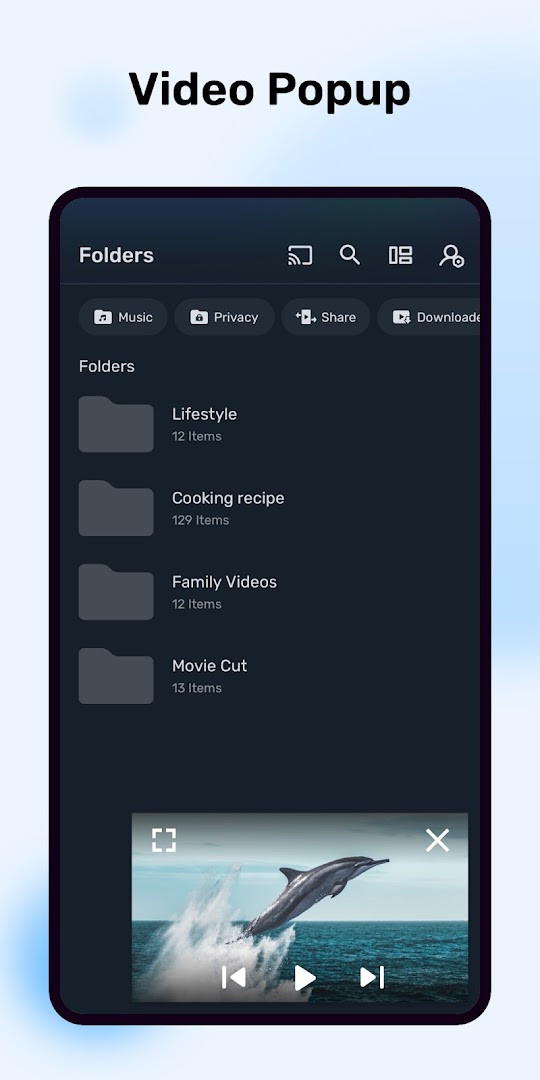
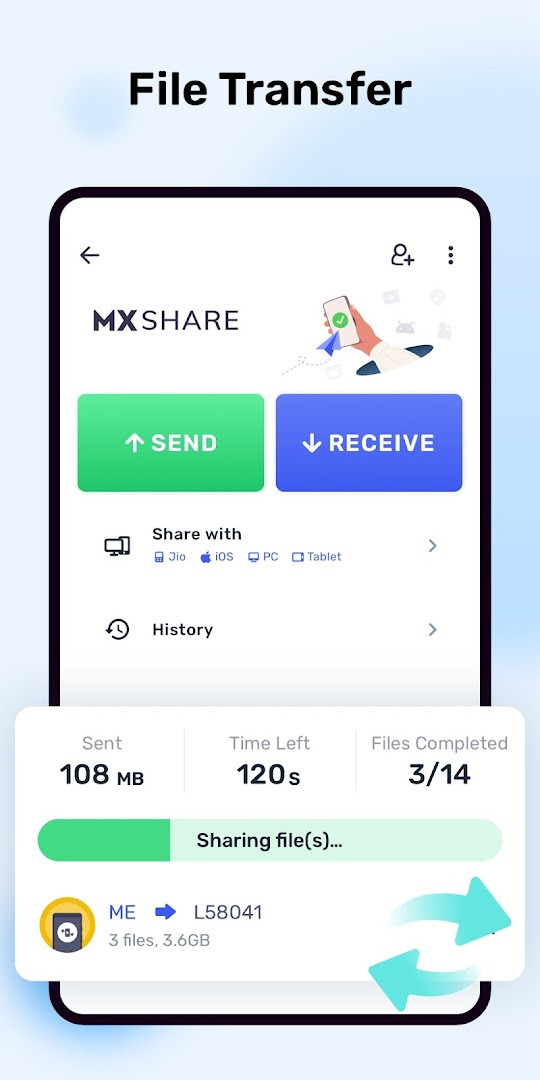
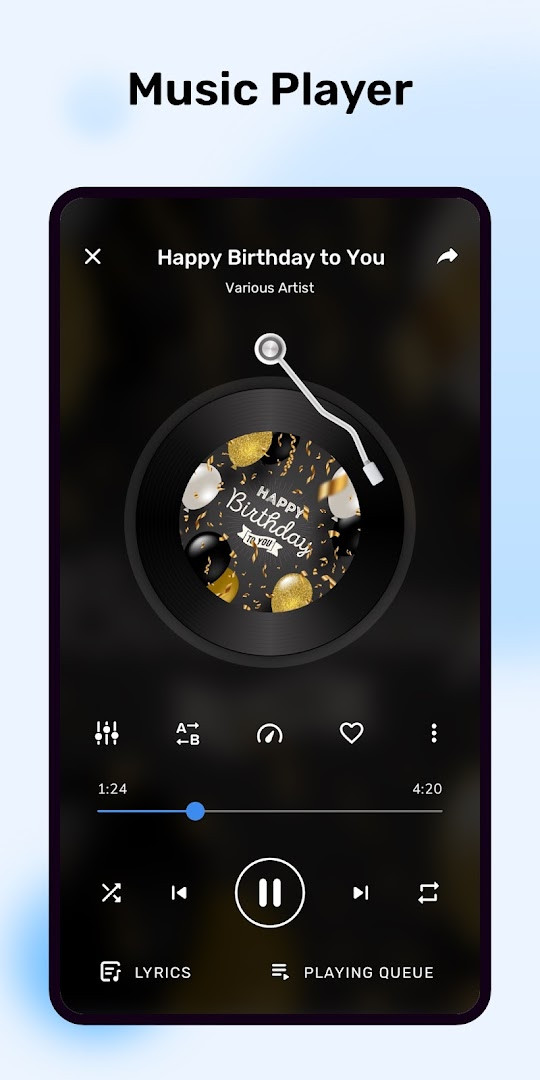
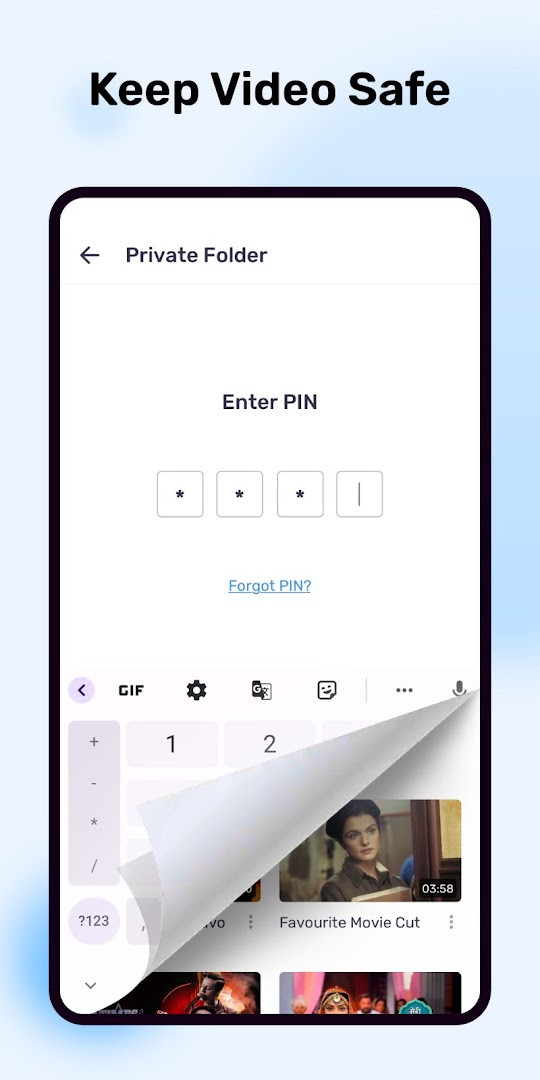
MX Player is a video and music player application by Amazon Mobile LLC that focuses on hardware-accelerated playback and extensive subtitle support for Android devices. The app addresses the common problem of inconsistent playback performance and limited subtitle compatibility on mobile devices. It tackles these issues through a dedicated HW+ decoder that extends hardware acceleration to more video files, along with multi-core decoding that can deliver up to 70% better performance on multi-core devices compared to single-core ones. The player also offers gesture-based controls, letting you zoom with a pinch, adjust subtitle position and size with swipes, and navigate through text tracks easily. Additional practical tools include a privacy folder for hiding sensitive videos, a kids lock to prevent little ones from leaving the app or making calls, and support for a wide range of subtitle formats from SubRip to WebVTT, making it a versatile everyday companion for local media playback.
Key features
- Hardware acceleration via a new HW+ decoder that works with more video files
- Multi-core decoding support, with test results showing up to 70% better performance on multi-core devices
- Pinch-to-zoom, zoom, and pan controls that work by pinching and swiping across the screen
- Subtitle gestures: scroll forward or backward to switch text tracks, swipe up or down to move subtitles, and pinch to resize text
- Privacy Folder that lets you hide secret videos in a private, protected space
- Kids Lock to keep children entertained without letting them make calls or touch other apps
- Support for many subtitle formats including SSA/ASS with full styling, SAMI with Ruby tags, SubRip, MicroDVD, VobSub, SubViewer2.0, MPL2, TMPlayer, Teletext, PJS, and WebVTT
- Optional file transfer features using QR code scanning, Wi-Fi Direct, and Bluetooth, with permissions that can be denied
- Picture-in-Picture playback with custom controls when display-over-other-apps permission is granted
How to install
- Tap the download button on this page to get the APK file for MX Player version 3.4.3.
- When Android prompts you, allow your browser or file manager to install apps by enabling the 'Install unknown apps' setting.
- Open the downloaded APK file from your notification bar or file manager.
- Tap Install and wait for the installation to complete.
- Open MX Player from your app drawer to start using it.
- Note that the app requires Android version 7.0 or higher; the file size is not specified in the available data.
Pros
- Powerful hardware acceleration improves playback of many video files
- Multi-core decoding boosts performance on capable devices
- Comprehensive subtitle format support with gesture-based adjustments
- Privacy folder and kids lock add useful parental and security controls
- Free to download with no upfront cost
Cons
- Contains ads that may interrupt playback
- Offers in-app purchases, which can lead to extra costs
- Requests broad permissions including storage, camera, location, and contacts, though some are optional or only for file transfer
- May require granting all-files access to identify and organize media files
Latest changes · 3.4.3
MX Player 3.4.3 (released 2026-11-06) brings a smoother, faster, and more reliable experience. This update focuses on bug fixes and performance optimizations so you can enjoy playback with fewer interruptions and better overall stability.
Previous versions
| Version | Size | Requires Android | Updated |
|---|---|---|---|
| 3.4.3 | — | 7.0 | Nov 6, 2026 |
| 3.3.1 | — | 7.0 | Nov 3, 2026 |
| 1.28.7 | 37 MB | 4.2 | Jan 24, 2026 |
| 1.96.4 | 114 MB | 5.0 | Dec 13, 2025 |
| 1.31.3 | 38 MB | 4.2 | Apr 11, 2025 |
| 1.10.47 | 29 MB | 4.0 | Mar 12, 2019 |
| 1.10.20 | 27 MB | 4.0 | Oct 30, 2018 |
| 1.7.41 | 12 MB | — | Jun 5, 2018 |
| 1.7.26 | 8.7 MB | — | Mar 3, 2014 |
MX Player is for anyone who regularly watches videos or listens to music on an Android phone or tablet and wants reliable playback with flexible subtitle handling. It suits users with large local media libraries who need support for many subtitle formats, as well as parents who want a kids lock to keep children from leaving the app or making calls. People who value hardware-accelerated performance on multi-core devices will also appreciate the decoding optimizations. The privacy folder appeals to those who want to hide certain videos, and the optional file transfer feature is useful for sharing media with nearby devices, though you can skip those permissions if you prefer.
To avoid interruptions, consider using the kids lock when handing the device to children. If you do not need file transfer, deny the camera, location, and nearby-device permissions during setup to keep more control over your privacy. For subtitle-heavy viewing, use the swipe gestures to fine-tune text position and size on the fly.
Permissions
Frequently asked questions
Is MX Player free to download?
Yes, MX Player is free to download and use, with a listed price of $0.00. The app does include ads and offers in-app purchases, but the core video player functionality is available at no cost.
What Android version do I need to run MX Player?
MX Player requires Android 7.0 or higher. The current version is 3.4.3, released on 2026-11-06, and the app has been available since 2011.
Do I need to create an account to use MX Player?
No, you can use the app without an account for playback and most features. A phone number autofill option exists only during sign-up or login, and that permission is limited to users in India.
What permissions does MX Player request?
The app asks for storage and all-files access to find and play media and subtitles. Additional permissions like camera, location, and nearby-device access are only needed for the file transfer feature, and you can deny them and still use the rest of the app. Optional permissions include notifications, display over other apps for picture-in-picture, and phone number autofill in India.
How do I update MX Player to the latest version?
To update, download the newest version from this page. The latest release is version 3.4.3 from 2026-11-06, and the page lists prior versions such as 3.3.1 and 1.28.7 for reference.
What subtitle formats does MX Player support?
MX Player supports a wide range of subtitle formats, including SubRip (.srt), SubStation Alpha (.ssa/.ass), SAMI (.smi), MicroDVD (.sub), VobSub (.sub/.idx), WebVTT (.vtt), and several others like DVD, DVB, Teletext, and PJS.
MX Player is a capable media player that combines strong hardware acceleration with deep subtitle support and practical extras like a privacy folder and kids lock. It remains a solid choice for everyday video playback on Android, despite the presence of ads and in-app purchases.
Similar apps
 Amazon ShoppingAmazon Shopping is for Android users who want to browse and buy from Amazon's catalog without using a desktop browser. The app is free to…Amazon Mobile LLC · ★ 4.4 · Shopping · v32.18.0.100
 Amazon AlexaAmazon Alexa has over 100 million installs and a 4.05 rating from more than 5.7 million ratings, with no ads and no in-app purchases. The…Amazon Mobile LLC · ★ 4.0 · Lifestyle · v2.2.718227.0
 Google TVGoogle TV occupies about 40 MB and requires Android 6.0 or newer to run. The app is free to download and contains no ads, though in-app p…Google LLC · ★ 3.9 · Entertainment · 40 MB
 YouTubeYouTube is a free video app with a size of 199 MB, requires Android 10 or higher, and includes ads and in-app purchases. It offers a vast…Google LLC · ★ 3.8 · Entertainment · 199 MB
 YouTube MusicYouTube Music provides a vast library of songs, music videos, and live performances, along with curated playlists and personalized mixes.…Google LLC · ★ 4.5 · Entertainment · 68 MB
 Google Play GamesGoogle Play Games is free to use and includes ads, with no in-app purchases. Google Play Games offers instant play for many titles withou…Google LLC · ★ 3.9 · Entertainment · 14 MB
 NetflixNetflix is for anyone who wants to watch series, movies, live events, podcasts, and games while traveling or at home. The app offers pers…Netflix, Inc. · ★ 4.7 · Entertainment · 63 MB
 Spotify: Music and PodcastsSpotify: Music and Podcasts suits listeners who want one place to stream songs, shows and audiobooks without paying upfront. The app is f…Spotify AB · ★ 4.4 · Entertainment · 145 MB
More from this developer
Amazon ShoppingAmazon Shopping is for Android users who want to browse and buy from Amazon's catalog without using a desktop browser. The app is free to…Amazon Mobile LLC · ★ 4.4 · Shopping · v32.18.0.100
 Amazon Kindle: Reading AppAmazon Kindle: Reading App is aimed at readers who want a personal library on their phone or tablet instead of carrying print books, and …Amazon Mobile LLC · ★ 4.8 · Education · 147 MB
Amazon AlexaAmazon Alexa has over 100 million installs and a 4.05 rating from more than 5.7 million ratings, with no ads and no in-app purchases. The…Amazon Mobile LLC · ★ 4.0 · Lifestyle · v2.2.718227.0
Updated: Nov 10, 2026
- Version
- 3.4.3
- Requires Android
- 7.0
- Updated
- Nov 6, 2026
- Installs
- 1B+
- Rating
- ★ 4.22 (14,355,636)
- Category
- Entertainment
- Developer
- Amazon Mobile LLC
- Content rating
- Everyone
- Package
- com.mxtech.videoplayer.ad
- Free
- ✓ · Contains ads · In-app purchases