Samsung Music for Android
Samsung Music is a music player app from Samsung Electronics Co., Ltd. for playing and managing music on Samsung Android devices.

Samsung Music plays local audio files such as MP3, AAC, and FLAC on compatible Samsung Galaxy devices. Samsung Music is free, has no in-app purchases, runs on Android 9 or later, and takes about 34 MB. Samsung Music organizes songs by track, album, artist, genre, folder, and composer, and shows Spotify playlist recommendations through the Spotify tab where Spotify is available.
Download Samsung Music · v16.2.45.1Screenshots
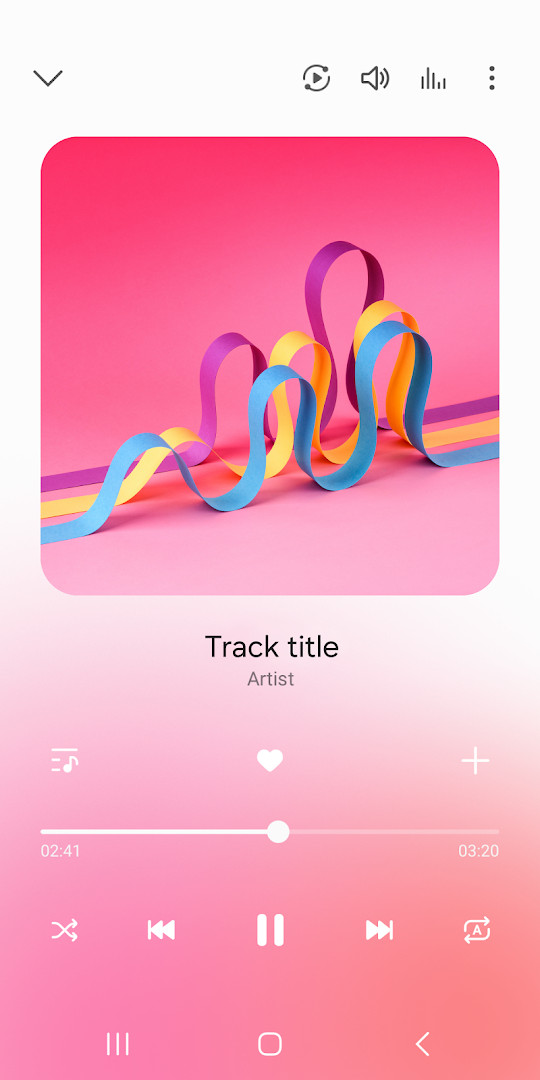
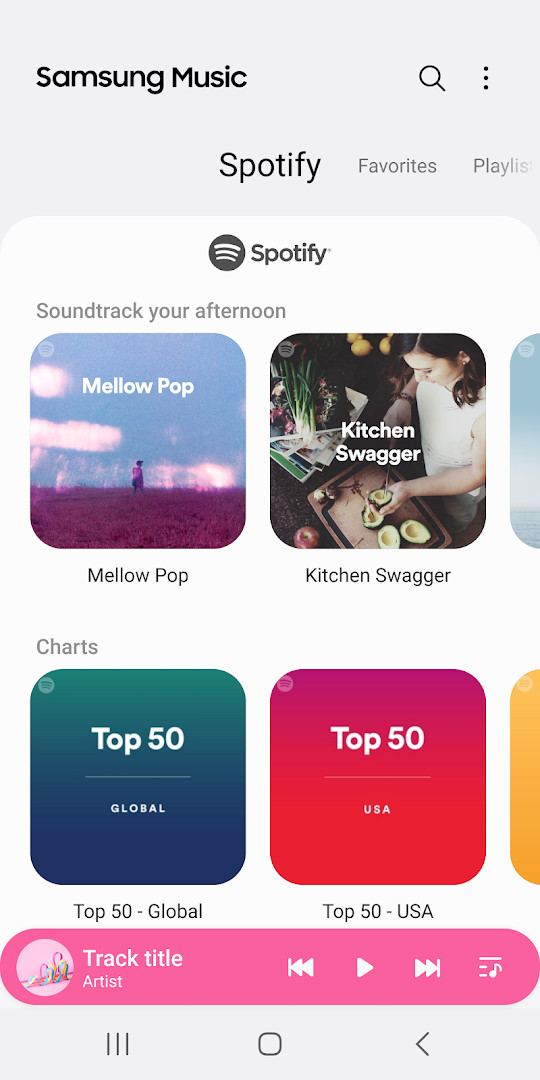
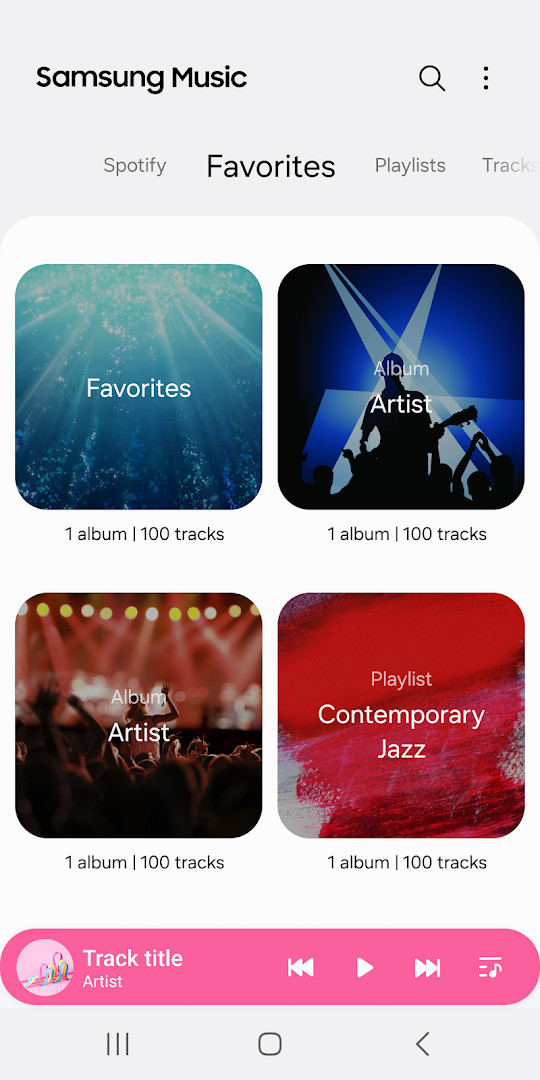
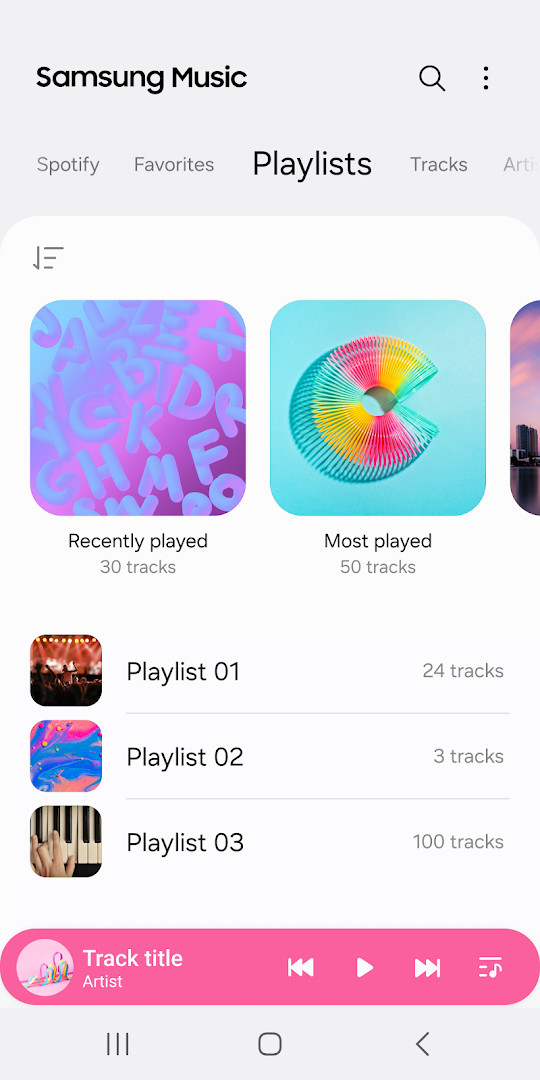
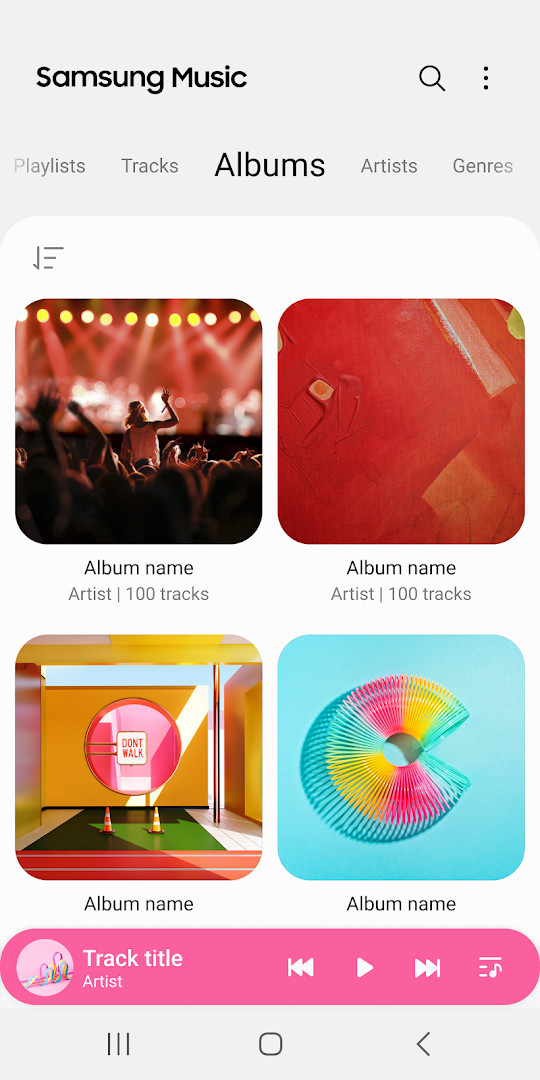
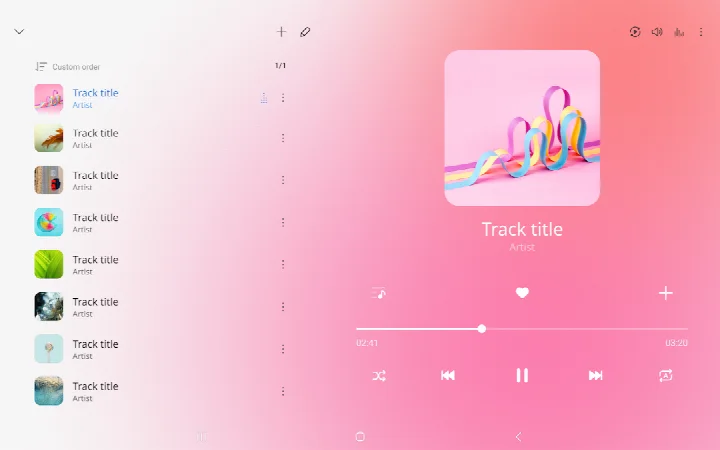
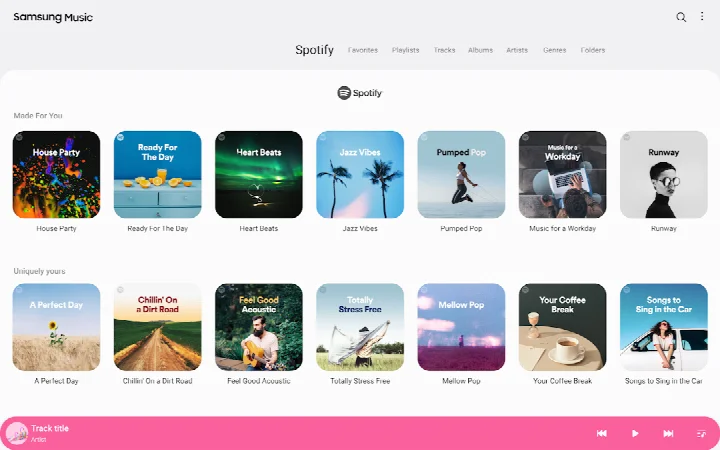
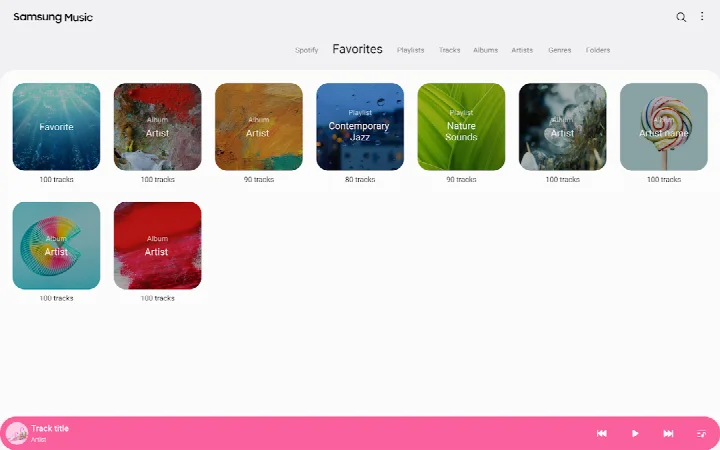
Samsung Music is a music player application by Samsung Electronics Co., Ltd. that provides playback and library management for audio files on Android devices, with a focus on Samsung Galaxy hardware. The app addresses the need for a reliable, system-integrated player that handles common and high-resolution formats while keeping the interface uncluttered. It solves this by offering category-based organization, support for formats like MP3, AAC, and FLAC, and a clean interface that scales across Samsung devices. It also integrates Spotify recommendations where that service is available, giving users a path to discover new playlists without leaving the player. The app is free to use, carries advertising, and does not offer in-app purchases. It requires Android 9 or newer and the installation file is about 34 MB. The current version is 16.2.45.1, released on 2026-11-17, with a long history dating back to 2016.
Key features
- Supports playback of MP3, AAC, and FLAC audio formats, though supported formats may vary by device.
- Organizes music libraries by track, album, artist, genre, folder, and composer for efficient browsing.
- Provides a clean and intuitive user interface optimized for Samsung Android devices.
- Shows recommended playlists from Spotify via a dedicated tab, with search for music you may enjoy (available only where Spotify operates).
- Offers optional notifications for playback-related updates.
- Includes a widget with a partially redesigned layout in the latest update.
- Allows reading audio data from SD cards for storage flexibility.
How to install
- Tap the download button on this page to obtain the APK file, which is about 34 MB in size.
- When Android prompts you, allow your browser or file manager to install apps by enabling the 'Install unknown apps' setting for that app.
- Open the downloaded APK file from your notifications or file manager.
- Tap Install and confirm when the system asks for permission.
- Open Samsung Music from your app drawer once installation completes.
- Ensure your device runs Android 9 or later before installing.
Pros
- Free to use with no in-app purchase requirements.
- Broad format support including lossless FLAC.
- Strong library organization by multiple categories.
- Clean interface that feels native to Samsung devices.
- Spotify integration adds playlist discovery.
- Regular updates with recent bug fixes and widget changes.
Cons
- Contains advertising, which may interrupt the listening experience.
- Requires storage access to read music files and SD card content.
- Requests phone-related permissions, though noted as primarily for Korean devices.
- Spotify tab functionality is limited to regions where Spotify is available.
- Some optional permissions, like notifications, are requested even if not essential.
Latest changes · 16.2.45.1
Version 16.2.45.1, released 2026-11-17, includes partial changes to the widget design and other bug fixes. No additional feature updates are listed for this release.
Previous versions
| Version | Size | Requires Android | Updated |
|---|---|---|---|
| 16.2.45.1 | 34 MB | 9 | Nov 17, 2026 |
| 16.2.26.15 | 24 MB | 5.0 | Nov 14, 2026 |
| 16.2.46.0 | 34 MB | 9 | Nov 11, 2026 |
| 16.2.44.0 | 34 MB | 9 | Jun 22, 2026 |
| 16.2.42.0 | 32 MB | 9 | Jun 14, 2026 |
| 16.2.39.12 | 23 MB | 7.0 | Jan 25, 2025 |
| 16.2.33.6 | 38 MB | 11 | Oct 16, 2023 |
| 16.2.28.5 | 25 MB | 6.0 | Aug 21, 2022 |
| 6.0 | 0.7 MB | 5.0 | Nov 30, 2018 |
| 1.0.69 | 1 MB | 5.1 | Sep 5, 2018 |
Samsung Music is aimed at owners of Samsung Galaxy smartphones and tablets who want a music player that feels integrated with their device rather than a generic third-party option. It suits users who store music locally in formats ranging from compressed MP3 to lossless FLAC and prefer browsing by standard metadata categories like album, artist, or genre. It is also appropriate for listeners interested in Spotify-curated recommendations, provided they are in a supported region. Casual users who want a straightforward, free player without subscription costs will find it accessible, while those who rely heavily on cloud streaming or use non-Samsung hardware may find its focus less relevant.
If you deny optional permissions like notifications, core playback still works. For Spotify recommendations, check that the Spotify tab appears in your region. To manage playback from a widget, update to the latest version for the redesigned widget layout. If you encounter issues, use the in-app contact option, which requires the Samsung Members app to be installed.
Permissions
Frequently asked questions
Is Samsung Music free to download and use?
Yes, Samsung Music is free. The app is offered at no cost and has no in-app purchases.
What Android version is required to install Samsung Music?
Samsung Music requires Android 9 or higher to run.
How large is the Samsung Music APK file?
The APK file size is about 34 MB.
Do I need an account to use Samsung Music?
No account is required for basic playback. However, the Spotify tab, which shows playlist recommendations, is only available in countries where Spotify is offered.
What permissions does Samsung Music request?
It requests access to storage and media files to play music, along with phone, device and app history, Wi-Fi connection info, and device ID. Storage is mandatory; the rest are optional and basic features still work if denied.
How do I update Samsung Music to the latest version?
To update, download the newest version available on this page and install it over your current installation. The latest version listed is 16.2.45.1.
Samsung Music delivers a dependable, free playback experience with solid format support and tidy organization for Galaxy users. Its ads and permission requests are trade-offs, but the core player remains functional and regularly maintained.
Similar apps
 SmartThingsSmartThings is for Android users who want to control smart TVs, appliances, speakers, and gadgets from brands like Ring, Nest, and Philip…Samsung Electronics Co., Ltd. · ★ 4.6 · Lifestyle · 227 MB
 Google TVGoogle TV occupies about 40 MB and requires Android 6.0 or newer to run. The app is free to download and contains no ads, though in-app p…Google LLC · ★ 3.9 · Entertainment · 40 MB
 YouTubeYouTube is a free video app with a size of 199 MB, requires Android 10 or higher, and includes ads and in-app purchases. It offers a vast…Google LLC · ★ 3.8 · Entertainment · 156 MB
 YouTube MusicYouTube Music provides a vast library of songs, music videos, and live performances, along with curated playlists and personalized mixes.…Google LLC · ★ 4.4 · Entertainment · 74 MB
 Google Play GamesGoogle Play Games is free to use and includes ads, with no in-app purchases. Google Play Games offers instant play for many titles withou…Google LLC · ★ 3.9 · Entertainment · 14 MB
 FM - Video, Radio & PodcastFM - Video, Radio & Podcast has been installed over 1 billion times and holds a 4.13 rating from about 68,933 users. The app requires And…COIHUB TECHNOLOGY · ★ 4.1 · Entertainment
 Mi Video-Short Video DownloadMi Video-Short Video Download has a file size of 100 MB and requires Android 7.0 or newer. The app shows ads but offers no in-app purchas…Mi Video · ★ 4.4 · Entertainment · 99 MB
 Visha-Video Player All FormatsVisha-Video Player All Formats is for Android users who want a single player for local videos, music, and online streams without ads inte…Visha Group · ★ 4.2 · Entertainment · v8.3.0.37
More from this developer
 Samsung My FilesSamsung My Files comes in at 56 MB, requires minimum OS version 16, and contains no ads or in-app purchases. The file manager supports in…Samsung Electronics Co., Ltd. · ★ 4.1 · Tools · 56 MB
 Device CareDevice Care is a free system utility from Samsung Electronics Co., Ltd. that reports a 100-point health score and optimizes the device in…Samsung Electronics Co., Ltd. · ★ 3.9 · Tools · 27 MB
 Samsung Push ServiceSamsung Push Service is a free 3.9 MB app that requires Android 9 or higher and contains no ads or in-app purchases. It delivers pop-up m…Samsung Electronics Co., Ltd. · ★ 3.8 · Communication · 3.9 MB
 Samsung GallerySamsung Gallery has a size of 51 MB and requires Android 11 or higher. The app does not charge for its core features, and it does not inc…Samsung Electronics Co., Ltd. · ★ 3.8 · Photography · 58 MB
SmartThingsSmartThings is for Android users who want to control smart TVs, appliances, speakers, and gadgets from brands like Ring, Nest, and Philip…Samsung Electronics Co., Ltd. · ★ 4.6 · Lifestyle · 227 MB
 Samsung Global GoalsSamsung Global Goals is a 103 MB education app from Samsung Electronics Co., Ltd. that requires Android 12 or later, shows ads, and has n…Samsung Electronics Co., Ltd. · ★ 3.7 · Education · 103 MB
Updated: Nov 27, 2026
- Version
- 16.2.45.1
- Size
- 34 MB
- Requires Android
- 9
- Updated
- Nov 17, 2026
- Installs
- 1B+
- Rating
- ★ 3.85 (823,307)
- Category
- Entertainment
- Developer
- Samsung Electronics Co., Ltd.
- Content rating
- Teen
- Package
- com.sec.android.app.music
- Free
- ✓ · Contains ads