Visha-Video Player All Formats for Android
Visha-Video Player All Formats is a video and audio player from Visha Group for playing local files, online content, and downloaded media on Android.

Visha-Video Player All Formats is for Android users who want a single player for local videos, music, and online streams without ads interrupting playback. It offers background and floating play, playback speed control, video editing, a privacy folder, custom skins, and audio equalizer.
Download Visha Player · v8.3.0.33Screenshots
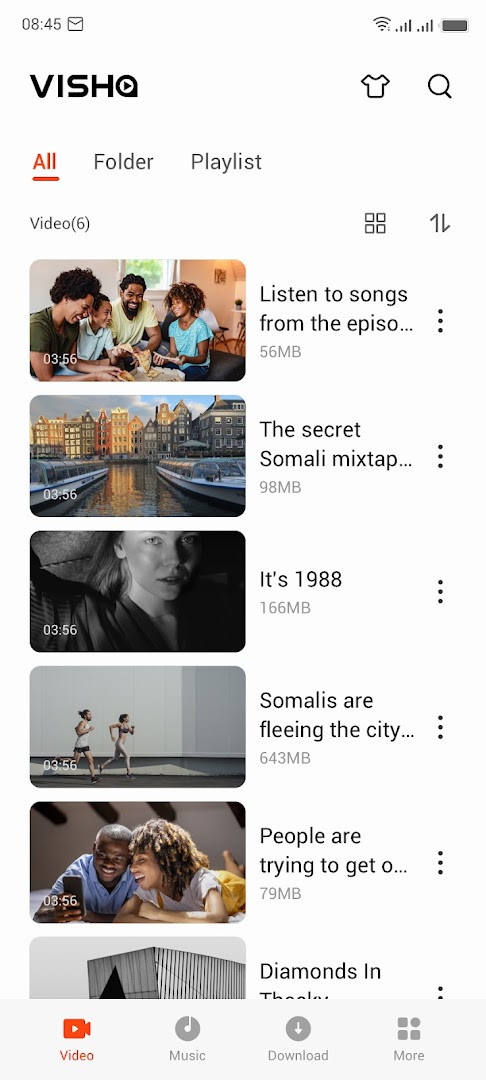
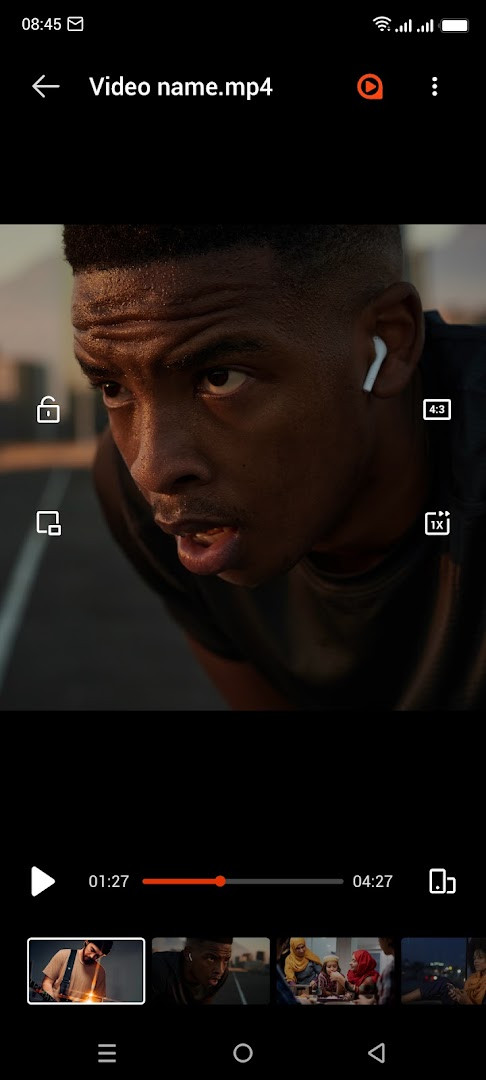
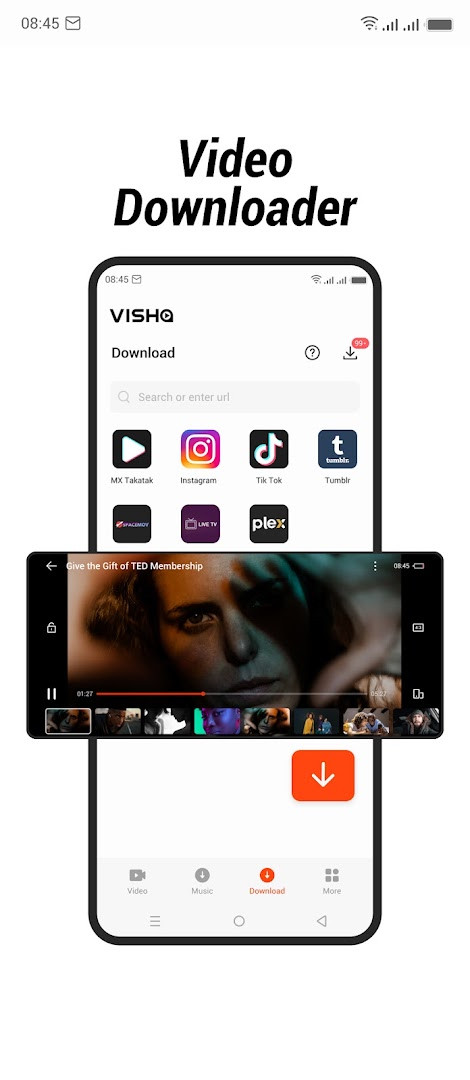
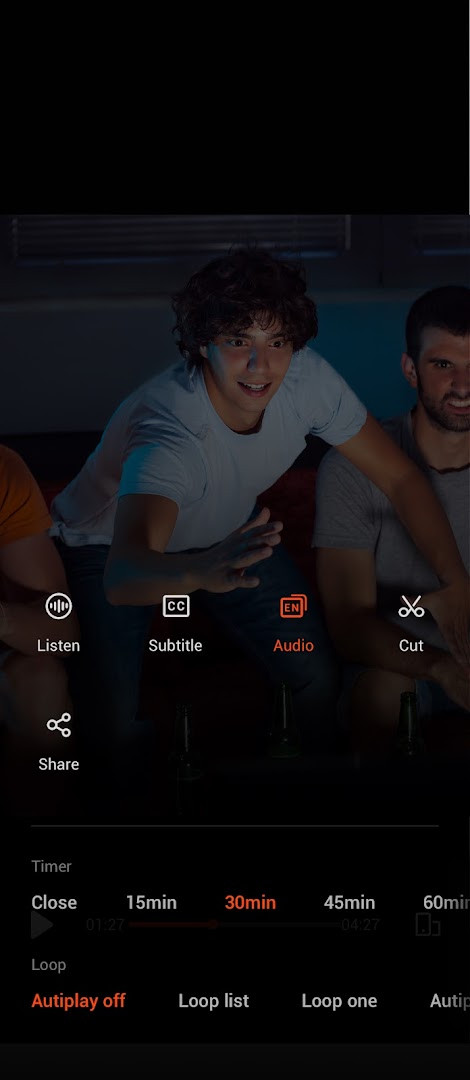
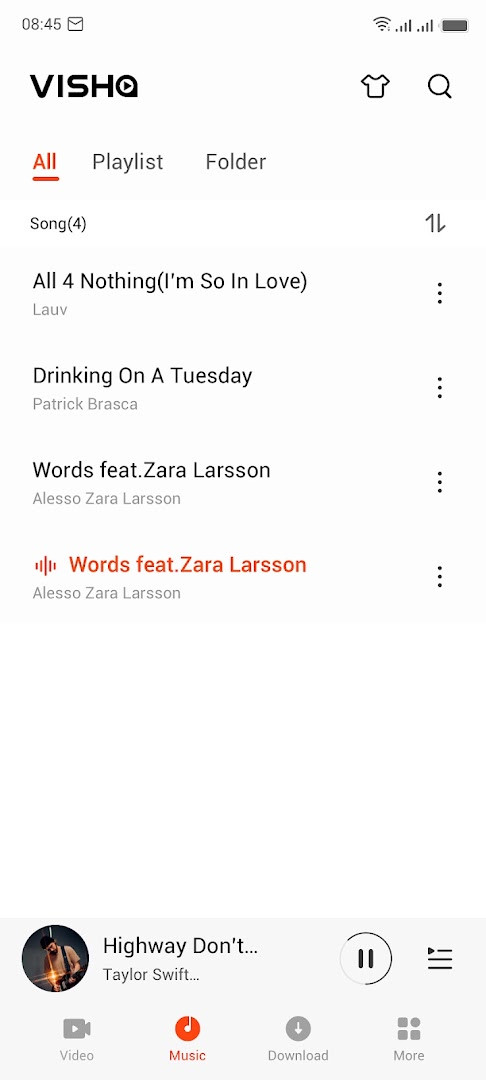
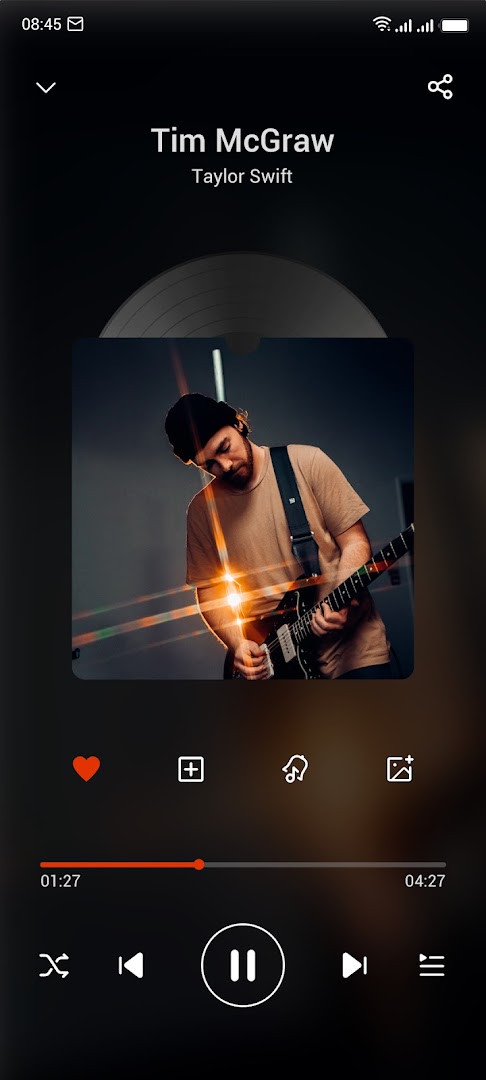
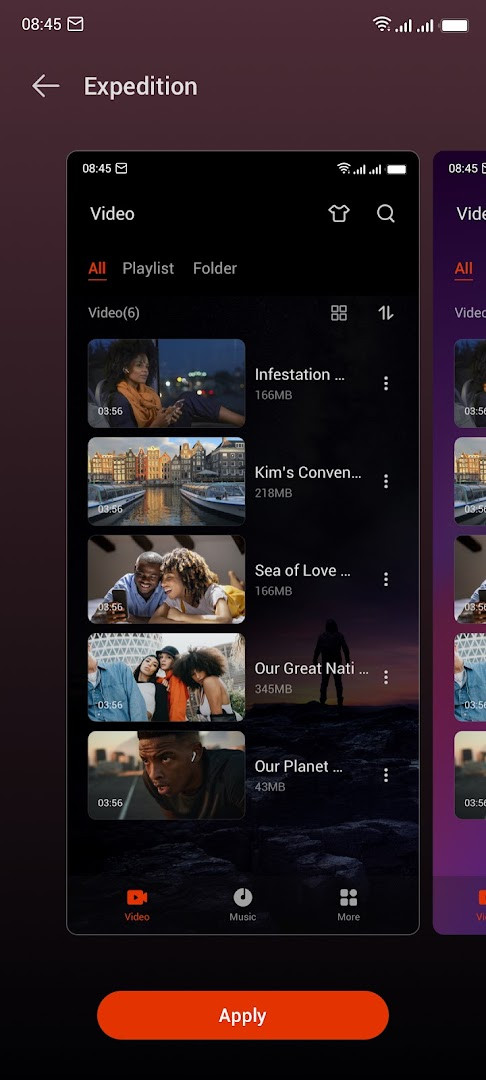
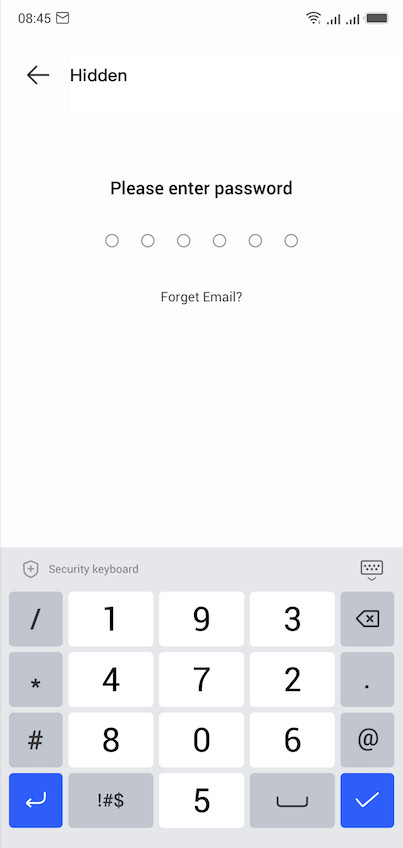
Visha-Video Player All Formats is a media player application by Visha Group that handles local video and audio playback alongside online streaming and downloading. The app addresses the need for a single tool that can manage media files stored on a device while also providing access to online content, all without displaying advertisements during playback. It solves this by combining a local file browser with playback controls such as background and floating play, speed adjustment, and subtitle support, plus a separate section for discovering and downloading online videos and music. The app also includes privacy-oriented features like a hidden folder for sensitive files, and it offers personalization through customizable skins and an audio equalizer, making it a versatile option for users who want both offline and online media capabilities in one place.
Key features
- Hide videos to a hidden Privacy Folder to protect sensitive content
- Edit videos with a video cut tool
- Browse all local video files and play status videos, trailers, movies, and other content stored on the device
- Classify videos by download source for quicker navigation
- Background play and floating play functions for multitasking
- Playback speed control, double-click fast forward/backward, and auto pause after playback
- Support for multiple audio tracks, subtitle downloads, and an audio timer for auto-shutdown
- Download online videos and audio, convert video to MP3, and choose from customizable skins
How to install
- Tap the download button on this page to get the APK file (file size not specified; minimum Android version is 10).
- When prompted, allow your browser or file manager to install apps by enabling the 'Install unknown apps' setting in your device's security options.
- Open the downloaded APK file from your notification bar or file manager.
- Tap Install and wait for the installation to complete.
- Open the app from your app drawer or home screen and grant the necessary permissions when asked.
Pros
- Ad-free playback experience with no interruptions
- Offers a hidden privacy folder for sensitive videos
- Includes background and floating play for multitasking
- Provides playback speed control and subtitle downloads
- Supports multiple audio tracks and an audio equalizer
- Allows video and audio downloads plus video-to-MP3 conversion
Cons
- Requests broad permissions including location, camera, microphone, and storage, which may raise privacy concerns
- Contains in-app purchases for VIP membership privileges such as ad-free viewing and HD mode
- Online content availability may vary by region and requires network access
Latest changes · 8.3.0.33
Version 8.3.0.33 of Visha Video Player All Formats, released on October 21, 2026, focuses on smoother performance and greater flexibility. Playback stuttering and audio-video desync issues have been fixed, with support now added for high-definition video playback. The update also improves the video download page's success rate under poor network conditions, introduces an audio-only playback mode for on-the-go listening, and lets you enjoy music while gaming without compromise.
Previous versions
| Version | Size | Requires Android | Updated |
|---|---|---|---|
| 8.3.0.33 | — | 10 | Nov 20, 2026 |
| 3.4.2.31 | 15 MB | 4.4 | Sep 26, 2026 |
This app suits users who want a comprehensive media player that handles both local files and online streaming in one interface. It is ideal for people who frequently watch movies or TV shows, listen to music, and need features like background playback, speed control, or the ability to hide private videos. The inclusion of downloads and conversion tools also appeals to those who like to save content for offline use. However, given the extensive permission requests, users who prioritize minimal data access should consider whether the features justify the permissions.
Before installing, review the permission prompts carefully and consider denying access to camera, microphone, or location if you do not need those features, as the core playback functions may still work without them. You can also explore the customizable skins and equalizer settings to tailor the experience to your preferences.
Permissions
Frequently asked questions
How does the Privacy Folder work for hiding videos?
The app includes a hidden Privacy Folder where you can move your secret videos so they are not visible in the normal library. This is a built-in privacy feature for local content, and it does not require any additional setup beyond selecting the videos you want to hide.
What playback controls does Visha offer for local videos?
For local video files, Visha provides background play, floating play, playback speed control, double-click fast forward and rewind, auto-pause after playback, multiple audio tracks, and subtitle downloads. It also keeps a history list so you can quickly return to previously watched items.
Can I edit videos inside the app?
Yes, the app includes a basic video editing tool that allows you to cut videos. This is a local editing feature, so you can trim clips without leaving the app.
Does Visha support audio-only playback and music features?
Yes, the app has an audio-only video playback mode so you can listen to the audio track even when you are on the go. For music files, it can locate and manage audio from phone memory and SD cards, includes an audio timer for auto-shutdown, filtering and sorting, and an equalizer. It also lets you convert video to MP3.
What online video and download capabilities are included?
The app provides online video content from multiple countries, including movies, TV shows, and variety shows, and lets you collect favorite programs. It also supports downloading both videos and audio. VIP membership offers ad-free viewing, exclusive content, and HD mode at 1080P. The latest update improved the download page success rate under poor network conditions and fixed stuttering and audio-video desync issues.
Visha-Video Player All Formats is a feature-rich media player that delivers an ad-free experience with extensive playback and download options. Its broad permissions and in-app purchases are trade-offs to weigh against its versatility for users seeking a single app for local and online media.
Similar apps
 YouTube MusicYouTube Music provides a vast library of songs, music videos, and live performances, along with curated playlists and personalized mixes.…Google LLC · ★ 4.4 · Entertainment · 74 MB
 Google TVGoogle TV occupies about 40 MB and requires Android 6.0 or newer to run. The app is free to download and contains no ads, though in-app p…Google LLC · ★ 3.9 · Entertainment · 40 MB
 YouTubeYouTube is a free video app with a size of 199 MB, requires Android 10 or higher, and includes ads and in-app purchases. It offers a vast…Google LLC · ★ 3.8 · Entertainment · 156 MB
 Google Play GamesGoogle Play Games is free to use and includes ads, with no in-app purchases. Google Play Games offers instant play for many titles withou…Google LLC · ★ 3.9 · Entertainment · 14 MB
 Mi Video-Short Video DownloadMi Video-Short Video Download has a file size of 100 MB and requires Android 7.0 or newer. The app shows ads but offers no in-app purchas…Mi Video · ★ 4.4 · Entertainment · 100 MB
 Mi MusicMi Music is for Android users who want to stream popular hits or play songs offline in a single free music player. Mi Music requires Andr…Mi Music · ★ 3.9 · Entertainment · 148 MB
 CapCut - Video EditorCapCut requires Android 6.0 or later and shows no ads, though in-app purchases are available. CapCut has drawn more than 13.1 million rat…Bytedance Pte. Ltd. · ★ 3.6 · Entertainment · v20.2.0
 MX PlayerMX Player is for Android users who want a dependable video player that handles a wide range of files and subtitle formats. The app suppor…Amazon Mobile LLC · ★ 4.2 · Entertainment · v3.5.3
Updated: Nov 21, 2026
- Version
- 8.3.0.33
- Requires Android
- 10
- Updated
- Nov 20, 2026
- Installs
- 1B+
- Rating
- ★ 4.26 (1,719,513)
- Category
- Entertainment
- Developer
- Visha Group
- Content rating
- Everyone
- Package
- com.transsion.magicshow
- Free
- ✓ · In-app purchases