Contacts Backup and Sync
Contacts is a free communication app by Google LLC that lets you back up, sync, and manage your contacts across devices.
Contacts has a size of 9.4 MB and requires Android 4.4 or higher. The app is free with no ads and no in-app purchases, and it has received over 1.98 million ratings. It is designed for people who want to keep their contact list organized, recover deleted entries from the last 30 days, and access their contacts from any signed-in device.
Get AppScreenshots
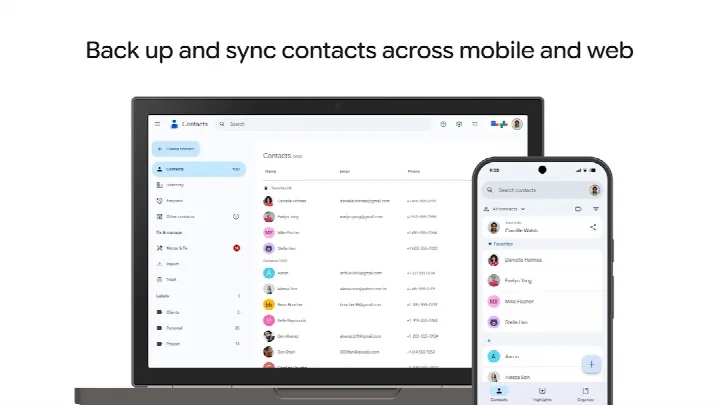
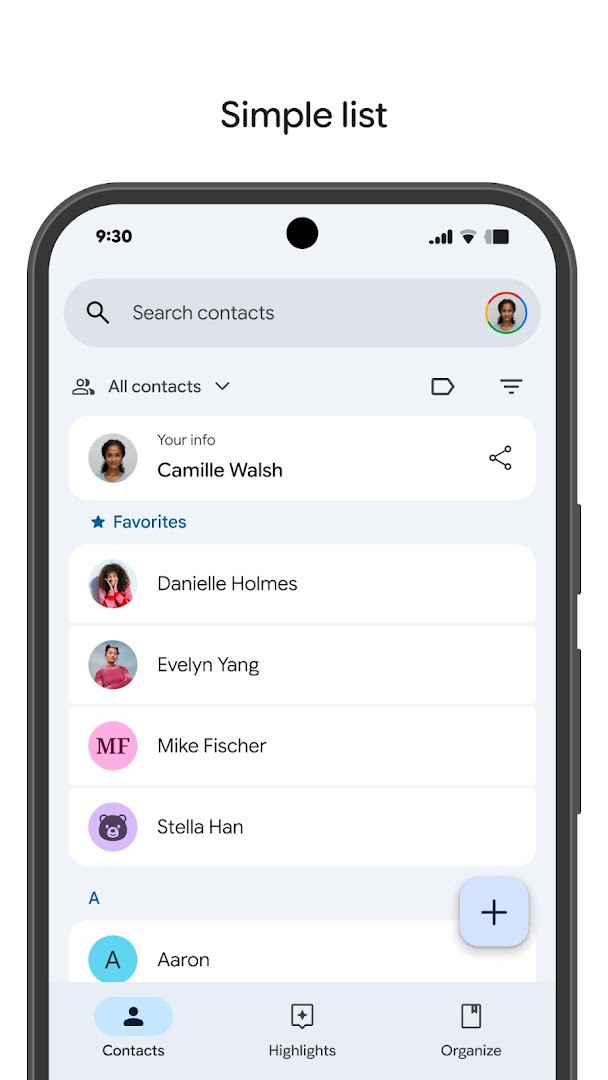
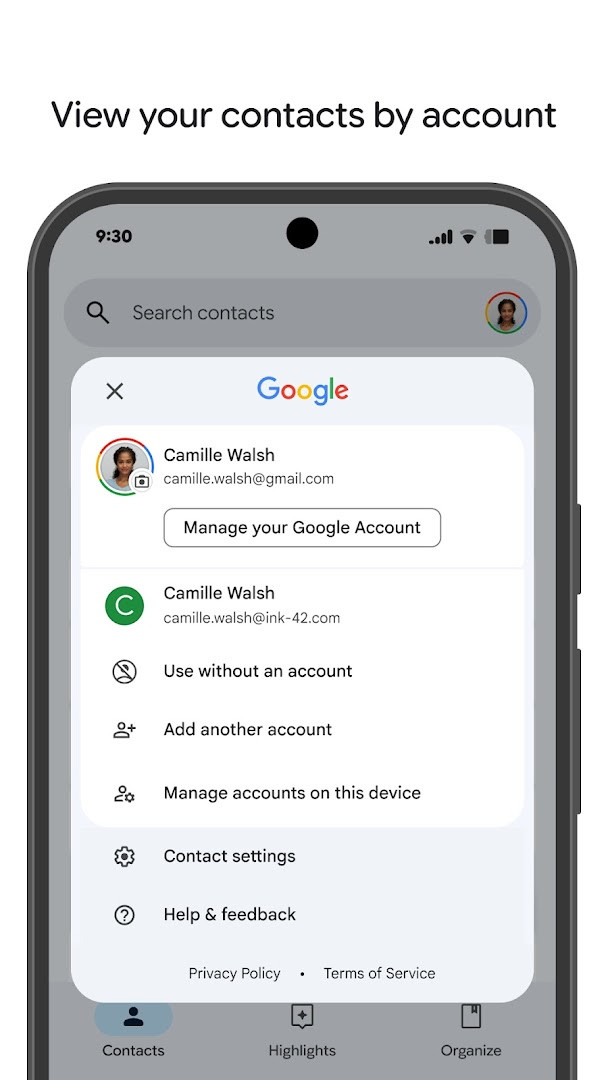
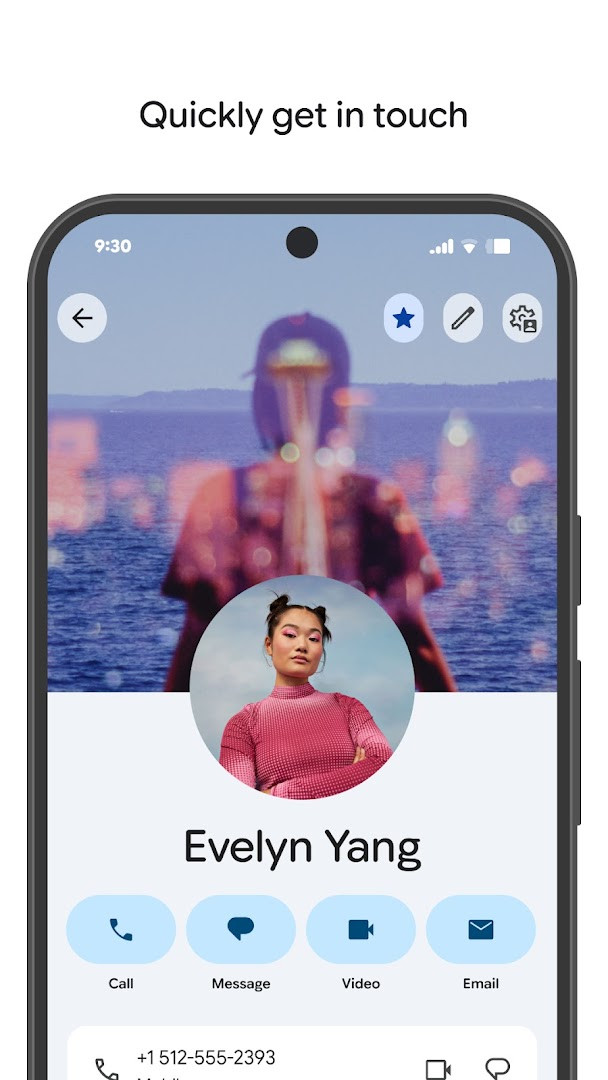
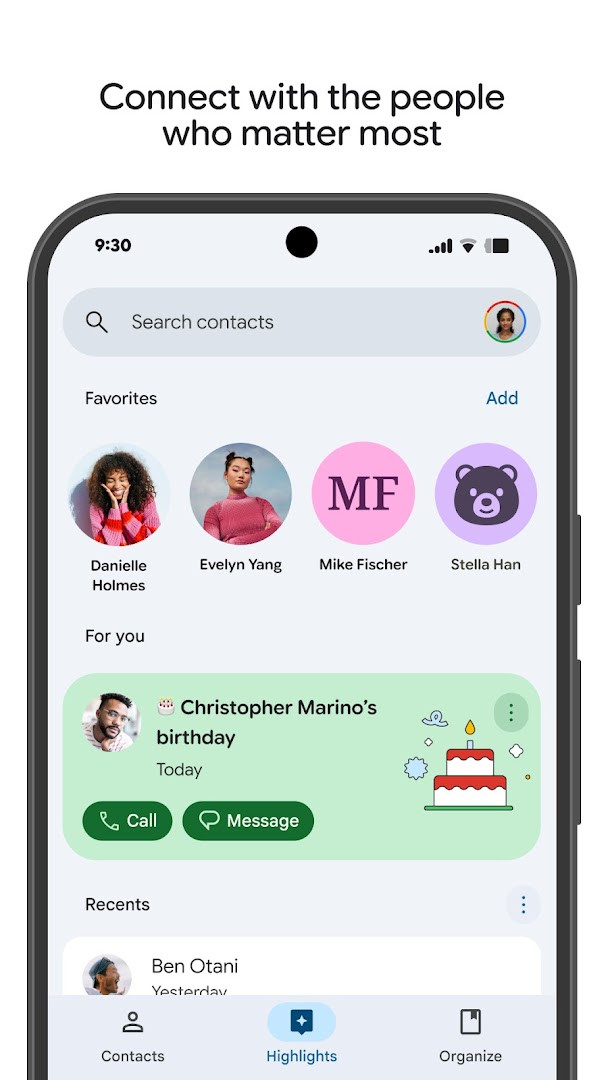
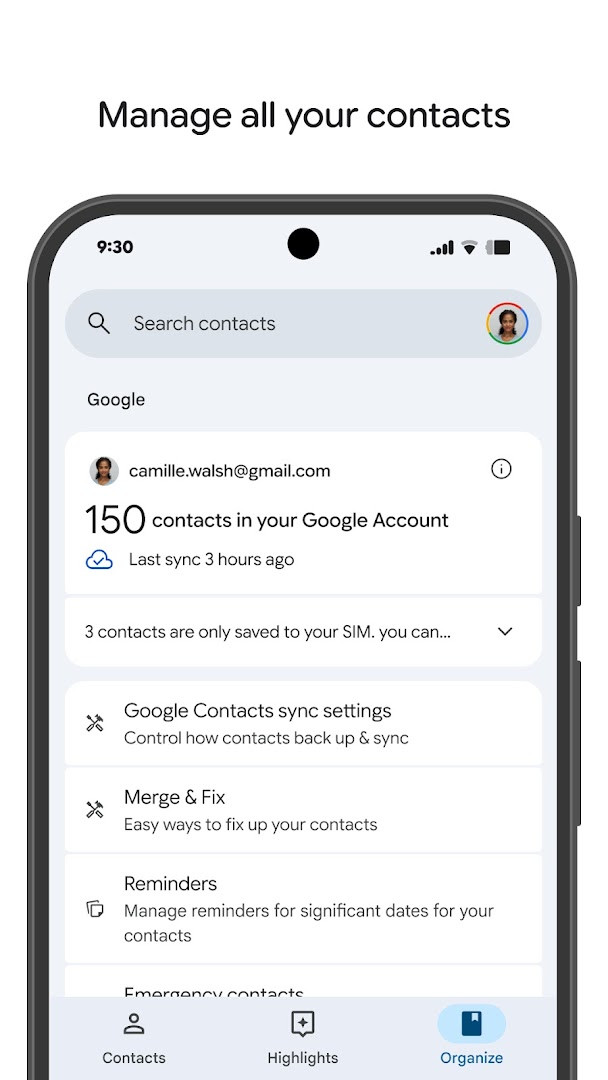
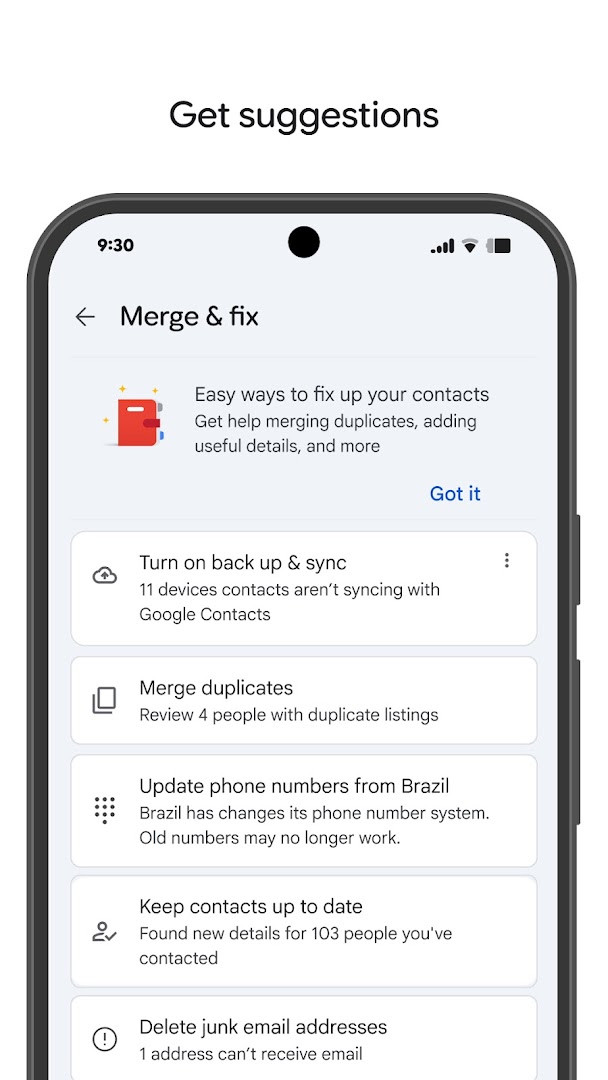
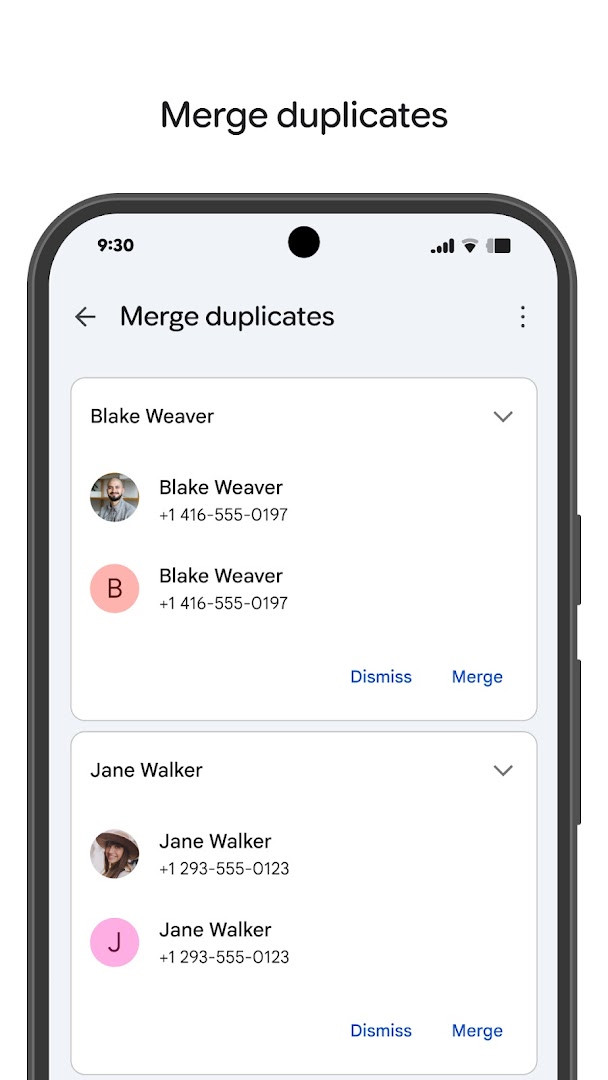
Contacts is a communication utility by Google LLC that manages, backs up, and syncs your address book across devices. Rather than a standalone database locked to one phone, it ties your contact list to your Google Account, so the same people, numbers, and details follow you to any device where you are signed in. The app is free, contains no ads, and has been updated as recently as November 2026, with a long history dating back to its original release in December 2015. For an experienced user juggling multiple accounts or preparing to switch phones, this is less about novelty and more about dependable synchronization and recovery. The core value proposition is straightforward: your contacts live in the cloud, get edited locally, and remain accessible even after you lose or replace your handset. The app also offers practical safeguards, such as a 30-day trash window for accidentally deleted entries, which can save you from a stressful data loss incident. Beyond basic storage, it includes organizational tools like viewing contacts by account (work versus personal), merging duplicates, and enriching entries with photos and additional fields. A recent update streamlined editing your own profile information and made it easier to share a calling card as a VCF file with compatible devices, plus simplified the process of selecting an existing contact to add details to from the contact editor. These changes reduce friction for users who frequently update their own info or exchange digital business cards. The app also integrates with Wear OS, offering a favorite contacts tile, individual contact tile, and a contact complication, so you can reach frequent contacts directly from your wrist. With over five billion installs and a rating around 4.33 from nearly two million reviewers, it is one of the most widely used contact managers on the platform, though its feature set remains conservative compared to some third-party alternatives. For those who prioritize privacy, note that it requests permissions related to identity, contacts, SMS, phone, photos, storage, and device ID, which is typical for a contact manager that syncs with your account and handles calls and messages.
Key features
- Backup and sync contacts to your Google Account, accessible from any signed-in device
- Recover contacts deleted within the last 30 days from the trash
- View contacts by account, such as work or personal, for better organization
- Add and edit contact details including phone numbers, emails, and photos
- Assistance with merging duplicate contacts and adding useful information
- Highlights for upcoming birthdays and anniversaries with optional notifications
- Quick access to recently added or viewed contacts
- Wear OS support with favorite contacts tile, individual contact tile, and contact complication
- Share a calling card as a VCF file with compatible devices
- Simplified editing of your own info, including calling card, name, and picture
How to install
- Tap the download button on this page to get the APK file, which is 9.4 MB in size.
- When prompted, allow your browser or file manager to install apps by enabling the 'Install unknown apps' setting for that source.
- Open the downloaded APK file from your notifications or downloads folder.
- Tap Install and wait for the process to complete; the app requires Android 4.4 or higher.
- Open the app from your app drawer or home screen, then sign in with your Google Account to start syncing.
Pros
- Reliable cloud backup tied to your Google Account
- 30-day trash recovery for accidentally deleted contacts
- Useful duplicate merging and account-based organization
- Free with no ads or in-app purchases
- Wear OS integration for quick access on smartwatches
- Regular updates from a major developer
Cons
- Requires a Google Account for full functionality
- Permissions are broad, covering SMS, phone, and storage
- Limited customization compared to third-party contact managers
- No offline-only mode; relies on account sync
Latest changes
Editing “Your info” now takes fewer steps, covering your calling card, name, and picture. You can share a calling card as a contact file (VCF) with compatible devices. Selecting an existing contact to add details to from the contact editor is now easier.
Previous versions
| Version | Size | Requires Android | Updated |
|---|---|---|---|
| 899.9999.999 | 9.4 MB | 4.4 | Dec 19, 2023 |
This app suits people switching phones frequently and wanting seamless contact transfer, users who maintain separate work and personal accounts and need clear organization, and anyone who wants automatic cloud backup without managing manual exports. It is also a good fit for Wear OS owners who want quick access to favorite contacts from their watch.
Enable the birthday and anniversary notifications in the highlights section to get reminders for special days, but be aware that these depend on the dates you have stored in each contact's profile, so keep that data accurate for reliable alerts.
Permissions
Frequently asked questions
How do I install the APK on Android?
Download the APK file and open it on your Android device. If prompted, allow installation from unknown sources in your device settings, then follow the on-screen instructions. The app requires Android 4.4 or higher.
What is the current version of the app?
The listed version is 899.9999.999, dated 2023-12-19. The app was last updated on 2026-11-13.
Does the app contain ads or in-app purchases?
No. The app is free to download, has no ads, and does not offer any in-app purchases.
Can I use the app offline?
The app is designed to sync contacts with your Google Account. For offline use, your contacts are stored on your device, but full features like backup and cross-device access require an internet connection.
Are there alternatives in the same category?
Yes, other communication apps offer contact management features. You can explore similar tools that provide backup, sync, and organization, though their specific capabilities may vary.
How does the app handle my data and permissions?
The app requests permissions for Identity, Contacts, SMS, Phone, Photos/Media/Files, Storage, and Device ID & call information to manage and back up your contacts. It stores data in your Google Account and allows recovery of deleted contacts for 30 days.
Is the app suitable for children?
The content rating is Everyone, meaning it is suitable for all ages. However, it accesses personal contact data, so parental guidance may be advisable for younger users.
Contacts delivers exactly what it promises: a dependable, free way to back up, sync, and organize your address book with minimal effort. Its strengths lie in Google Account integration, the 30-day trash recovery, and clean account-based organization, while its broad permissions and reliance on a Google Account may give pause to privacy-focused users. For most people, the convenience and safety net outweigh these concerns, making it a solid default choice for managing contacts on Android.
Similar apps
 YouTubeYouTube is a free video app with a size of 199 MB, requires Android 10 or higher, and includes ads and in-app purchases. It offers a vast…Google LLC · ★ 3.8 · Entertainment · 156 MB
 Google GeminiGoogle Gemini is for Android users who want an AI assistant for writing, planning, studying, and creative projects. The app is free to us…Google LLC · ★ 4.5 · Productivity
 Google WalletGoogle Wallet is for Android users who want to pay in stores, online, or in apps and keep passes, tickets, and digital IDs in one place. …Google LLC · ★ 4.3 · Finance · 16 MB
 Google MeetGoogle Meet is 118 MB in size and requires Android 8.1 or higher, with no ads and no in-app purchases. It has been installed over 10 bill…Google LLC · ★ 4.4 · Communication · 118 MB
 GmailGmail is for individuals and teams who need secure email, chat, and collaboration in one place. It is free to download, requires Android …Google LLC · ★ 4.1 · Communication · 26 MB
 Google ChromeGoogle Chrome is a free browser that syncs bookmarks, tabs, and passwords across devices and includes tools like Google Lens and Translat…Google LLC · ★ 4.1 · Communication · 218 MB
 Google MessagesGoogle Messages is a free Communication app from Google LLC, with no ads and no in-app purchases. It runs on Android 6.0 and up and the d…Google LLC · ★ 4.6 · Communication · 9 MB
 FacebookFacebook offers a central feed for text posts, photos, and videos, plus integrated messaging for threaded conversations. It is designed f…Meta Platforms, Inc. · ★ 4.6 · Communication · 146 MB
More from this developer
 Google Play servicesGoogle Play services is for Android users who rely on Google apps and other apps that depend on Google's core features. It handles authen…Google LLC · ★ 4.3 · Tools · 266 MB
 Digital WellbeingDigital Wellbeing requires Android 9 or higher and has no ads and no in-app purchases. The app was released on 2018-08-08 and updated on …Google LLC · ★ 3.6 · Tools
Google MeetGoogle Meet is 118 MB in size and requires Android 8.1 or higher, with no ads and no in-app purchases. It has been installed over 10 bill…Google LLC · ★ 4.4 · Communication · 118 MB
GmailGmail is for individuals and teams who need secure email, chat, and collaboration in one place. It is free to download, requires Android …Google LLC · ★ 4.1 · Communication · 26 MB
 Speech Recognition & SynthesisSpeech Recognition & Synthesis is 15 MB in size, requires Android 8.0 or higher, and has no ads or in-app purchases. It has been updated …Google LLC · ★ 4.0 · Tools · 15 MB
Google ChromeGoogle Chrome is a free browser that syncs bookmarks, tabs, and passwords across devices and includes tools like Google Lens and Translat…Google LLC · ★ 4.1 · Communication · 218 MB
Updated: Nov 23, 2026
- Size
- 9.4 MB
- Requires Android
- 4.4
- Updated
- Nov 13, 2026
- Installs
- 5B+
- Rating
- ★ 4.33 (1,982,673)
- Category
- Communication
- Developer
- Google LLC
- Content rating
- Everyone
- Package
- com.google.android.contacts
- Free
- ✓