Microsoft Outlook for Android
Microsoft Outlook is a productivity app from Microsoft Corporation for managing email, calendars, and contacts in one place.

Microsoft Outlook helps people who juggle multiple email accounts stay organized with a unified inbox, side-by-side calendars, and contact management. The app is free for personal use, supports Microsoft Exchange, Microsoft 365, Outlook.com, Gmail, Yahoo Mail, iCloud, IMAP, and POP3, and includes built-in defenses against phishing, spam, and viruses.
Download Outlook · v5.2644.1Screenshots
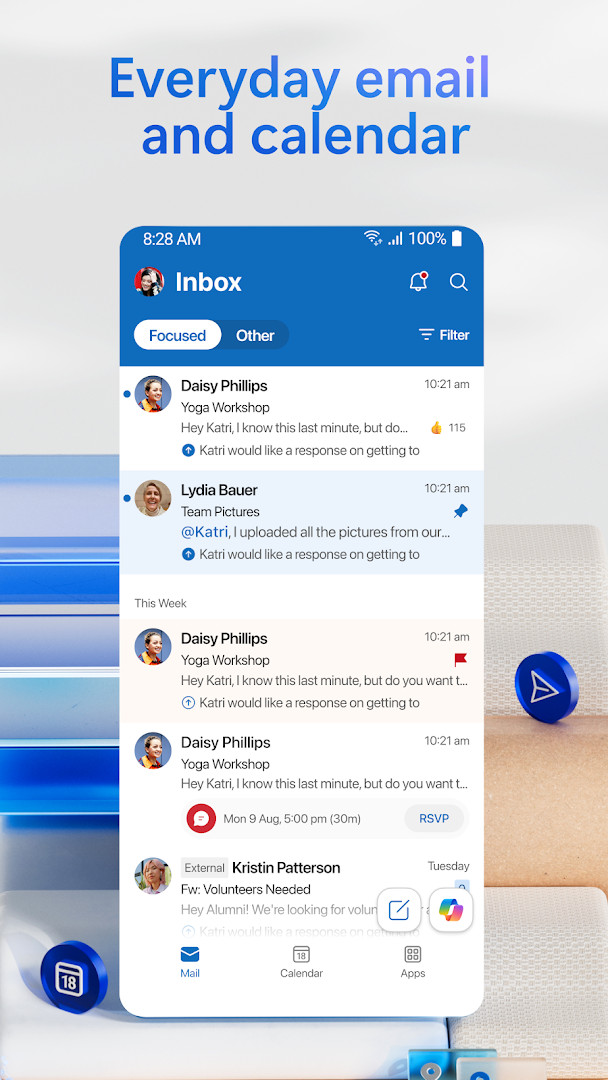
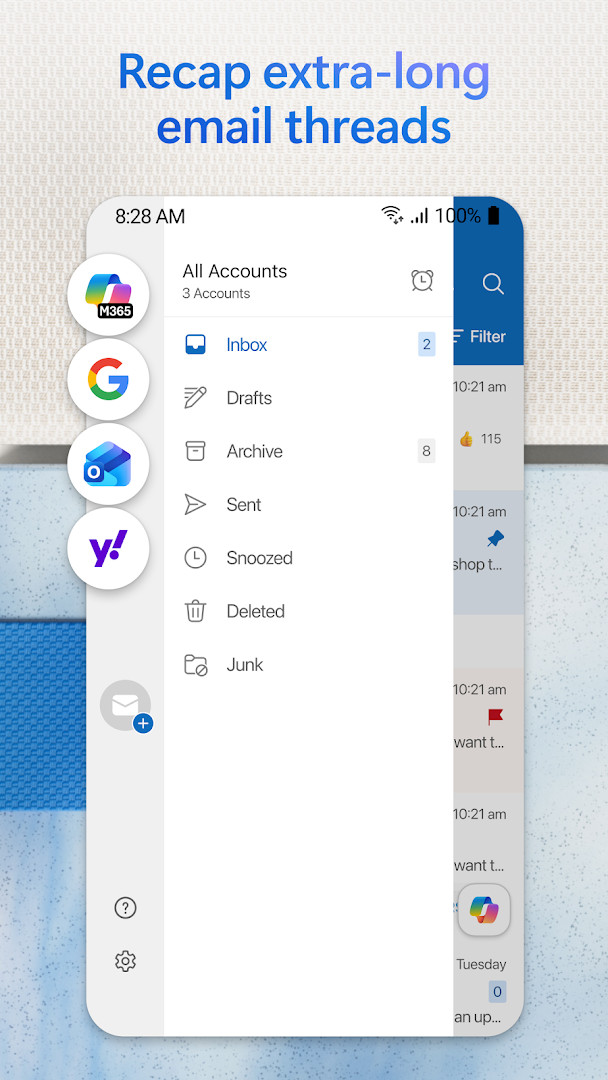
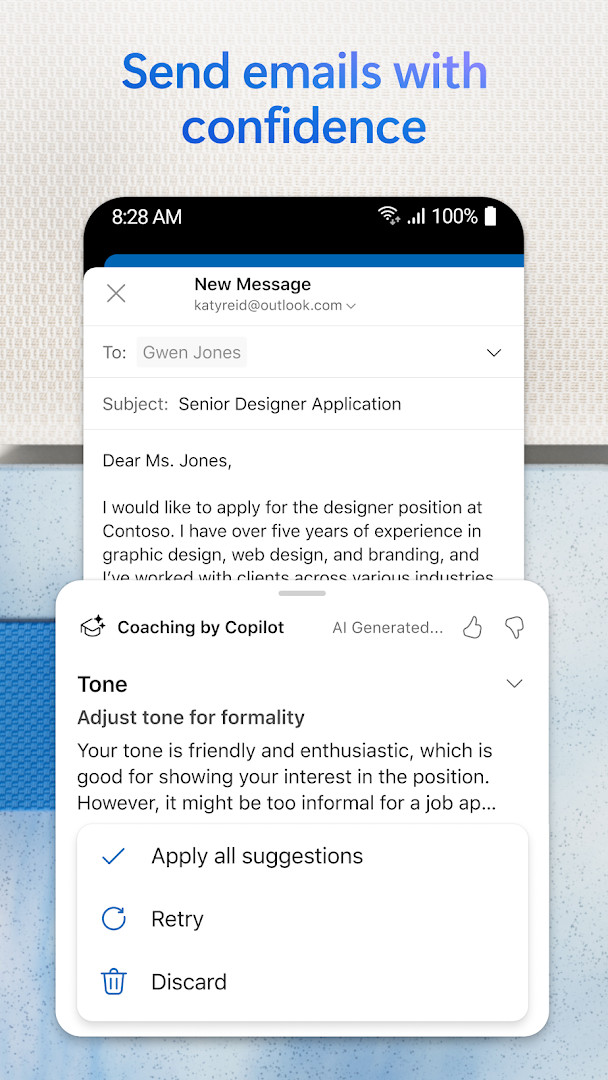
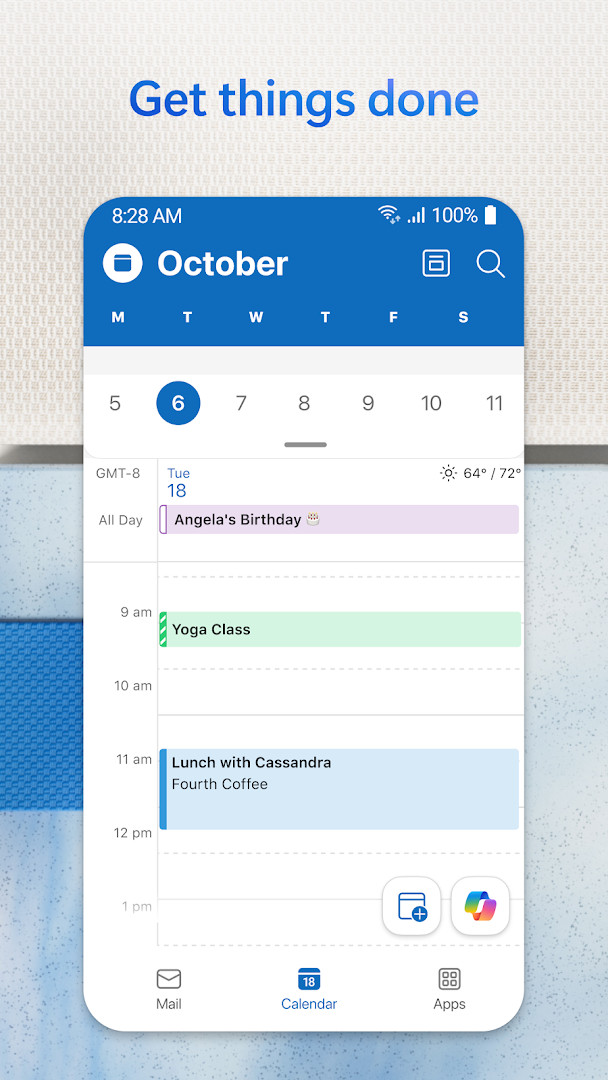
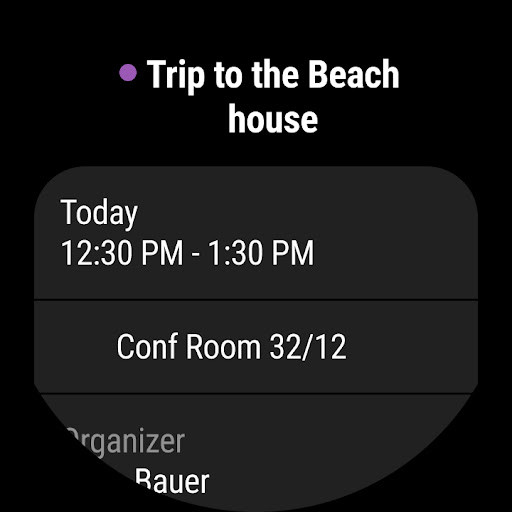
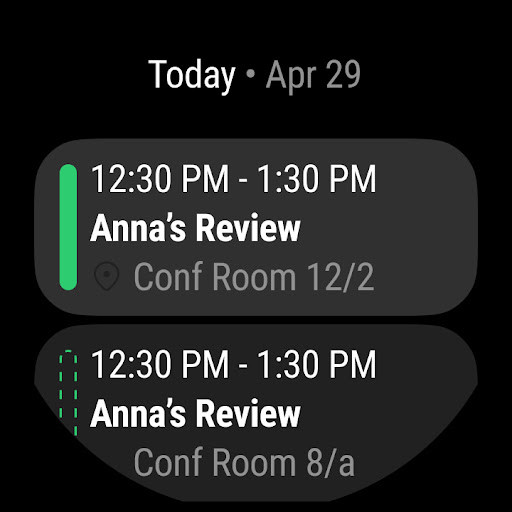
Microsoft Outlook is a productivity app by Microsoft Corporation that consolidates email, calendar, contacts, and file management into a single interface. It brings together multiple mail accounts, including Gmail, Yahoo Mail, iCloud, Outlook.com, and Microsoft Exchange, so users can view messages from different providers in one unified inbox. The app also integrates calendar views, meeting scheduling, task tracking, and document handling, aiming to reduce the need to switch between separate tools throughout the day.
Beyond basic messaging, Outlook includes writing aids such as grammar and spelling checks, real-time typing suggestions, and the ability to attach files from cloud storage like OneDrive or the device itself. Users can open Word, Excel, and PowerPoint documents directly from the inbox, and use swipe gestures to delete, archive, snooze, or move messages. Voice search and voice commands help locate emails, events, people, and files quickly, while features like suggested replies and hands-free playback of messages support faster responses.
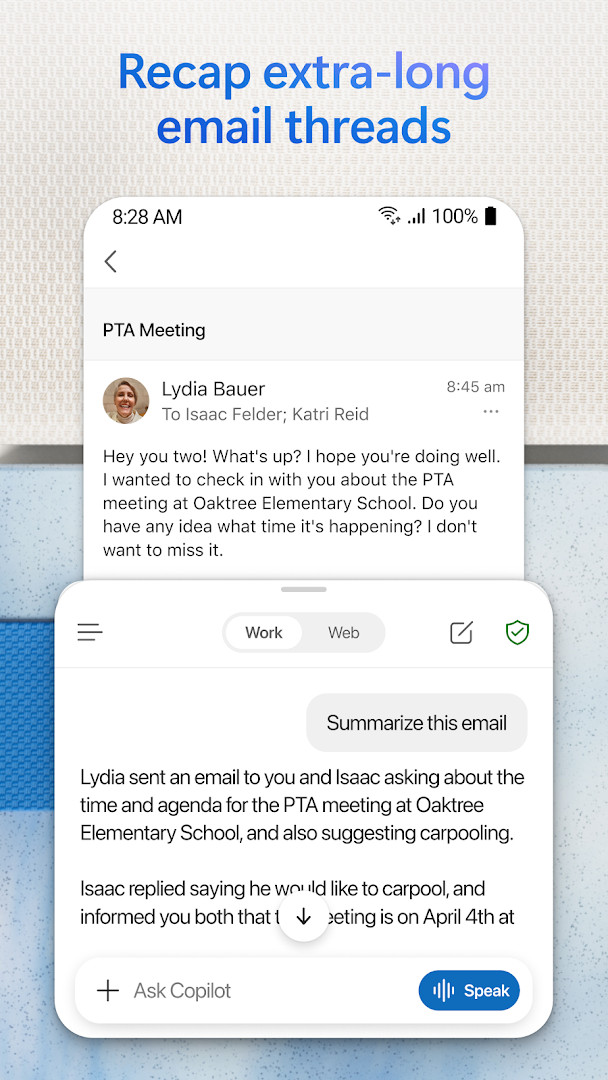
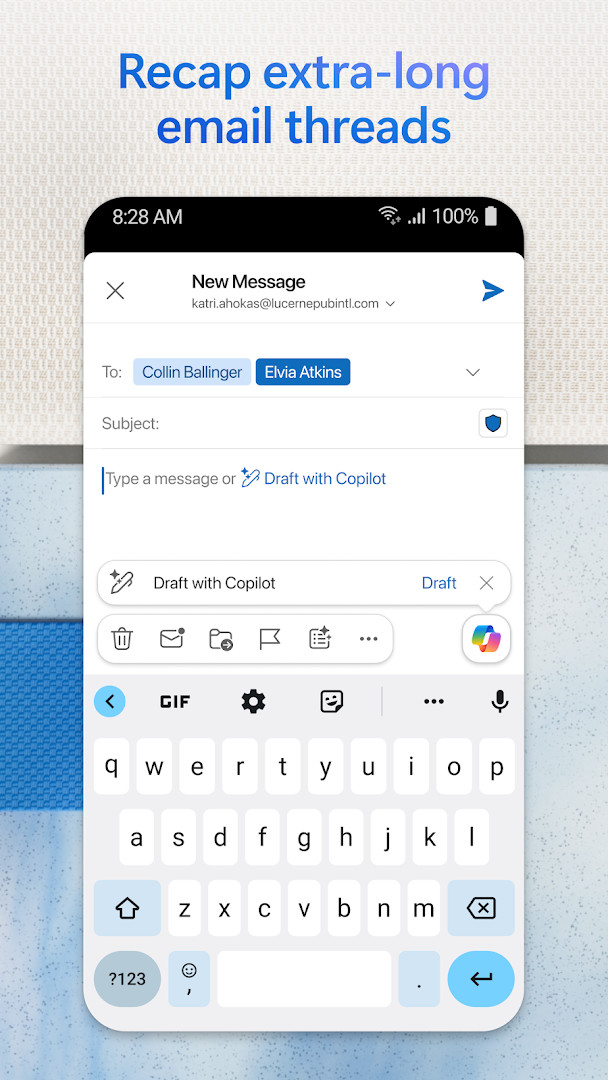
For planning, the app shows multiple calendars side by side, allows RSVP to invitations, and can automatically add travel and delivery updates to the schedule. Security measures include protection against phishing, spam, and viruses, with optional email encryption available for Microsoft 365 subscribers. The Copilot assistant, accessible with a qualifying subscription, can summarize long email threads, draft responses with suggested tone, and provide scheduling recommendations.
The app is free for personal use and targets individuals who manage several email accounts or rely heavily on calendar and task organization. It also suits professionals using Microsoft Exchange or Microsoft 365 in workplace settings. The current version is 5.2643.0, requires Android 10 or higher, and has an installation size of 132 MB.
Key features
- Unified inbox for Gmail, Yahoo Mail, iCloud, Outlook.com, and Microsoft Exchange
- Multiple calendars viewable side by side with RSVP and note options
- Grammar, spelling, and real-time typing suggestions for composing emails
- Open Word, Excel, and PowerPoint files directly from the inbox
- Swipe gestures to delete, archive, snooze, or move messages
- Voice search for emails, events, people, and files
- Suggested replies and hands-free playback of emails
- Automatic travel and delivery updates added to the calendar
- Enterprise-grade protection against phishing, spam, and viruses
- Copilot assistance for summarizing threads, drafting responses, and scheduling
How to install
- Tap the download button on this page to obtain the APK file, which is 132 MB in size.
- When Android prompts you, allow your browser or file manager to install apps by enabling the 'Install unknown apps' setting for that application.
- Open the downloaded APK file from your notifications or file manager.
- Tap Install on the confirmation screen and wait for the installation to complete.
- Launch the app from your app drawer or home screen after installation finishes.
- Ensure your device runs Android 10 or higher, as this is the minimum operating system version required.
Pros
- Supports a wide range of email providers including Exchange, Microsoft 365, Gmail, Yahoo, and iCloud
- Integrates email, calendar, contacts, and file viewing in one application
- Includes robust security features for phishing and spam protection
- Offers AI-powered Copilot features for summarizing and drafting messages
- Free for personal use with no upfront cost
- Voice search and suggested replies improve efficiency
Cons
- Contains ads and offers in-app purchases for premium features
- Requires access to several sensitive permissions including identity, location, camera, and microphone
- Copilot functionality requires a qualifying Microsoft 365 subscription
- Email encryption is only available with Microsoft 365, not for all users
Latest changes · 5.2644.1
With the latest update, Copilot can help you get ready for a meeting in just minutes by pulling together key documents, action items, and notes from past meetings. This makes it easier to review what you need before you join.
Previous versions
| Version | Size | Requires Android | Updated |
|---|---|---|---|
| 5.2644.1 | — | — | Nov 18, 2026 |
| 5.2643.0 | 132 MB | 10 | Nov 11, 2026 |
| 5.2644.0 | 124 MB | 10 | Nov 10, 2026 |
| 5.2642.1 | 132 MB | 10 | Nov 1, 2026 |
| 5.2642.0 | 132 MB | 10 | Oct 30, 2026 |
| 5.2639.2 | 130 MB | 10 | Oct 11, 2026 |
| 5.2638.1 | 130 MB | 10 | Oct 2, 2026 |
| 5.2637.3 | 129 MB | 10 | Oct 1, 2026 |
| 5.2638.0 | 130 MB | 10 | Sep 29, 2026 |
| 5.2632.1 | 178 MB | 10 | Sep 2, 2026 |
Microsoft Outlook is designed for individuals and professionals who manage multiple email accounts and need integrated calendar and task management. It is particularly suitable for users of Microsoft Exchange or Microsoft 365 in corporate environments, as well as anyone who wants a single app to handle personal email from Gmail, Yahoo, iCloud, or Outlook.com alongside scheduling and document access.
To get the most out of Outlook, connect all your email accounts during initial setup to benefit from the unified inbox. Use swipe gestures to quickly archive or delete messages, and enable automatic travel and delivery updates to keep your calendar informed. For hands-free operation, try the voice search and Play My Emails features when commuting or multitasking. If you rely on Copilot, ensure you have a qualifying Microsoft 365 subscription to access its full capabilities.
Permissions
Frequently asked questions
Which email services can I connect to Outlook on Android?
Outlook supports Microsoft Exchange, Microsoft 365, Outlook.com, Hotmail.com, MSN.com, Live.com, Gmail, Yahoo Mail, iCloud, IMAP, and POP3 accounts, letting you manage multiple inboxes in one place.
What can Copilot do inside the Outlook app?
Copilot can summarize long email threads into key points, help draft responses with suggested tone and clarity, and provide smart scheduling recommendations and reminders. It also helps you prepare for meetings by summarizing key documents, tasks, and past meetings. These features require a qualifying Microsoft 365 subscription.
Can I join video meetings directly from Outlook?
Yes, you can join online meetings from Teams and Zoom directly within the app, so you can start or attend video calls without leaving Outlook.
How does Outlook help me manage my calendar and tasks?
You can view multiple calendars side by side, RSVP to invites and add notes, and organize your week with tasks and reminders. Travel and delivery updates are also added to your calendar automatically.
What security features are built into Outlook?
Outlook includes enterprise-grade protection for your inbox and files, with built-in defenses against phishing, viruses, and spam. Email encryption for sensitive messages is available, but it requires a Microsoft 365 subscription.
Microsoft Outlook provides a comprehensive solution for managing email, calendars, contacts, and files in one place, with strong security and optional AI assistance. Its broad account compatibility and free personal use make it a practical choice for both everyday users and professionals seeking an organized workflow.
Similar apps
 Microsoft Excel: SpreadsheetsMicrosoft Excel: Spreadsheets is for anyone who needs to organize data, track expenses, or build budgets and project plans on a phone or …Microsoft Corporation · ★ 4.8 · Productivity · 190 MB
 Microsoft Word: Edit DocumentsMicrosoft Word: Edit Documents requires Android 13 or higher and has a size of 187 MB. It is free to download, contains no ads, but offer…Microsoft Corporation · ★ 4.8 · Productivity · 187 MB
 Google CalendarGoogle Calendar is a 33 MB app that requires Android 8.0 or higher, contains no ads or in-app purchases, and has received 4.86 million ra…Google LLC · ★ 4.6 · Productivity · 33 MB
 Google DriveGoogle Drive is a 124 MB app that requires Android 8.0 or higher. It includes in-app purchases for additional storage via Google One, sta…Google LLC · ★ 4.3 · Productivity · 125 MB
 Google AssistantGoogle Assistant is a free productivity app from Google LLC that lets you open apps, send texts, set reminders and control compatible sma…Google LLC · ★ 3.8 · Productivity · 2.4 MB
 Microsoft OneDriveMicrosoft OneDrive offers 5 GB of free cloud storage, with optional Microsoft 365 Personal and Family subscriptions providing 1 TB per us…Microsoft Corporation · ★ 4.6 · Productivity · 104 MB
 Microsoft CopilotMicrosoft Copilot is free to install and requires Android 10 or newer. Microsoft Copilot contains ads and offers in-app purchases. Micros…Microsoft Corporation · ★ 4.4 · Productivity
 Google GeminiGoogle Gemini is for Android users who want an AI assistant for writing, planning, studying, and creative projects. The app is free to us…Google LLC · ★ 4.5 · Productivity
More from this developer
Microsoft OneDriveMicrosoft OneDrive offers 5 GB of free cloud storage, with optional Microsoft 365 Personal and Family subscriptions providing 1 TB per us…Microsoft Corporation · ★ 4.6 · Productivity · 104 MB
Microsoft CopilotMicrosoft Copilot is free to install and requires Android 10 or newer. Microsoft Copilot contains ads and offers in-app purchases. Micros…Microsoft Corporation · ★ 4.4 · Productivity
Microsoft Excel: SpreadsheetsMicrosoft Excel: Spreadsheets is for anyone who needs to organize data, track expenses, or build budgets and project plans on a phone or …Microsoft Corporation · ★ 4.8 · Productivity · 190 MB
Microsoft Word: Edit DocumentsMicrosoft Word: Edit Documents requires Android 13 or higher and has a size of 187 MB. It is free to download, contains no ads, but offer…Microsoft Corporation · ★ 4.8 · Productivity · 187 MB
Updated: Nov 19, 2026
- Version
- 5.2644.1
- Requires Android
- 10
- Updated
- Nov 18, 2026
- Installs
- 1B+
- Rating
- ★ 4.33 (10,740,024)
- Category
- Productivity
- Developer
- Microsoft Corporation
- Content rating
- Everyone
- Package
- com.microsoft.office.outlook
- Free
- ✓ · Contains ads · In-app purchases