Microsoft Copilot: AI Productivity Assistant
Microsoft Copilot is a free productivity app by Microsoft Corporation that lets you write, plan, and organize with an AI assistant.
Microsoft Copilot is free to install and requires Android 10 or newer. Microsoft Copilot contains ads and offers in-app purchases. Microsoft Copilot is aimed at professionals, students, and teams who want AI help with documents, presentations, spreadsheets, and daily planning.
Get APK · v16.0.20708.20028Screenshots
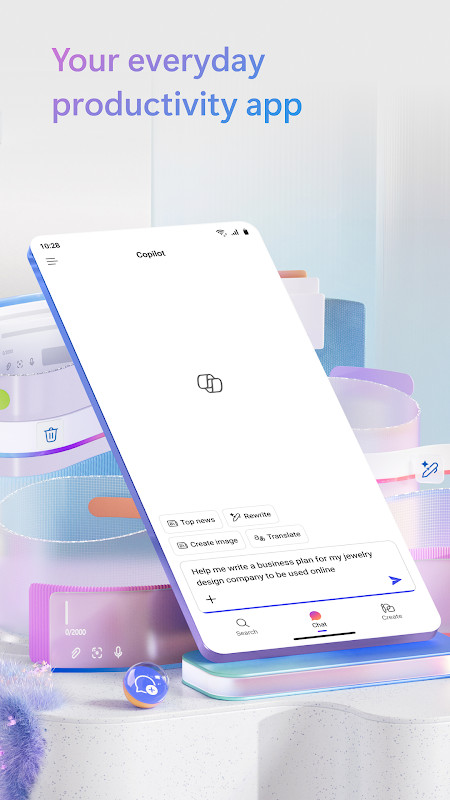
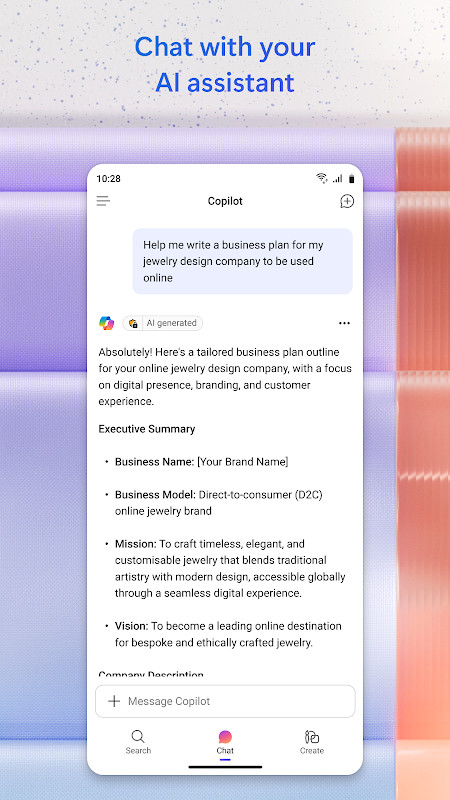
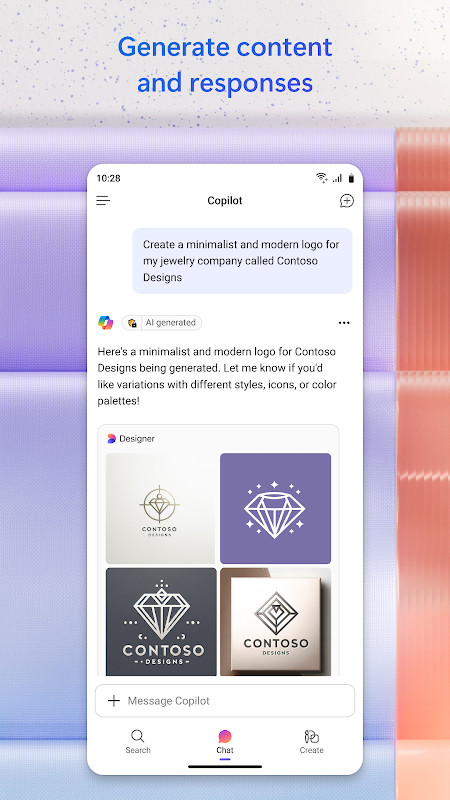
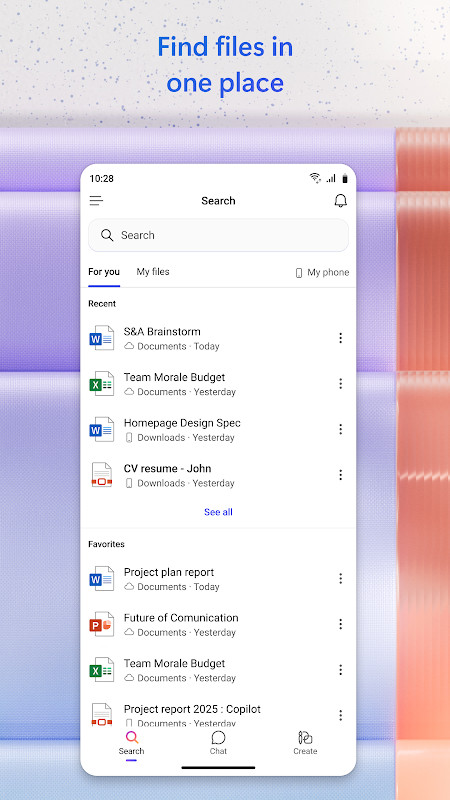
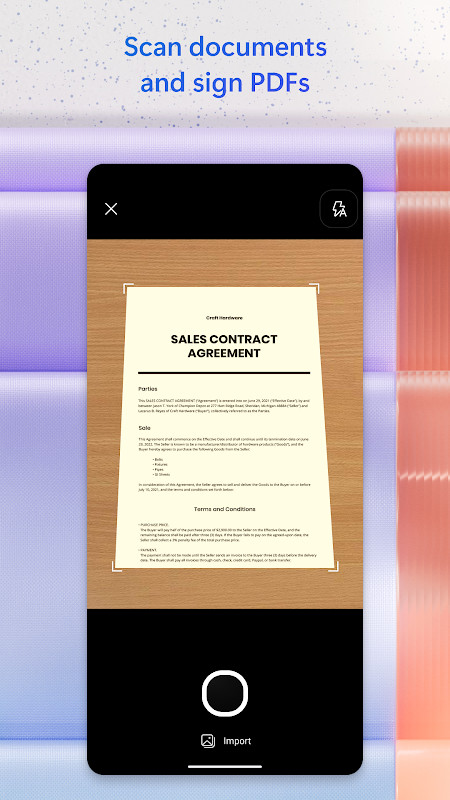
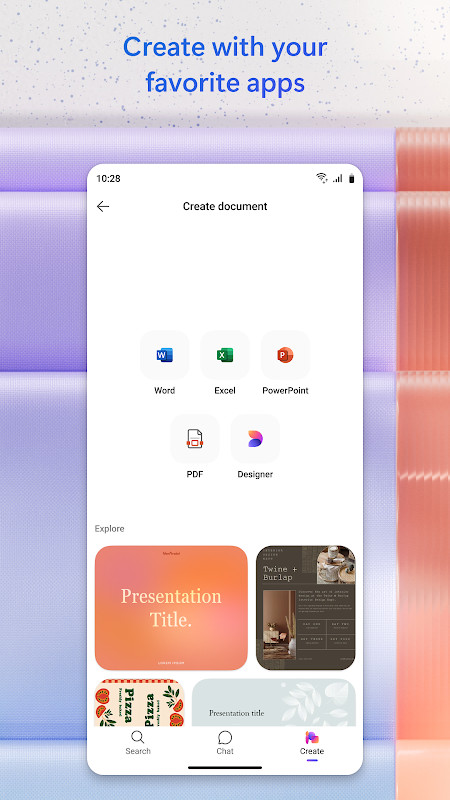
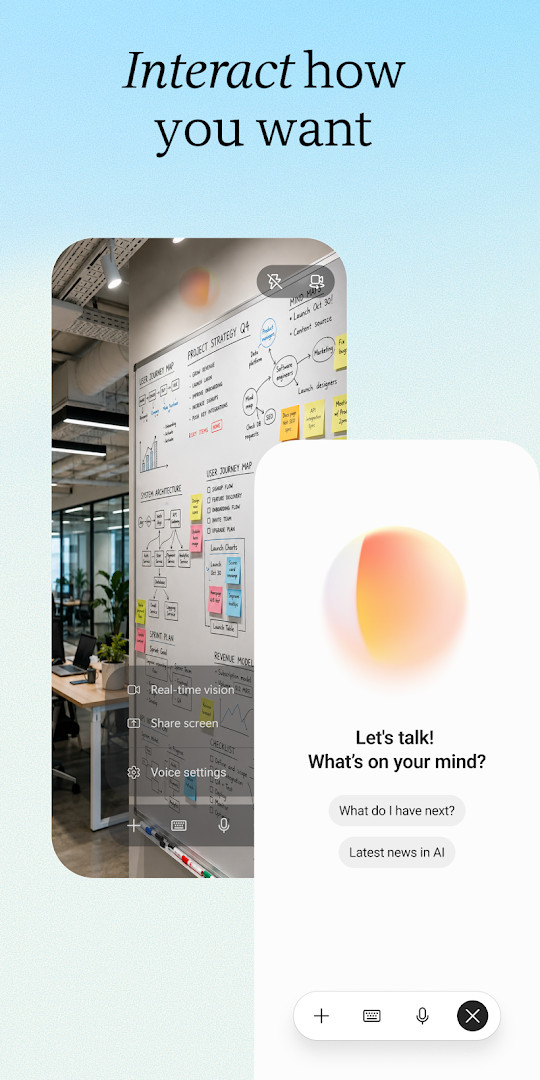
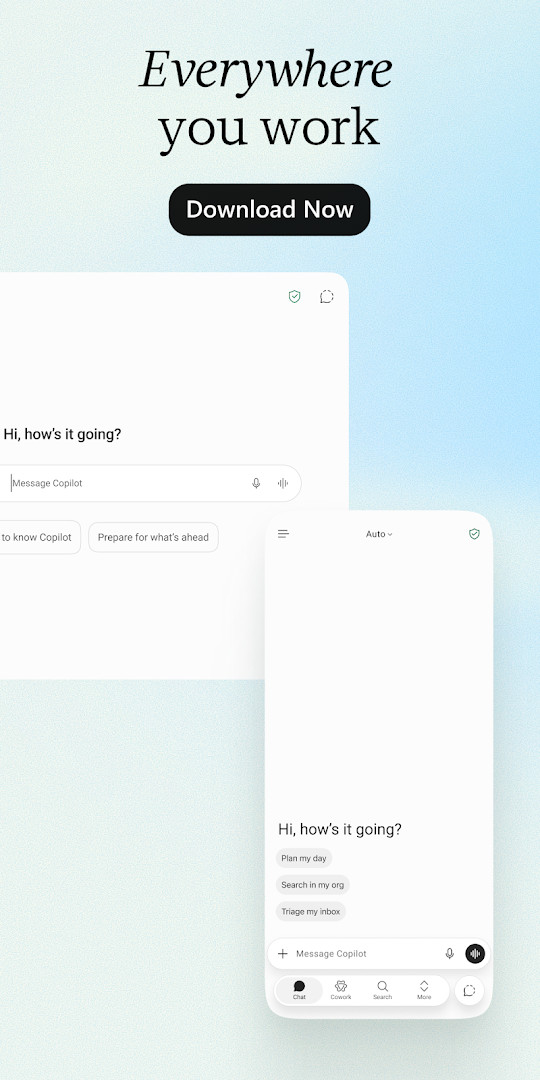
Microsoft Copilot is a productivity app by Microsoft Corporation that provides an AI assistant to help with writing, planning, organizing, and everyday work tasks. It is designed to move projects forward from early ideas to finished documents, presentations, and more, all from a single place rather than requiring users to jump between tools.
Copilot connects with everyday office applications such as Word, Excel, PowerPoint, Outlook, and Teams, drawing on the files and information a person already uses. It can draft emails and documents, summarize long articles, build presentations and spreadsheets, brainstorm ideas, analyze data, and answer questions that are grounded in the user’s current work. The app also includes Cowork, which accepts multi-step tasks and produces finished output like documents, slide decks, spreadsheets, and to-do lists, instead of only suggesting the next action.
Users can choose between different leading AI models depending on whether they are writing, researching, planning, analyzing, brainstorming, or doing creative work. Files such as Word documents, Excel sheets, PowerPoint files, images, and PDFs can be uploaded directly from a phone to ask questions or generate summaries. For organizations with a Microsoft 365 Copilot subscription, Work IQ adds deeper context about the organization’s people and relationships. Copilot runs on the same enterprise-grade security foundation as Microsoft 365, though data processing commitments can vary by subscription and some features require specific licenses or may be limited by an administrator.
Key features
- Explain complex concepts with clear, easy-to-understand answers
- Brainstorm business ideas and organize upcoming projects
- Plan and prioritize the workday with personalized schedules
- Summarize long articles, reports, and documents in seconds
- Draft email and text replies with an appropriate tone
- Analyze spreadsheets and compare data
- Find files across Microsoft 365 content
- Create presentations, reports, and documents faster
- Use voice input or upload files to get answers naturally
- Choose between leading AI models for different tasks
How to install
- Tap the download button on this page to get the APK file (file size not specified).
- When Android asks for permission, allow your browser or file manager to install apps by enabling the “Install unknown apps” setting.
- Open the downloaded APK file from your notifications or downloads folder.
- Tap Install and wait for the process to finish; the app requires Android 10 or newer.
- Open Microsoft Copilot and sign in with your Microsoft account to begin.
Pros
- Free to download and use, though it contains ads and optional in-app purchases
- Integrates with Word, Excel, PowerPoint, Outlook, and Teams for a unified workflow
- Can generate finished documents, presentations, and spreadsheets, not just suggestions
- Upload and analyze files directly from your phone, including PDFs and images
- Uses enterprise-grade security foundations shared with Microsoft 365
Cons
- Requests broad permissions, including location, phone, camera, microphone, storage, and device ID information
- Contains ads and offers in-app purchases, so the experience is not fully ad-free
- Some capabilities require a Microsoft 365 Copilot subscription or may be disabled by an organization’s administrator
- Rated Teen, indicating that content and interactions may not suit younger children
Latest changes · 16.0.20708.20028
This update for Microsoft Copilot brings regular app improvements, including new features along with enhancements to speed and reliability. The developer notes that updates are released periodically to refine performance and overall stability.
Previous versions
| Version | Size | Requires Android | Updated |
|---|---|---|---|
| 16.0.20708.20028 | — | — | Nov 17, 2026 |
| 16.0.20625.20022 | — | — | Nov 12, 2026 |
| 16.0.20618.20014 | — | — | Oct 26, 2026 |
| 16.0.20611.20024 | — | — | Oct 20, 2026 |
| 16.0.19127.20172 | 395 MB | 10 | Jul 14, 2026 |
Microsoft Copilot is for professionals, students, and busy individuals who want AI assistance for drafting documents, preparing presentations, planning their day, summarizing materials, and analyzing data while keeping their work in one connected place.
Before installing, review the requested permissions and decide which ones you are comfortable granting, since the app may access location, camera, microphone, storage, and device identifiers. Remember that feature availability can change depending on your license, so check which capabilities are included with your Microsoft account.
Permissions
Frequently asked questions
What can Microsoft Copilot do with files I upload from my phone?
You can upload Word, Excel, PowerPoint, images, or PDF files directly from your phone. Copilot can then answer questions about them, generate summaries, and help you find the information you need.
How does Copilot connect to Microsoft 365 apps?
Copilot connects to Word, Excel, PowerPoint, Outlook, Teams, and more, bringing files and information you use into one place. It can draft emails, summarize articles and files, analyze spreadsheets, compare data, and find files across your Microsoft 365 content.
What is Cowork and how does it differ from standard suggestions?
Cowork lets you hand Copilot multi-step tasks. Instead of simply suggesting your next step, it can create finished Word documents, PowerPoint presentations, Excel spreadsheets, and completed to-dos.
Can I choose between different AI models in Copilot?
Yes. You can choose between leading AI models and select the one best suited for writing, research, planning, analysis, brainstorming, or creative work.
What security foundation is Copilot built on?
Copilot is built on the same enterprise-grade security foundation as Microsoft 365, including your permissions, encryption, and compliance commitments. Data processing and protection commitments differ by subscription; see the full security documentation for details.
Does Copilot require a Microsoft 365 Copilot subscription?
For organizations with a Microsoft 365 Copilot subscription, Work IQ gives Copilot a deep understanding of your organization's work, people, and relationships. Feature availability may vary; some capabilities require specific licenses or may be disabled by your organization's administrator.
Can I talk to Copilot using voice?
Yes. You can talk naturally using voice or upload files to get answers.
What content rating and permissions does the app have?
The app has a Teen content rating. It requests permissions for location, phone, photos/media/files, storage, camera, microphone, Wi-Fi connection information, and device ID & call information.
Microsoft Copilot brings a capable AI assistant into the daily flow of work and study, with strong ties to Microsoft 365 tools. Its broad permission requests and ad-supported model are worth weighing, but the depth of features makes it a practical option for anyone who works heavily with documents and data.
Similar apps
 Microsoft Excel: SpreadsheetsMicrosoft Excel: Spreadsheets is for anyone who needs to organize data, track expenses, or build budgets and project plans on a phone or …Microsoft Corporation · ★ 4.8 · Productivity · 190 MB
 Microsoft OutlookMicrosoft Outlook helps people who juggle multiple email accounts stay organized with a unified inbox, side-by-side calendars, and contac…Microsoft Corporation · ★ 4.3 · Productivity · v5.2644.1
 Microsoft Word: Edit DocumentsMicrosoft Word: Edit Documents requires Android 13 or higher and has a size of 187 MB. It is free to download, contains no ads, but offer…Microsoft Corporation · ★ 4.8 · Productivity · 187 MB
 Google CalendarGoogle Calendar is a 33 MB app that requires Android 8.0 or higher, contains no ads or in-app purchases, and has received 4.86 million ra…Google LLC · ★ 4.6 · Productivity · 33 MB
 Google DriveGoogle Drive is a 124 MB app that requires Android 8.0 or higher. It includes in-app purchases for additional storage via Google One, sta…Google LLC · ★ 4.3 · Productivity · 125 MB
 Google AssistantGoogle Assistant is a free productivity app from Google LLC that lets you open apps, send texts, set reminders and control compatible sma…Google LLC · ★ 3.8 · Productivity · 2.4 MB
 Microsoft OneDriveMicrosoft OneDrive offers 5 GB of free cloud storage, with optional Microsoft 365 Personal and Family subscriptions providing 1 TB per us…Microsoft Corporation · ★ 4.6 · Productivity · 104 MB
 Google GeminiGoogle Gemini is for Android users who want an AI assistant for writing, planning, studying, and creative projects. The app is free to us…Google LLC · ★ 4.5 · Productivity
More from this developer
Microsoft OneDriveMicrosoft OneDrive offers 5 GB of free cloud storage, with optional Microsoft 365 Personal and Family subscriptions providing 1 TB per us…Microsoft Corporation · ★ 4.6 · Productivity · 104 MB
Microsoft Excel: SpreadsheetsMicrosoft Excel: Spreadsheets is for anyone who needs to organize data, track expenses, or build budgets and project plans on a phone or …Microsoft Corporation · ★ 4.8 · Productivity · 190 MB
Microsoft OutlookMicrosoft Outlook helps people who juggle multiple email accounts stay organized with a unified inbox, side-by-side calendars, and contac…Microsoft Corporation · ★ 4.3 · Productivity · v5.2644.1
Microsoft Word: Edit DocumentsMicrosoft Word: Edit Documents requires Android 13 or higher and has a size of 187 MB. It is free to download, contains no ads, but offer…Microsoft Corporation · ★ 4.8 · Productivity · 187 MB
Updated: Nov 23, 2026
- Version
- 16.0.20708.20028
- Requires Android
- 10
- Updated
- Nov 17, 2026
- Installs
- 1B+
- Rating
- ★ 4.44 (9,312,979)
- Category
- Productivity
- Developer
- Microsoft Corporation
- Content rating
- Teen
- Package
- com.microsoft.office.officehubrow
- Free
- ✓ · Contains ads · In-app purchases