Amazon Kindle: Reading App for Android
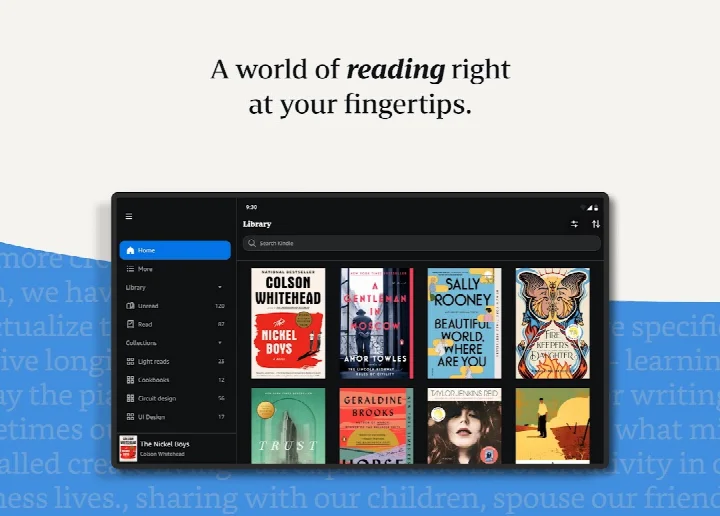
Amazon Kindle: Reading App is an ebook and digital reading app from Amazon Mobile LLC for reading books, magazines, comics, and manga on Android devices.

Amazon Kindle: Reading App is aimed at readers who want a personal library on their phone or tablet instead of carrying print books, and it offers millions of titles to browse. The app is free to download, works on Android 9 and later, and takes 147 MB of storage.
Download Amazon KindleScreenshots
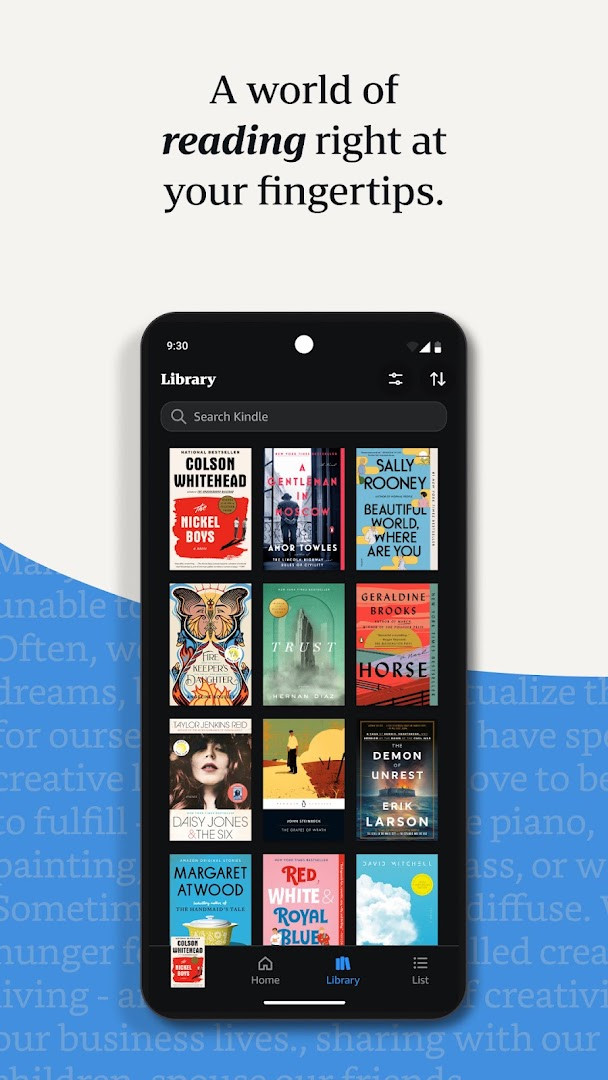
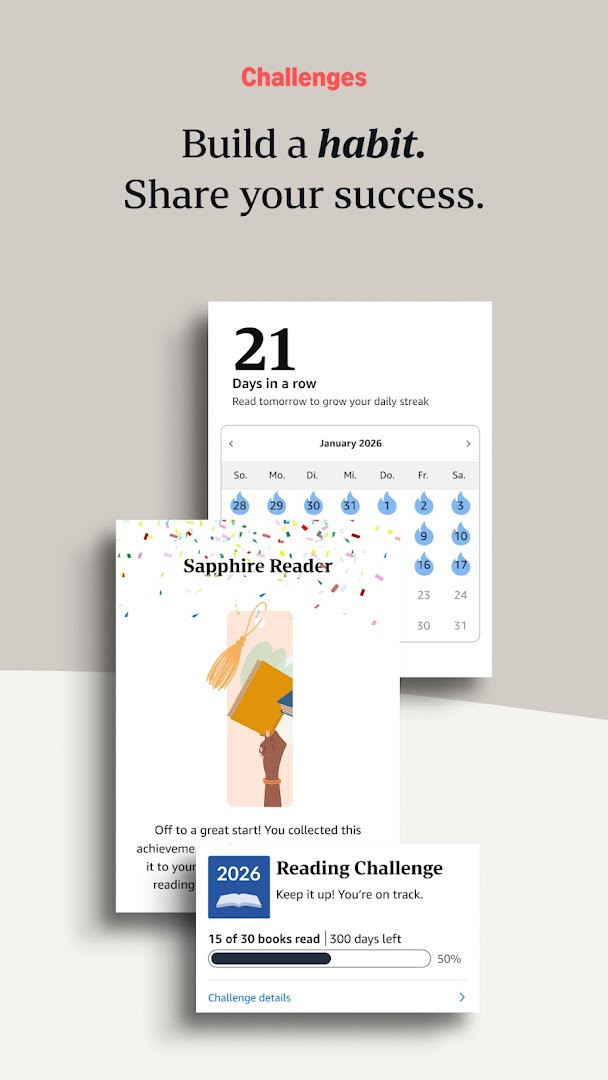
Amazon Kindle: Reading App is an ebook reader application by Amazon Mobile LLC that lets you browse, download, and read millions of digital books, magazines, comics, and manga on your Android device. Designed for readers who want a portable library, the app turns your phone or tablet into an e-reader with customizable display settings, built-in reference tools, and cross-device syncing. It serves casual readers, students, commuters, and anyone who prefers digital over physical books, with options to sample titles before purchase and access content through subscription services.
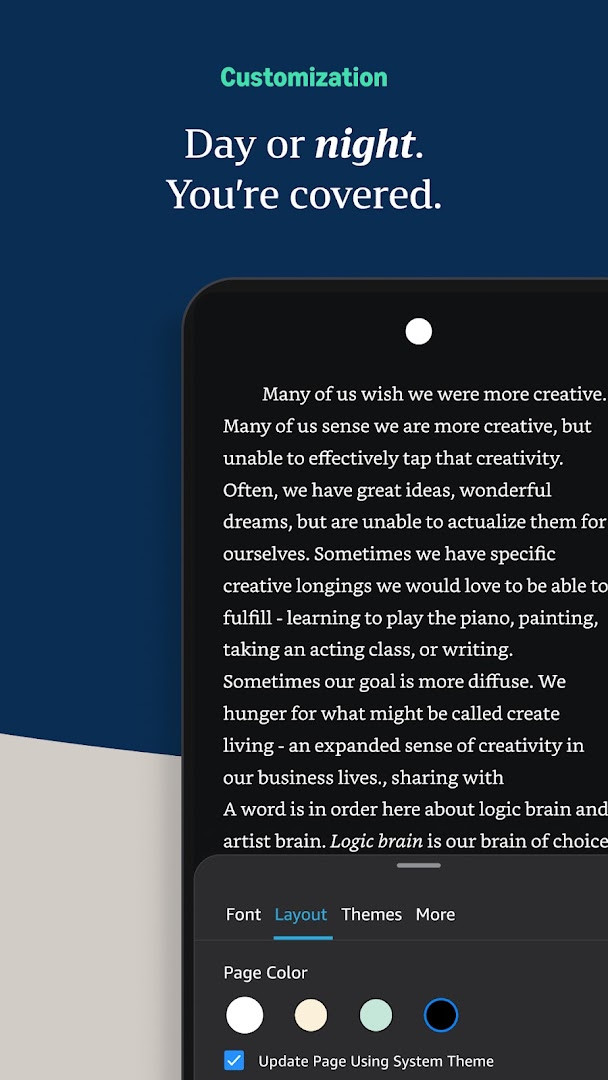
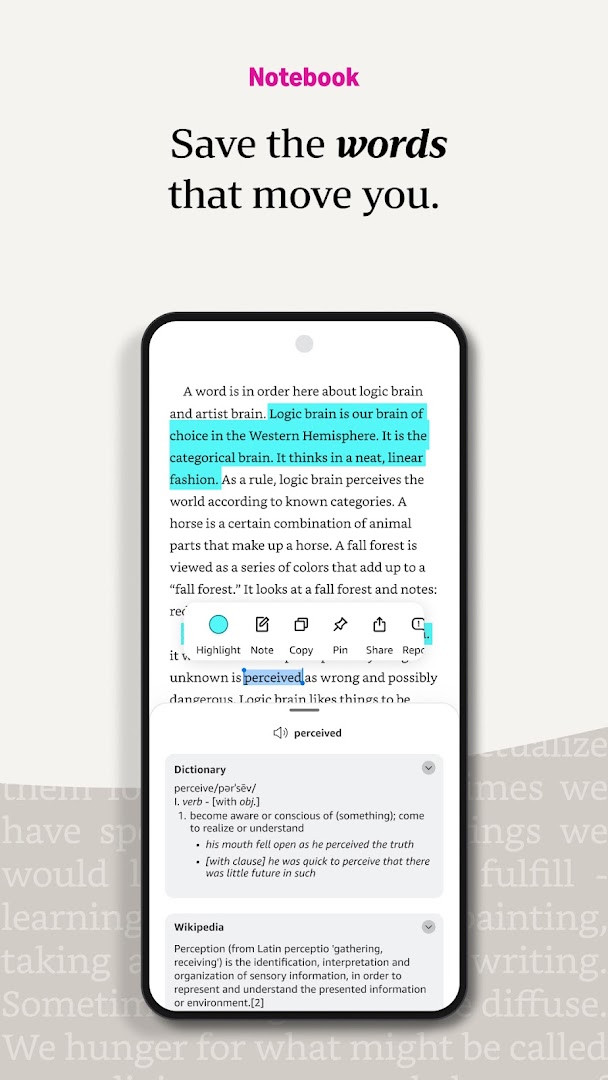
Beyond basic page turning, the app offers tools to enhance the reading experience: you can adjust font, text size, margins, alignment, orientation, brightness, and background colors. A built-in dictionary, X-Ray, Wikipedia lookup, and instant translations help you understand unfamiliar words and references. Progress tracking shows percentages, real page numbers, and estimated time left in a chapter or book. You can bookmark passages, highlight text, take notes, and view everything in a centralized notebook. Page Flip lets you skim or get an overview of the book, and high-definition color images can be zoomed for magazines, comics, and manga.
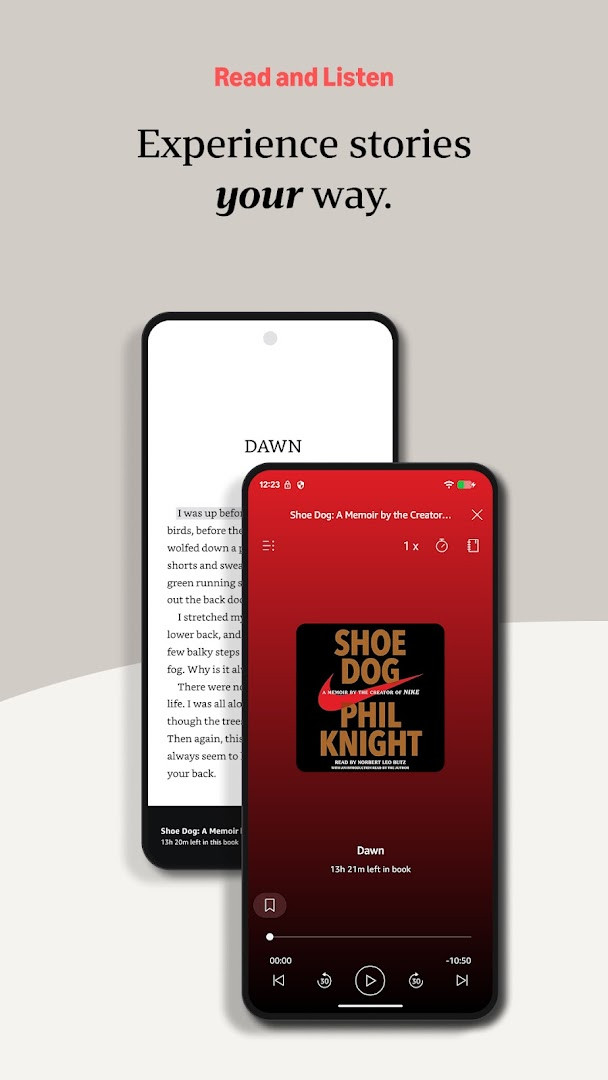
The app syncs your reading position, bookmarks, highlights, and notes across devices, so you can switch between your phone, tablet, and other Kindle devices seamlessly. When you prefer listening, you can switch from reading to the Audible version within the app. You can also receive notifications about new releases from authors you follow. The app includes ads and offers in-app purchases, and it requests access to device and app history, identity, location, phone, photos, media, files, storage, Wi-Fi connection information, and device ID and call information. It is free to download and carries a Teen content rating. The latest version is 8.158.0.100 (2.0.109808.0) from October 2026, requiring Android 9 or later and about 147 MB of storage.
Key features
- Read millions of Kindle books, magazines, newspapers, comics, and manga, including titles with Audible narration
- Customize text size, font type, margins, alignment, orientation, and choose between page turns or continuous scroll
- Adjust brightness and background colors for comfortable reading day or night
- Look up words, people, and places with built-in dictionary, X-Ray, Wikipedia, and instant translations
- Track reading progress with percentage, real page numbers, and time left in chapter or book
- Bookmark, highlight, and take notes, with all notes visible in My Notebook
- Use Page Flip to skim or get a bird's-eye view of the book while saving your place
- Zoom in on high-definition color images in books, magazines, comics, and manga
- Sync books, bookmarks, highlights, and notes across devices automatically
- Switch seamlessly from reading to listening with Audible within the app, and get notified about new releases from authors you follow
How to install
- Tap the download button on this page to get the APK file for Amazon Kindle: Reading App, which is about 147 MB in size.
- When Android asks for permission, allow your browser or file manager to install apps by enabling the 'Install unknown apps' setting for that source.
- Open the downloaded APK file from your notifications or file manager.
- Tap Install when prompted, and wait for the installation to finish.
- Open the app from your home screen or app drawer.
- Ensure your device runs Android 9 or later to use the app properly.
Pros
- Free to download with no upfront cost
- Extensive customization for text size, font, margins, and orientation
- Built-in dictionary, Wikipedia, and translation tools for better comprehension
- Automatic syncing of reading position and notes across devices
- Ability to sample books before purchasing
- Option to switch to Audible narration within the app
Cons
- Contains ads and offers in-app purchases
- Requests access to several sensitive permissions, including location, phone, identity, and device ID
- Content rating of Teen may not suit all audiences
- Requires Android 9 or later, excluding older devices
- Large download size of 147 MB may be significant for some users
Latest changes
This update adds a Kindle 'Last Book Read' widget for your Android Home screen, giving you quick access to your most recent read. To set it up, long press the Kindle app icon, choose 'Widgets' from the menu, then long press the widget and drag it to your preferred spot on the Home screen.
Previous versions
| Version | Size | Requires Android | Updated |
|---|---|---|---|
| 8.158.0.100(2.0.109808.0) | 127 MB | 11 | Oct 9, 2026 |
| 8.51.1.0(1.3.272119.0) | 62 MB | 5.0 | Oct 9, 2026 |
| 8.157.0.100(2.0.104818.0) | 128 MB | 11 | Oct 8, 2026 |
| 8.154.0.100(2.0.95887.0) | 125 MB | 10 | Sep 22, 2026 |
| 7.8.1.5 | 53 MB | 4.1 | Nov 12, 2025 |
| 14.122.100(2.0.41248.0) | 147 MB | 9 | May 30, 2025 |
| 14.121.100(2.0.40027.0) | 146 MB | 9 | May 11, 2025 |
| 14.113.100(2.0.29451.0) | 168 MB | 9 | Jan 30, 2025 |
| 14.34.100(1.3.228187.0) | 43 MB | 5.0 | Oct 28, 2020 |
| 14.23.42_1226465010 | 47 MB | 4.4 | Oct 7, 2019 |
This app is for anyone who wants a convenient, portable reading experience on their Android phone or tablet, including commuters, students, and avid readers who enjoy ebooks, magazines, comics, or manga and want tools to customize reading, look up references, and sync progress across devices.
Before installing, review the permissions the app requests and decide whether you are comfortable granting access to location, phone, and storage. To save data, download books for offline reading when possible, and use the widget feature to quickly jump back into your latest read.
Permissions
Frequently asked questions
How do I install the Kindle app APK on my Android device?
To install the APK, download the installer file from the page's download button, then open it from your notifications or file manager. If prompted, allow installation from unknown sources in your device settings. The app requires Android 9 or higher and about 147 MB of storage.
What is the current version of the Kindle app?
The latest version listed is 8.158.0.100 (2.0.109808.0), released on October 9, 2026. An older variant, 8.51.1.0 (1.3.272119.0), is also dated October 9, 2026, along with versions from earlier in the month.
Does the Kindle app contain ads or in-app purchases?
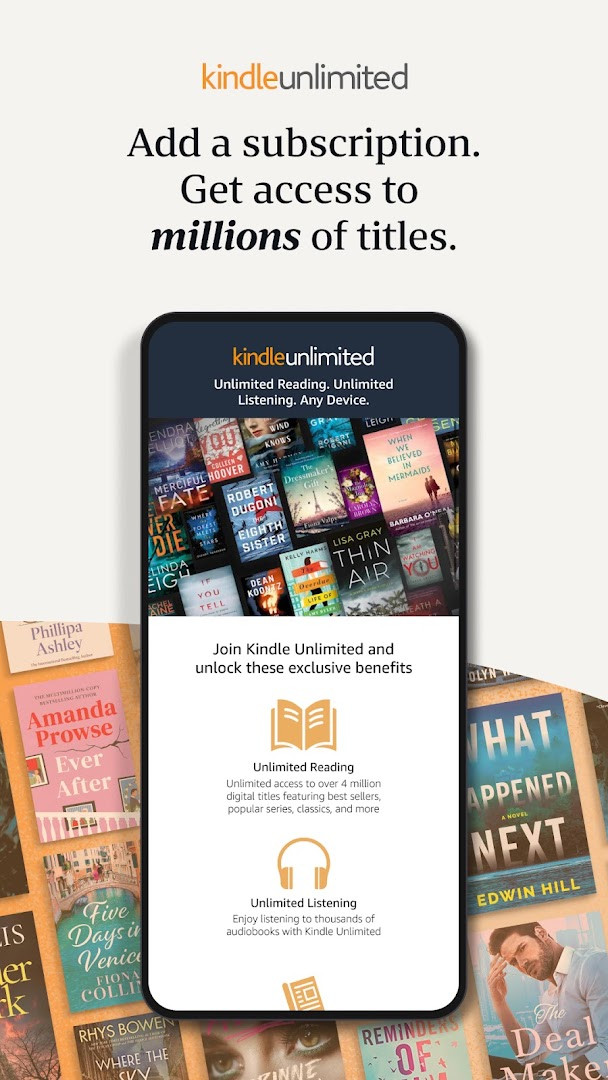
The app is free to download and includes ads as well as in-app purchases. For example, you can buy books, magazines, or audiobooks within the app, and Kindle Unlimited membership is available for unlimited reading and listening across over one million titles.
Can I read books offline with the Kindle app?
Yes, you can read downloaded books without an internet connection. The app also syncs your reading progress, bookmarks, highlights, and notes across devices when you are online, so you can continue where you left off on another device.
What are some alternatives to the Kindle app for reading on Android?
There are several other reading apps in the Books and Reference category that offer e-book reading, customization options like font size and background colors, and offline reading. Many also support syncing progress across devices. You can explore these options in the same category to find one that fits your preferences.
What reading features does the Kindle app offer?
The app lets you customize text size, font type, margins, alignment, and orientation, plus adjust brightness and background colors. It includes a built-in dictionary, X-Ray, Wikipedia lookup, instant translations, search within a book, reading progress tracking, bookmarks, highlights, notes, Page Flip, and zoom on high-definition images.
Does the Kindle app support listening to audiobooks?
Yes, the app allows you to switch seamlessly from reading a Kindle book to listening to the Audible version within the same app. This feature is available for books that have Audible narration.
Amazon Kindle: Reading App offers a robust set of reading tools and a vast catalog of content, making it a practical choice for digital readers. While it includes ads and in-app purchases and asks for broad permissions, its customization, syncing, and reference features deliver a solid reading experience on Android.
Similar apps
 Amazon ShoppingAmazon Shopping is for Android users who want to browse and buy from Amazon's catalog without using a desktop browser. The app is free to…Amazon Mobile LLC · ★ 4.4 · Shopping · v32.18.0.100
 Amazon AlexaAmazon Alexa has over 100 million installs and a 4.05 rating from more than 5.7 million ratings, with no ads and no in-app purchases. The…Amazon Mobile LLC · ★ 4.0 · Lifestyle · v2.2.718227.0
 Google Play Books & AudiobooksGoogle Play Books & Audiobooks carries ebooks, audiobooks, comics and manga, and it works without a subscription so readers pay only for …Google LLC · ★ 4.7 · Education · 22 MB
 Samsung Global GoalsSamsung Global Goals is a 103 MB education app from Samsung Electronics Co., Ltd. that requires Android 12 or later, shows ads, and has n…Samsung Electronics Co., Ltd. · ★ 3.7 · Education · 103 MB
 Duolingo: Learn LanguagesDuolingo: Learn Languages is a free education app that combines language learning with courses in math, music, and chess, and includes AI…Duolingo · ★ 4.7 · Education · 36 MB
 King James Bible - Verse+AudioKing James Bible - Verse+Audio is a free KJV Bible study tool with ads and in-app purchases, offering offline access, audio scriptures, d…Ozion · ★ 4.8 · Education · 84 MB
 Wattpad - Read & Write StoriesWattpad is for readers and writers who want access to millions of free stories in over 25 languages, from romance and fanfiction to fanta…Wattpad.com · ★ 3.7 · Education · v11.41.1
 Bible Offline-KJV Holy BibleBible Offline-KJV Holy Bible offers offline access to the King James Version, with audio, highlights, bookmarks, notes, and Bible quizzes…Bíblia Offline · ★ 4.9 · Education · v6.5.7
More from this developer
 MX PlayerMX Player is for Android users who want a dependable video player that handles a wide range of files and subtitle formats. The app suppor…Amazon Mobile LLC · ★ 4.2 · Entertainment · v3.4.3
Amazon ShoppingAmazon Shopping is for Android users who want to browse and buy from Amazon's catalog without using a desktop browser. The app is free to…Amazon Mobile LLC · ★ 4.4 · Shopping · v32.18.0.100
Amazon AlexaAmazon Alexa has over 100 million installs and a 4.05 rating from more than 5.7 million ratings, with no ads and no in-app purchases. The…Amazon Mobile LLC · ★ 4.0 · Lifestyle · v2.2.718227.0
Updated: Nov 7, 2026
- Size
- 147 MB
- Requires Android
- 9
- Updated
- Oct 6, 2026
- Installs
- 100M+
- Rating
- ★ 4.77 (4,838,035)
- Category
- Education
- Developer
- Amazon Mobile LLC
- Content rating
- Teen
- Package
- com.amazon.kindle
- Free
- ✓ · Contains ads · In-app purchases