My Verizon: All-in-One App for Verizon Accounts
My Verizon is a Lifestyle app by Verizon Consumer Group that lets you manage mobile and home internet accounts, pay bills, and shop from one place.

My Verizon brings account management, bill payment, device controls, and shopping into a single app for Verizon customers. It is free to download with no ads or in-app purchases, requires Android 10 or higher, and has a download size of 100 million installs.
Download My Verizon · v22.3.5Screenshots
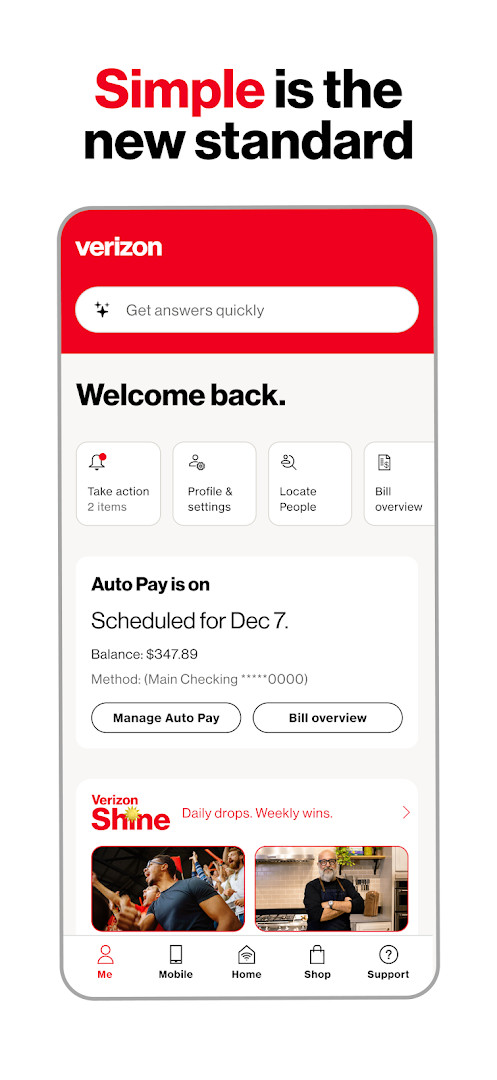
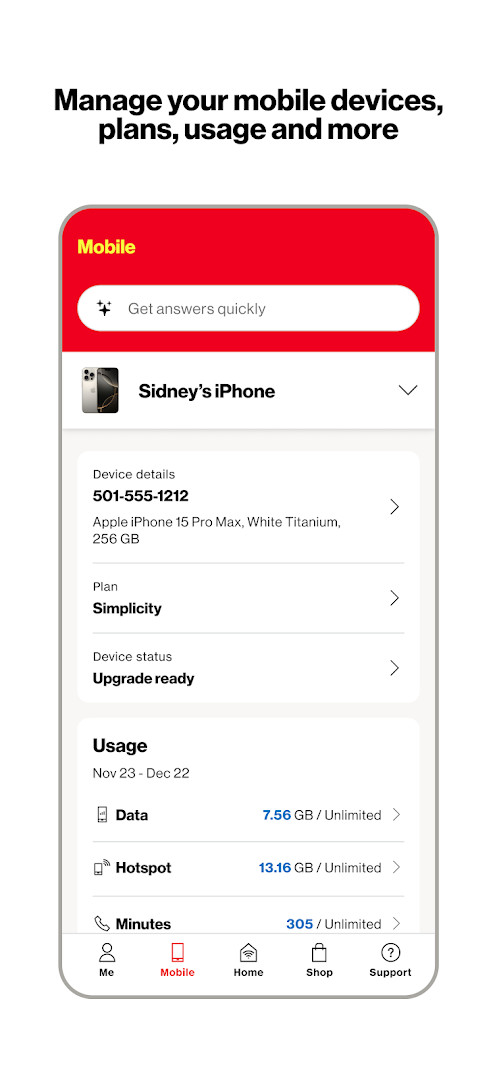
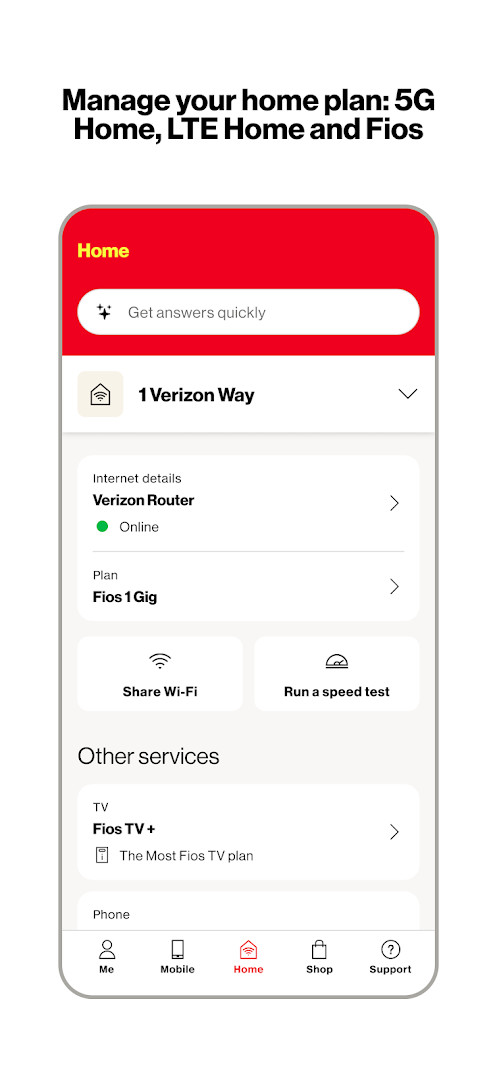
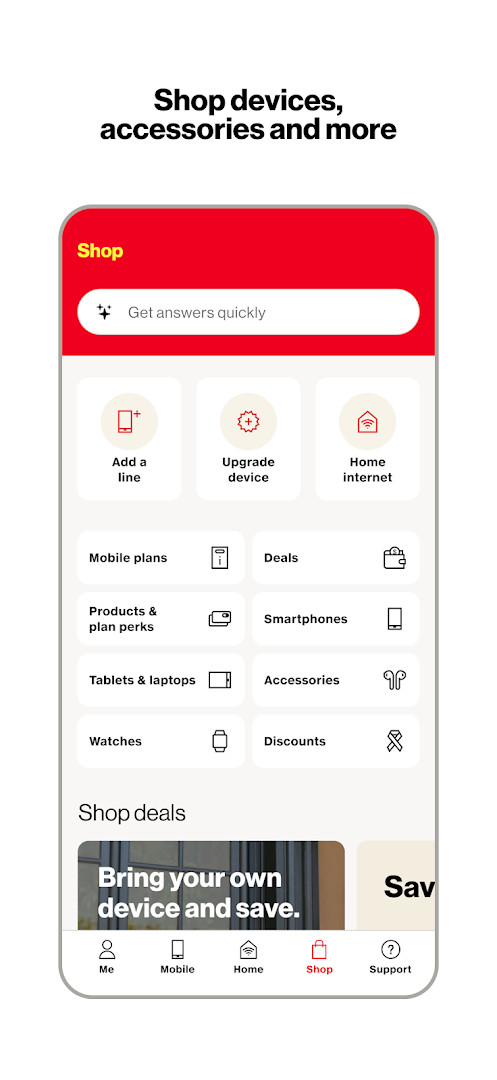
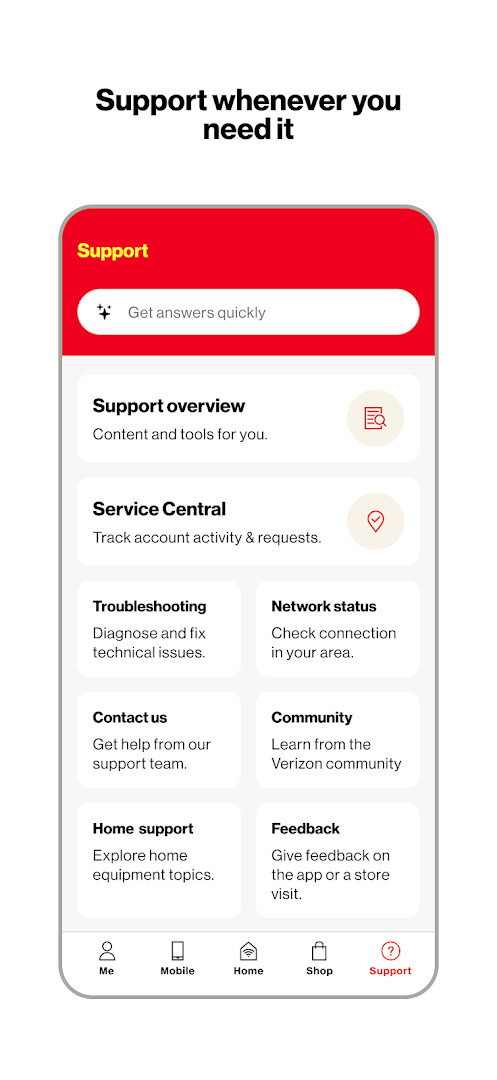
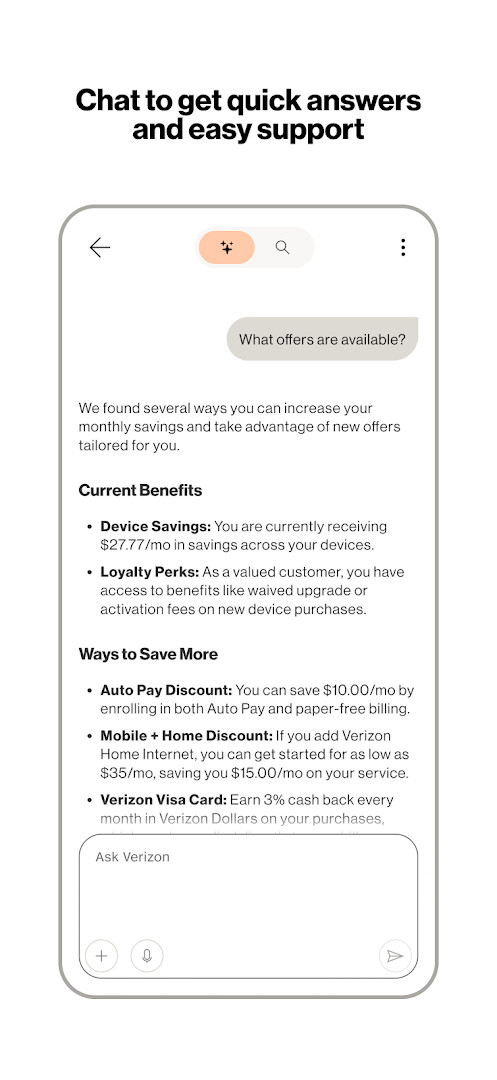
My Verizon is a lifestyle app by Verizon Consumer Group that lets you manage your Verizon mobile and home internet accounts in one place. It gives you a personalized dashboard with shortcuts, your current balance, bill savings, perks, and offers, and lets you switch between app sections using a tab bar for faster navigation. You can manage devices, change plans, view usage, keep track of Home Internet accounts (including 5G Home, LTE Home, and Fios), pay bills with AutoPay, and shop or upgrade devices directly from the app. It also includes a 24/7 Verizon Assistant for account questions, plan exploration, and troubleshooting. The app is designed for current Verizon customers who want to handle routine account tasks without logging into a website or calling support. It's free to use, contains no ads, and has no in-app purchases, though it does request access to many sensitive device features. The current version is 22.3.5, requires Android 10 or newer, and was last updated on November 10, 2026. With over 100 million installs and a rating of 4.53 based on roughly 1.3 million reviews, it is a widely used tool for Verizon subscribers.
The app emphasizes convenience by putting account management, billing, shopping, and support in a single interface. The personalized view adapts to your habits, showing relevant shortcuts and savings opportunities. Verizon Shine offers daily rewards like gift cards and merchandise, while Verizon Dollars lets you opt in to earn 3% cash back monthly. You can also enroll in Verizon Loyalty to avoid activation and upgrade fees when getting a new device. For families or people managing multiple lines, the app simplifies device tracking and plan changes. The simplified bill view helps you understand charges, schedule payments, and set up AutoPay for secure transactions. Shopping for upgrades is integrated, so you can compare options and complete purchases without leaving the app.
However, the app's extensive permission requests—including access to SMS, phone, location, contacts, camera, microphone, storage, and device ID—may give privacy-conscious users pause. While these permissions may support features like device activation or customer support, they go beyond what a basic account app needs. The content rating is Mature 17+, which suggests it may include promotional material or features not suitable for younger users. The app is aimed at existing Verizon customers who want a one-stop shop for their account, but it's not useful for non-customers. If you value granular control over permissions, you may want to review and restrict access after installation, since the app requests broad access by default.
Overall, My Verizon is a feature-rich account manager for Verizon subscribers, offering real utility for billing, support, and shopping. The trade-off is the significant number of permissions it asks for, which you should evaluate carefully before installing. For those comfortable with the access, it can save time and simplify daily account management.
Key features
- Personalized dashboard with customizable shortcuts, current balance, bill savings, perks, and offers
- Tab bar navigation to switch quickly between app sections
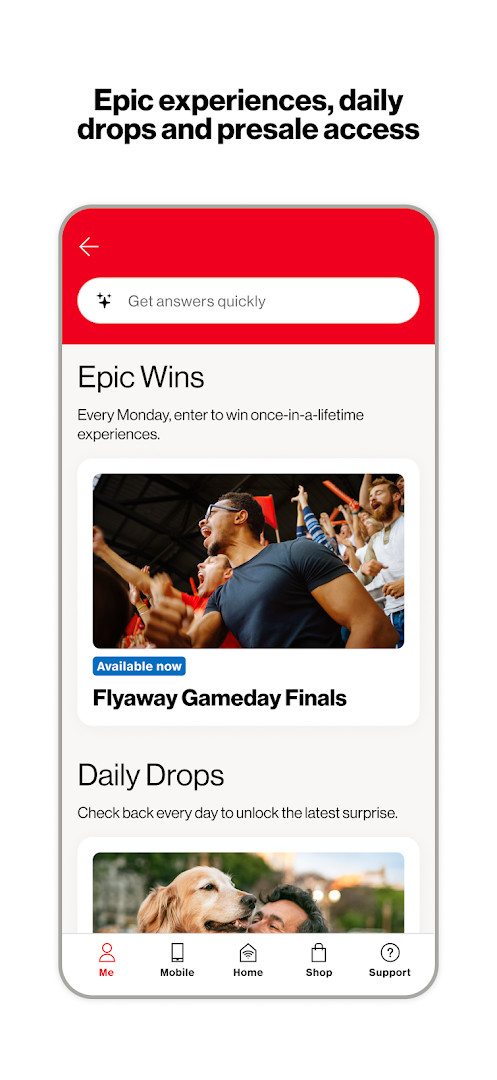
- Verizon Shine: daily drops of gift cards, merchandise, and giveaways, plus weekly chances at once-in-a-lifetime experiences
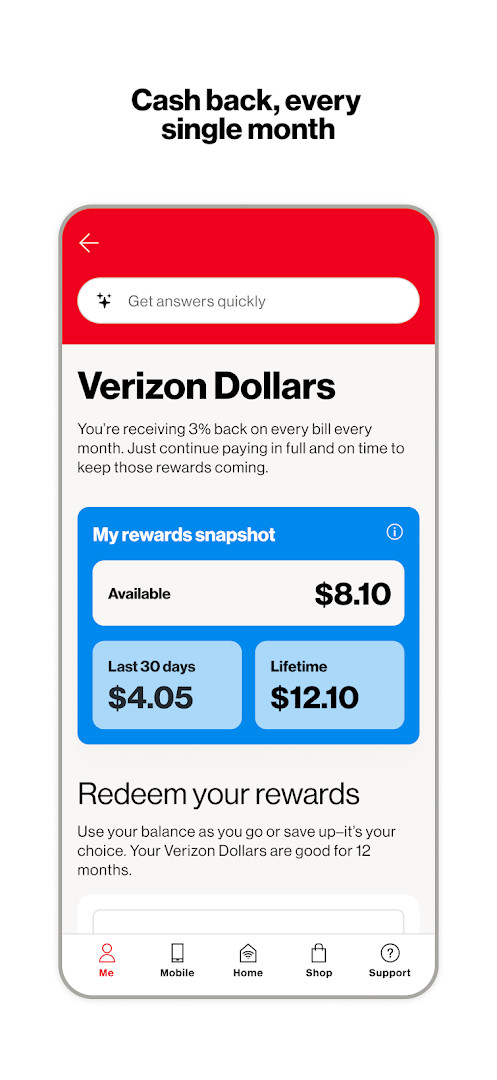
- Verizon Dollars: opt in to earn 3% cash back every month, redeemable for shopping, gift cards, or hotel and ticket rewards
- Manage mobile and home internet accounts, including 5G Home, LTE Home, and Fios
- Simplified bill view with details, AutoPay scheduling, and secure payments
- Shop or upgrade devices for Mobile and Home directly in the app
- 24/7 Verizon Assistant for account help, plan exploration, and troubleshooting
- Enroll in Verizon Loyalty to avoid activation and upgrade fees on new devices
How to install
- Tap the download button on this page to get the APK file. The file size is not specified, so ensure you have enough free space on your device.
- When Android prompts you, allow your browser or file manager to install apps. You may need to enable the 'Install unknown apps' setting for that app.
- Open the downloaded APK file from your notification or file manager.
- Tap Install when the installation screen appears. The app requires Android 10 or newer.
- Wait for the installation to finish, then tap Open to launch My Verizon.
- Sign in with your Verizon credentials to start using the app.
Pros
- Comprehensive account management for mobile and home internet in one place
- No ads and no in-app purchases, making it a straightforward free tool
- Verizon Shine and Verizon Dollars provide tangible rewards for loyal customers
- 24/7 support via the built-in assistant for troubleshooting and questions
- Simplified billing with AutoPay and secure payment options
- Integrated shopping for device upgrades without leaving the app
Cons
- Requests access to a very broad set of sensitive permissions, including SMS, phone, location, contacts, camera, microphone, and storage
- Content rating of Mature 17+ may not be suitable for all users
- Requires Android 10 or newer, which excludes devices on older operating systems
- The app is only useful for current Verizon customers, not general users
Latest changes · 22.3.5
Version 22.3.5 introduces Verizon Shine, providing access to free gift cards, merchandise, and giveaways throughout the week, plus weekly chances at unique experiences. It adds Verizon Dollars, an opt-in program earning 3% cash back monthly, redeemable for purchases, gift cards, or hotel and ticket rewards. Also, enrolling in Verizon Loyalty eliminates activation and upgrade fees when obtaining a new device. This update was released on November 10, 2026.
Previous versions
| Version | Size | Requires Android | Updated |
|---|---|---|---|
| 22.3.5 | — | 10 | Nov 10, 2026 |
| 22.1.8 | — | 10 | Oct 13, 2026 |
My Verizon is for existing Verizon mobile and home internet customers who want a single app to manage bills, devices, plans, support, and shopping. It's also suited for those interested in loyalty rewards like Verizon Shine and Verizon Dollars. If you're not a Verizon subscriber, the app won't be useful. Privacy-conscious users should weigh the extensive permission requests before installing.
After installing, review the app's permissions in your device settings and deny any that seem unnecessary, such as SMS or camera access, if you don't need those features. You can often still use core account functions without granting every permission. Also, enable AutoPay through the app to avoid late fees and take advantage of the simplified bill view. For rewards, opt into Verizon Dollars to start earning 3% cash back, and check Verizon Shine regularly for daily drops.
Permissions
Frequently asked questions
What does the Verizon Shine feature in My Verizon do?
Verizon Shine gives you access to free gift cards, merchandise, and giveaways throughout the week, and offers a chance at once-in-a-lifetime experiences every Monday.
How does Verizon Dollars cash back work in the app?
You can opt in to earn 3% cash back each month as a customer, then use those Dollars to shop, get gift cards for brands, or enjoy hotel and ticket rewards.
Can I manage both mobile and home internet accounts from one app?
Yes, the app lets you manage Mobile and Home Internet accounts together, including 5G Home, LTE Home, and Fios, with options to view usage, change plans, and manage devices.
How can I avoid activation and upgrade fees through the app?
By enrolling in Verizon Loyalty, you can have activation and upgrade fees waived whenever you get a new device.
What support options are available inside My Verizon?
You can chat with the Verizon Assistant 24/7, review account details, explore new plans, and get troubleshooting help directly from the app.
My Verizon delivers a powerful, all-in-one account experience for Verizon customers, with billing, support, shopping, and rewards in a single free app. The main caveat is the broad permission requests, so you should install it with awareness of your privacy preferences. For most Verizon subscribers, the convenience and features outweigh the concerns, making it a worthwhile addition to your device.
Similar apps
 Google HomeGoogle Home is a free lifestyle app by Google LLC for setting up and managing compatible Nest, Chromecast, and Google Home devices. It su…Google LLC · ★ 4.0 · Lifestyle · 83 MB
 SmartThingsSmartThings is for Android users who want to control smart TVs, appliances, speakers, and gadgets from brands like Ring, Nest, and Philip…Samsung Electronics Co., Ltd. · ★ 4.6 · Lifestyle · 227 MB
 PinterestPinterest is a free lifestyle app from developer Pinterest that centers on discovering and collecting ideas. It is rated Teen and has dra…Pinterest · ★ 4.2 · Lifestyle
 Tinder: Match & Meet SinglesTinder Dating App: Chat & Date has been installed over 500 million times and holds a user rating of 3.92 based on more than 9.2 million r…Tinder LLC · ★ 4.0 · Lifestyle · v17.43.0
 Bumble Dating App: Meet & DateBumble Dating App: Meet & Date has over 100 million installs and a rating of 3.78 from about 1.64 million ratings. The app requires Andro…Bumble Holding Limited · ★ 3.8 · Lifestyle · v5.492.0
 Astrotalk - Talk to AstrologerAstrotalk - Talk to Astrologer serves people who want guidance on career, relationships, marriage, education, and similar life questions.…Astrology & Horoscope · ★ 4.8 · Lifestyle · v1.1.545
 Muslim Pro: Quran Athan PrayerMuslim Pro: Quran Athan Prayer has a 30 MB download size and requires Android 4.4 or higher. The app contains ads and offers in-app purch…Bitsmedia · ★ 4.2 · Lifestyle · 30 MB
 happn: dating apphappn: dating app has over 100 million installs and a 4.02 rating from about 2.1 million ratings. The app requires Android 8.0 or higher,…happn · ★ 4.0 · Lifestyle · v2026.23.0
Updated: Nov 24, 2026
- Version
- 22.3.5
- Requires Android
- 10
- Updated
- Nov 10, 2026
- Installs
- 100M+
- Rating
- ★ 4.53 (1,300,043)
- Category
- Lifestyle
- Developer
- Verizon Consumer Group
- Content rating
- Mature 17+
- Package
- com.vzw.hss.myverizon
- Free
- ✓