Artrace: AR Easy Draw & Sketch for Android
Artrace: AR Easy Draw & Sketch is a drawing tool from Braly JSC for tracing and sketching through your camera with augmented reality.
Artrace: AR Easy Draw & Sketch is for beginners and experienced artists who want to learn drawing or trace anything using their phone camera. The app is free, works offline for core tracing, and runs on Android 7.0 or higher, with a 4.71 rating from over 343,000 ratings and about 50 million installs.
Download Artrace · v1.9.73Screenshots
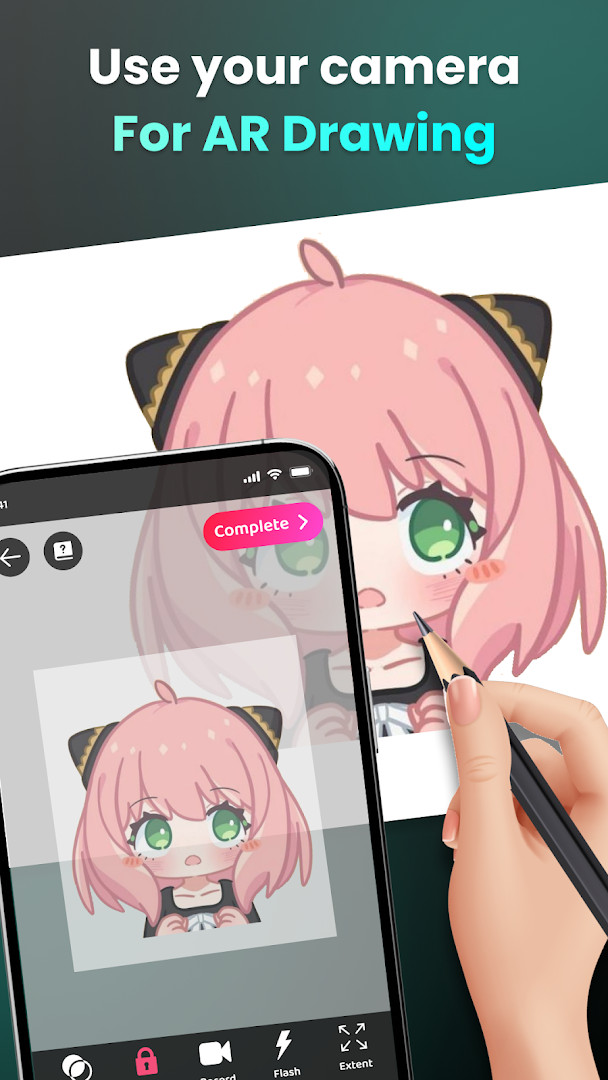
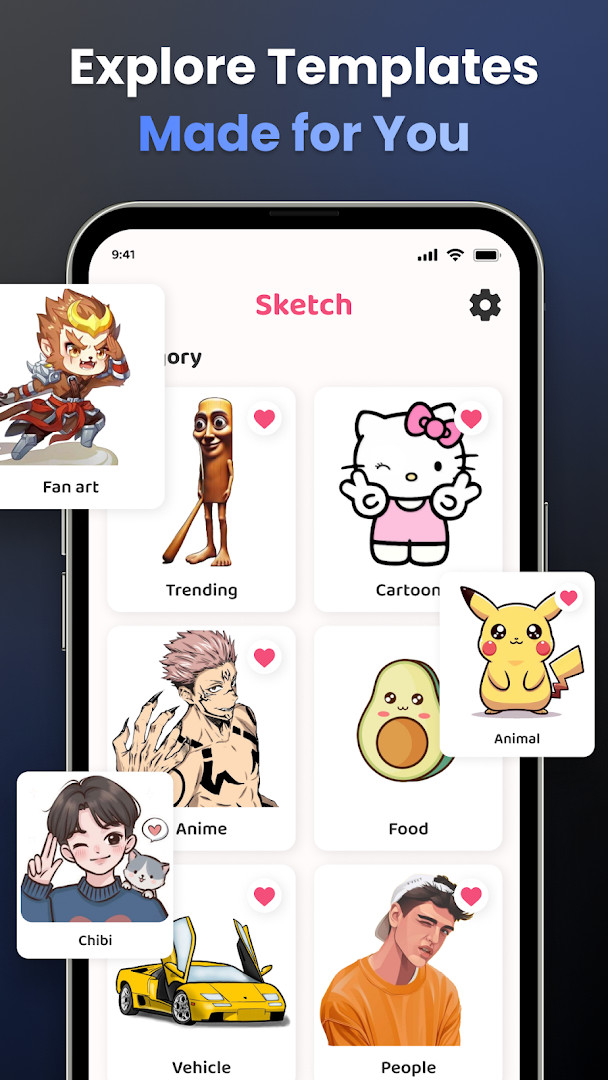
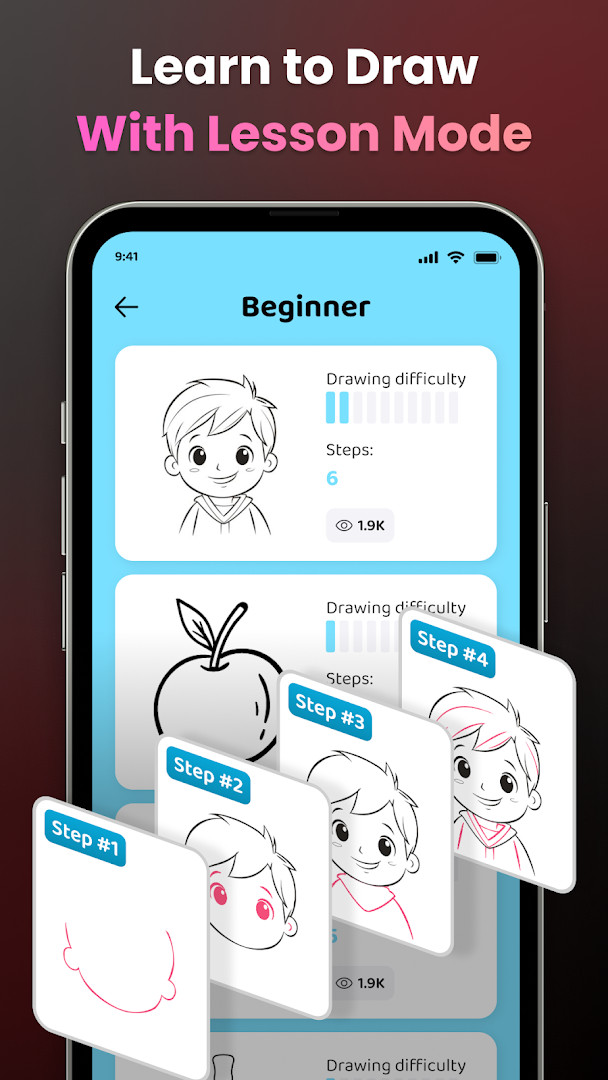
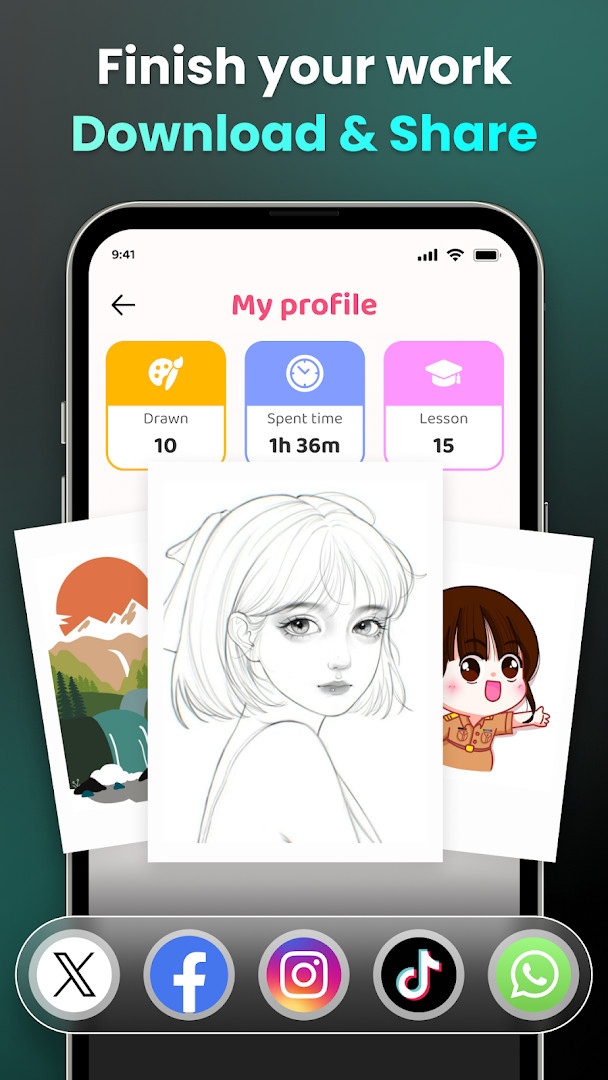
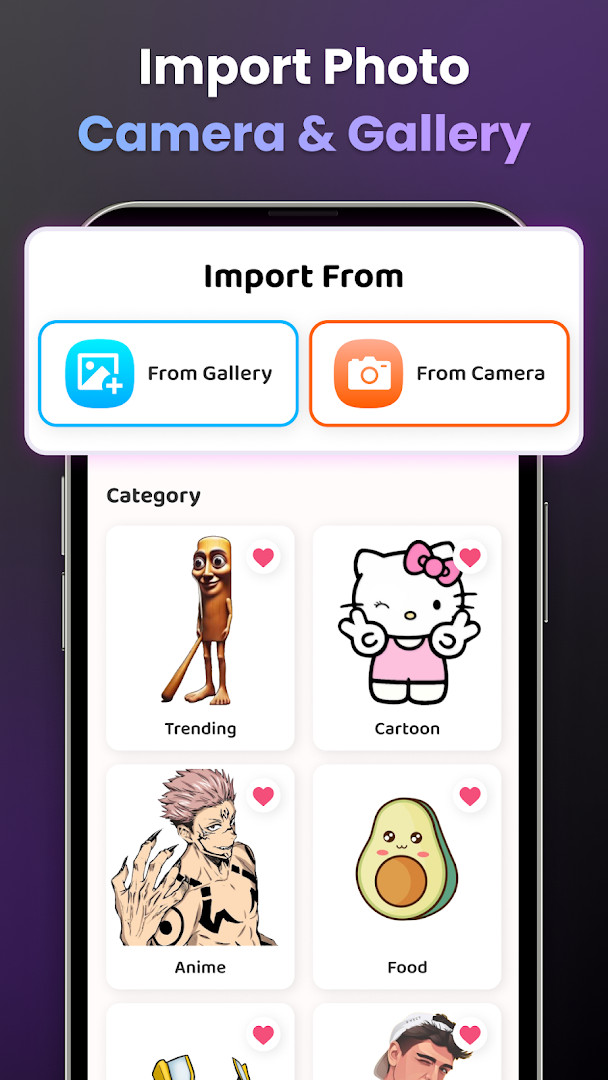
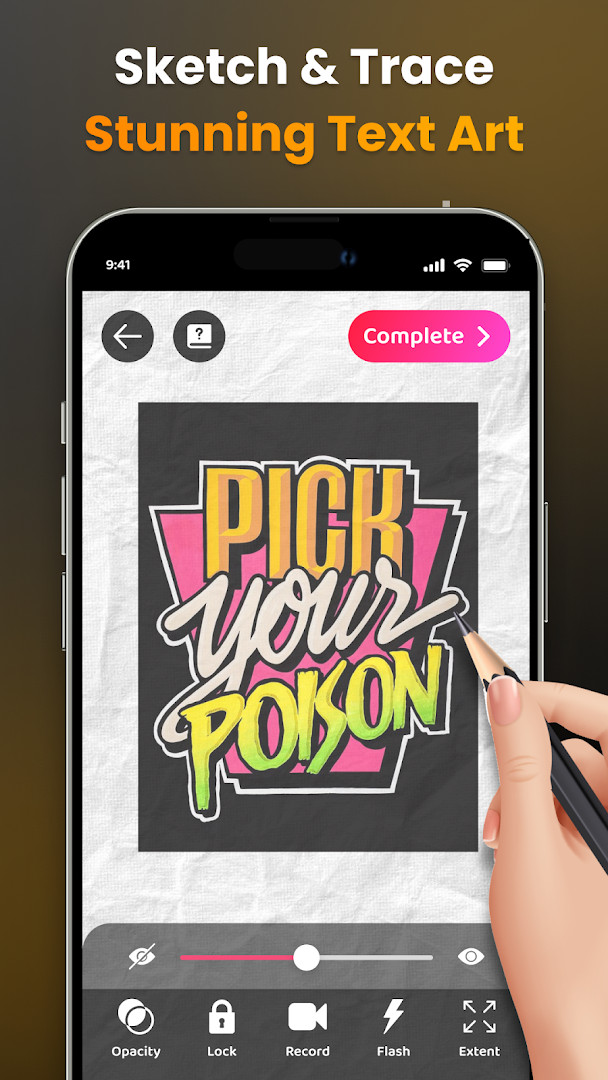
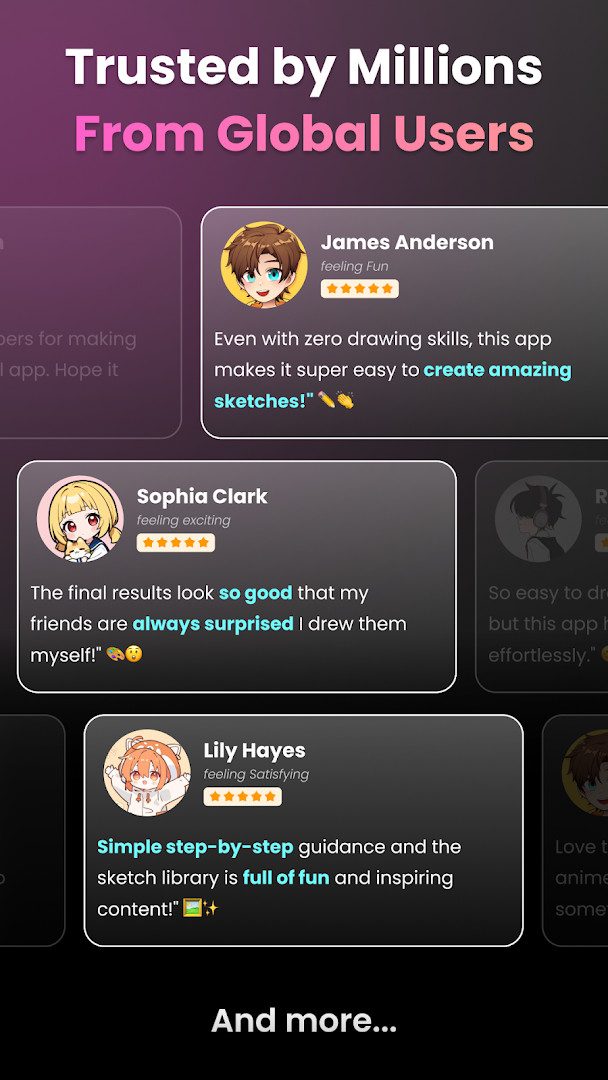
Artrace: AR Easy Draw & Sketch is a drawing utility by Braly JSC that turns your phone's camera into a tracing aid for creating artwork. It projects a semi-transparent image onto your live camera feed, letting you sketch outlines of objects, photos, or scenes directly on paper. The app positions itself as a learning tool for beginners who want to practice drawing without needing formal instruction, while also offering enough flexibility for more experienced users to experiment with augmented-reality-assisted art. The core workflow is straightforward: you place your device on a stand, open the camera view, and trace the visible lines onto your canvas. Beyond simple tracing, the app includes a library of sample images, from anime characters to nature scenes, and allows you to import your own photos. It also records your drawing process as a video, which can be shared with others. The latest update, version 1.9.73, released in October 2026, focuses on performance improvements and bug fixes rather than introducing new features. This suggests a period of refinement, aiming to make the existing tracing experience smoother and more reliable. The app is free to use, though it contains ads and offers in-app purchases, and it has been downloaded over 50 million times, indicating a substantial user base. Given its camera-based approach, the app requires access to your device's camera, and it also requests permissions related to location, storage, and Wi-Fi connection information, which are worth reviewing before installation. The combination of AR tracing, video recording, and a large community makes it a notable entry in the art and design category, but its reliance on camera and storage permissions means privacy-conscious users should consider what data they are comfortable sharing. The app's content rating is Everyone, and it supports Android 7.0 and above, making it accessible to a wide range of devices.
Key features
- Trace any object or scene in real time through your camera feed
- Import images from your gallery or choose from a built-in sample library
- Adjust outline opacity to match your drawing surface and lighting
- Record your drawing process as a video for later review or sharing
- Zoom in and out of the traced image for finer detail work
- Toggle the camera flash to improve visibility in low-light conditions
- Access step-by-step video tutorials for specific drawing subjects
- Track your progress with a profile that logs time spent and lessons completed
- Choose from three difficulty levels to match your skill
- Share finished artwork directly with friends or the app community
How to install
- Tap the download button on this page to get the APK file. The file size is not listed, so it may vary depending on your device.
- When prompted, allow your browser or file manager to install apps from unknown sources by enabling the 'Install unknown apps' setting in your system settings.
- Open the downloaded APK file from your notification bar or file manager.
- Tap the Install button on the installation screen and wait for the process to finish.
- Once installed, open the app from your app drawer or home screen. The minimum Android version required is 7.0, so ensure your device runs at least that version.
Pros
- Effective learning tool for beginners who want to practice drawing
- Large library of sample images across many popular categories
- Video recording of your drawing process is useful for review
- Free to download and use, with optional purchases
- Wide compatibility starting from Android 7.0
Cons
- Requests several permissions including location and Wi-Fi information, which may feel excessive for a drawing app
- Contains ads that can interrupt the experience
- In-app purchases may be needed for advanced features or content
Latest changes · 1.9.73
Version 1.9.73 of Artrace: AR Easy Draw & Sketch brings performance improvements and bug fixes, making the app run more smoothly and reliably. This update focuses on refining the overall experience for drawing and sketching with augmented reality.
Previous versions
| Version | Size | Requires Android | Updated |
|---|---|---|---|
| 1.9.73 | — | 7.0 | Oct 7, 2026 |
This app is for hobbyists who want to learn drawing by tracing, parents looking for a creative activity for children, and digital artists who enjoy combining real-world tracing with augmented reality techniques.
For best results, place your phone on a stable stand or tripod, and adjust the outline opacity to a low level so you can see your pencil marks clearly while tracing.
Permissions
Frequently asked questions
How do I install the APK for Artrace: AR Easy Draw & Sketch on my Android device?
Download the APK from this page and open the file. If your device asks for permission to install from unknown sources, allow it, then follow the on-screen steps. The app requires Android 7.0 or higher.
What is new in the current version 1.9.73?
Version 1.9.73, released on 11/09/2026, improves overall performance and fixes bugs to make drawing and tracing smoother.
Does Artrace contain ads or in-app purchases?
Yes, the app is free to download but shows ads and offers optional in-app purchases for additional content or features.
Can I use Artrace offline?
The app uses the camera and your photo library for drawing. Basic tracing from your own gallery can work offline, but features that rely on network connections or syncing may require an internet connection.
What permissions does Artrace request and why?
It requests access to the camera for AR drawing, storage and photos for importing images and saving your work, location, and Wi-Fi information to support certain features. These are used to enable drawing and sharing your artwork.
Are there alternatives to Artrace in the Art & Design category?
Yes, there are other drawing and tracing apps that use similar camera-based techniques. You can compare them by checking their ratings, features, and user reviews to find one that matches your skill level.
What do the app's ratings and install numbers indicate?
Artrace has a rating of 4.71 out of 5 based on over 343,000 ratings, and it has been installed more than 50 million times, indicating broad popularity among users.
Artrace: AR Easy Draw & Sketch is a practical and accessible tool for anyone curious about drawing, offering a low-pressure way to build skills through tracing. The camera-based approach is clever, and the video recording feature adds real value. However, the broad permission requests and presence of ads mean you should weigh convenience against privacy. Overall, it is a solid choice for casual learners, provided you are comfortable with the app's data access.
Similar apps
 Canva: AI Photo & Video EditorCanva serves individuals, students, teachers, entrepreneurs, and social media managers who need to produce visual content without advance…Canva · ★ 4.8 · Art & Design · v2.385.0
 PENUP – Drawing-sharing SNSPENUP – Drawing-sharing SNS is a free social network focused on drawing, where users share their creations and interact with a global com…Samsung Electronics Co., Ltd. · ★ 4.5 · Art & Design · 97 MB
 SketchbookSketchbook is for anyone who loves to draw, from casual sketchers to professional illustrators, providing a distraction-free canvas to ca…Sketchbook · ★ 4.1 · Art & Design · 69 MB
 Adobe Express: AI Photo, VideoAdobe Express: AI Photo, Video has over 100 million installs and a 4.62 rating from about 865,000 ratings. It requires Android 10 or high…Adobe · ★ 4.6 · Art & Design · v31.0.1
 ibis Paint Xibis Paint X offers an intuitive, high-performance painting experience with over 130,000 brushes, 30,000+ materials, and 3,000+ fonts, ri…ibis inc. · ★ 4.5 · Art & Design · v14.1.6
 Phonto - Text on PhotosPhonto - Text on Photos requires Android 10 or higher and includes ads plus in-app purchases, with an optional ad-free upgrade. The app o…youthhr · ★ 4.7 · Art & Design · v1.7.140
 FlipaClip: Draw 2D AnimationFlipaClip is for artists, students, and hobbyists who want to turn simple drawings into animated clips without learning complex software.…Visual Blasters LLC · ★ 4.3 · Art & Design · v5.1.0
Updated: Nov 12, 2026
- Version
- 1.9.73
- Requires Android
- 7.0
- Updated
- Oct 7, 2026
- Installs
- 50M+
- Rating
- ★ 4.71 (343,834)
- Category
- Art & Design
- Developer
- Braly JSC
- Content rating
- Everyone
- Package
- com.draw.sketch.ardrawing.trace.anime.paint
- Free
- ✓ · Contains ads · In-app purchases