Themepack - App Icons, Widgets: Home screen personalization app
Themepack - App Icons, Widgets is a personalization app by YoloTech that lets you customize your home screen with widgets, icons, themes, and wallpapers.
Themepack - App Icons, Widgets offers over 10,000 functional widgets, icons, and wallpapers, plus DIY tools for customizing icon styles, colors, fonts, and transparency. Themepack - App Icons, Widgets is free to download, includes ads and in-app purchases, and runs on Android 7.0 and later. Themepack holds a 4.63 rating from 1.35 million ratings and 100 million installs.
Download Themepack now · v1.0.0.4389Screenshots
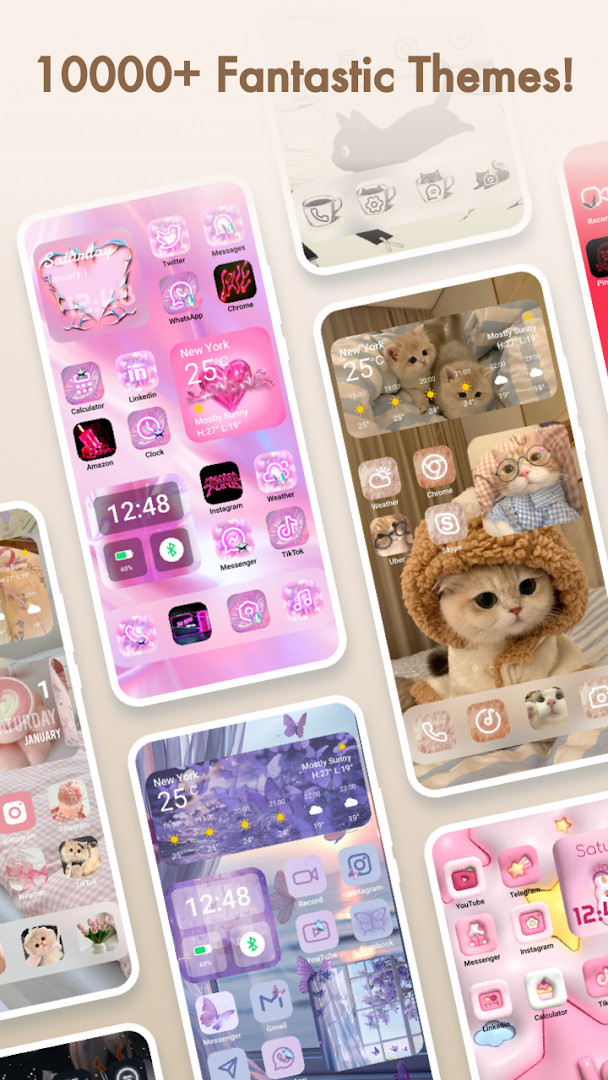
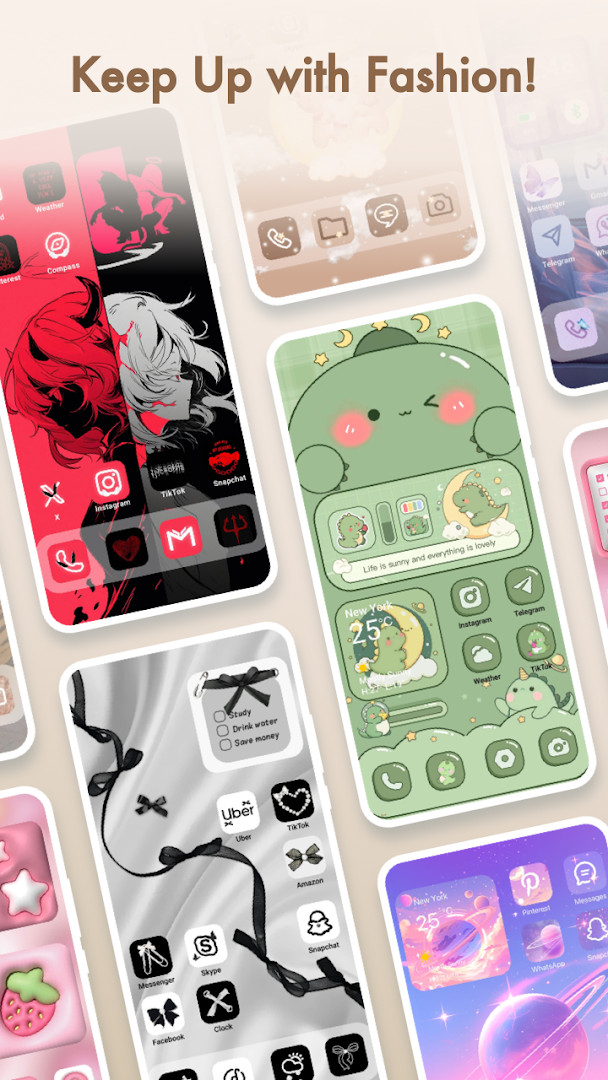
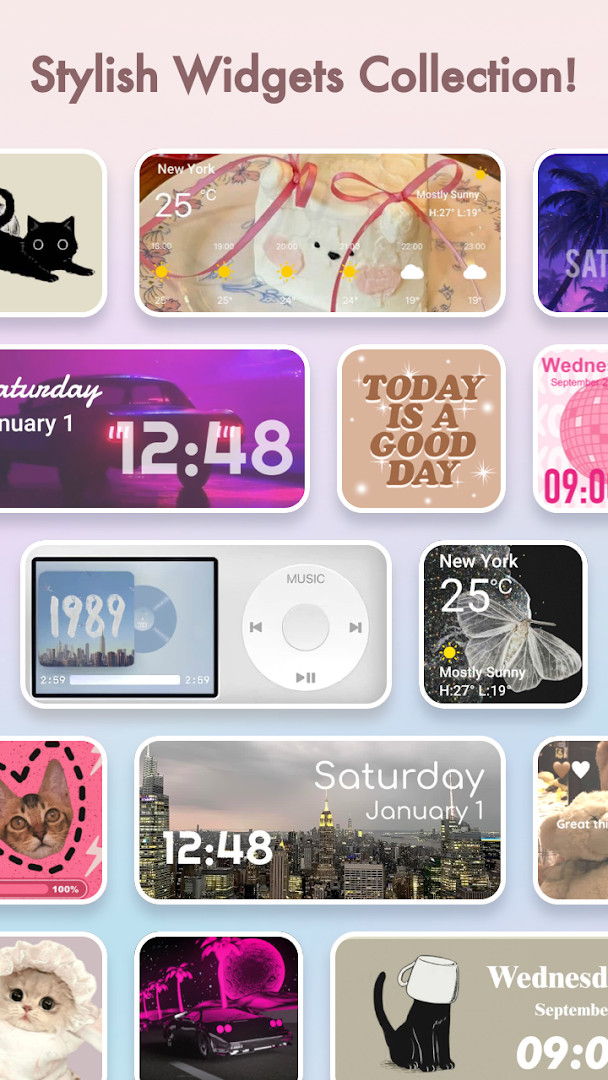
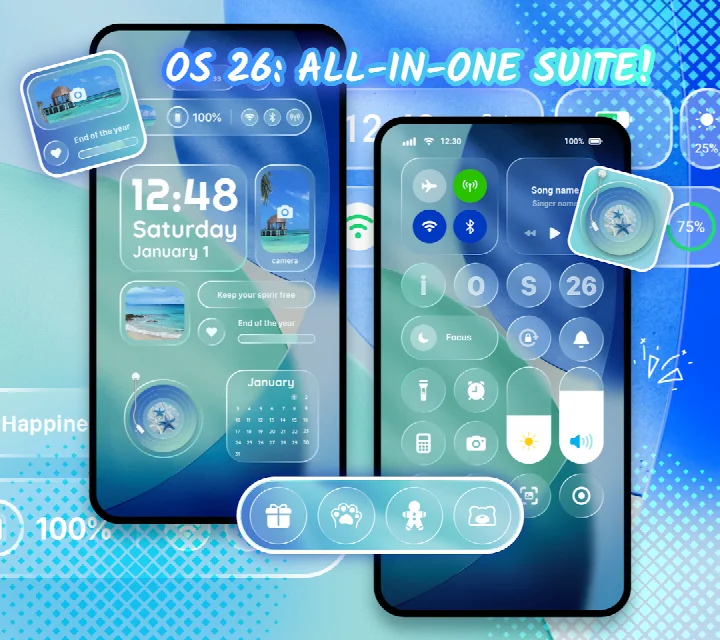
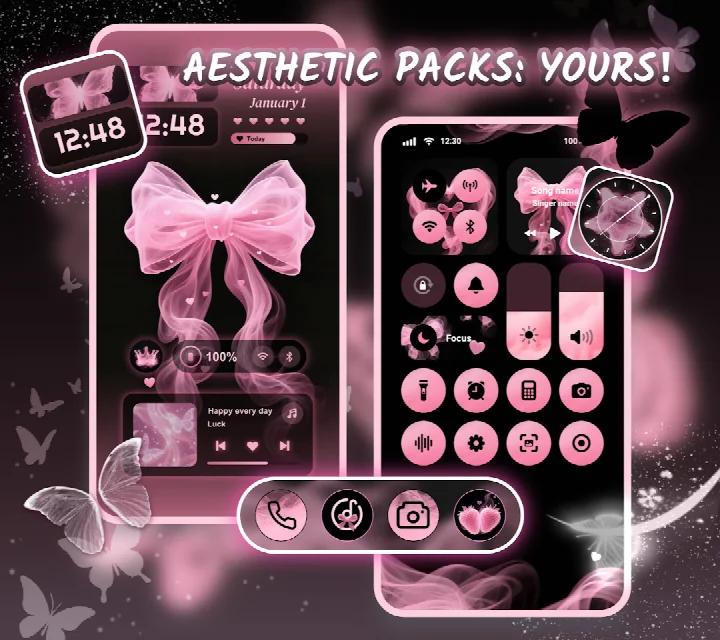
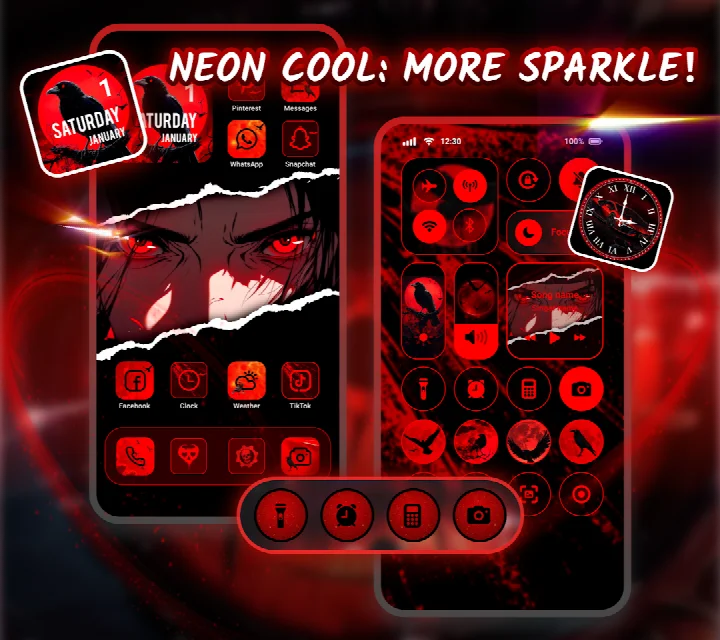
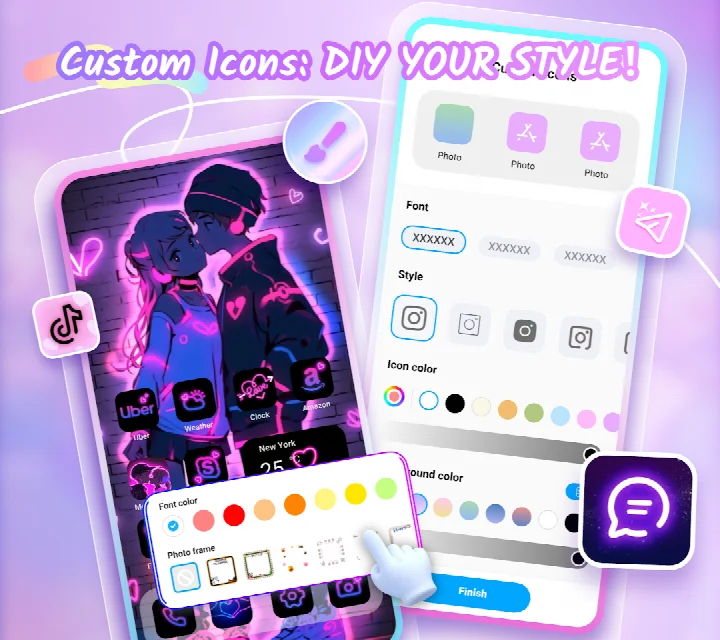
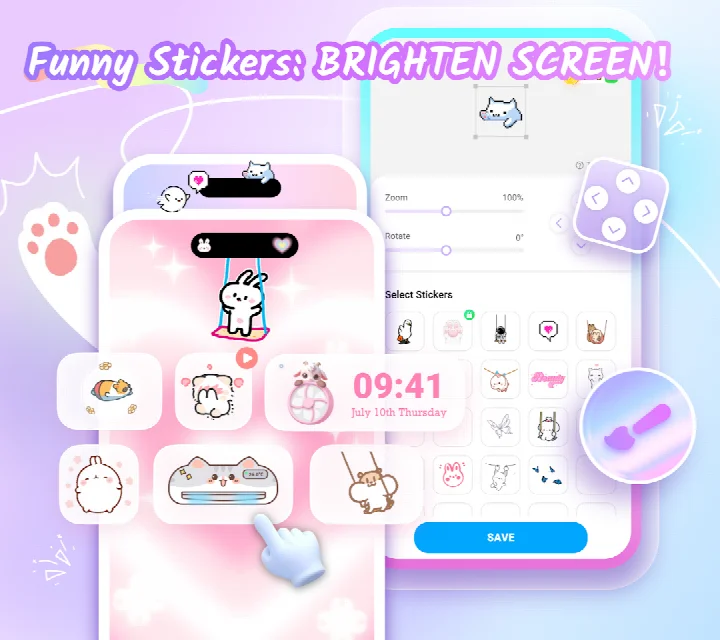
Themepack - App Icons, Widgets is a personalization app by YoloTech that lets you restyle your Android home screen with themes, wallpapers, widgets, and custom icons. Designed for users who want a more personal look, it offers a large library of visual assets and tools to adjust them to your taste. The app focuses on giving you creative control, whether you prefer a quick one-tap makeover or building a screen from scratch.
The main appeal is the variety: over 10,000 functional widgets, icon packs, and wallpapers are available, covering categories like battery, calendar, clock, weather, and control panels. You can also open your gallery to use your own images in widgets and DIY icons. For icons, you can tweak styles, fonts, colors, transparency, and background shades, then rename them with different font styles. Aesthetic themes include K-pop, anime, neon, sports, and festival designs, all applied with a single click.
Because it modifies system elements, the app requests Accessibility Service permission to enable features like do-not-disturb, audio controls, and screen capture. The developer states that no user data is collected or stored in connection with that access. It also asks for location, storage, photos/media, and Wi-Fi information permissions, so you should review those before installing if privacy is a priority.
The app is free to use, includes ads and in-app purchases, and has a Teen content rating. It has been downloaded over 100 million times and holds a high average rating, which suggests broad appeal among users who enjoy frequent home screen customization. It works on Android 7.0 and newer devices, with the current version being 1.0.0.4348, released on September 24, 2026.
Key features
- Over 10,000 functional widgets, icons, and wallpapers for home screen decoration
- Widgets for battery, calendar, clock, weather, and control panel functions
- Dynamic image effect widgets to change the traditional screen appearance
- Custom widgets using images from your own gallery
- DIY icon customization with styles, fonts, colors, transparency, and background colors
- Rename icons using different font styles for a personalized look
- Aesthetic backgrounds including K-pop, anime, neon, sports, and festival themes
- One-click replacement to apply themes, icons, widgets, and wallpapers quickly
- Regular updates with new content from top designers
How to install
- Tap the download button on this page to get the APK file. The file size is not listed, so ensure you have enough free space on your device.
- When Android prompts you, allow your browser or file manager to install apps. You may need to enable the 'Install unknown apps' setting for that app.
- Open the downloaded APK file from your notifications or file manager.
- Tap Install and wait for the process to complete. Your device must run Android 7.0 or higher.
- After installation, open Themepack - App Icons, Widgets from your app drawer.
- Grant the permissions it requests, including Accessibility Service if you want full functionality, then start customizing your home screen.
Pros
- Huge selection of widgets, icons, and wallpapers to suit many tastes
- Deep customization options for icons and widgets, including using your own photos
- One-click application makes theming quick and easy
- Free to download with optional in-app purchases for extra content
- Frequent updates keep the content fresh
Cons
- Requires Accessibility Service permission for some features, which may concern privacy-minded users
- Requests location, storage, photos/media, and Wi-Fi permissions that are broader than core theming needs
- Contains ads and in-app purchases, which can interrupt the experience
- File size is not listed, making it hard to estimate download time or storage impact
Previous versions
| Version | Size | Requires Android | Updated |
|---|---|---|---|
| 1.0.0.4389 | — | 7.0 | Nov 5, 2026 |
| 1.0.0.4348 | — | 7.0 | Sep 24, 2026 |
Themepack is for Android users who enjoy personalizing their home screen frequently, including those who like widgets for quick info, fans of aesthetic wallpapers, and people who want to create a unique look with DIY icons and custom widget images. It suits both beginners who prefer one-click themes and advanced users who want detailed control.
Before installing, review the permission prompts carefully and consider denying access to location or Wi-Fi if you only plan to use themes and widgets. To avoid unexpected charges, check the in-app purchase options and disable ads if possible. Use the Accessibility Service only if you need the control panel features, and revoke it if you stop using them.
Permissions
Frequently asked questions
What can I do with the DIY icon feature?
The DIY icon option lets you adjust icon styles, fonts, colors, transparency levels, and background colors. You can also rename icons using cool fonts to match your device's applications, giving you full creative control over your home screen.
Which types of widgets are included in the app?
The app provides over 10,000 functional widgets, including battery widgets that show device power info, dynamic image effect widgets, calendar, clock, weather, and control panel widgets. You can also open your gallery and select images to create custom widgets.
Why does the app need Accessibility Service permissions?
The app requires Accessibility Service permissions to display the control center view on your Android screen. This access enables system modification capabilities for features like do-not-disturb mode, audio recording/screen capture, and music/volume controls. According to the app, it does not disclose any user information in connection with accessible services and stores no user data related to this access.
What kind of wallpapers and themes are available?
You'll find aesthetic backgrounds, K-pop wallpapers, anime, neon, sports, and festival themes. These can be applied with one click, and all icons, themes, widgets, and wallpapers are created by top designers, with each widget having a unique shape like a circle or rectangle.
What is the app version and when was it last updated?
The current version is 1.0.0.4348, updated on September 24, 2026. The app was originally released on March 10, 2022, and it runs on Android 7.0 and above.
Themepack - App Icons, Widgets is a versatile personalization tool with a vast library and strong customization options, making it a solid choice for Android users who want a distinctive home screen. Its main trade-off is the request for broad permissions and accessibility access, so weigh those against the convenience and creative freedom it offers.
Similar apps
 Facemoji AI Emoji KeyboardFacemoji AI Emoji Keyboard suits users who want to personalize messaging with emoji art, custom stickers, and themed keyboards. It offers…Nexileap · ★ 4.7 · Personalization · v3.7.0
 Microsoft SwiftKey AI KeyboardMicrosoft SwiftKey AI Keyboard supports over 700 languages and can handle up to five languages at once. The app includes ads but offers n…SwiftKey · ★ 4.3 · Personalization · v9.13.19.3
 HiOS Launcher - FastHiOS Launcher - Fast is 66 MB in size and requires Android 9 or higher. The launcher includes ads but does not offer in-app purchases. It…Transsion Holdings · ★ 4.0 · Personalization · 70 MB
 Zedge™ Wallpapers & RingtonesZedge™ Wallpapers & Ringtones is a personalization app by Zedge that helps users customize their devices with a large collection of wallp…Zedge · ★ 4.7 · Personalization · 24 MB
 Fonts KeyboardFonts Keyboard offers dozens of font styles, symbols, and kaomojis for use across messaging apps and social media platforms. It is free t…Fonts Keyboard · ★ 3.9 · Personalization · v5.0.93.52319
 Launcher OS™Launcher OSTM is for Android users who want a cleaner, more personal home screen experience. It offers a lock screen with camera, call, a…Apps Genz · ★ 4.4 · Personalization · v7.0.1
Updated: Nov 13, 2026
- Version
- 1.0.0.4389
- Requires Android
- 7.0
- Updated
- Nov 5, 2026
- Installs
- 100M+
- Rating
- ★ 4.63 (1,361,058)
- Category
- Personalization
- Developer
- YoloTech
- Content rating
- Teen
- Package
- com.iconchanger.widget.theme.shortcut
- Free
- ✓ · Contains ads · In-app purchases