Weather & Clock Widget: Weather App with Customizable Widgets
Weather & Clock Widget is a weather app by Interactive Saudi Arabia that provides real-time conditions and forecasts with customizable home screen widgets.
Weather & Clock Widget offers hourly, 5-day, and 10-day forecasts, plus widgets showing moon phase, calendar events, next alarm, and battery level. It suits Android users who want detailed weather data and personalization, and it is free with ads, requires Android 7.0 or higher, and has a download size not specified in the data.
Download App · v6.5.5.2Screenshots
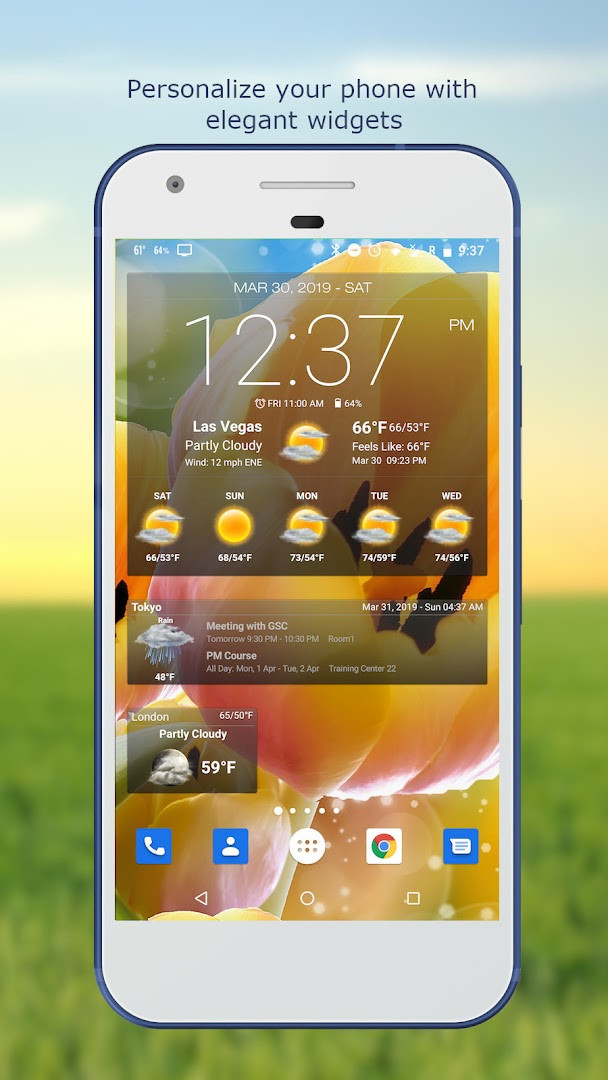
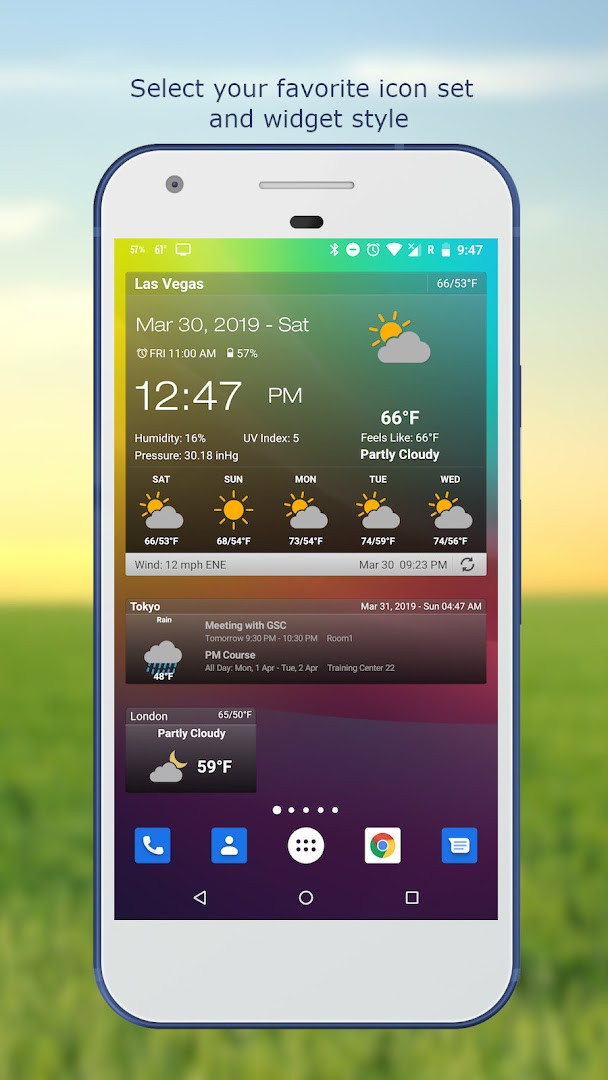
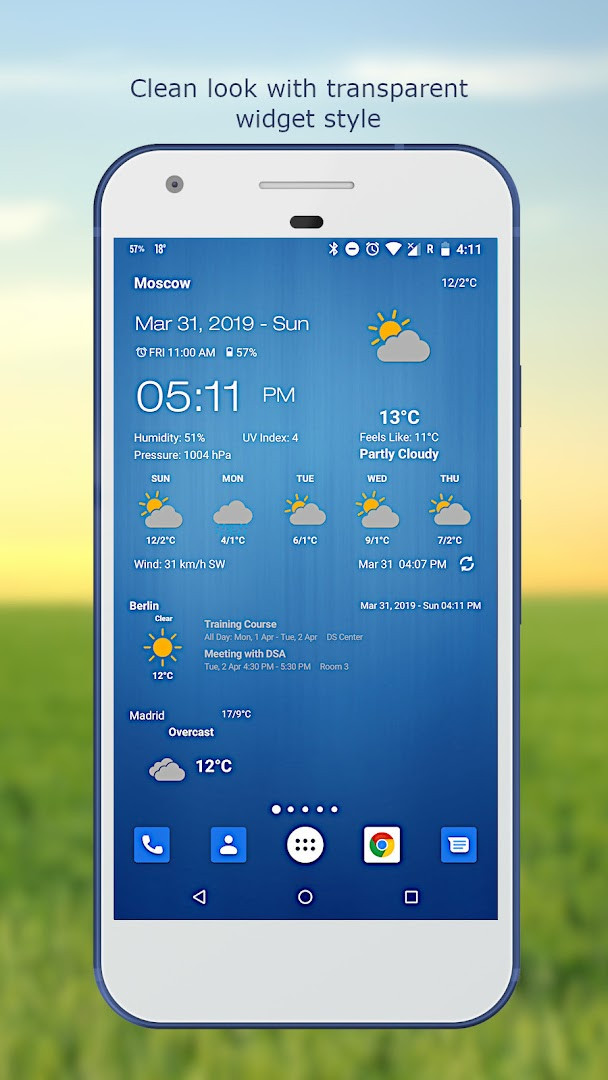
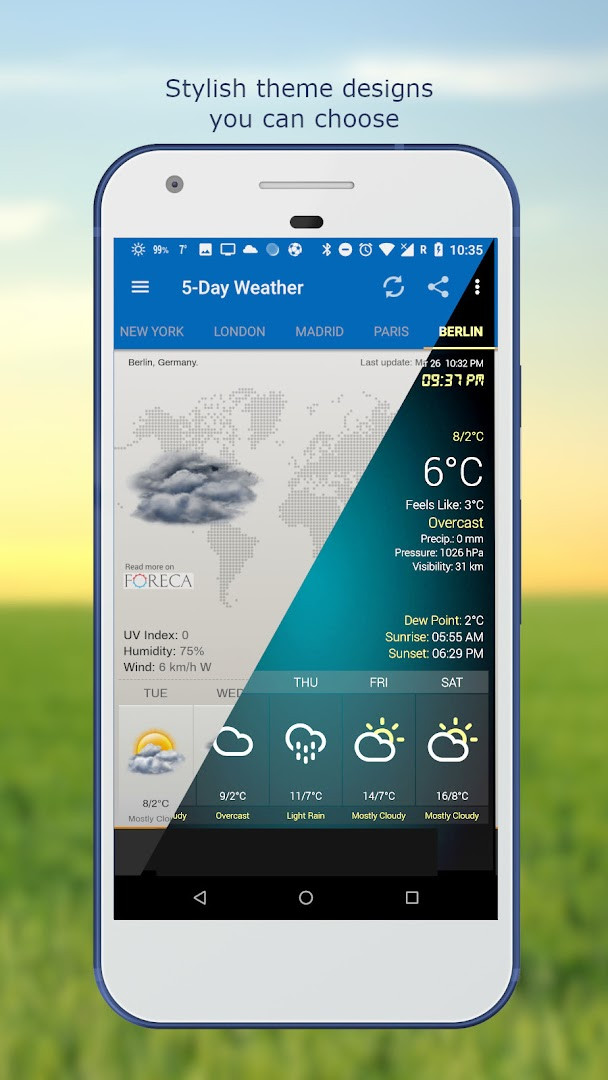
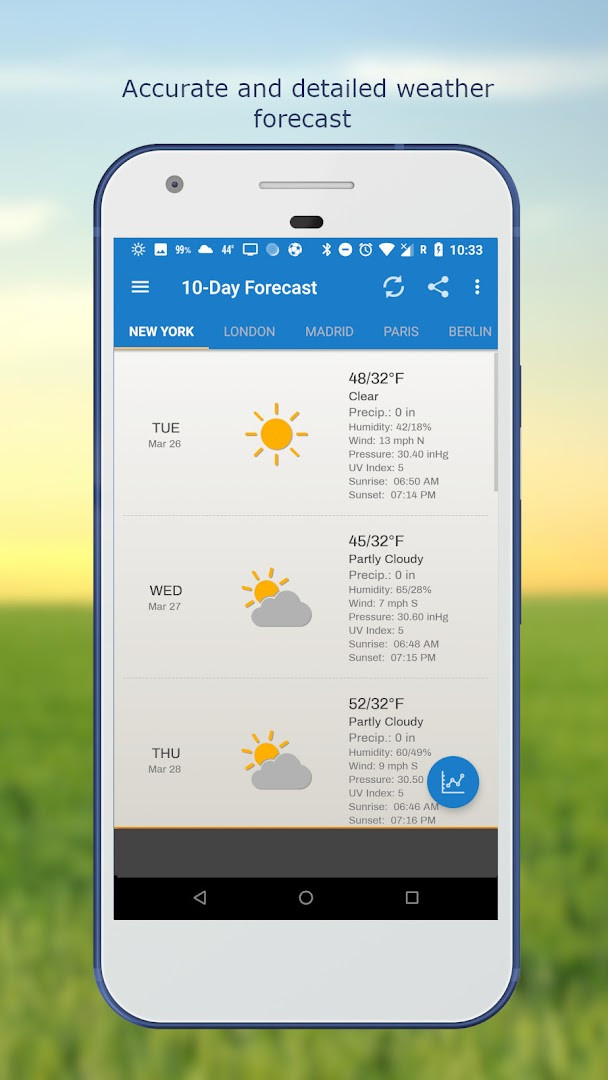
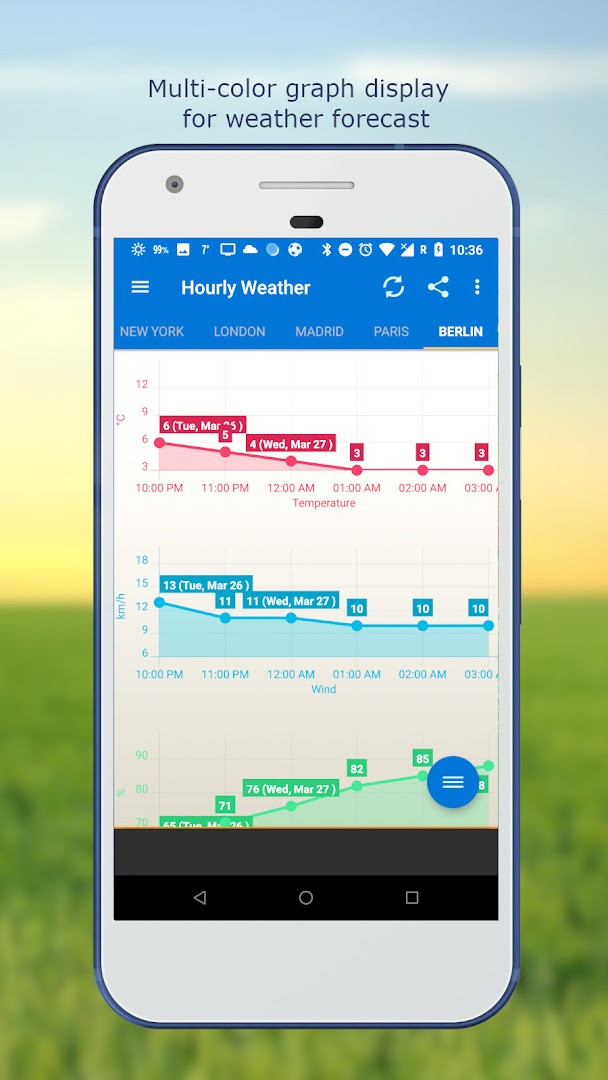
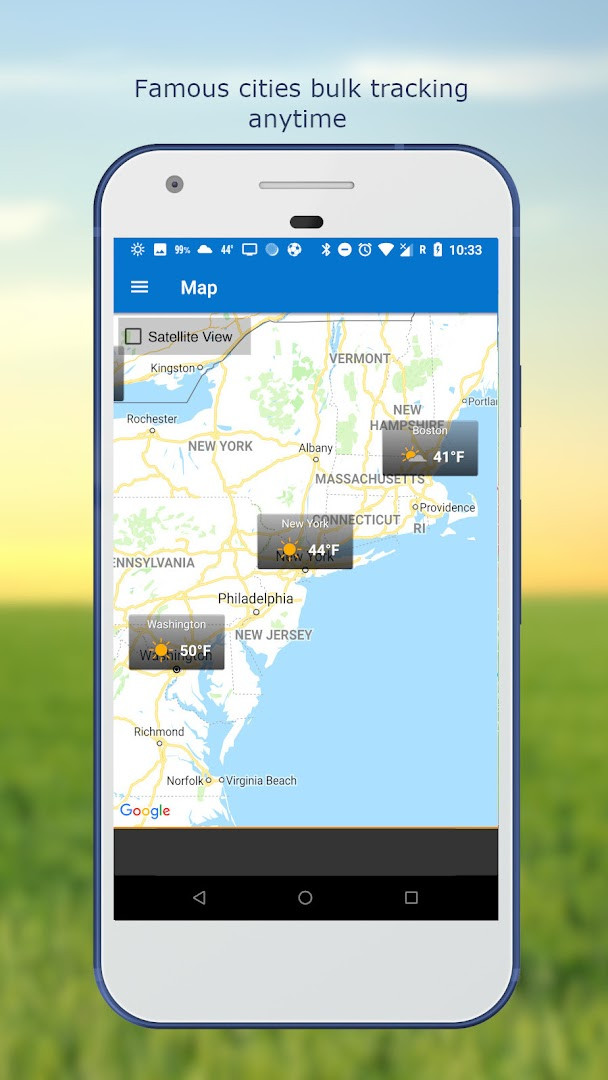
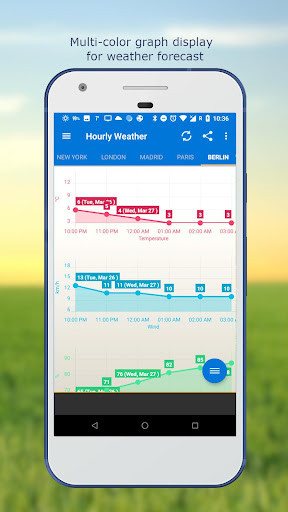
Weather & Clock Widget is a weather utility by Interactive Saudi Arabia that delivers live weather conditions and forecasts alongside customizable home-screen widgets. The app tackles the problem of juggling separate weather, clock, and calendar tools by combining real-time observations, hourly and multi-day predictions, and widgets that can show time, date, moon phase, calendar events, next alarm, and battery level in one glance. It relies on automatic network and GPS location detection, supports manual searches by city name or ZIP code, and lets users choose among several weather providers. With more than 50 million installs and a 4.22 average rating based on roughly 2.5 million reviews, it has been updated steadily since its 2011 release. The current version is 6.5.5.2, published in July 2026, and it requires Android 7.0 or newer. The app itself is free, contains ads, and does not offer any in-app purchases, which makes the full feature set accessible without extra payments.
Key features
- Automatic location detection through network and GPS, plus manual lookup by place name or ZIP code
- Detailed current conditions covering temperature, humidity, pressure, visibility, precipitation, UV index, dew point, wind, and sunrise/sunset times
- Hourly and 10-day forecasts presented with graph charts, along with a separate 5-day forecast view
- Home-screen widgets that can display clock, date, moon phase, calendar events, next alarm, and battery level
- Customizable fonts, themes, and temperature units in Celsius or Fahrenheit
- Weather notification alerts and the option to show temperature in the status bar
- Multiple weather providers, multi-location tracking, and flexible update intervals from 15 minutes to 12 hours, including WiFi-only updates
How to install
- Tap the download button on this page to get the APK file; the file size is not specified.
- When Android asks, allow your browser or file manager to install apps by enabling the Install unknown apps setting.
- Open the downloaded APK file from your notifications or Downloads folder.
- Tap Install and wait for the installation to finish.
- Open the app and grant the requested location and calendar permissions if you want widgets to show calendar events and use automatic location.
- Make sure your device runs Android 7.0 or higher before starting.
Pros
- Free to use with no in-app purchases required
- Broad range of weather data including UV index, dew point, visibility, and atmospheric pressure
- Highly customizable widgets covering clock, date, moon phase, calendar, alarm, and battery level
- Multiple locations and several weather providers supported
- Flexible update intervals, including a manual update option and WiFi-only updates
- Long track record of releases and a very large user base
Cons
- Contains ads
- Requires access to calendar and location data to unlock all widget capabilities
- Requires Android 7.0 or newer, which leaves very old devices unsupported
Latest changes · 6.5.5.2
Weather & Clock Widget version 6.5.5.2, released on July 25, 2026, focuses on reliability with numerous bug fixes and overall performance improvements. This update aims to deliver a smoother, more stable experience for users relying on real-time weather data, forecasts, and customizable widgets.
Previous versions
| Version | Size | Requires Android | Updated |
|---|---|---|---|
| 6.5.4.6 | 14 MB | 5.0 | Jul 28, 2026 |
| 6.5.5.2 | — | 7.0 | Jul 25, 2026 |
| 6.5.4.3 | 15 MB | 5.0 | Aug 9, 2024 |
| 6.5.4.2 | 14 MB | 5.0 | Aug 5, 2024 |
This app is well suited for beginners who want a single, glanceable home-screen widget combining weather, clock, calendar, and battery information. It also appeals to users who enjoy personalizing the look through themes and fonts, and to people who need forecasts for several locations with adjustable update schedules. The straightforward setup and automatic location detection make it approachable for anyone new to weather widgets, while the optional manual controls offer room to fine-tune later.
If you are on a limited data plan, set the update interval to WiFi only and enable the setting that stops updates while roaming. You can also choose the manual update option when you do not need frequent refreshes. Spend a moment customizing the widget font and theme right after installation, since those visual changes appear immediately on your home screen.
Permissions
Frequently asked questions
How do I install the Weather & Clock Widget APK on my Android device?
To install the APK, download the file to your device, then open it from your Downloads folder. If prompted, allow installation from unknown sources in your system settings, then confirm the installation. The app requires Android 7.0 or higher.
What is the current version of Weather & Clock Widget?
The current version is 6.5.5.2, released on July 25, 2026. It includes many bug fixes and performance improvements compared to earlier releases.
Does the app contain ads or require purchases?
The app is free to download and does not offer in-app purchases. However, it does display ads, which support its ongoing development.
Can I use the weather widget offline or with limited data?
The app relies on live weather data, so it needs an internet connection to fetch forecasts. To reduce data usage, you can set updates to WiFi only, stop updates while roaming, and choose automatic update intervals from 15 minutes up to 12 hours, or update manually.
Are there alternative weather apps in the same category?
Yes, the Weather category includes many other apps with similar features, such as real-time conditions, hourly and daily forecasts, and home screen widgets. You can compare them based on customization options, forecast length, and interface design.
What permissions does Weather & Clock Widget require?
The app requests access to your calendar and location. Calendar access is used to display your events in widgets, while location enables automatic weather detection via network and GPS, or you can manually search by name or zip code.
Weather & Clock Widget brings together a wide set of weather tools and customization options in one free application. The main trade-offs are the presence of ads and the need to grant calendar and location permissions for the full experience.
Similar apps
 WeatherServiceWeatherService is a free weather app from ColorOS with no ads and no in-app purchases. It runs on Android 9 and above, covers more than 7…ColorOS · ★ 3.4 · Weather · v16.29.0
 WeatherWeather offers hour-by-hour and 15-day forecasts, precipitation, air quality, and clothing advice, plus severe weather warnings. The app …ColorOS · ★ 3.8 · Weather · v16.46.2
 Weather - By XiaomiWeather - By Xiaomi requires Android 7.0 or newer and has a size of 18 MB. Weather - By Xiaomi contains no ads and no in-app purchases. W…Xiaomi Inc. · ★ 4.1 · Weather · 18 MB
 WeatherWeather offers more than 15 weather data points, multi-layer radar maps, air quality and pollen tracking, plus 10+ customizable widgets a…OneLouder Apps · ★ 4.6 · Weather · v0.7.6.4
 1Weather Forecasts & Radar1Weather Forecasts & Radar has over 100 million installs and a 4.29 rating from more than 1.1 million ratings, with version 12.9.3 requir…OneLouder Apps · ★ 4.3 · Weather · v12.11.1
 AccuWeather: Weather RadarAccuWeather: Weather Radar offers hyperlocal forecasts, severe weather alerts, and animated radar, including features like MinuteCast and…AccuWeather · ★ 3.6 · Weather · 15 MB
 The Weather Channel - RadarThe Weather Channel - Radar requires Android 9 or higher, is free to use, and includes ads and in-app purchases; its file size is not lis…The Weather Channel · ★ 4.6 · Weather · v16.28.0
Updated: Nov 16, 2026
- Version
- 6.5.5.2
- Requires Android
- 7.0
- Updated
- Jul 25, 2026
- Installs
- 50M+
- Rating
- ★ 4.22 (2,476,478)
- Category
- Weather
- Developer
- Interactive Saudi Arabia
- Content rating
- Everyone
- Package
- com.devexpert.weather
- Free
- ✓ · Contains ads