ADB Captain: On-Device ADB Terminal
ADB Captain is a development tool by eatenlamp that runs ADB shell commands on an Android phone through Shizuku without root or a computer.
ADB Captain combines a terminal for pm, am, dumpsys, settings and input commands with a debugging workspace, an installed app list, a process table, logcat filtering and wireless pairing over Wi-Fi. It is aimed at developers and advanced users who inspect or control a device without a PC.
Download ADB Captain · v1.6Screenshots
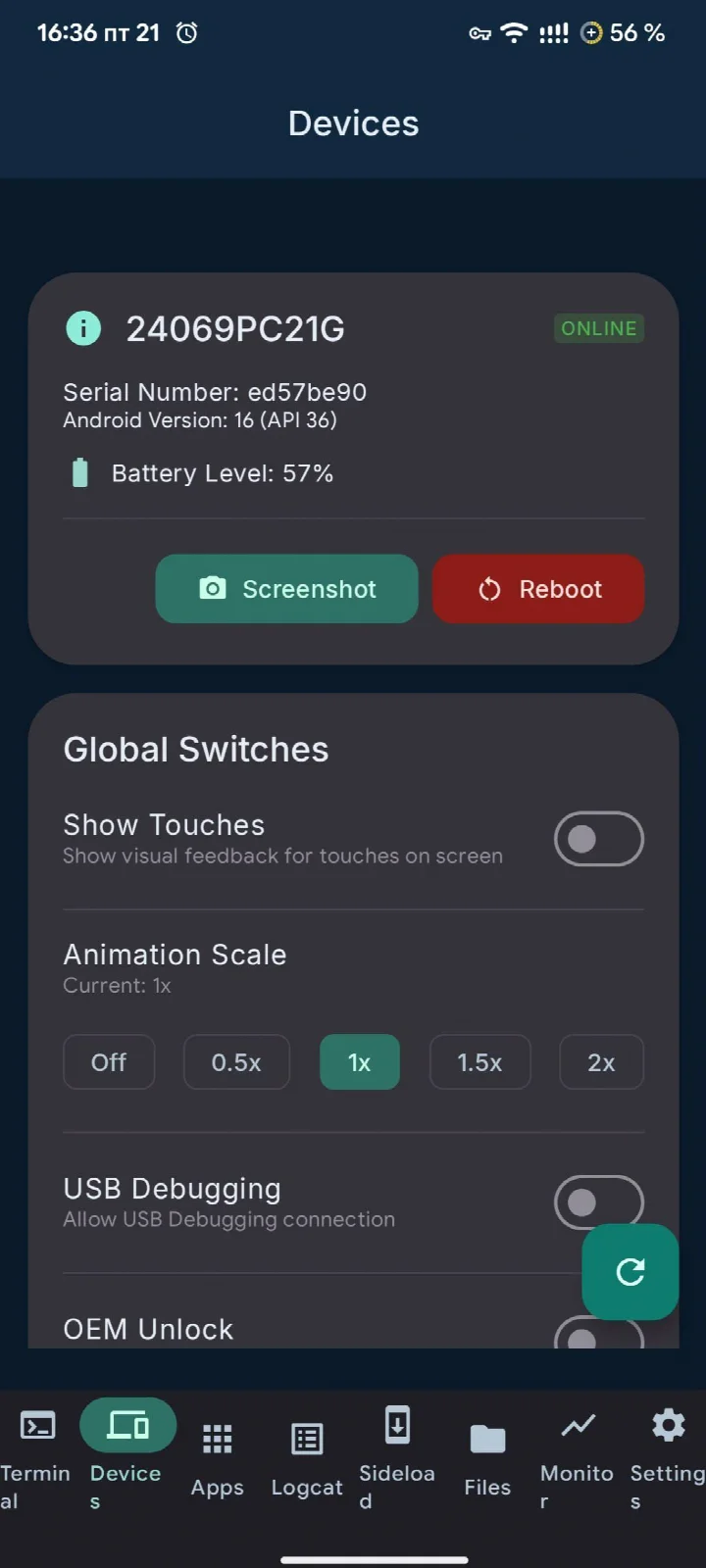
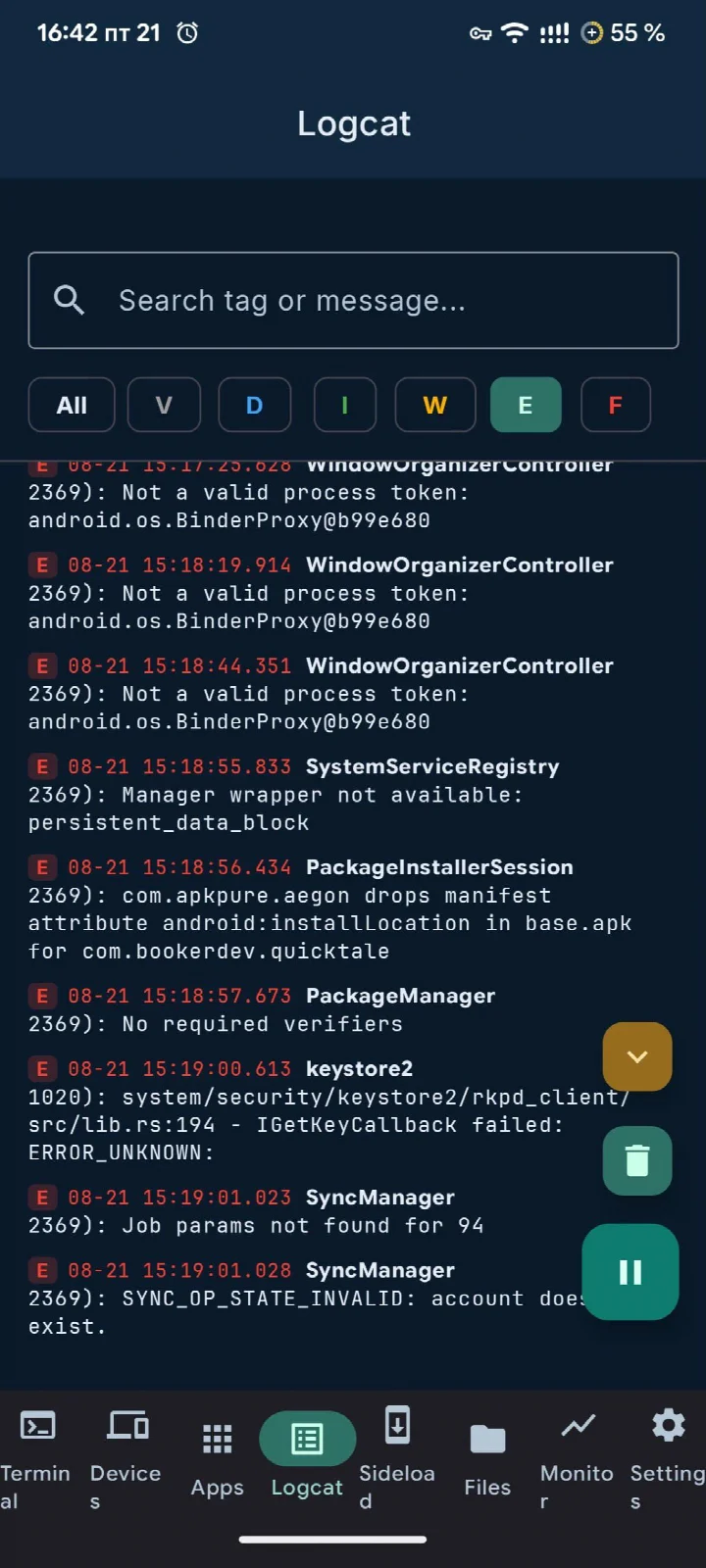
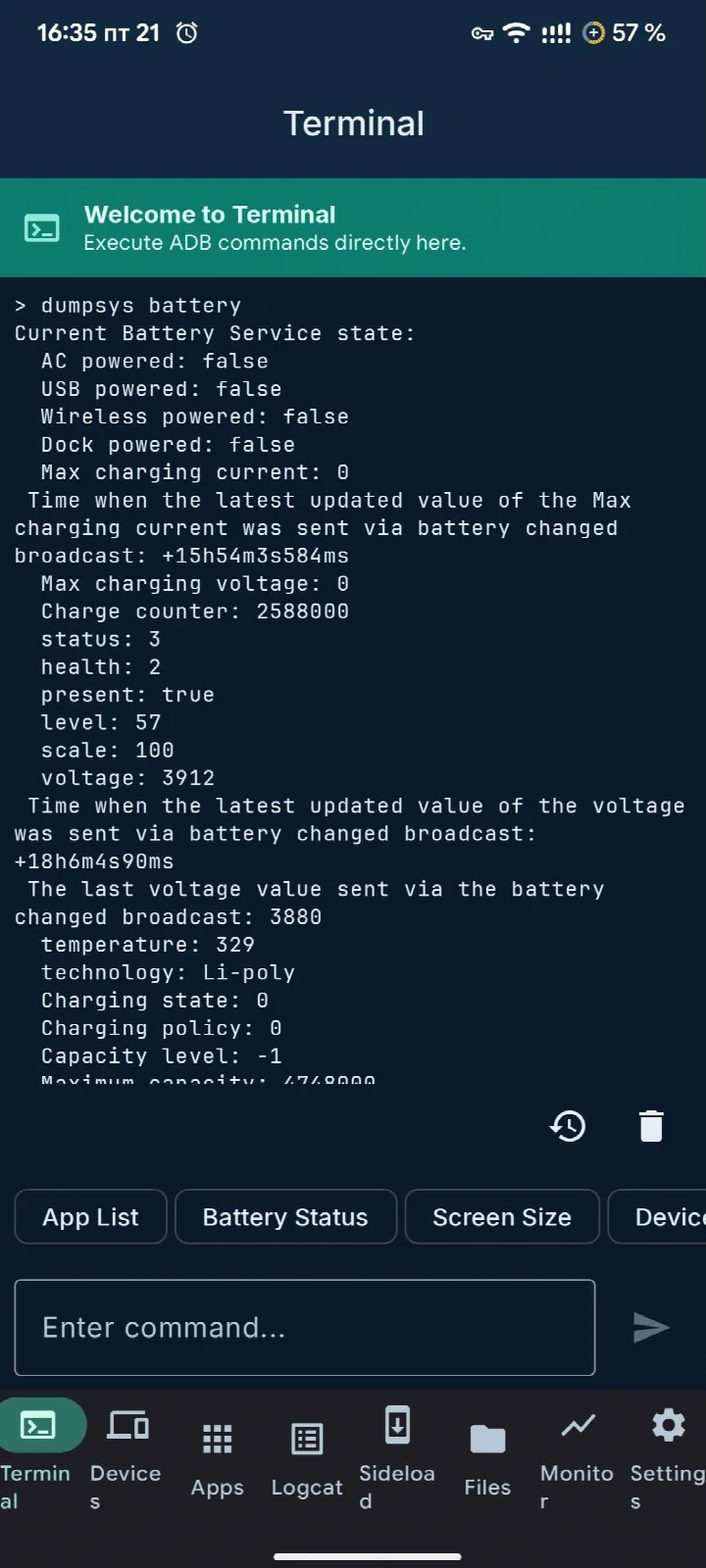
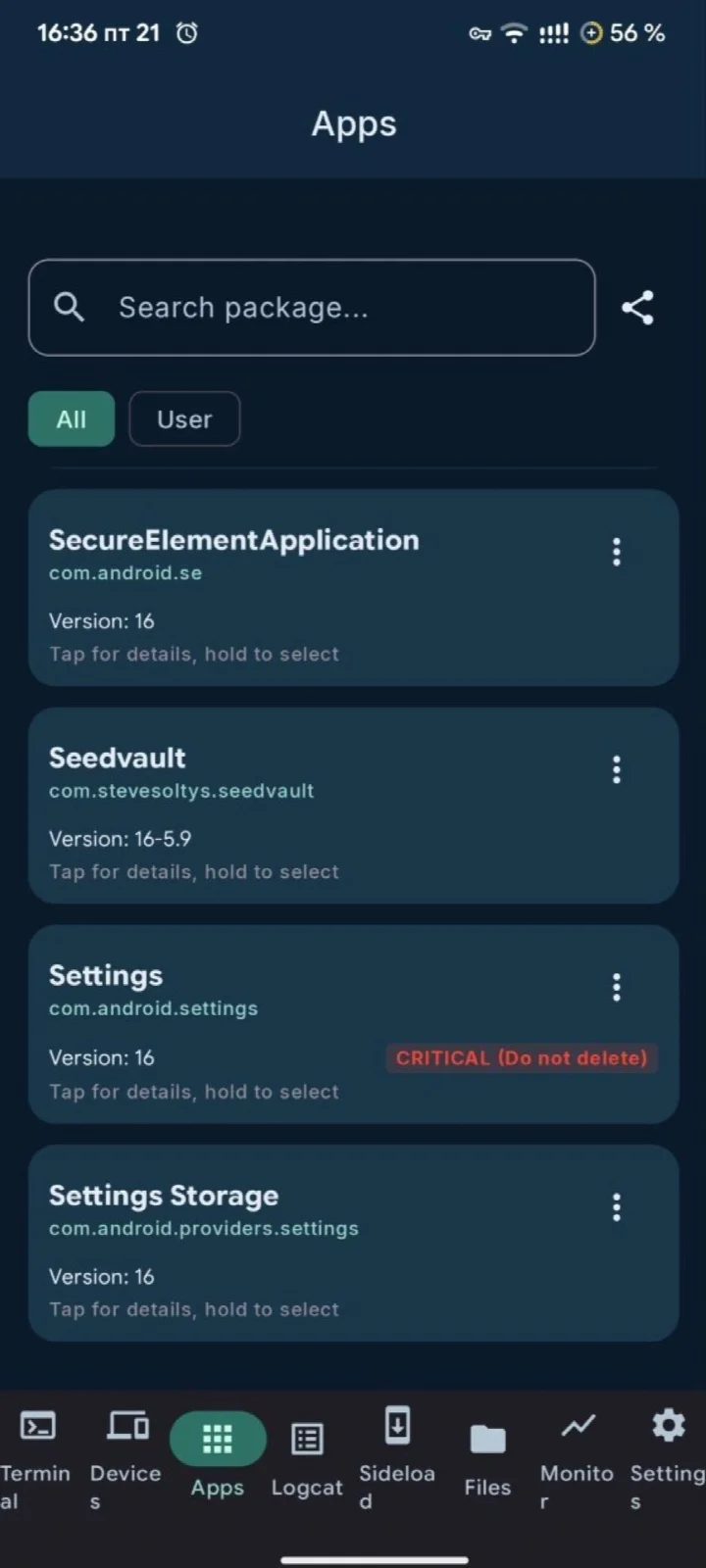
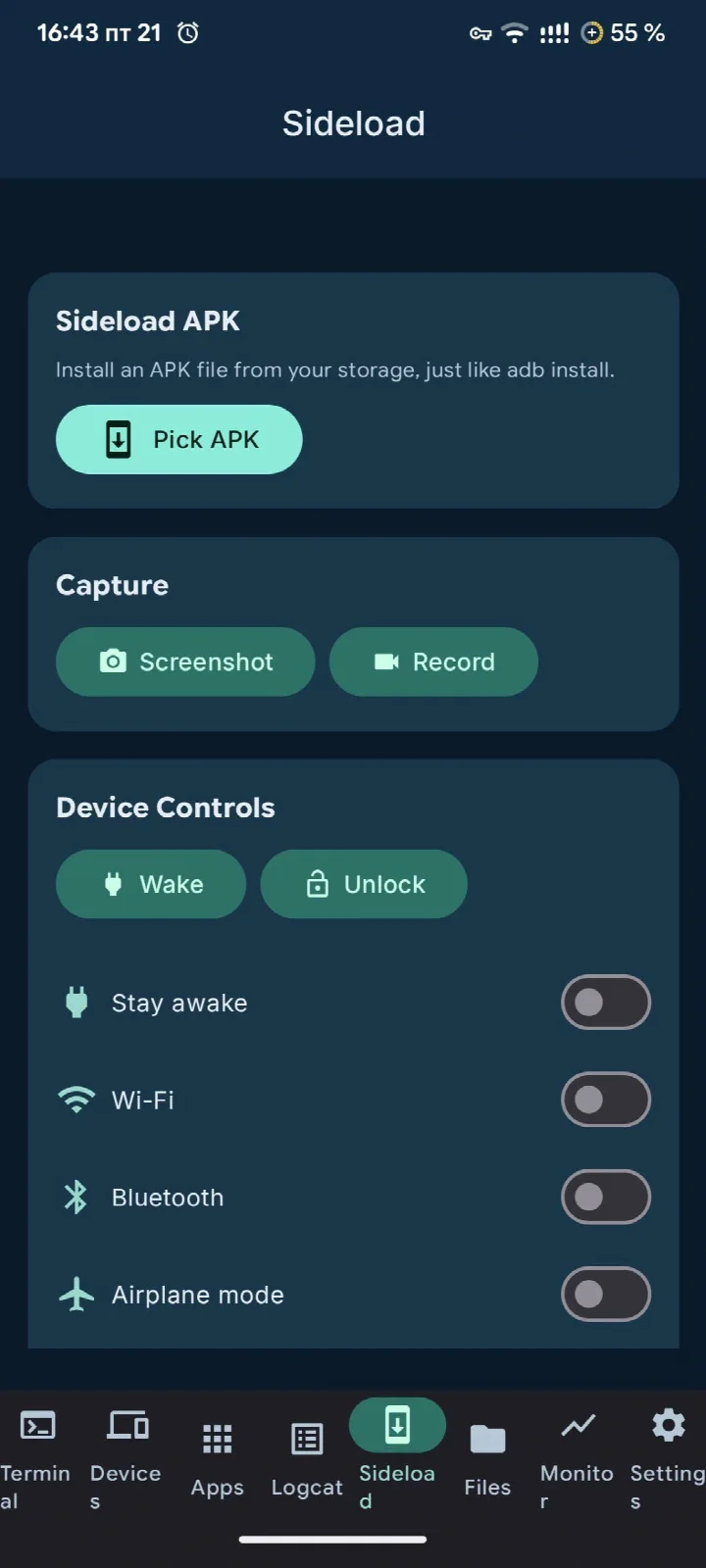
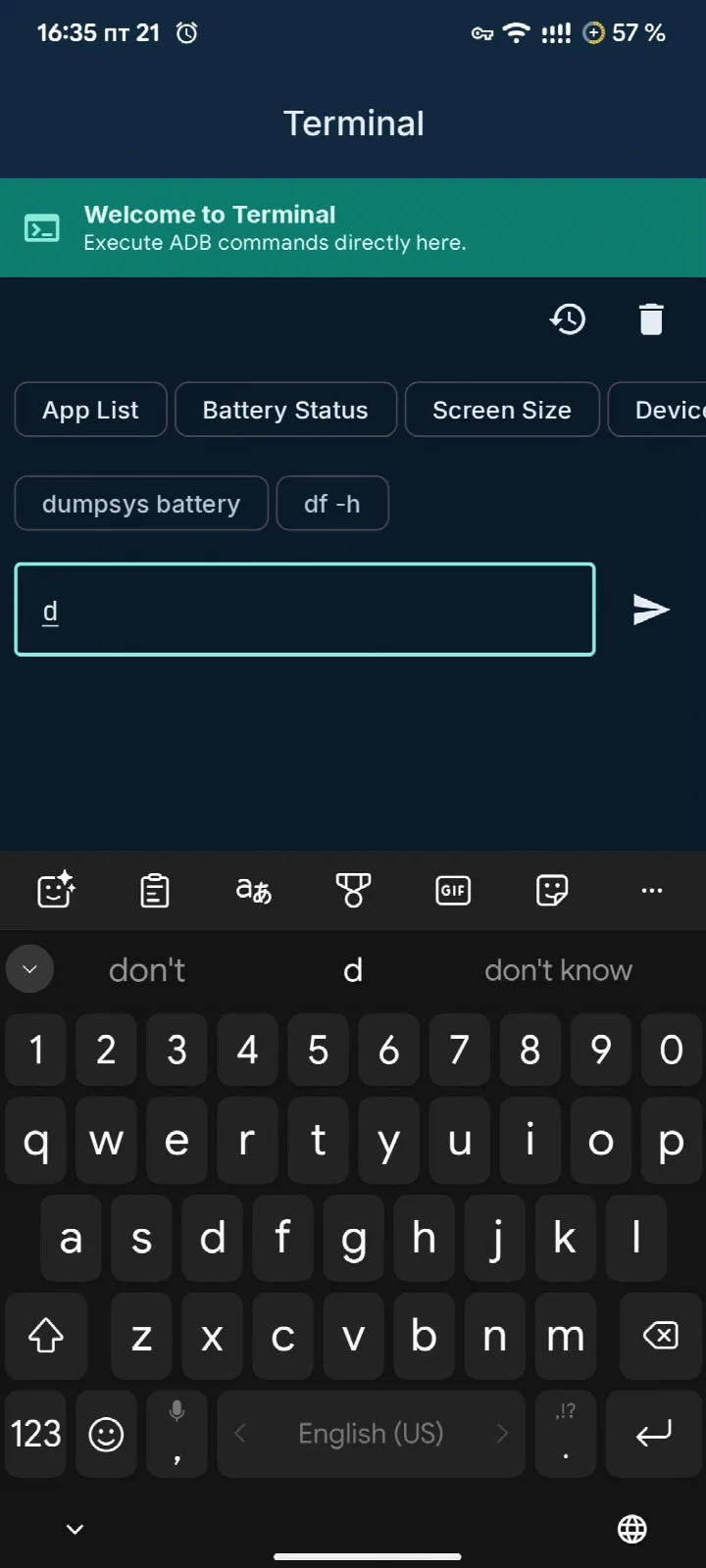
ADB Captain is a tools app by eatenlamp that lets you run ADB commands directly on your Android device. It requires Android 7.0 or newer and about 28 MB of storage. Instead of connecting to a computer, this app uses Shizuku to grant the necessary permissions, so you can execute commands like pm, am, dumpsys, settings, and input right from your phone. This makes it a practical choice for developers, power users, and anyone who wants to manage their device more deeply without rooting it or using a PC.
The app is structured around several dedicated workspaces. The terminal allows multiple simultaneous sessions, with autocomplete based on your command history and the ability to pin frequently used commands. For debugging, there is a workspace where you can create bug report ZIP files, record timed sessions that capture logs while you reproduce crashes, save macros for repetitive command chains, and view crash logs grouped by app with full stack traces. The apps section lists every installed package, separating user and system apps, and provides a safety rating for each so you know what can be safely disabled or removed. You can also inspect an app's components (activities, services, receivers, providers) and the permissions they require, and even launch intents manually.
Beyond these, the app includes a process manager with detailed information like PID, parent, user, and memory, along with force-stop functionality. The devices tab shows model, Android version, battery status, and offers reboot and screenshot options. Wireless ADB lets you pair and connect to other devices over Wi-Fi, with saved devices and auto-reconnect. Logcat provides a live system log that you can filter by level and text, follow the foreground app, save to a file, or share as Markdown for bug reports. Additional tools include sideloading APKs from storage, screen recording, toggling Wi-Fi, Bluetooth, or airplane mode, typing text, and opening links. The interface follows Material 3 Expressive design with light/dark themes, five accent palettes, and Material You support. The app is free, open source (AGPL-3.0), and contains no ads, analytics, or account requirements.
Key features
- Terminal with multiple simultaneous sessions, autocomplete from history, and pinned commands
- Debugging workspace: bug report ZIP, timed session with log buffering, macros, and per-app crash logs with stack traces
- Apps list with user/system separation, safety ratings, component inspector, and intent launcher
- Process manager with PID, parent, user, memory, and force-stop
- Device info: model, Android version, battery, connection status, reboot, and screenshots
- Wireless ADB pairing and connection with saved devices and auto-reconnect
- Logcat viewer with filtering, follow foreground app, save to file, and share as Markdown
- Sideload APKs, screen recording, toggle Wi-Fi/Bluetooth/airplane mode, type text, open links
- Material 3 Expressive UI with light/dark theme, five accent palettes, and Material You
How to install
- Tap the download button on this page to get the APK file (28 MB).
- When Android prompts, allow your browser or file manager to install apps by enabling the 'Install unknown apps' setting.
- Open the downloaded APK file from your notifications or file manager.
- Tap Install and wait for the process to finish.
- Open ADB Captain and follow the on-screen instructions to set up Shizuku.
Pros
- No root or PC required for ADB commands
- Comprehensive set of tools in one app
- Open source with no ads or analytics
- Wireless ADB support for remote control
- Material 3 design with customization options
Cons
- Requires Shizuku setup, which might be complex for beginners
- Some features may be overwhelming for casual users
- App size of 28 MB might be large for some devices
Previous versions
| Version | Size | Requires Android | Updated |
|---|---|---|---|
| 1.6 | 28 MB | 7.0 | Oct 22, 2026 |
| 1.5 | 27 MB | 7.0 | Oct 8, 2026 |
| 1.4 | 16 MB | 7.0 | Oct 1, 2026 |
| 1.2 | 15 MB | 7.0 | Sep 20, 2026 |
ADB Captain is ideal for Android enthusiasts, developers, and power users who want to run ADB commands on their device without a computer or root access. It is also useful for testers who need to capture logs and debug crashes, and for anyone who wants to manage apps and system processes in detail.
Before disabling or removing any system app, check its safety rating and research what it does to avoid breaking functionality. Use the timed session feature when reproducing crashes to automatically capture relevant logs. Save frequently used command sequences as macros to speed up your workflow.
Frequently asked questions
Does ADB Captain require a rooted phone or a computer to run ADB commands?
No. It runs ADB commands directly on the device through Shizuku, so neither root access nor a PC is needed.
What kinds of shell commands can I run in the terminal, and how are multiple sessions handled?
The terminal accepts anything an adb shell takes, including pm, am, dumpsys, settings and input. You can keep several sessions open at the same time, each with its own output and its own command still running, with autocomplete drawn from your command history.
How does the debugging workspace help when I need to reproduce a crash?
It provides a timed session that records your actions and buffers the log while you reproduce the crash. It also covers bug report ZIPs, saved macros for command chains, and crash logs grouped per app with the full stack trace.
What does the app inspector show for an installed package?
It lists activities, services, receivers and providers along with the permissions they require. Packages are shown in one list with user and system apps separated, and each carries a plain safety rating to help you judge what is safe to disable or remove.
Can I connect to another device over Wi-Fi instead of using a cable?
Yes. Wireless ADB lets you pair and connect to a device over Wi-Fi and then run shell commands on it, with saved devices, one-tap reconnect and an optional auto-reconnect setting.
What information and actions does the devices screen offer?
It shows the model, Android version, battery level and connection status, and lets you reboot and take screenshots from the same screen.
Is there anything in the app that collects data or shows advertising?
According to the app's details, it contains no ads, no analytics and no accounts. It is released under AGPL-3.0-or-later.
ADB Captain brings the power of ADB to your phone, eliminating the need for a PC or root. With its wide range of features and intuitive design, it's a valuable tool for anyone who wants to explore and manage their Android device more deeply. While the initial setup with Shizuku may take a few minutes, the capabilities it unlocks are well worth the effort.
Similar apps
 Android Accessibility SuiteAndroid Accessibility Suite is a free collection of tools from Google LLC that includes TalkBack, Accessibility Menu, and Select to Speak…Google LLC · ★ 4.1 · Tools · 45 MB
 Gboard - the Google KeyboardGboard - the Google Keyboard is designed for Android users who want to type faster through Glide Typing, voice typing, handwriting, and e…Google LLC · ★ 4.5 · Tools · 9.4 MB
 GoogleGoogle is a free app with ads and no in-app purchases, sized at 156 MB and requiring Android 6.0 or higher. It offers AI-powered search f…Google LLC · ★ 4.0 · Tools · 156 MB
Updated: Oct 24, 2026
- Version
- 1.6
- Size
- 28 MB
- Requires Android
- 7.0
- Updated
- Oct 22, 2026
- Category
- Tools
- Developer
- eatenlamp
- Package
- adb.captain
- Free
- ✓