eFootball™: Sports Game
eFootball™ is a sports game by KONAMI that offers digital soccer gameplay with features like player development, team customization, and real-time updates.

eFootball™ is a free sports game developed by KONAMI that requires Android 7.0 or higher and needs approximately 3.1 GB of storage space. The app has a high rating and over 100 million installs. It includes features such as tutorials for newcomers, real-life season updates, and stadium customization, making it suitable for soccer fans and gamers seeking an adaptive experience.
Download Now · v11.1.0Screenshots

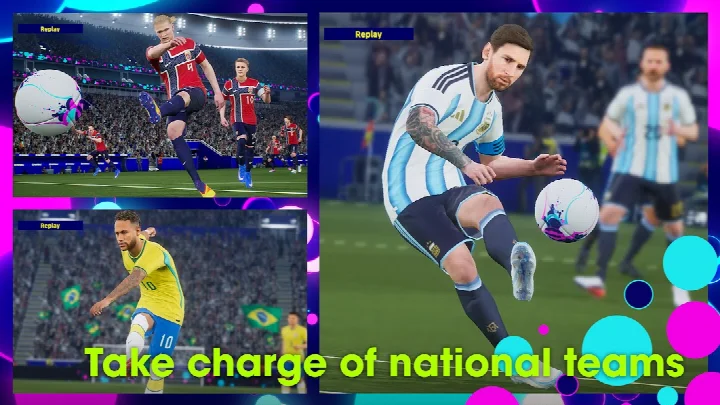


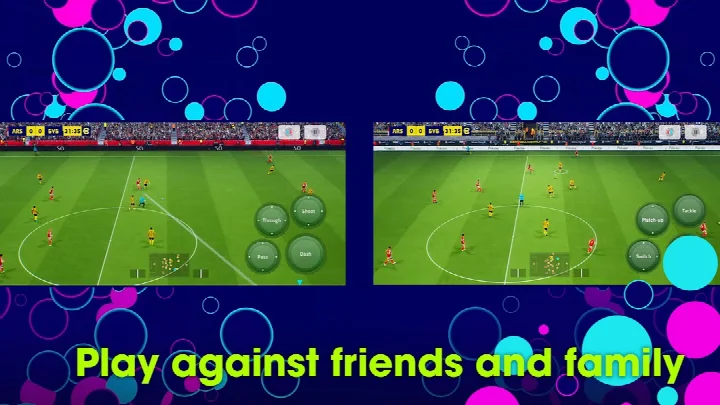
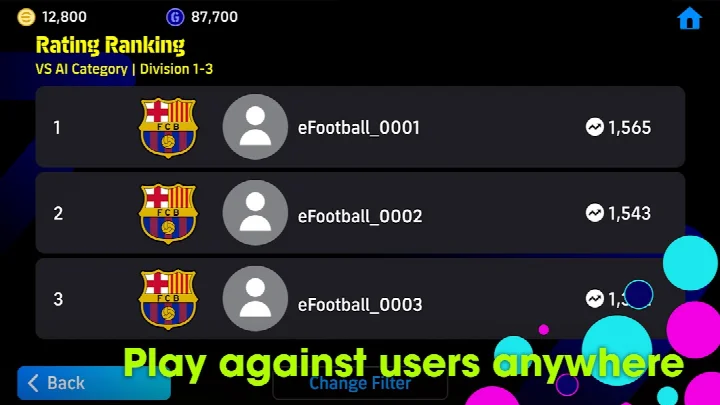
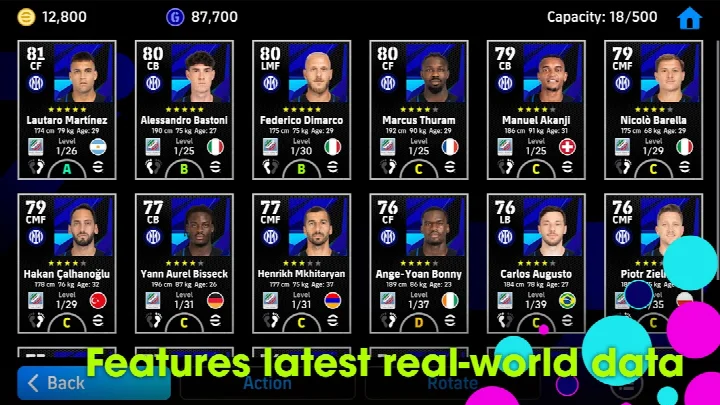
eFootballTM is a sports game by KONAMI that delivers a free-to-play soccer experience centered on online matches and team building. It represents the evolution of the PES series, shifting the focus toward a live-service model where players regularly download weekly data reflecting real-world transfers and match results. The core loop involves assembling a squad, developing players through matches and items, and competing against others in friend matches or co-op sessions with up to three per side. For newcomers, the game includes a step-by-step tutorial that demonstrates basic controls and rewards completion with Lionel Messi. A Smart Assist setting also helps beginners execute dribbles, passes, and shots without complex commands, making the transition into competitive play smoother. Beyond the pitch, you can customize a stadium with elements like Tifos and Giant Props. The game requires an internet connection to play and about 3.1 GB of free storage, so a stable Wi-Fi connection is recommended for the initial download and updates. With its frequent content updates and online focus, eFootballTM suits anyone looking for a continually evolving soccer game that emphasizes real-world season dynamics and social play over a traditional offline career mode.
Key features
- Step-by-step tutorial with practical demonstrations; completing it rewards Lionel Messi
- Smart Assist setting to help newcomers perform dribbles, passes, and shots without complex commands
- Friend Matches and Co-op Matches with up to three players per side
- Player development through matches and special items, with an Auto Select option for automatic growth
- Weekly data downloads that reflect real player transfers and match achievements
- Stadium customization using Tifos and Giant Props
- New features: Select Skill Token, Select Position Token, and Order of Signing for sorting managers in My Team
How to install
- Tap the download button on this page to get the APK file; note the file size is not specified here, but ensure your device has enough free space.
- When Android prompts, allow your browser or file manager to install apps by enabling the 'Install unknown apps' setting for that source.
- Open the downloaded APK file from your notifications or downloads folder.
- Tap Install and confirm when asked; the app requires Android 7.0 or higher.
- Open eFootballTM from your app drawer, then follow the in-game prompts to download additional data over Wi-Fi.
- Sign in or create an account if needed, and complete the tutorial to start playing.
Pros
- Free to download and play with no upfront cost
- Regular content updates reflecting real-world soccer events
- Tutorial and Smart Assist make it approachable for beginners
- Supports social play through friend and co-op matches
- In-app purchases are optional and not required for basic play
Cons
- Requires a constant internet connection to play
- Large storage footprint: about 3.1 GB of free space needed
- Contains ads and in-app purchases
- Some loot box features may require parental consent depending on your country and age
Latest changes · 11.1.0
The latest update to eFootballTM, version 11.1.0, introduces two new training tools: the Select Skill Token and Select Position Token, which let you choose exactly which skill or position to develop for a player. Manager sorting in My Team now includes an Order of Signing option. This release also refreshes various in-game data and applies fixes for other issues; check the in-game News section for full details.
Previous versions
| Version | Size | Requires Android | Updated |
|---|---|---|---|
| 11.1.0 | — | 7.0 | Oct 6, 2026 |
eFootballTM is for soccer fans who enjoy online multiplayer, live team building, and staying current with real-world season developments. It also welcomes newcomers thanks to its tutorial and Smart Assist, making it suitable for casual players who want a less technical entry into soccer gaming.
To get the most out of the game, use a stable Wi-Fi connection for the initial download and updates. If you are new, complete the tutorial to earn Lionel Messi and learn the controls. Use the Auto Select setting to develop players automatically while you focus on matches, and regularly download weekly data to keep your team aligned with real transfers. Also, check the in-game news for limited-time events and new features.
Permissions
Frequently asked questions
How do I install eFootballTM on my Android device?
Ensure you have about 3.1 GB of free storage, then download the APK from the button on this page. After it finishes, open the file and follow the on-screen prompts to complete the installation.
What is the current version of eFootballTM?
The latest version is 11.1.0, released on October 6, 2026. It adds features like Select Skill Token and Select Position Token for training players.
Does eFootballTM contain ads or in-app purchases?
Yes, the game is free to download but includes ads and offers in-app purchases. Some loot boxes using eFootballTM Coins are restricted or require parental consent in certain regions.
Can I play eFootballTM offline?
No, an internet connection is required to play. A stable connection is strongly recommended for the best experience, especially during matches.
What Android version do I need to run eFootballTM?
The game requires Android 7.0 or higher. It also needs access to storage and Wi-Fi connection information during installation and use.
Are there other soccer games in the same category?
Yes, the Sports category includes several other soccer titles with different gameplay styles and features. You can explore similar options to find one that suits your preferences.
How much storage space does eFootballTM need?
You'll need approximately 3.1 GB of free space to download and install the game. A Wi-Fi connection is recommended for the initial download and updates.
eFootballTM offers a modern, online-first soccer experience that evolves with the real season. With its free model, beginner-friendly tools, and frequent updates, it is a solid choice for both newcomers and veterans looking for a competitive, ever-changing match on mobile.
Similar apps
 8 Ball Pool8 Ball Pool is for fans of casual sports games who want to challenge friends and other players in real-time 3D pool matches. The game is …Miniclip.com · ★ 4.8 · Sports · v56.34.0
 Pooking - Billiards CityPooking - Billiards City is a free-to-play arcade pool game with ads and in-app purchases, featuring realistic ball physics, 3D ball anim…AIM TOP GAME TECHNOLOGY LIMITED - pool · ★ 4.6 · Sports · v1.0.168
 Carrom Pool: Disc GameCarrom Pool: Disc Game requires Android 8.0 or newer and is free to play, with ads shown and optional in-game purchases available. The ga…Miniclip.com · ★ 4.4 · Sports · v19.5.1
 EA SPORTS FC Soccer Mobile 27EA SPORTS FC Soccer Mobile 27 is a free sports title from ELECTRONIC ARTS, released on October 10, 2016 and updated to version 28.0.01 on…ELECTRONIC ARTS · ★ 4.6 · Sports · v28.0.01
 Dream League Soccer 2026Dream League Soccer 2026 is for soccer fans who want to assemble and manage a team of licensed players. The game is free to download, req…First Touch Games Ltd. · ★ 4.5 · Sports · v13.430
Updated: Nov 6, 2026
- Version
- 11.1.0
- Requires Android
- 7.0
- Updated
- Oct 6, 2026
- Installs
- 100M+
- Rating
- ★ 4.15 (18,999,853)
- Category
- Sports
- Developer
- KONAMI
- Content rating
- Everyone
- Package
- jp.konami.pesam
- Free
- ✓ · Contains ads · In-app purchases