Google Street View: Explore and Create
Google Street View is a free travel and local app by Google Inc. that lets you explore places around the world and add your own imagery.
Google Street View is a free app with a download size of 42 MB and a minimum Android version of 7.0. Google Street View has 1 billion installs and a rating of 4.36 based on 234 ratings. Google Street View suits travelers who want to tour landmarks and contributors who want to publish Photo Spheres or Photo Paths.
Get App · v2.0.0.484371618Screenshots
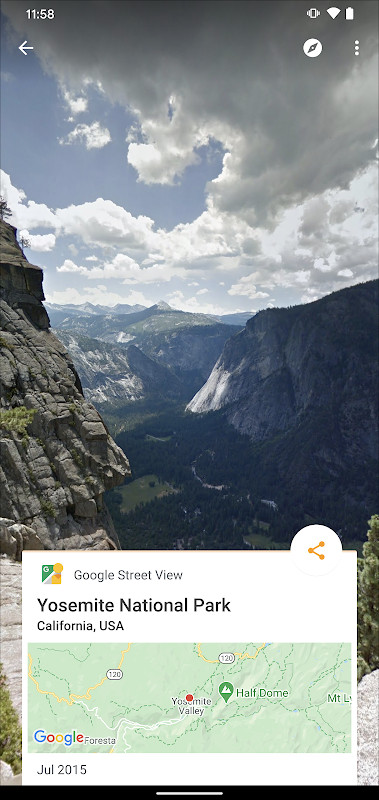
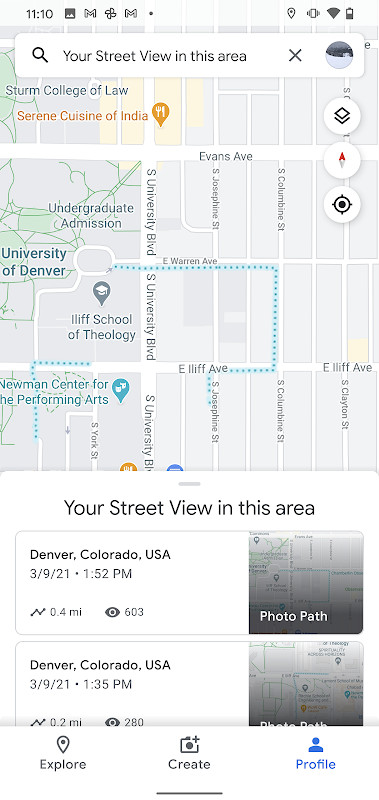
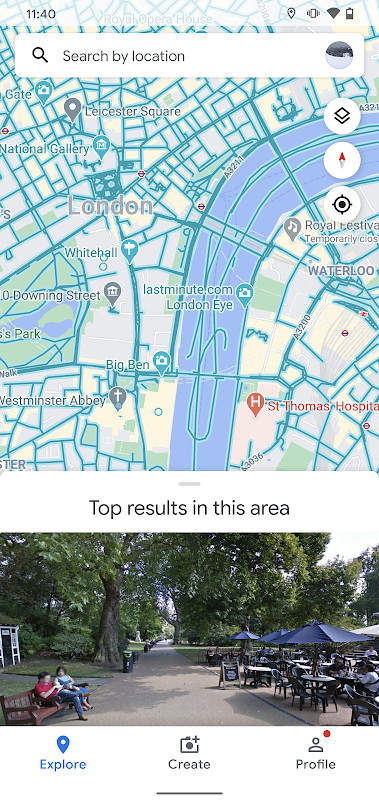
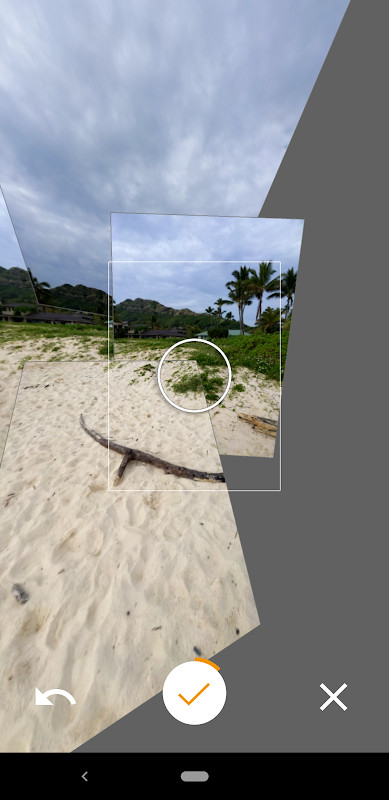
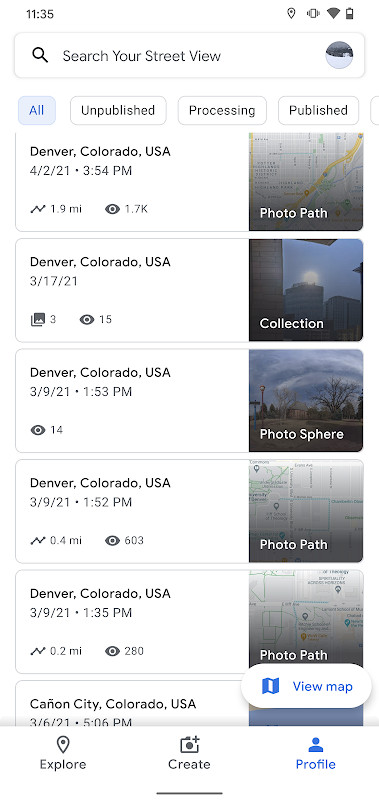
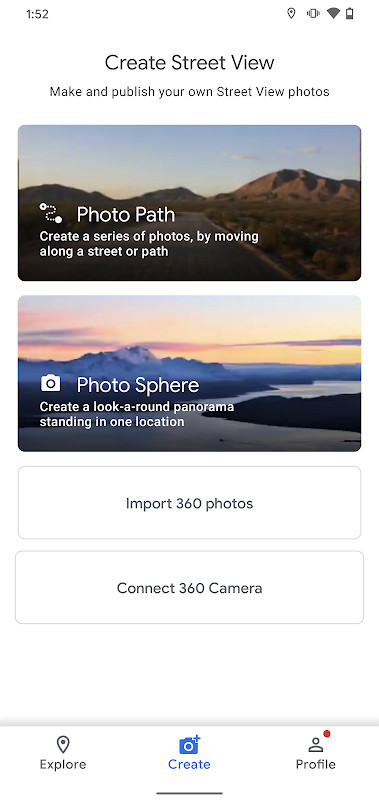
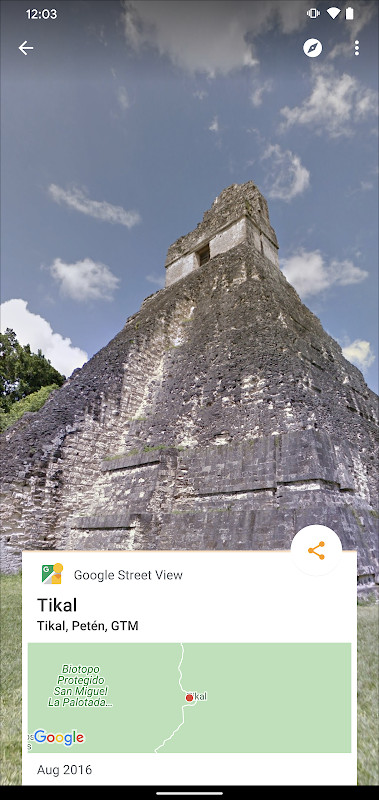
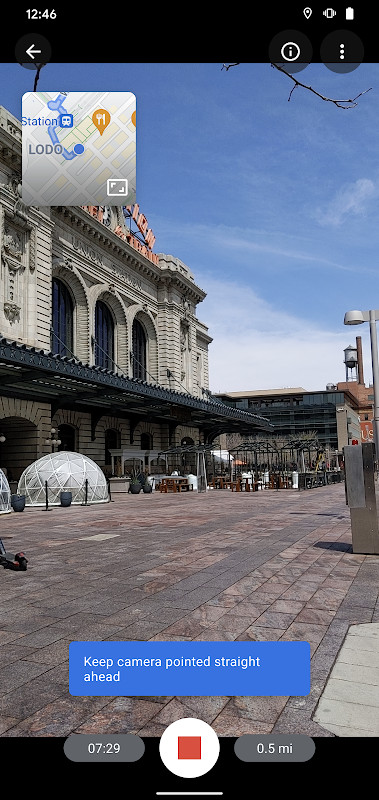
Google Street View is a travel and local exploration app by Google Inc. that lets you browse immersive street-level imagery from around the world and contribute your own 360-degree photos to the shared map.
The app works in two directions at once. As a viewer, you can virtually travel to landmarks, natural wonders, museums, arenas, restaurants and small businesses, seeing places as if you were standing there. As a contributor, you can capture imagery with your phone and publish it for others to explore, using Photo Spheres for 360-degree panoramas, Photo Paths for a series of connected photos along a street or trail, or Street View for connected panoramas captured with a 360-degree camera.
The current version is 2.0.0.484371618, updated on 2025-03-06. It is listed as free, carries an Everyone content rating, and requires Android 7.0 or newer. The download is 42 MB. The listing shows a rating of 4.36 from 234 ratings and more than 1,000,000,000 installs, which reflects how widely the service is used.
Because the app combines location, camera and account access, it is worth reading the permission list before installing. The sections below describe what the app does, which permissions it requests, and how to install the APK on your device.
Key features
- Explore Street View imagery from around the world, including landmarks, natural wonders, museums, arenas, restaurants and small businesses
- Create and publish Photo Spheres, which are 360-degree panoramas
- Create and publish Photo Paths, a series of connected photos recorded along a street or trail (requires an ARCore-compatible device)
- Create and publish Street View imagery using connected panoramas from a 360-degree camera
- Share your own imagery so other people can see the places you record
- Track your contribution progress with the Street View badge
- Refreshed interface that makes creating, organizing and publishing imagery easier
- Version 2.0.0.484371618 includes several bug fixes and other improvements
How to install
- Tap the download button on this page to get the APK file. The download is 42 MB, so a stable connection is helpful.
- Check that your device runs Android 7.0 or newer, since that is the minimum version this release supports.
- When Android asks, allow your browser or file manager to install apps. This is the "Install unknown apps" setting, and it is required for installing an APK that did not come from a preinstalled source.
- Open the downloaded APK file from your notifications or your file manager's Downloads folder.
- Tap Install and wait for the process to finish, then open the app from your home screen or app drawer.
Pros
- Free to use, with no purchase required to explore or contribute imagery
- Very large install base and a solid rating of 4.36 from 234 ratings
- Useful for both virtual travel and adding your own imagery to a global map
- Recent update (2025-03-06) brings a refreshed interface and bug fixes
- Photo Paths and Photo Spheres let you contribute without specialized camera hardware
Cons
- Requests precise and coarse location, which is central to how it works but still a significant privacy consideration
- Requests camera access for capturing imagery
- Includes account-related permissions such as GET_ACCOUNTS, MANAGE_ACCOUNTS and USE_CREDENTIALS
- Photo Paths requires an ARCore-compatible device, so not every phone can use that feature
- Needs Android 7.0 or newer, which leaves older devices out
Latest changes · 2.0.0.484371618
This update lets you create and publish a Photo Path as you travel along a street or trail. The interface has been refreshed to make it easier to create, organize, and publish imagery to Street View. You can also track your contribution progress with the Street View badge, along with several bug fixes and other improvements.
Previous versions
| Version | Size | Requires Android | Updated |
|---|---|---|---|
| 2.0.0.484371618 | 42 MB | 7.0 | Mar 6, 2025 |
This app suits people who enjoy exploring places remotely, travelers planning routes, and anyone who wants to contribute street-level imagery of their own neighborhood, a trail or a landmark. It is also a reasonable fit for users who already rely on Google services and are comfortable with location and camera permissions. If you want a pure map or navigation tool without contributing imagery, other apps may be a better match.
Before your first contribution, decide whether you want the app to access your location only while in use, and review the permission list in your device settings after installation. If you plan to record Photo Paths, confirm that your device is ARCore-compatible first, since that feature depends on it. For Photo Spheres, keep the phone steady and rotate slowly around a fixed point to reduce stitching errors. Remember that anything you publish becomes visible to other users, so avoid capturing private property or people without consent.
Permissions
Frequently asked questions
What is the minimum Android version required to run the app?
The app requires Android 4.4 (KitKat) or newer, although the listing itself specifies a minimum OS version of 7.0.
What types of imagery can I create with this app?
You can create Photo Spheres (360° panoramas), Photo Paths (a series of connected photos along a street or trail), and Street View (connected panoramas from a 360° camera).
Is a special device required to create Photo Paths?
Yes, Photo Paths requires an ARCore-compatible device to function properly.
What was included in the latest update?
The latest update (version 2.0.0.484371618, released March 6, 2025) added the ability to create and publish a Photo Path while traveling, a fresh UI for creating and organizing imagery, a Street View badge to track contributions, and several bug fixes.
Does the app require a camera and location permissions?
Yes, the app requests access to your camera, fine and coarse location, and Wi-Fi state, among other permissions, to support capturing and publishing imagery.
Google Street View combines virtual exploration with user-contributed imagery in a single free app. It is a strong choice if you want to see the world from street level or add your own views to the map, provided you are comfortable with its location, camera and account permissions. At 42 MB and with Android 7.0 as the minimum, it installs quickly on most modern phones.
Similar apps
 Google Maps GoGoogle Maps Go is a 1.7 MB navigation app that requires Android 10 or later. Google Maps Go contains ads and has no in-app purchases, and…Google LLC · ★ 4.1 · Travel & Maps · 1.7 MB
 Uber: Rides, eats, hotelsUber: Rides, eats, hotels offers ride options such as UberX, Comfort, Black, Taxi and two-wheel scooters, along with upfront pricing and …Uber Technologies, Inc. · ★ 4.7 · Travel & Maps
 Booking.com: Hotels & TravelBooking.com: Hotels & Travel suits travelers who want to plan an entire trip in one place, replacing separate booking tools for lodging, …Booking.com Hotels & Vacation Rentals · ★ 4.8 · Travel & Maps · v70.6
Updated: Oct 24, 2026
- Version
- 2.0.0.484371618
- Size
- 42 MB
- Requires Android
- 7.0
- Updated
- Mar 6, 2025
- Installs
- 1B+
- Rating
- ★ 4.36 (234)
- Category
- Travel & Maps
- Developer
- Google Inc.
- Content rating
- Everyone
- Package
- com.google.android.street
- Free
- ✓